
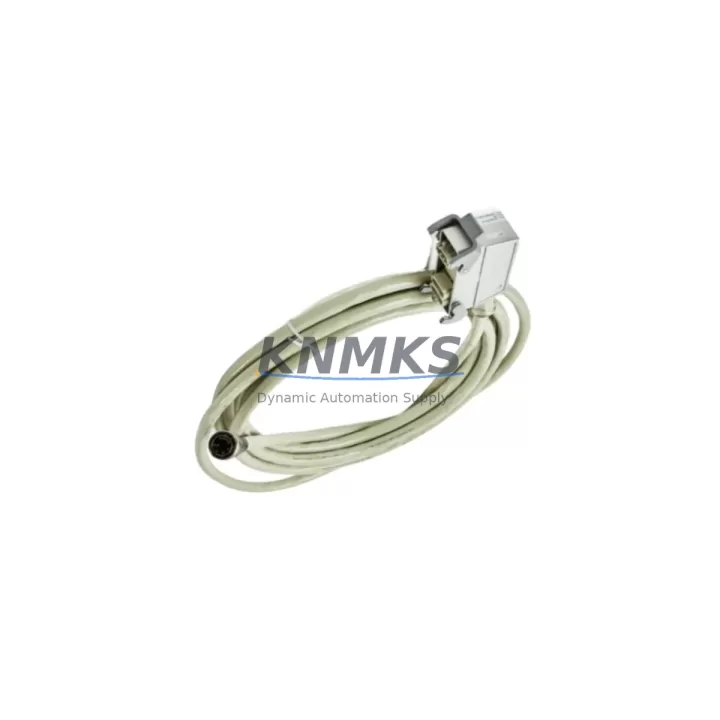
Overview
ABB 3HAC043904-001 Maintenance-Proven Spare Part for Factory Uptime
The ABB 3HAC043904-001 is the Serial Measurement Board (SMB) designed for ABB IRC5 robot controllers. This board is responsible for reading resolver signals from the robot’s joint motors, providing accurate position feedback to the drive system. When the SMB fails or degrades, the robot controller loses positional accuracy, triggering fault codes and forcing an unplanned shutdown. Stocking a verified replacement 3HAC043904-001 is a fundamental element of any IRC5 preventive maintenance program.
This unit is sourced as an original ABB spare, subjected to pre-shipment functional testing, and backed by a support terms confirmed by quotation. It is compatible with the full IRC5 single-cabinet and dual-cabinet controller family, including M2004 and M2006 variants, making it a reliable choice for maintenance engineers managing multi-robot production lines.
Spare Maintenance Table
| SKU / Part Number | 3HAC043904-001 |
| Brand | ABB |
| Series / Platform | IRC5 Robot Controller (M2004 / M2006) |
| Product Type | Serial Measurement Board (SMB) |
| Function | Resolver signal acquisition and position feedback for robot joint axes |
| Compatibility | ABB IRC5 Single Cabinet, Dual Cabinet, Panel Mounted Controller |
| Origin | Germany (DE) |
| Operating Temperature | 0°C to +55°C (controller cabinet ambient) |
| Installation | Internal IRC5 controller backplane slot; ESD precautions required |
| Maintenance Interval | Inspect annually; replace on resolver fault or SMB error codes (e.g., 38213, 38214) |
| Pre-Shipment Testing | Yes — functional verification before dispatch |
| Support terms | 12 Months |
| Condition | Original Spare / New |
Maintenance Planning for Continuous Operation
When a 3HAC043904-001 SMB replacement is scheduled or triggered by a fault event, a disciplined maintenance engineer will treat it as an opportunity to inspect the entire measurement and drive chain within the IRC5 cabinet. The SMB interfaces directly with the resolver cables routed from each robot axis; these cables — typically the 3HAC031683-001 SMB cable harness — should be inspected for chafing, connector corrosion, and secure seating before the new board is installed. A damaged cable harness is a common root cause of repeat SMB faults and will shorten the life of a replacement board.
The IRC5 axis computer board (3HAC026254-001 DSQC 668 or equivalent) communicates with the SMB over the internal measurement bus. If the axis computer shows concurrent error codes alongside the SMB fault, both boards should be evaluated before returning the robot to production. Replacing only the SMB while an axis computer fault is present risks a second unplanned shutdown within days.
Power supply integrity is equally critical. The IRC5 system power supply unit — such as the 3HAC025338-001 DSQC 661 — provides regulated 24 VDC to the SMB and other controller boards. A power supply operating outside its voltage tolerance can cause intermittent SMB communication errors that mimic board failure. Verify supply output voltage under load before condemning the SMB.
Drive units within the IRC5 cabinet, including the 3HAC17484-1 drive module series, depend on clean resolver feedback from the SMB to execute precise motion profiles. After SMB replacement, a full axis calibration and resolver offset verification should be performed to confirm the drive units are receiving accurate position data. This step is non-negotiable for safety-rated applications.
Finally, the IRC5 FlexPendant (teach pendant) and its connection to the controller via the 3HAC028357-001 FlexPendant cable should be checked during the same maintenance window. A faulty pendant connection can mask SMB-related error messages or generate misleading diagnostics, complicating fault isolation. Completing a full cabinet inspection — SMB, cable harness, axis computer, power supply, drive modules, and pendant interface — during a single planned downtime event is the most cost-effective approach to IRC5 reliability management.
Site Replacement Workflow
1. Fault Isolation: Confirm the fault is SMB-specific using the IRC5 event log. Common codes include 38213 (SMB memory error) and 38214 (SMB communication error). Rule out cable harness and power supply issues before proceeding.
2. Controller Shutdown: Execute a controlled shutdown via FlexPendant. Isolate main power at the cabinet disconnect. Allow capacitors to discharge per ABB safety guidelines (minimum 5 minutes).
3. ESD Precautions: Ground yourself with an ESD wrist strap before opening the cabinet. The 3HAC043904-001 is sensitive to electrostatic discharge.
4. Board Removal: Disconnect all resolver cable connectors from the SMB. Note connector positions or photograph before removal. Unscrew the board retaining fasteners and slide the board out of its slot.
5. New Board Installation: Insert the replacement 3HAC043904-001 into the slot. Reconnect all resolver cables in the correct positions. Secure retaining fasteners to the specified torque.
6. Power-On and Calibration: Restore power and boot the IRC5 controller. Navigate to the calibration menu on the FlexPendant and perform resolver offset calibration for all axes. Verify no SMB fault codes are present in the event log.
7. Functional Test: Run a low-speed test program through the full range of motion for all axes. Confirm smooth operation and accurate position feedback before returning the robot to production speed.
This workflow minimizes downtime by ensuring the replacement is performed correctly the first time, avoiding repeat faults and secondary damage to drive units or axis computers.
Spare Parts Support FAQ
Q1: Is the 3HAC043904-001 compatible with all IRC5 controller variants?
The 3HAC043904-001 SMB is compatible with the IRC5 single-cabinet and dual-cabinet controllers across M2004 and M2006 hardware generations. It is not designed for the IRC5 Compact or S4C+ platforms. If you are unsure of your controller variant, check the type plate inside the cabinet door or contact our team with your controller serial number.
Q2: How do I verify the board is functioning correctly after installation?
After installation and power-on, perform a resolver offset calibration via the FlexPendant. A successful calibration with no SMB fault codes in the event log confirms the board is communicating correctly. Pre-shipment testing on our end ensures the board is functional before it leaves our facility, but site calibration is always required after any SMB replacement.
Q3: What is your support terms and long-term supply commitment for this part?
Every 3HAC043904-001 unit ships with a support terms confirmed by quotation covering manufacturing defects and functional failure under normal operating conditions. We maintain stock specifically to support long-lifecycle IRC5 installations and can discuss blanket order arrangements for customers managing large robot fleets or multi-site maintenance programs.
Q4: Can I use this board to replace an older SMB revision in my IRC5 controller?
In most cases, yes. ABB typically maintains backward compatibility within the IRC5 platform for SMB revisions. However, firmware compatibility should be verified against your controller’s current RobotWare version. Our technical team can assist with compatibility confirmation if you provide your controller serial number and RobotWare version prior to ordering.
© 2026 KNMKS. All rights reserved.
Original Source: https://knmks.com
Contact: admin@knmks.com | +86 18359268345
Product Identification
- Brand / Ecosystem
-
ABB
ABB - Model / Series
-
3HAC043904-001
IRC5 Series - Product Family
- Other Components
- Availability Status
- Available on request after model and quantity confirmation
- Inquiry Type
- B2B RFQ, replacement inquiry and project spare-part request
- Pre-Quote Check
- Exact SKU, brand, series, quantity, nameplate photos and destination country are checked before quotation
System Path
Where this product fits in the KNMKS automation structure.
Specification & Inquiry Focus
- Component range
- Breakers, terminals and cabinet accessories
- Common needs
- Model, photo and installation requirement
- Project support
- Maintenance and mixed spare-part inquiry
Buyer Confirmation
Information KNMKS checks before replying.
- Exact model
- 3HAC043904-001
- Brand / ecosystem
- ABB
- Product family
- Other Components
- Application note
- Replacement, maintenance, project build or spare-part list
- Useful photos
- Nameplate, installed unit, cabinet layout or connector side
- Delivery details
- Quantity, destination country and target schedule
Document Support
Files and notes can be confirmed during quotation.
- Product photos or nameplate confirmation when available
- Packing and delivery notes before quotation confirmation
- Support scope and delivery terms confirmed per inquiry
- Export document coordination for qualified B2B requests
Inquiry Support
- Mixed automation spare parts inquiry
- Cabinet component and accessory support
- Model identification from photos or labels
What to Send Us
- Brand and exact model number: ABB 3HAC043904-001
- Quantity and required delivery time
- Application, replacement requirement or nameplate photo
- Destination country and shipping preference
RFQ Preparation
This is a product inquiry page built for RFQ communication.
Fast Model Check
Send this model to KNMKS for confirmation.
Include quantity, destination country and photos if this is a maintenance replacement. The inquiry will be saved with a reference number after submission.
Brand & Compatibility Note
KNMKS displays automation product information for well-known industrial brand ecosystems and compatible replacement references. Brand names are used for product identification and compatibility reference only; final availability and commercial terms are confirmed per quotation.
 Manufacturing
 Machine Tools
 Packaging
 Energy & Power

 PLCs & Controllers
 HMI & Displays
 Servo Systems
 Variable Frequency Drives