
Overview
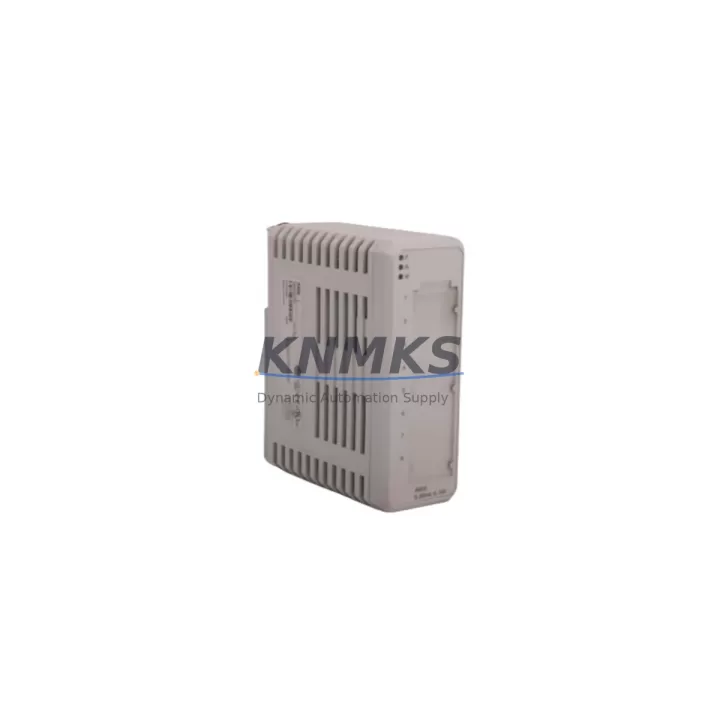
ABB 3HAC033372-001 Migration-Ready Axis Balancer IRB 6600: Legacy System Retrofit & Compatibility Upgrade
The ABB 3HAC033372-001 is a precision-engineered Axis 2 balancing device designed for the IRB 6600 and IRB 6650 industrial robot series. As ABB’s legacy robot fleet ages across automotive, heavy manufacturing, and foundry environments, the 3HAC033372-001 has become a critical spare part for maintenance teams managing end-of-life component replacement, unplanned downtime recovery, and planned retrofit programs. This unit is migration-ready, pre-shipment tested, and backed by a support terms confirmed by quotation.
The 3HAC033372-001 directly replaces discontinued part numbers 3HAC033363-001 and 3HAC030868-001, providing a verified drop-in upgrade path without requiring mechanical redesign or axis recalibration from scratch. For facilities operating IRB 6600 robots on original ABB S4C+ or IRC5 controllers, this balancer maintains full mechanical compatibility with the existing axis 2 joint assembly, spring housing, and mounting bracket geometry.
Before committing to a retrofit, engineers should confirm the robot’s payload configuration (either 175 kg or 200 kg variant), the current balancer spring pre-tension setting, and whether the existing axis 2 motor and gearbox assembly — such as the ABB 3HAC025338-001 axis 2 motor unit — remains serviceable. In many retrofit scenarios, the balancer replacement is performed in conjunction with a gearbox overhaul or motor swap, making it essential to coordinate part availability across the full axis 2 drive train before scheduling the maintenance window.
Migration Compatibility Table
| Parameter | Details |
|---|---|
| Part Number | 3HAC033372-001 |
| Replaces (Discontinued) | 3HAC033363-001, 3HAC030868-001 |
| Compatible Robot Models | IRB 6600 (175/200 kg), IRB 6650 (125/200 kg) |
| Controller Compatibility | ABB S4C+, IRC5 (single & dual cabinet) |
| Axis | Axis 2 (Lower Arm Balancing) |
| Installation Type | Direct mechanical replacement — no structural modification required |
| Spring Pre-tension | Must be verified against original robot configuration document |
| Weight | 420 g (component only; shipping weight varies) |
| Origin | Sweden (ABB Robotics) |
| Pre-Shipment Testing | Yes — dimensional and functional verification |
| Commissioning Note | Axis 2 calibration recommended post-installation via RobotStudio or FlexPendant |
| Support terms | support terms confirmed by quotation from date of shipment |
Retrofit Planning for Existing Automation Systems
Replacing the 3HAC033372-001 in a live production environment requires careful pre-planning to avoid extended downtime and configuration errors. The following considerations apply to most IRB 6600 retrofit scenarios:
Controller and Cabinet Readiness: Verify whether the robot is running on an ABB IRC5 single cabinet or the older S4C+ controller. The IRC5 platform supports direct axis parameter backup via the FlexPendant, while S4C+ systems require a separate backup procedure using the teach pendant and a PCMCIA card or serial connection. Ensure the ABB DSQC 679 teach pendant or equivalent is available on-site for post-installation calibration.
Drive and I/O Module Verification: Before disassembly, confirm that the axis 2 drive module — typically an ABB DSQC 601 or DSQC 602 drive unit within the IRC5 cabinet — is functioning correctly. A faulty drive module can mimic balancer failure symptoms, and replacing the balancer without addressing drive issues will not resolve axis 2 faults. Check the axis computer and I/O configuration in RobotStudio to rule out software-level axis errors before proceeding with mechanical disassembly.
Mechanical Clearance and Installation Space: The IRB 6600 lower arm assembly requires adequate floor clearance and a stable robot base during balancer replacement. Confirm that the robot can be safely positioned in the maintenance pose (typically axis 2 at 0°, axis 1 locked) and that the surrounding cell guarding or safety fencing allows sufficient access. The balancer spring is under significant pre-tension — follow ABB’s documented release procedure precisely to prevent injury or component damage.
Program Logic and HMI Continuity: Back up the full robot program, including RAPID modules, system parameters, and I/O configuration, before beginning any mechanical work. If the robot is integrated with a PROFIBUS or DeviceNet network, document the node address and network topology. Post-replacement, verify that the robot’s position data and tool center point (TCP) calibration remain valid — axis 2 balancer replacement can introduce minor positional offsets that require re-verification against reference fixtures or vision system targets.
Firmware and Software Compatibility: Confirm the RobotWare version installed on the IRC5 controller. Older RobotWare 5.x installations may require a firmware update before the system accepts recalibrated axis parameters. Coordinate with your ABB system integrator or in-house controls engineer to validate firmware compatibility before the maintenance window begins.
Downtime Control During System Migration
Minimizing production downtime during an IRB 6600 balancer replacement requires a structured approach that begins well before the maintenance window opens. The following practices are recommended for facilities where robot uptime is directly tied to production throughput:
Pre-Stage All Replacement Parts: Confirm availability of the 3HAC033372-001 and any ancillary components — including axis 2 seals, fastener kits, and lubrication — before scheduling the shutdown. A single missing component can extend a planned 4-hour replacement into a multi-day outage. Our in-stock inventory allows same-day or next-business-day dispatch for verified orders.
Parallel Program Backup: Use RobotStudio’s offline backup function to create a complete system snapshot, including RAPID code, system parameters, and safety configuration. Store this backup on a network drive independent of the robot controller. If the IRC5 controller experiences a fault during the replacement procedure, a clean restore from backup eliminates the need for full reprogramming.
Staged Recommissioning: After mechanical installation, perform a slow-speed axis 2 jog test before running any automatic programs. Verify that axis 2 reaches its full range of motion without mechanical interference, abnormal noise, or drive fault codes. Run the robot through a representative cycle at reduced speed (typically 25–50%) before returning to full production speed. This staged approach catches installation errors before they cause secondary damage to the gearbox or motor.
Safety System Verification: Confirm that all safety interlocks, emergency stop circuits, and cell guarding are fully restored and tested before returning the robot to automatic mode. Document the recommissioning steps and sign off with the responsible engineer to maintain traceability for ISO 10218 or local machinery safety compliance records.
All units are pre-shipment tested and shipped with dimensional verification documentation. The support terms confirmed by quotation covers manufacturing defects and provides a clear escalation path if issues arise during or after installation.
Retrofit Support FAQ
Q1: Does the 3HAC033372-001 directly replace 3HAC033363-001 and 3HAC030868-001 without modification?
Yes. The 3HAC033372-001 is the current ABB-designated replacement for both discontinued part numbers. Mounting geometry, spring housing dimensions, and axis 2 interface points are compatible with all standard IRB 6600 and IRB 6650 configurations. No structural modification to the lower arm assembly is required.
Q2: Is axis 2 recalibration required after replacing the balancer?
ABB recommends performing an axis 2 calibration check after any balancer replacement. In most cases, the robot’s stored calibration offsets remain valid, but a verification jog and reference position check via the FlexPendant or RobotStudio is strongly advised before returning to automatic production mode.
Q3: What is the lead time and are units available from stock?
Units are available from in-stock inventory. Standard orders are dispatched within 1–2 business days. Express dispatch is available for urgent breakdown situations — contact admin@knmks.com or call +86 18359268345 to confirm current stock status and shipping options.
Q4: What does the support terms confirmed by quotation cover?
The support terms confirmed by quotation cover manufacturing defects identified under normal operating conditions consistent with ABB’s published installation and load specifications for the IRB 6600 series. Each unit undergoes pre-shipment dimensional and functional testing. Support requests are supported with documentation and a clear replacement or refund process — contact our technical team to initiate any support terms inquiry.
© 2026 KNMKS. All rights reserved.
Original Source: https://knmks.com
Contact: admin@knmks.com | +86 18359268345
Product Identification
- Brand / Ecosystem
-
ABB
ABB - Model / Series
-
3HAC033372-001 3HAC033363-001 3HAC030868-001
IRC5 Series - Product Family
- Other Components
- Availability Status
- Available on request after model and quantity confirmation
- Inquiry Type
- B2B RFQ, replacement inquiry and project spare-part request
- Pre-Quote Check
- Exact SKU, brand, series, quantity, nameplate photos and destination country are checked before quotation
System Path
Where this product fits in the KNMKS automation structure.
Specification & Inquiry Focus
- Component range
- Breakers, terminals and cabinet accessories
- Common needs
- Model, photo and installation requirement
- Project support
- Maintenance and mixed spare-part inquiry
Buyer Confirmation
Information KNMKS checks before replying.
- Exact model
- 3HAC033372-001 3HAC033363-001 3HAC030868-001
- Brand / ecosystem
- ABB
- Product family
- Other Components
- Application note
- Replacement, maintenance, project build or spare-part list
- Useful photos
- Nameplate, installed unit, cabinet layout or connector side
- Delivery details
- Quantity, destination country and target schedule
Document Support
Files and notes can be confirmed during quotation.
- Product photos or nameplate confirmation when available
- Packing and delivery notes before quotation confirmation
- Support scope and delivery terms confirmed per inquiry
- Export document coordination for qualified B2B requests
Inquiry Support
- Mixed automation spare parts inquiry
- Cabinet component and accessory support
- Model identification from photos or labels
What to Send Us
- Brand and exact model number: ABB 3HAC033372-001 3HAC033363-001 3HAC030868-001
- Quantity and required delivery time
- Application, replacement requirement or nameplate photo
- Destination country and shipping preference
RFQ Preparation
This is a product inquiry page built for RFQ communication.
Fast Model Check
Send this model to KNMKS for confirmation.
Include quantity, destination country and photos if this is a maintenance replacement. The inquiry will be saved with a reference number after submission.
Brand & Compatibility Note
KNMKS displays automation product information for well-known industrial brand ecosystems and compatible replacement references. Brand names are used for product identification and compatibility reference only; final availability and commercial terms are confirmed per quotation.
 Manufacturing
 Machine Tools
 Packaging
 Energy & Power

 PLCs & Controllers
 HMI & Displays
 Servo Systems
 Variable Frequency Drives