
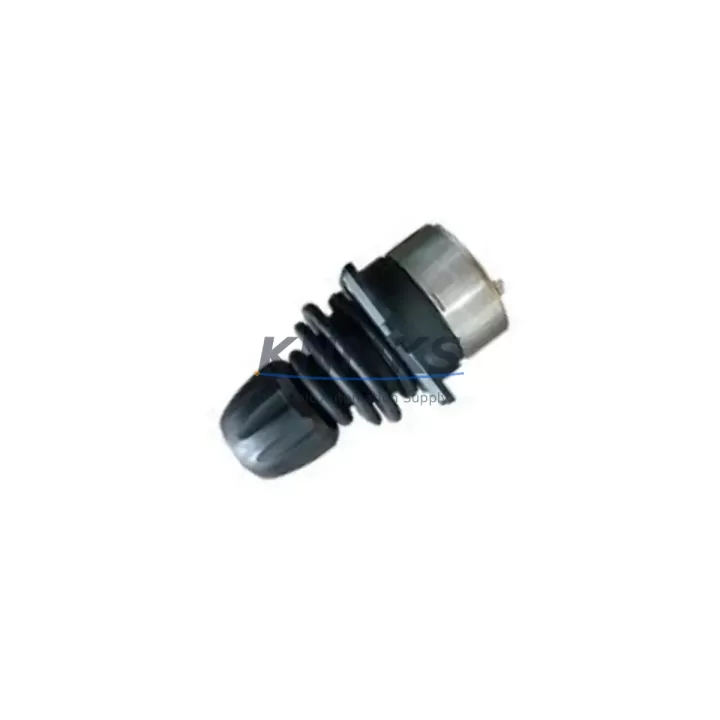
Overview
ABB 3HAC028357-026 Maintenance-Proven Spare Part for Factory Uptime
The ABB 3HAC028357-026 FlexPendant (DSQC679 / 3HAC023195-009) is a critical operator interface component for ABB IRC5 robot controllers, widely deployed across automotive assembly, arc welding, material handling, and precision manufacturing lines. As a maintenance-proven original spare part, it enables rapid operator interface restoration following pendant failure, accidental damage, or end-of-life replacement — minimizing unplanned downtime and protecting production continuity.
Sourced from verified supply channels and tested prior to shipment, each unit is backed by a support terms confirmed by quotation and supported by long-term inventory availability. Whether you are managing a scheduled annual overhaul, responding to an emergency line stoppage, or building a strategic spare parts buffer for multi-robot installations, the 3HAC028357-026 is a reliable, drop-in replacement that maintains full IRC5 system compatibility without firmware reconfiguration in most standard deployments.
Spare Maintenance Table
| Parameter | Specification |
|---|---|
| Part Number | 3HAC028357-026 |
| Cross Reference | DSQC679 / 3HAC023195-009 / JC2000-0049 |
| Brand | ABB Robotics |
| Series | IRC5 Robot Controller |
| Product Type | FlexPendant / Teach Pendant |
| Display | Color touchscreen with joystick and emergency stop |
| Communication Interface | USB, Ethernet (IRC5 controller bus) |
| Compatibility | ABB IRC5 Single Cabinet, Compact, Panel Mounted, Paint controllers |
| Origin | Germany (DE) |
| Operating Temperature | 0°C to +45°C |
| IP Rating | IP54 (dust and splash resistant) |
| Installation | Plug-and-play via IRC5 FlexPendant port; no tools required |
| Maintenance Recommendation | Inspect cable strain relief, connector pins, and touchscreen calibration at each annual overhaul |
| Support terms | 12 Months from shipment date |
| Pre-Shipment Test | Functional power-on and interface verification performed |
Maintenance Planning for Continuous Operation
Effective maintenance planning for IRC5-based robot cells extends well beyond the FlexPendant itself. When replacing or inspecting the 3HAC028357-026, maintenance engineers and procurement teams should simultaneously audit the surrounding electrical and control infrastructure to prevent cascading failures and reduce repeat call-outs.
Begin with the IRC5 controller main computer (DSQC639 / 3HAC025097-001) — the central processing unit that communicates directly with the FlexPendant over the internal bus. A degraded main computer can cause erratic pendant behavior that is often misdiagnosed as a pendant fault. Alongside this, inspect the IRC5 axis computer (DSQC668) for firmware consistency and communication integrity.
The FlexPendant cable assembly (3HAC031683-001) is a high-wear consumable that should be replaced proactively during any pendant swap. Cable jacket abrasion, connector corrosion, and strain relief fatigue are leading causes of intermittent pendant disconnection in high-cycle environments. Keeping a spare cable in the maintenance kit eliminates a common source of repeat downtime.
For cabinet-level inspection, verify the condition of the IRC5 power supply unit (DSQC609 / 3HAC14265-1), which supplies regulated voltage to the controller backplane and pendant interface. Voltage fluctuations or ripple from an aging PSU can corrupt pendant communication and trigger false safety faults. Pair this with a check of the I/O module (DSQC652) to confirm that digital input/output signals remain within specification — particularly for safety-rated I/O channels tied to the pendant’s emergency stop circuit.
Where the robot cell interfaces with upstream PLC or DCS systems, inspect DeviceNet or Profibus communication modules for connector wear and termination resistance. Signal integrity issues at the fieldbus level can manifest as pendant timeout errors or program execution anomalies. For installations using signal isolators between the IRC5 and external control panels, verify isolation resistance and confirm that isolator output ranges remain calibrated to the receiving system’s input thresholds.
Finally, review the cabinet fuse and circuit breaker assembly — particularly the 24VDC logic supply fuses — and inspect terminal blocks for loose connections, oxidation, or thermal discoloration. These low-cost components are frequently overlooked during major overhauls but are a disproportionate source of intermittent faults in aging IRC5 installations.
Site Replacement Workflow
Step 1 — Pre-Replacement Verification: Confirm the replacement unit part number (3HAC028357-026) matches the installed pendant version. Check the IRC5 controller software version (RobotWare) to ensure compatibility. For RobotWare 5.x and 6.x systems, the 3HAC028357-026 is a validated replacement for earlier DSQC679 variants without requiring software modification in most standard configurations.
Step 2 — Safe Isolation: Place the IRC5 controller in manual mode and engage the main isolator. Do not disconnect the FlexPendant while the controller is in automatic mode or while a program is executing. Confirm the emergency stop circuit is active before proceeding.
Step 3 — Cable Disconnection and Inspection: Disconnect the pendant cable at the controller port. Inspect the connector for bent pins, corrosion, or debris. Clean with dry compressed air if required. If the cable shows visible jacket damage or connector wear, replace the cable assembly simultaneously.
Step 4 — Pendant Installation: Connect the replacement 3HAC028357-026 to the controller port. Power on the controller and verify that the pendant display initializes correctly, the touchscreen responds to input, and the joystick axes are recognized by the controller. Perform a touchscreen calibration if prompted.
Step 5 — Functional Test: Execute a short jog sequence in manual mode to confirm all axes respond correctly to pendant commands. Verify that the emergency stop button on the pendant triggers the correct safety response in the controller. Log the replacement in the maintenance record with date, part number, and technician ID.
Step 6 — Return to Service: Switch the controller to automatic mode and resume production. Monitor the first 30 minutes of operation for any communication alarms or pendant timeout events. Archive the replaced pendant for failure analysis if required by your maintenance governance process.
Spare Parts Support FAQ
Q1: Is the 3HAC028357-026 compatible with all IRC5 controller variants?
The 3HAC028357-026 FlexPendant is compatible with the full IRC5 family, including Single Cabinet, Compact, Panel Mounted, and Paint controller variants. It is also cross-referenced as DSQC679 and 3HAC023195-009. For IRC5 controllers running RobotWare 5.x or 6.x, no software modification is required for standard replacement. Always verify the RobotWare version and any site-specific safety configurations before returning the system to automatic operation.
Q2: What pre-shipment testing is performed on each unit?
Every 3HAC028357-026 unit undergoes functional power-on verification and interface testing prior to shipment. This includes display initialization, touchscreen response, joystick axis recognition, and emergency stop circuit continuity. Units that do not pass all test criteria are not shipped. A support terms confirmed by quotation is provided from the shipment date, covering manufacturing defects and functional failures under normal operating conditions.
Q3: How should we manage FlexPendant inventory for multi-robot installations?
For facilities operating 5 or more IRC5 robots, we recommend maintaining a minimum of one spare 3HAC028357-026 per 5 robots, plus one spare cable assembly (3HAC031683-001) per 3 robots. This buffer supports emergency replacement within the same shift without waiting for expedited freight. For critical 24/7 production lines, a dedicated hot-spare pendant stored in the control room significantly reduces mean time to recovery (MTTR) for pendant-related stoppages.
Q4: What is the long-term supply outlook for the 3HAC028357-026?
We maintain standing inventory of the 3HAC028357-026 and its cross-reference variants (DSQC679, 3HAC023195-009) to support long-lifecycle IRC5 installations. As ABB transitions customers toward newer controller platforms, original IRC5 spare parts are increasingly sourced through specialist distributors rather than OEM channels. We provide long-term supply commitment with documented sourcing traceability, supporting your spare parts governance and audit requirements for the duration of your IRC5 system lifecycle.
© 2026 KNMKS. All rights reserved.
Original Source: https://knmks.com
Contact: admin@knmks.com | +86 18359268345
Product Identification
- Brand / Ecosystem
-
ABB
ABB - Model / Series
-
3HAC028357-026 3HAC023195-009 JC2000-0049 DSQC6793HAC023195-009
IRC5 Series - Product Family
- PLCs & Controllers
- Availability Status
- Available on request after model and quantity confirmation
- Inquiry Type
- B2B RFQ, replacement inquiry and project spare-part request
- Pre-Quote Check
- Exact SKU, brand, series, quantity, nameplate photos and destination country are checked before quotation
System Path
Where this product fits in the KNMKS automation structure.
Specification & Inquiry Focus
- Control platform
- PLC, PAC and modular controllers
- Common needs
- CPU, rack, power and I/O expansion
- Project support
- Replacement, cabinet build and maintenance
Buyer Confirmation
Information KNMKS checks before replying.
- Exact model
- 3HAC028357-026 3HAC023195-009 JC2000-0049 DSQC6793HAC023195-009
- Brand / ecosystem
- ABB
- Product family
- PLCs & Controllers
- Application note
- Replacement, maintenance, project build or spare-part list
- Useful photos
- Nameplate, installed unit, cabinet layout or connector side
- Delivery details
- Quantity, destination country and target schedule
Document Support
Files and notes can be confirmed during quotation.
- Product photos or nameplate confirmation when available
- Packing and delivery notes before quotation confirmation
- Support scope and delivery terms confirmed per inquiry
- Export document coordination for qualified B2B requests
Inquiry Support
- Model cross-checking before quotation
- CPU, power, rack and expansion module matching
- Support for replacement and project inquiry
What to Send Us
- Brand and exact model number: ABB 3HAC028357-026 3HAC023195-009 JC2000-0049 DSQC6793HAC023195-009
- Quantity and required delivery time
- Application, replacement requirement or nameplate photo
- Destination country and shipping preference
RFQ Preparation
This is a product inquiry page built for RFQ communication.
Fast Model Check
Send this model to KNMKS for confirmation.
Include quantity, destination country and photos if this is a maintenance replacement. The inquiry will be saved with a reference number after submission.
Brand & Compatibility Note
KNMKS displays automation product information for well-known industrial brand ecosystems and compatible replacement references. Brand names are used for product identification and compatibility reference only; final availability and commercial terms are confirmed per quotation.
 Manufacturing
 Machine Tools
 Packaging
 Energy & Power



 HMI & Displays
 Servo Systems
 Variable Frequency Drives
 Sensors