
Overview
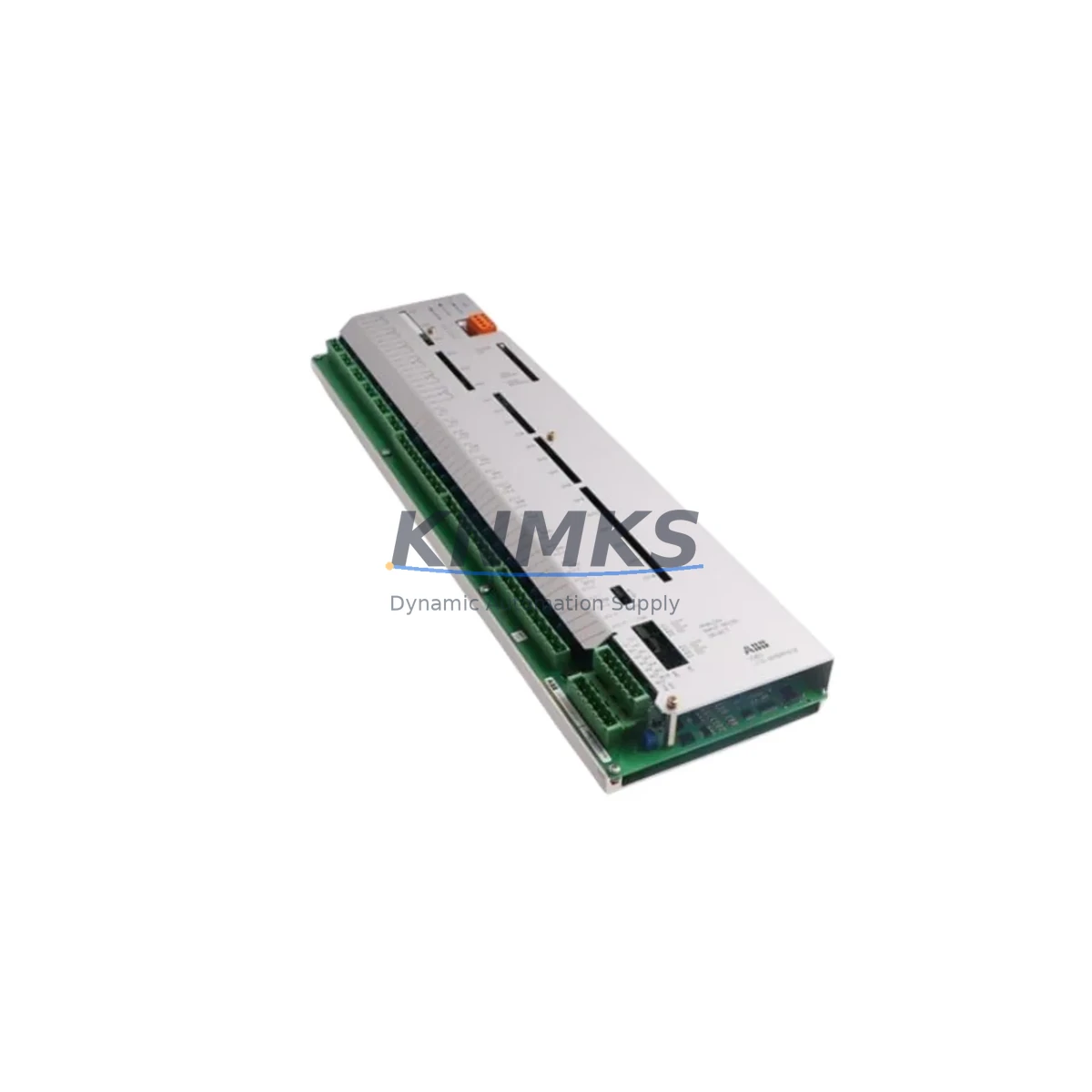
ABB 3BHB003041R0101 Maintenance-Proven Spare Part for Factory Uptime
The ABB 3BHB003041R0101 (UFC719 AE101) is a critical I/O expander module designed for the ABB ACS6000 medium-voltage drive platform — one of the most widely deployed variable-speed drive systems in petrochemical, power generation, mining, and water treatment facilities worldwide. As aging ACS6000 installations approach or exceed their original design life, maintaining a validated stock of this module is essential to sustaining uninterrupted production and avoiding costly unplanned shutdowns.
This spare part is sourced from verified supply channels, subjected to pre-shipment functional testing, and backed by a support terms confirmed by quotation. Each unit is inspected for physical integrity, connector condition, and firmware compatibility before dispatch, ensuring that your maintenance team receives a field-ready replacement — not a shelf-worn component of unknown provenance.
For maintenance engineers managing ACS6000 drive cabinets, the UFC719 AE101 module sits at the intersection of control logic and field I/O. Its failure can manifest as loss of analog or digital signal feedback, drive trip events, or erratic speed reference behavior — all of which can halt a production line within seconds. Keeping at least one verified spare on-site is a standard recommendation in any ACS6000 preventive maintenance program.
Spare Maintenance Table
| Parameter | Specification / Detail |
|---|---|
| Part Number | 3BHB003041R0101 |
| Module Designation | UFC719 AE101 |
| Module Type | I/O Expander Module |
| Compatible Platform | ABB ACS6000 Medium-Voltage Drive Series |
| Manufacturer | ABB (ASEA Brown Boveri) |
| Country of Origin | Germany |
| Typical Application | Analog/Digital I/O expansion for ACS6000 drive control boards |
| Signal Interface | Multi-channel I/O — analog inputs/outputs and digital I/O expansion |
| Installation Environment | Industrial control cabinet, IP20 enclosure minimum recommended |
| Operating Temperature | 0°C to +55°C (standard industrial range) |
| Compatibility Verification | Cross-referenced against ACS6000 hardware revision documentation |
| Pre-Shipment Testing | Functional test performed on each unit prior to dispatch |
| Support terms | 12 Months from date of shipment |
| Maintenance Recommendation | Inspect connectors and firmware version at each annual drive service |
| Long-Term Supply | Stock-backed; available for multi-unit procurement and project reserves |
Maintenance Planning for Continuous Operation
When scheduling a planned replacement or responding to an unplanned ACS6000 drive fault, the 3BHB003041R0101 UFC719 AE101 should not be treated in isolation. A thorough cabinet inspection at the time of module replacement significantly reduces the risk of repeat failures and secondary faults. Maintenance engineers should simultaneously verify the condition of the SDCS-CON-4 control board and the AINT-02C interface board, both of which interact directly with the I/O expander in the ACS6000 signal chain.
Power supply integrity is equally critical. The APOW-01C power supply module feeds the control electronics within the ACS6000 cabinet; a marginal or aging power supply can cause intermittent I/O faults that are misdiagnosed as module failures. Inspect DC bus voltage stability and ripple before condemning the UFC719 AE101.
Signal isolation should also be reviewed. Where the ACS6000 interfaces with field instrumentation — flow transmitters, pressure sensors, or speed encoders — the integrity of signal isolators and surge protection barriers in the I/O loop directly affects module longevity. Transient overvoltage events from field wiring are a common root cause of I/O expander degradation in heavy industrial environments such as mining conveyors and pump stations.
For sites running PROFIBUS or PROFINET communication between the ACS6000 and a Siemens S7 or ABB AC500 PLC, the RPBA-01 PROFIBUS adapter or equivalent fieldbus module should be inspected for connector wear and firmware currency. Communication faults at the fieldbus layer can mask or trigger I/O-related drive alarms. Additionally, terminal block condition — particularly Phoenix Contact or Weidmüller screw-clamp terminal strips used for field wiring termination — should be checked for loose connections, corrosion, or thermal discoloration, which are early indicators of high-resistance joints that stress I/O inputs.
Finally, fuse and circuit protection elements within the drive cabinet should be audited. Blown or weakened control circuit fuses (typically 2A–6A rated) protecting the I/O supply rails are often overlooked during reactive maintenance but are a leading cause of module damage when field wiring faults occur.
Site Replacement Workflow
Replacing the ABB 3BHB003041R0101 UFC719 AE101 in an operational ACS6000 installation follows a structured sequence to minimize downtime and ensure system compatibility:
1. Pre-Replacement Verification: Confirm the replacement unit’s part number and hardware revision against the installed ACS6000 system documentation. Cross-check the drive’s software version to ensure I/O expander firmware compatibility. Download and archive the current drive parameter set using ABB DriveWindow or equivalent commissioning tool before any hardware change.
2. Safe Isolation: Follow site-specific lockout/tagout (LOTO) procedures. De-energize the ACS6000 drive and allow the DC bus to discharge fully (typically 5–10 minutes after main contactor opening). Verify zero-voltage with a calibrated meter before opening the cabinet.
3. Module Extraction and Installation: Document connector positions and cable routing with photographs before disconnection. Remove the UFC719 AE101 by releasing the module locking mechanism and carefully extracting from the backplane. Install the replacement unit, ensuring full backplane connector engagement. Reconnect all field wiring in the original configuration.
4. Post-Installation Commissioning: Restore power and perform a controlled drive start sequence. Verify all I/O channel assignments in the drive parameter list. Conduct a functional test of all analog and digital I/O signals under no-load conditions before returning the drive to production service.
5. Documentation Update: Record the replacement in the site maintenance log, including the new unit’s serial number, installation date, and technician sign-off. Update the spare parts inventory to trigger reorder of a replacement stock unit, maintaining minimum on-site buffer levels.
Spare Parts Support FAQ
Q1: Is the 3BHB003041R0101 a direct drop-in replacement for all ACS6000 hardware revisions?
The UFC719 AE101 is designed for the ACS6000 platform, but hardware revision compatibility should always be verified against the specific drive’s documentation. We recommend providing your drive’s serial number and software version when ordering to allow cross-reference confirmation before shipment.
Q2: What pre-shipment testing is performed on each unit?
Every 3BHB003041R0101 unit undergoes functional verification prior to dispatch, including power-on testing, I/O channel continuity checks, and physical inspection of connectors and PCB condition. A test report is available upon request for quality-critical procurement.
Q3: Can you supply multiple units for a project spare parts reserve or annual maintenance contract?
Yes. We maintain stock-backed inventory of the UFC719 AE101 and can fulfill multi-unit orders for project commissioning spares, annual maintenance reserves, or long-term supply agreements. Lead time and volume pricing are available on request via admin@knmks.com.
Q4: What is covered under the support terms confirmed by quotation?
The support terms confirmed by quotation cover manufacturing defects and functional failures under normal operating conditions from the date of shipment. It does not cover damage resulting from incorrect installation, overvoltage events, or use outside the specified environmental parameters. Support requests are supported with direct technical assistance and expedited replacement dispatch to minimize site downtime.
© 2026 KNMKS. All rights reserved.
Original Source: https://knmks.com
Contact: admin@knmks.com | +86 18359268345
Product Identification
- Brand / Ecosystem
-
ABB
ABB - Model / Series
- 3BHB003041R0101 UFC719 AE101
- Product Family
- PLCs & Controllers
- Availability Status
- Available on request after model and quantity confirmation
- Inquiry Type
- B2B RFQ, replacement inquiry and project spare-part request
- Pre-Quote Check
- Exact SKU, brand, series, quantity, nameplate photos and destination country are checked before quotation
System Path
Where this product fits in the KNMKS automation structure.
Specification & Inquiry Focus
- Control platform
- PLC, PAC and modular controllers
- Common needs
- CPU, rack, power and I/O expansion
- Project support
- Replacement, cabinet build and maintenance
Buyer Confirmation
Information KNMKS checks before replying.
- Exact model
- 3BHB003041R0101 UFC719 AE101
- Brand / ecosystem
- ABB
- Product family
- PLCs & Controllers
- Application note
- Replacement, maintenance, project build or spare-part list
- Useful photos
- Nameplate, installed unit, cabinet layout or connector side
- Delivery details
- Quantity, destination country and target schedule
Document Support
Files and notes can be confirmed during quotation.
- Product photos or nameplate confirmation when available
- Packing and delivery notes before quotation confirmation
- Support scope and delivery terms confirmed per inquiry
- Export document coordination for qualified B2B requests
Inquiry Support
- Model cross-checking before quotation
- CPU, power, rack and expansion module matching
- Support for replacement and project inquiry
What to Send Us
- Brand and exact model number: ABB 3BHB003041R0101 UFC719 AE101
- Quantity and required delivery time
- Application, replacement requirement or nameplate photo
- Destination country and shipping preference
RFQ Preparation
This is a product inquiry page built for RFQ communication.
Fast Model Check
Send this model to KNMKS for confirmation.
Include quantity, destination country and photos if this is a maintenance replacement. The inquiry will be saved with a reference number after submission.
Brand & Compatibility Note
KNMKS displays automation product information for well-known industrial brand ecosystems and compatible replacement references. Brand names are used for product identification and compatibility reference only; final availability and commercial terms are confirmed per quotation.
 Manufacturing
 Machine Tools
 Packaging
 Energy & Power



 HMI & Displays
 Servo Systems
 Variable Frequency Drives
 Sensors