
Overview
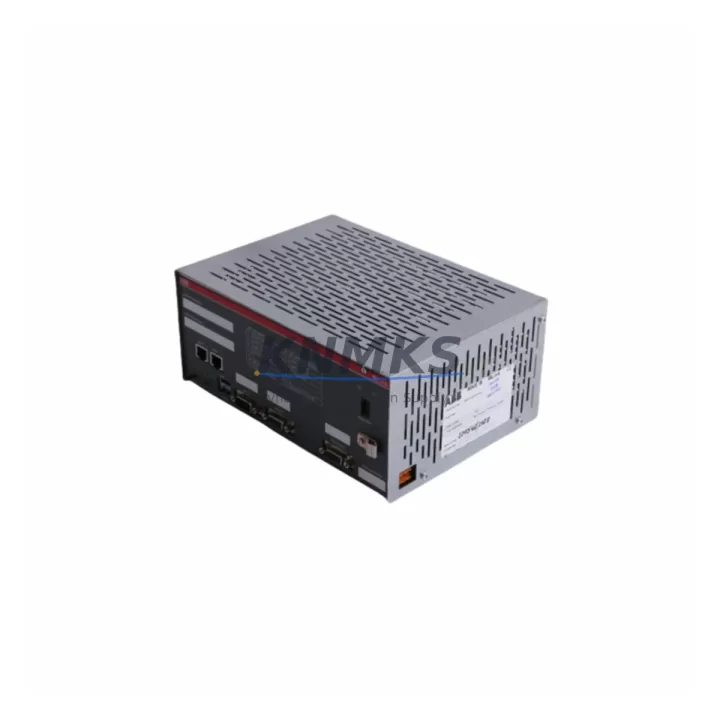
ABB 1TGE102009R1001 Migration-Ready Redundant Controller for Legacy Control Systems
The ABB 1TGE102009R1001 is a migration-ready redundant PLC controller designed for the AC500 platform, engineered to serve as a direct replacement for end-of-life and discontinued redundant controller modules in legacy ABB automation systems. As industrial facilities face increasing pressure to modernize aging control infrastructure without full system overhauls, the 1TGE102009R1001 provides a validated, pre-tested upgrade path that preserves existing program logic, field wiring, and HMI configurations while delivering the reliability and redundancy demanded by critical process environments.
This module is fully compatible with the ABB AC500 redundant CPU architecture, supporting hot-standby switchover with sub-second failover response. It integrates seamlessly into existing AC500 backplanes and communication networks, making it the preferred choice for engineers managing phased migration projects across power generation, water treatment, oil and gas, and discrete manufacturing sectors. Each unit is pre-shipment tested, covered by a support terms confirmed by quotation, and dispatched from multi-region stock to support both emergency replacements and scheduled outage windows.
Migration Compatibility Table
| Parameter | Details |
|---|---|
| SKU / Part Number | 1TGE102009R1001 |
| Brand / Series | ABB AC500 |
| Module Function | Redundant PLC Controller (Hot-Standby) |
| Backplane Interface | AC500 internal bus; compatible with TB5xx and TB6xx expansion backplanes |
| Communication Protocols | PROFIBUS DP, Modbus RTU/TCP, CS31, Ethernet (IEC 61850 optional) |
| Power Supply Compatibility | 24 VDC nominal; verify existing PS501/PS502 power module capacity before installation |
| I/O Expansion | Supports SM5xx series digital and analog I/O modules via local and remote I/O bus |
| Programming Environment | Automation Builder (IEC 61131-3); project files from PM5xx CPUs are forward-compatible |
| Installation Form Factor | DIN-rail mounted; standard AC500 housing footprint — confirm rack slot availability |
| Firmware Compatibility | Verify Automation Builder firmware version alignment prior to program download |
| Replacement Scope | Direct replacement for discontinued AC500 redundant CPU variants; verify redundancy link cable routing |
| Pre-Shipment Testing | Yes — functional and communication loop tested before dispatch |
| Support terms | 12 Months from date of delivery |
| Origin | Germany (DE) |
| Stock Availability | Multi-region inventory; available for emergency and scheduled dispatch |
Retrofit Planning for Existing Automation Systems
Successful integration of the ABB 1TGE102009R1001 into a legacy control system requires a structured pre-migration assessment. Engineers should begin by auditing the existing AC500 rack configuration, confirming available backplane slots and verifying that the installed PS501 or PS502 power supply module can sustain the additional current draw introduced by the redundant controller pair. In systems where power headroom is marginal, upgrading the power supply module in parallel with the controller swap is strongly recommended to avoid nuisance trips during commissioning.
Terminal wiring and field I/O mapping must be documented before any module removal. The SM560-S and SM560 digital I/O modules connected to the existing backplane retain their address assignments when the CPU is replaced, provided the rack slot configuration is preserved. For installations using remote I/O over CS31 or PROFIBUS DP, the network node addresses and baud rate settings must be recorded and re-entered during the new controller’s initial configuration cycle. Any CI590-CS31 or CI501-PNIO communication interface modules installed in the rack should be inspected for firmware compatibility with the replacement CPU before the cutover window begins.
HMI panels connected via Modbus TCP or PROFIBUS should be placed in manual override or local control mode during the switchover to prevent spurious alarms or process upsets. After the 1TGE102009R1001 is seated and powered, the Automation Builder project file should be downloaded and verified against the original program checksum. Signal isolation modules and analog input cards — particularly those handling 4–20 mA process signals — should be loop-checked individually after program download to confirm scaling and range settings have been correctly restored. Programming cables and USB-to-serial adapters used for local diagnostics should be confirmed compatible with the Automation Builder version in use on site.
Downtime Control During System Migration
Minimizing unplanned downtime during a redundant controller migration depends on preparation quality and the availability of a pre-tested replacement module. The hot-standby architecture of the ABB AC500 redundant platform allows the primary and standby CPUs to be swapped independently without interrupting the active control loop, provided the redundancy synchronization link between the two controllers is maintained throughout the procedure. Engineers should schedule the physical module swap during a planned maintenance window and confirm that the standby CPU has achieved full synchronization with the primary before initiating any switchover.
Program logic protection is critical. Before removing the legacy controller, a full project backup — including variable retain data, I/O force tables, and communication configuration — should be exported from Automation Builder and stored offline. This backup serves as the recovery baseline if the new module requires a cold start or if a firmware mismatch is detected during initial power-up. Field control continuity is maintained by keeping the standby controller active on the process network while the primary slot is serviced, ensuring that output states are held and that no process interlocks are inadvertently triggered during the physical swap.
Post-installation, a structured commissioning checklist should cover: redundancy link status confirmation, program version verification, I/O diagnostic scan, communication network health check across all PROFIBUS and Modbus segments, and a timed failover test to validate sub-second switchover performance. Documenting the as-commissioned state — including firmware versions, node addresses, and program checksums — reduces risk for future maintenance cycles and supports long-term spare parts lifecycle planning.
Retrofit Support FAQ
Q1: Is the ABB 1TGE102009R1001 a direct drop-in replacement for my existing AC500 redundant CPU?
In most AC500 redundant configurations, yes. The 1TGE102009R1001 is designed to fit the standard AC500 housing and backplane interface. However, you should verify the exact redundancy link connector type and firmware baseline of your existing system before ordering. Our technical team can cross-reference your current part number against the 1TGE102009R1001 specification sheet upon request.
Q2: What pre-shipment testing is performed on each unit?
Every 1TGE102009R1001 unit undergoes functional power-up testing, communication port verification (PROFIBUS DP and Ethernet), and redundancy link handshake testing before dispatch. A test report is available upon request. All units are covered by a support terms confirmed by quotation from the date of delivery.
Q3: Can I reuse my existing Automation Builder project file without modification?
In most cases, yes — provided the firmware version on the 1TGE102009R1001 matches or is forward-compatible with the version used to compile your existing project. We recommend downloading the latest compatible firmware via ABB’s Automation Builder update channel and performing a test download in a staging environment before the live cutover. Retain data and I/O force tables should be backed up independently.
Q4: What is your lead time and stock availability for emergency replacements?
The 1TGE102009R1001 is held in multi-region inventory to support both emergency and scheduled dispatch. Standard lead time for in-stock units is 1–3 business days for international shipments. For urgent requirements, contact our sales team directly to confirm real-time stock status and expedited shipping options.
© 2026 KNMKS. All rights reserved.
Original Source: https://knmks.com
Contact: admin@knmks.com | +86 18359268345
Product Identification
- Brand / Ecosystem
-
ABB
ABB - Model / Series
-
1TGE102009R1001
AC500 Series - Product Family
- PLCs & Controllers
- Availability Status
- Available on request after model and quantity confirmation
- Inquiry Type
- B2B RFQ, replacement inquiry and project spare-part request
- Pre-Quote Check
- Exact SKU, brand, series, quantity, nameplate photos and destination country are checked before quotation
System Path
Where this product fits in the KNMKS automation structure.
Specification & Inquiry Focus
- Control platform
- PLC, PAC and modular controllers
- Common needs
- CPU, rack, power and I/O expansion
- Project support
- Replacement, cabinet build and maintenance
Buyer Confirmation
Information KNMKS checks before replying.
- Exact model
- 1TGE102009R1001
- Brand / ecosystem
- ABB
- Product family
- PLCs & Controllers
- Application note
- Replacement, maintenance, project build or spare-part list
- Useful photos
- Nameplate, installed unit, cabinet layout or connector side
- Delivery details
- Quantity, destination country and target schedule
Document Support
Files and notes can be confirmed during quotation.
- Product photos or nameplate confirmation when available
- Packing and delivery notes before quotation confirmation
- Support scope and delivery terms confirmed per inquiry
- Export document coordination for qualified B2B requests
Inquiry Support
- Model cross-checking before quotation
- CPU, power, rack and expansion module matching
- Support for replacement and project inquiry
What to Send Us
- Brand and exact model number: ABB 1TGE102009R1001
- Quantity and required delivery time
- Application, replacement requirement or nameplate photo
- Destination country and shipping preference
RFQ Preparation
This is a product inquiry page built for RFQ communication.
Fast Model Check
Send this model to KNMKS for confirmation.
Include quantity, destination country and photos if this is a maintenance replacement. The inquiry will be saved with a reference number after submission.
Brand & Compatibility Note
KNMKS displays automation product information for well-known industrial brand ecosystems and compatible replacement references. Brand names are used for product identification and compatibility reference only; final availability and commercial terms are confirmed per quotation.
 Manufacturing
 Machine Tools
 Packaging
 Energy & Power



 HMI & Displays
 Servo Systems
 Variable Frequency Drives
 Sensors