
Overview
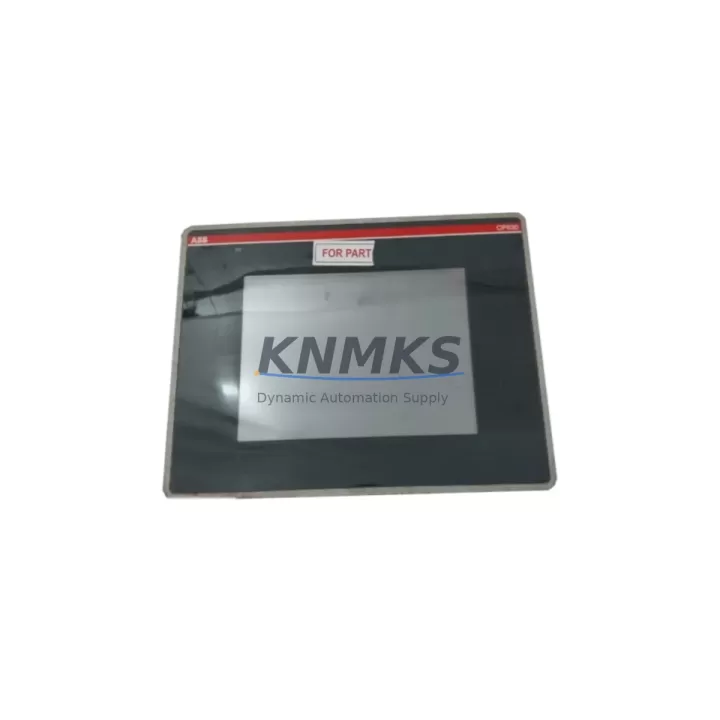
ABB 1SAP530200R0001 Maintenance-Proven Spare for AC500: Web Server Module for Factory Uptime
The ABB 1SAP530200R0001 (CP630-WEB H1) is a dedicated Web Server Module designed for the ABB AC500 PLC platform, enabling remote monitoring, diagnostics, and web-based HMI access directly from the controller rack. In industrial environments where continuous uptime is non-negotiable — from process automation and utilities to discrete manufacturing and building management — maintaining a verified spare of the CP630-WEB H1 in your parts inventory is a proven strategy for minimizing unplanned downtime and accelerating fault recovery.
As a communication and visualization extension for the AC500 CPU modules, the 1SAP530200R0001 provides an integrated web server interface that allows maintenance engineers to access real-time PLC data, diagnostics pages, and system status through a standard browser without requiring dedicated SCADA client software. When this module fails or becomes unavailable, operators lose remote visibility into the control system — a condition that can delay fault isolation and extend mean time to repair (MTTR) significantly. Stocking a tested replacement ensures that web-based access is restored within the same maintenance window.
This listing covers an original ABB 1SAP530200R0001 spare part, sourced from authorized supply channels, fully tested before shipment, and backed by a support terms confirmed by quotation. It is suitable for direct replacement in existing AC500 installations without firmware reconfiguration in most standard deployments.
Spare Maintenance Table
| Part Number | 1SAP530200R0001 |
| Model | CP630-WEB H1 |
| Brand | ABB |
| Series | AC500 |
| Product Type | Web Server Module / Communication Module |
| Platform Compatibility | ABB AC500 PLC (PM5xx, PM5xx-ETH CPU families) |
| Interface | Ethernet (RJ45), integrated web server |
| Supply Voltage | 24 VDC (via AC500 backplane) |
| Operating Temperature | 0°C to +60°C |
| Mounting | AC500 backplane slot (right-side expansion) |
| Origin | Germany |
| Condition | Original, tested before shipment |
| Support terms | 12 Months |
| Delivery | global delivery details confirmed by RFQ, DHL / FedEx / UPS |
| Application | Remote monitoring, web HMI, diagnostics, process automation, utilities, BMS |
Maintenance Planning for Continuous Operation
When replacing or inspecting the ABB 1SAP530200R0001 CP630-WEB H1, a thorough maintenance engineer will treat the module swap as an opportunity to audit the surrounding control cabinet components that share the same electrical environment and communication backbone. Neglecting adjacent components is a common cause of repeat failures after a module replacement.
Begin with the AC500 CPU module (such as the PM554-T or PM564-T-ETH) seated in the same backplane. Verify firmware version compatibility with the CP630-WEB H1 and confirm that the CPU’s Ethernet port is functioning correctly if it serves as the primary network interface. Check the AC500 backplane bus connector for oxidation, bent pins, or mechanical stress — a damaged backplane can cause intermittent communication faults that are misdiagnosed as module failures.
Inspect the 24 VDC power supply module (e.g., ABB CP-E 24/5.0 or equivalent) feeding the AC500 rack. Voltage ripple or transient spikes on the DC bus are a leading cause of communication module resets and web server dropouts. Use a calibrated multimeter or oscilloscope to verify supply stability under load. If the power supply is more than five years old, include it in the next scheduled replacement cycle.
Review the Ethernet switch or managed switch port to which the CP630-WEB H1 connects. Check for port errors, duplex mismatches, or VLAN misconfiguration that could prevent web server access even after a successful module replacement. In plants running PROFINET or Modbus TCP alongside the web server interface, confirm that network segmentation policies have not inadvertently blocked HTTP/HTTPS traffic to the module’s IP address.
For cabinets that also house ABB CI502-PNIO or CI504-PNIO PROFINET interface modules, verify that the PROFINET controller configuration still matches the updated module slot assignment after the replacement. Similarly, if ABB TK503 or TK511 terminal base units are used for I/O expansion in the same rack, inspect the bus connections for continuity. A loose I/O bus connection can generate spurious alarms that complicate post-replacement commissioning.
Finally, check the cabinet door-mounted HMI panel (if present) for any cached IP address or bookmark pointing to the old module’s web interface. Update the HMI’s browser shortcut or operator panel configuration to reflect the replacement module’s network settings, particularly if a new IP address was assigned during commissioning.
Site Replacement Workflow
Step 1 — Pre-replacement documentation: Before powering down, capture a screenshot or export of the CP630-WEB H1 web interface configuration pages, including any custom web pages, variable mappings, and network settings. This data is stored in the module and may need to be re-entered after replacement if a configuration backup was not previously saved to the AC500 CPU’s SD card.
Step 2 — Safe isolation: Follow your site’s lockout/tagout (LOTO) procedure. De-energize the AC500 rack via the main cabinet isolator. Confirm zero voltage on the 24 VDC bus before handling the module.
Step 3 — Module removal: Disconnect the Ethernet cable from the CP630-WEB H1. Release the module’s locking lever and slide it out of the backplane slot. Inspect the backplane connector for damage before inserting the replacement.
Step 4 — Replacement installation: Insert the new 1SAP530200R0001 into the same backplane slot. Ensure the locking lever clicks into place. Reconnect the Ethernet cable. Restore power to the rack.
Step 5 — Commissioning and verification: Access the module’s web interface via browser using the configured IP address. Verify that the web server home page loads correctly and that real-time PLC variable data is displayed. Confirm remote access from the control room workstation or SCADA server. Log the replacement in the site maintenance record with date, technician name, and new module serial number.
This workflow is compatible with AC500 systems running Automation Builder engineering software and does not require a full PLC program download in most standard replacement scenarios, reducing commissioning time and minimizing production impact.
Spare Parts Support FAQ
Q1: Is the ABB 1SAP530200R0001 a direct drop-in replacement for an existing CP630-WEB H1 in my AC500 system?
Yes. The 1SAP530200R0001 is the standard order number for the CP630-WEB H1 module. It is designed for direct slot replacement in AC500 backplanes. In most installations, no changes to the PLC program or CPU configuration are required. However, if the original module had custom web page configurations or specific IP settings, these should be restored from a backup or re-entered during commissioning.
Q2: How do you verify the module before shipment, and what does the support terms confirmed by quotation cover?
Each 1SAP530200R0001 unit undergoes functional testing prior to dispatch, including power-on verification and communication interface checks. The support terms confirmed by quotation cover manufacturing defects and functional failures under normal operating conditions. It does not cover damage caused by incorrect installation, overvoltage events, or environmental conditions outside the module’s rated specifications. Support requests are processed with full technical support from our team.
Q3: Can you support long-term or blanket stock orders for the 1SAP530200R0001?
Yes. We support scheduled delivery programs and blanket purchase orders for maintenance teams that require guaranteed stock availability across multiple sites or annual maintenance cycles. Long-term supply agreements help mitigate the risk of allocation shortages for legacy AC500 components. Contact our sales team to discuss volume pricing and delivery scheduling.
Q4: What should I check if the web server interface is not accessible after installing the replacement module?
First, confirm that the module is fully seated in the backplane and the locking lever is engaged. Check the Ethernet cable and switch port status. Verify the module’s IP address configuration — if DHCP is enabled, confirm the address assigned by your network’s DHCP server. Check that firewall rules or VLAN policies on your plant network allow HTTP/HTTPS traffic to the module’s IP. If the issue persists, connect a laptop directly to the module’s Ethernet port with a static IP in the same subnet to isolate whether the problem is network-related or module-related.
© 2026 KNMKS. All rights reserved.
Original Source: https://knmks.com
Contact: admin@knmks.com | +86 18359268345
Product Identification
- Brand / Ecosystem
-
ABB
ABB - Model / Series
-
1SAP530200R0001
AC500 Series - Product Family
- PLCs & Controllers
- Availability Status
- Available on request after model and quantity confirmation
- Inquiry Type
- B2B RFQ, replacement inquiry and project spare-part request
- Pre-Quote Check
- Exact SKU, brand, series, quantity, nameplate photos and destination country are checked before quotation
System Path
Where this product fits in the KNMKS automation structure.
Specification & Inquiry Focus
- Control platform
- PLC, PAC and modular controllers
- Common needs
- CPU, rack, power and I/O expansion
- Project support
- Replacement, cabinet build and maintenance
Buyer Confirmation
Information KNMKS checks before replying.
- Exact model
- 1SAP530200R0001
- Brand / ecosystem
- ABB
- Product family
- PLCs & Controllers
- Application note
- Replacement, maintenance, project build or spare-part list
- Useful photos
- Nameplate, installed unit, cabinet layout or connector side
- Delivery details
- Quantity, destination country and target schedule
Document Support
Files and notes can be confirmed during quotation.
- Product photos or nameplate confirmation when available
- Packing and delivery notes before quotation confirmation
- Support scope and delivery terms confirmed per inquiry
- Export document coordination for qualified B2B requests
Inquiry Support
- Model cross-checking before quotation
- CPU, power, rack and expansion module matching
- Support for replacement and project inquiry
What to Send Us
- Brand and exact model number: ABB 1SAP530200R0001
- Quantity and required delivery time
- Application, replacement requirement or nameplate photo
- Destination country and shipping preference
RFQ Preparation
This is a product inquiry page built for RFQ communication.
Fast Model Check
Send this model to KNMKS for confirmation.
Include quantity, destination country and photos if this is a maintenance replacement. The inquiry will be saved with a reference number after submission.
Brand & Compatibility Note
KNMKS displays automation product information for well-known industrial brand ecosystems and compatible replacement references. Brand names are used for product identification and compatibility reference only; final availability and commercial terms are confirmed per quotation.
 Manufacturing
 Machine Tools
 Packaging
 Energy & Power



 HMI & Displays
 Servo Systems
 Variable Frequency Drives
 Sensors