
Overview
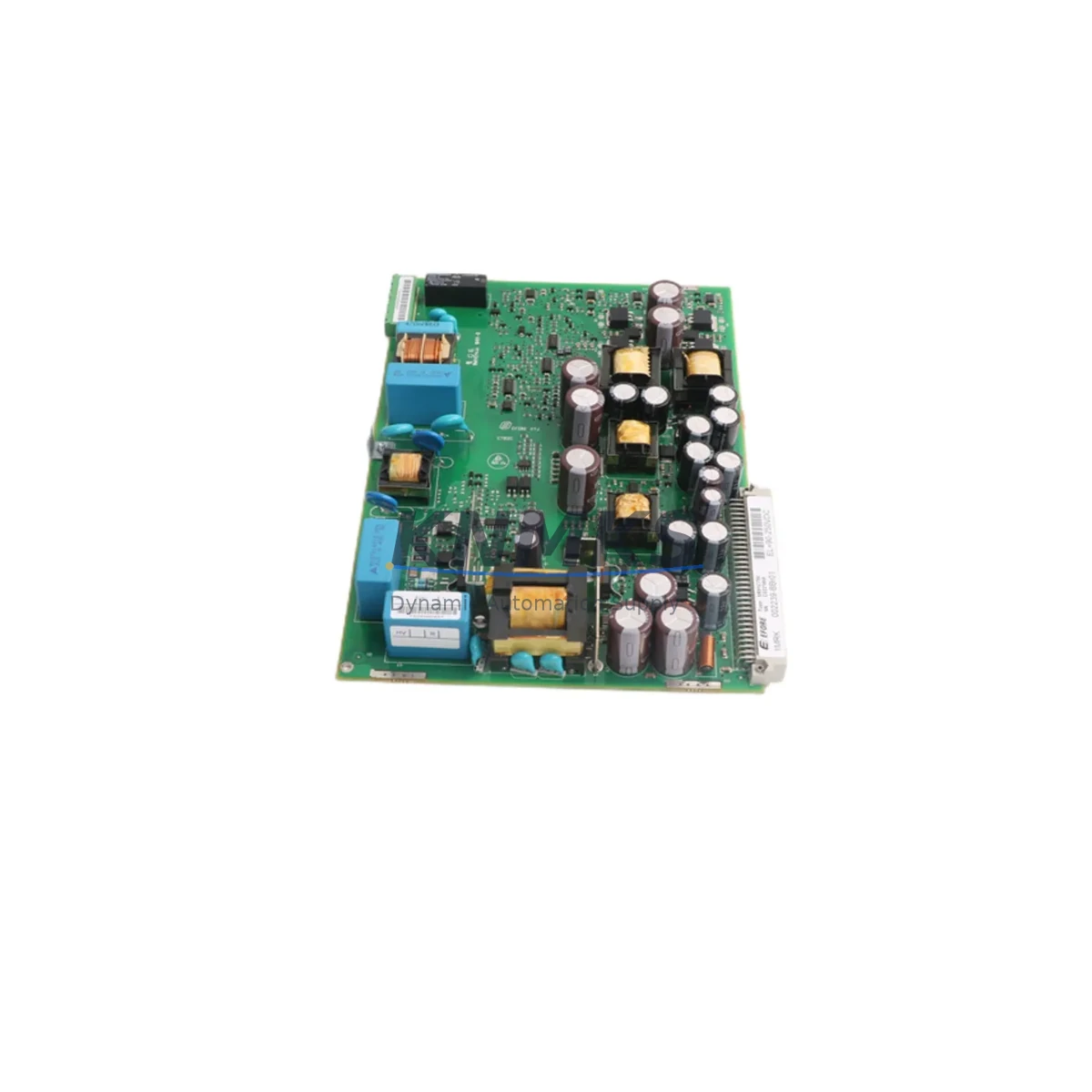
ABB 1MRK002239-BBR01 Maintenance-Proven Spare Part for Factory Uptime
The ABB 1MRK002239-BBR01 is a factory-tested power supply unit (PSU) module designed for the SR91C790 protection relay series. As a critical spare in substation automation, motor protection, and feeder protection panels, this module supports continuous plant operation by enabling rapid fault isolation and same-day replacement without requiring relay reconfiguration or firmware re-flashing. For maintenance engineers managing aging protection relay infrastructure, keeping a verified spare of the 1MRK002239-BBR01 on the shelf is a proven strategy to reduce unplanned downtime and protect production continuity.
The SR91C790 platform is widely deployed in medium-voltage switchgear, transformer protection bays, and industrial distribution panels. When the internal PSU module fails — typically indicated by relay self-diagnostic alarms, loss of auxiliary power indication, or complete relay blackout — the 1MRK002239-BBR01 provides a direct drop-in replacement that restores relay functionality without disturbing the existing protection settings, I/O wiring, or communication configuration. This makes it especially valuable in facilities where relay re-commissioning would require coordination with grid operators or safety permit systems.
Spare Maintenance Table
| Parameter | Specification / Detail |
|---|---|
| Part Number | 1MRK002239-BBR01 |
| Full SKU | 1MRK002239 SR91C790 1MRK002239-BBR01 |
| Brand | ABB |
| Series | SR91C790 Protection Relay Series |
| Module Type | Power Supply Unit (PSU) Module |
| Application | Protection relay auxiliary power, substation automation, MV switchgear panels |
| Compatibility | SR91C790 relay chassis; verify auxiliary voltage rating before installation |
| Installation | Direct module swap; no relay re-parameterization required in most cases |
| Country of Origin | Germany |
| Weight | Approx. 540 g |
| Maintenance Recommendation | Inspect auxiliary input voltage, terminal tightness, and relay self-diagnostic status post-replacement |
| Support terms | support terms confirmed by quotation — tested before shipment |
Maintenance Planning for Continuous Operation
Effective maintenance planning for SR91C790-based protection systems goes beyond stocking the 1MRK002239-BBR01 PSU module alone. A complete spare parts strategy should account for the full electrical circuit supporting the relay. Maintenance engineers should inspect the auxiliary power supply fuse and terminal block connections feeding the relay panel — loose terminals or blown fuses are common co-failure points when a PSU module trips. If the relay communicates via IEC 61850 or MODBUS RTU, the communication module or RS-485 interface card should also be verified for signal integrity after any PSU replacement.
For panels housing multiple SR91C790 relays, it is advisable to check the DIN rail-mounted terminal strips and signal isolators on the analog input channels — particularly current transformer (CT) and voltage transformer (VT) secondary circuits — since a PSU fault can sometimes cause transient overvoltage on signal lines. Keeping a spare ABB REF615 or REF630 feeder protection relay as a platform-level backup is also recommended for facilities with high relay density, as these share similar communication and I/O architecture with the SR91C790 family.
For the HMI and SCADA layer, confirm that the relay’s front panel LCD or local HMI resumes normal display after PSU replacement. If the relay is integrated into an ABB MicroSCADA or PCM600 engineering tool environment, re-verify the IED connection and event log continuity. In some installations, a fiber optic communication module or GPS synchronization module may also require a soft reset after auxiliary power is restored.
Site Replacement Workflow
Replacing the 1MRK002239-BBR01 on-site follows a structured sequence to minimize downtime and protect existing protection settings:
- Permit and isolation: Obtain the required electrical safety permit. Isolate the relay auxiliary supply at the MCB or fuse terminal. Do not disconnect CT secondary circuits without shorting them first.
- Settings backup: If the relay is accessible via PCM600 or a front-panel USB port, export the current parameter file and event log before removing the module.
- Module removal: Follow ABB’s module extraction procedure for the SR91C790 chassis. Note the auxiliary voltage rating on the existing module label and confirm the replacement 1MRK002239-BBR01 matches.
- Installation and wiring check: Seat the new PSU module firmly. Inspect all terminal connections on the auxiliary supply input — tighten to the specified torque. Verify that no wiring was disturbed during removal.
- Power-up and self-test: Restore auxiliary supply. Observe the relay self-diagnostic LEDs and front panel display. Confirm that all protection functions, I/O status, and communication links return to normal within the expected startup time.
- Functional verification: Perform a secondary injection test or at minimum verify relay output contact continuity and communication response from the SCADA system before returning the relay to service.
This workflow typically allows site replacement to be completed within 1–2 hours, keeping unplanned outage windows to a minimum and avoiding the need for full relay re-commissioning.
Spare Parts Support FAQ
Q1: Is the 1MRK002239-BBR01 a direct replacement for the original PSU module in the SR91C790 relay?
Yes. The 1MRK002239-BBR01 is the OEM-designated PSU module for the SR91C790 series. It is a direct mechanical and electrical replacement. Confirm the auxiliary voltage variant (e.g., 24–48 VDC or 110–250 VDC) matches your installation before ordering.
Q2: Will replacing the PSU module erase the relay’s protection settings or event log?
In most SR91C790 installations, protection parameters are stored in non-volatile memory on the main processor board, not the PSU module. Replacing the PSU module alone should not erase settings. However, we recommend backing up the parameter file via PCM600 before any module swap as a precaution.
Q3: How is the module tested before shipment?
Each 1MRK002239-BBR01 unit is powered-on tested and inspected for output voltage stability, connector integrity, and physical condition before dispatch. A test report is available on request. All units are covered by a support terms confirmed by quotation from the date of shipment.
Q4: Can you support long-term supply for ongoing maintenance contracts?
Yes. We maintain stock of the 1MRK002239-BBR01 and related SR91C790 series components to support annual maintenance schedules, framework agreements, and emergency procurement. Contact our team to discuss volume pricing, lead times, and reserved stock arrangements for your facility.
© 2026 KNMKS. All rights reserved.
Original Source: https://knmks.com
Contact: admin@knmks.com | +86 18359268345
Product Identification
- Brand / Ecosystem
-
ABB
ABB - Model / Series
- 1MRK002239 SR91C790 1MRK002239-BBR01
- Product Family
- PLCs & Controllers
- Availability Status
- Available on request after model and quantity confirmation
- Inquiry Type
- B2B RFQ, replacement inquiry and project spare-part request
- Pre-Quote Check
- Exact SKU, brand, series, quantity, nameplate photos and destination country are checked before quotation
System Path
Where this product fits in the KNMKS automation structure.
Specification & Inquiry Focus
- Control platform
- PLC, PAC and modular controllers
- Common needs
- CPU, rack, power and I/O expansion
- Project support
- Replacement, cabinet build and maintenance
Buyer Confirmation
Information KNMKS checks before replying.
- Exact model
- 1MRK002239 SR91C790 1MRK002239-BBR01
- Brand / ecosystem
- ABB
- Product family
- PLCs & Controllers
- Application note
- Replacement, maintenance, project build or spare-part list
- Useful photos
- Nameplate, installed unit, cabinet layout or connector side
- Delivery details
- Quantity, destination country and target schedule
Document Support
Files and notes can be confirmed during quotation.
- Product photos or nameplate confirmation when available
- Packing and delivery notes before quotation confirmation
- Support scope and delivery terms confirmed per inquiry
- Export document coordination for qualified B2B requests
Inquiry Support
- Model cross-checking before quotation
- CPU, power, rack and expansion module matching
- Support for replacement and project inquiry
What to Send Us
- Brand and exact model number: ABB 1MRK002239 SR91C790 1MRK002239-BBR01
- Quantity and required delivery time
- Application, replacement requirement or nameplate photo
- Destination country and shipping preference
RFQ Preparation
This is a product inquiry page built for RFQ communication.
Fast Model Check
Send this model to KNMKS for confirmation.
Include quantity, destination country and photos if this is a maintenance replacement. The inquiry will be saved with a reference number after submission.
Brand & Compatibility Note
KNMKS displays automation product information for well-known industrial brand ecosystems and compatible replacement references. Brand names are used for product identification and compatibility reference only; final availability and commercial terms are confirmed per quotation.
 Manufacturing
 Machine Tools
 Packaging
 Energy & Power



 HMI & Displays
 Servo Systems
 Variable Frequency Drives
 Sensors