
Overview
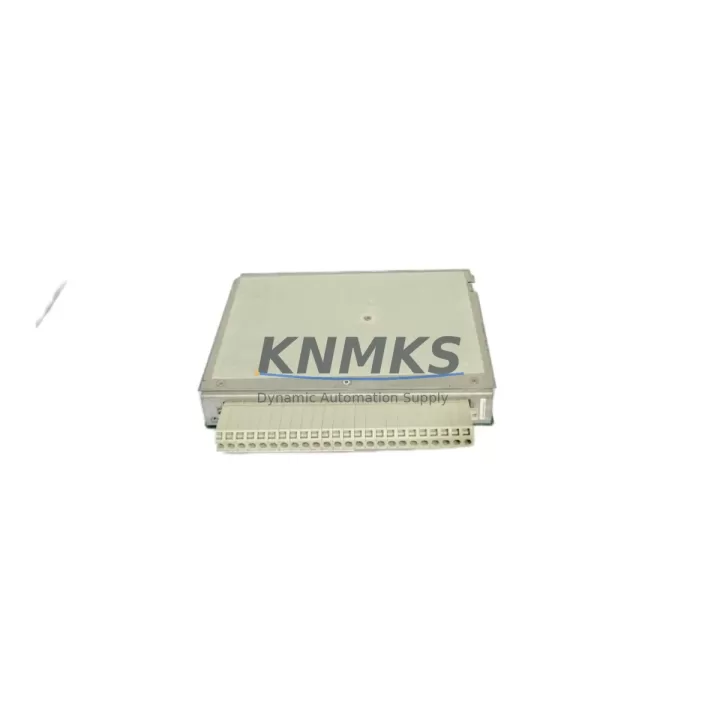
ABB 1KHW001381R0001 E5TX Migration-Ready PLC Expansion Module: Legacy System Retrofit and Upgrade
The ABB 1KHW001381R0001 E5TX is an AC500-series PLC expansion module engineered for seamless integration into existing ABB control architectures. As industrial facilities face increasing pressure to extend the operational life of legacy automation systems while maintaining safety and reliability, this module provides a verified, drop-in compatible solution for retrofit projects, discontinued spare replacement, and phased control system upgrades. Whether you are modernizing a continuous process line, replacing an end-of-life I/O module in a critical control cabinet, or migrating from an older AC500 platform variant, the E5TX delivers the interface compatibility, signal integrity, and installation footprint required to minimize engineering rework and reduce unplanned downtime.
For engineers managing aging control infrastructure, the replacement process demands careful validation across multiple dimensions: power rail capacity on the existing backplane, terminal wiring assignments, module slot addressing, program variable mapping, HMI tag references, communication link continuity, physical installation clearance, and firmware revision compatibility. The 1KHW001381R0001 E5TX is pre-shipment tested against these parameters, ensuring that the module arrives ready for direct installation without requiring extensive bench reconfiguration. Each unit undergoes functional verification prior to dispatch, and is backed by a support terms confirmed by quotation covering manufacturing defects and operational failures under normal industrial service conditions.
In retrofit scenarios involving the ABB AC500 platform, the E5TX expansion module typically operates alongside the AC500 PM573 or PM583 CPU modules, which serve as the central processing units managing program execution and I/O coordination. When replacing legacy expansion slots, engineers should confirm that the CPU firmware version supports the E5TX module type, as older firmware releases may require an update via the ABB Automation Builder programming environment before the new module is recognized on the backplane. The Automation Builder toolchain also allows engineers to preserve existing program logic, function block libraries, and variable declarations during the migration, significantly reducing the risk of introducing logic errors during the changeover.
Terminal wiring compatibility is a primary concern during any expansion module replacement. The E5TX maintains the standard AC500 terminal block pitch and connector format, allowing existing field wiring to be reconnected without modification in most installations. However, engineers should verify signal type assignments — particularly for mixed analog and digital I/O configurations — against the original wiring diagram before energizing the replacement module. Where signal isolation is required between field devices and the control backplane, the addition of signal isolator modules or terminal signal conditioners is recommended to protect both the new module and the upstream CPU from transient voltage events during the commissioning phase.
Communication link continuity is equally critical in retrofit projects. The AC500 platform supports multiple fieldbus and industrial Ethernet protocols, and the E5TX must be addressed correctly within the network topology to avoid conflicts with existing nodes. In systems using PROFIBUS DP, Modbus RTU, or EtherNet/IP communication architectures, the module address must be configured to match the original slot assignment or updated consistently across the PLC program, HMI screens, and SCADA tag databases. Failure to synchronize address changes across all layers is a common source of commissioning delays and should be treated as a structured checklist item during the migration planning phase.
For control cabinets operating in harsh environments — including high ambient temperature zones, dusty or humid enclosures, or locations subject to significant vibration — the physical installation of the replacement module should include a review of cabinet ventilation, DIN rail integrity, and grounding continuity. Pairing the E5TX with a reliable AC500 power supply module that provides stable 24 VDC rail voltage is essential to ensure consistent module initialization and prevent intermittent faults caused by power rail instability during startup sequences. Where the existing power supply is also approaching end-of-life, a concurrent replacement is advisable to avoid a secondary failure shortly after the primary retrofit is completed.
KNMKS maintains verified stock of the ABB 1KHW001381R0001 E5TX and a range of compatible AC500 platform components, supporting both single-unit emergency replacements and multi-unit planned retrofit programs. All units are sourced through controlled supply channels, inspected upon receipt, and stored under appropriate conditions to preserve module integrity. global delivery details confirmed by RFQ is available to support time-critical maintenance windows, and our technical team can assist with compatibility verification, firmware version guidance, and retrofit planning documentation upon request.
Migration Compatibility Table
| Parameter | Specification / Recommendation |
|---|---|
| SKU | 1KHW001381R0001 E5TX |
| Brand / Series | ABB / AC500 |
| Module Type | PLC Expansion Module |
| Backplane Interface | AC500 standard expansion bus — compatible with AC500 V2 and V3 backplane variants (firmware verification required) |
| Terminal Wiring | Standard AC500 terminal pitch — existing field wiring reconnectable without modification in most configurations |
| Communication Compatibility | PROFIBUS DP, Modbus RTU, EtherNet/IP (address must be reconfigured to match original or updated topology) |
| Programming Environment | ABB Automation Builder — supports program logic preservation during migration |
| Firmware Requirement | CPU firmware update may be required for older AC500 CPU modules — verify before installation |
| Installation Footprint | Standard AC500 DIN rail slot — no mechanical modification required |
| Power Supply Requirement | 24 VDC via AC500 power rail — verify existing PSU capacity before adding expansion modules |
| Origin | Germany (DE) |
| Weight | 360 g |
| Pre-Shipment Testing | Functional verification completed on every unit prior to dispatch |
| Support terms | support terms confirmed by quotation — manufacturing defects and operational failures under normal service conditions |
| Stock Status | availability confirmed by RFQ — global delivery details confirmed by RFQ available |
Retrofit Planning for Existing Automation Systems
A successful retrofit begins with a structured compatibility audit. Before ordering the 1KHW001381R0001 E5TX, engineers should document the existing backplane slot configuration, confirm the installed CPU module part number — typically an AC500 PM573-ETH or PM583-ETH — and retrieve the current firmware version from the Automation Builder project file or the CPU diagnostic display. If the existing CPU is running a firmware version that predates E5TX support, a firmware update should be scheduled as part of the pre-installation preparation, ideally during a planned maintenance window rather than during the live replacement to avoid extending the outage.
Terminal block wiring should be photographed and documented before disconnection. In installations where the original TA525 or TB521 terminal adapter is in use, confirm that the adapter model is compatible with the E5TX before reuse. Signal conditioners or CM589 communication modules installed in adjacent slots should be noted, as their addressing may shift if the expansion module is inserted into a different physical slot position than the original unit. HMI screens built on ABB CP600 or CP620 operator panels referencing I/O tags from the replaced module will require tag address verification after the new module is commissioned and the updated PLC program is downloaded.
For systems where a DC532 or DC551 digital I/O module is installed in the same rack, confirm that the total I/O point count and power consumption remain within the CPU’s supported expansion capacity after the E5TX is added. Exceeding the backplane power budget is a common oversight in retrofit projects and can cause intermittent module faults that are difficult to diagnose without a full power audit. KNMKS can provide pre-sales technical support to assist with this calculation based on your existing rack configuration.
Downtime Control During System Migration
Minimizing production downtime during a control system retrofit requires a phased approach that separates preparation, installation, and commissioning into distinct, time-bounded activities. For the 1KHW001381R0001 E5TX replacement, the preparation phase should include downloading the existing PLC program from the CPU, archiving the project in Automation Builder, verifying the new module firmware compatibility, and preparing the updated program with any necessary address changes — all completed before the maintenance window begins.
During the installation phase, the control system should be de-energized following the site’s lockout/tagout procedure. The failed or end-of-life module is removed, the E5TX is inserted into the correct backplane slot, and field wiring is reconnected and verified against the documented wiring diagram. The updated PLC program is then downloaded to the CPU, and a cold start is performed to initialize the new module. Communication links — including any PROFIBUS or Ethernet segments connected to the rack — should be verified for continuity before the system is returned to automatic control mode.
The commissioning phase should include a structured I/O check covering all field signals connected to the E5TX, confirmation that HMI displays are updating correctly, and a review of the CPU diagnostic log for any module fault codes. Where the retrofit is part of a larger system upgrade involving multiple modules or a CPU replacement, KNMKS recommends staging the changes across multiple maintenance windows rather than attempting a full rack replacement in a single outage, as this approach significantly reduces the risk of extended downtime caused by unforeseen compatibility issues.
Retrofit Support FAQ
Q1: Is the ABB 1KHW001381R0001 E5TX a direct drop-in replacement for the original AC500 expansion module in my rack?
In most AC500 installations, the E5TX is mechanically and electrically compatible with the original expansion slot. However, firmware compatibility between the E5TX and your installed CPU module should be verified before installation. KNMKS can assist with compatibility confirmation based on your CPU part number and current firmware version.
Q2: What pre-shipment testing is performed on each unit?
Every 1KHW001381R0001 E5TX unit dispatched by KNMKS undergoes functional verification testing prior to shipment. This includes power-on initialization, backplane communication check, and I/O channel verification. Units that do not pass testing are not dispatched. All units are covered by a support terms confirmed by quotation from the date of delivery.
Q3: Can I reuse my existing terminal wiring and adapter when replacing with the E5TX?
In most cases, yes. The E5TX uses the standard AC500 terminal block format, and existing field wiring can typically be reconnected without modification. If your installation uses a specific terminal adapter model, confirm compatibility with the E5TX before proceeding. KNMKS technical support can advise based on your adapter part number.
Q4: What is the lead time and stock availability for the 1KHW001381R0001 E5TX?
KNMKS maintains in-stock inventory of the ABB 1KHW001381R0001 E5TX to support both emergency replacements and planned retrofit programs. global delivery details confirmed by RFQ is available. For time-critical maintenance windows, contact our sales team directly to confirm current stock levels and arrange priority dispatch.
© 2026 KNMKS. All rights reserved.
Original Source: https://knmks.com
Contact: admin@knmks.com | +86 18359268345
Product Identification
- Brand / Ecosystem
-
ABB
ABB - Model / Series
-
1KHW001381R0001 E5TX
AC500 Series - Product Family
- PLCs & Controllers
- Availability Status
- Available on request after model and quantity confirmation
- Inquiry Type
- B2B RFQ, replacement inquiry and project spare-part request
- Pre-Quote Check
- Exact SKU, brand, series, quantity, nameplate photos and destination country are checked before quotation
System Path
Where this product fits in the KNMKS automation structure.
Specification & Inquiry Focus
- Control platform
- PLC, PAC and modular controllers
- Common needs
- CPU, rack, power and I/O expansion
- Project support
- Replacement, cabinet build and maintenance
Buyer Confirmation
Information KNMKS checks before replying.
- Exact model
- 1KHW001381R0001 E5TX
- Brand / ecosystem
- ABB
- Product family
- PLCs & Controllers
- Application note
- Replacement, maintenance, project build or spare-part list
- Useful photos
- Nameplate, installed unit, cabinet layout or connector side
- Delivery details
- Quantity, destination country and target schedule
Document Support
Files and notes can be confirmed during quotation.
- Product photos or nameplate confirmation when available
- Packing and delivery notes before quotation confirmation
- Support scope and delivery terms confirmed per inquiry
- Export document coordination for qualified B2B requests
Inquiry Support
- Model cross-checking before quotation
- CPU, power, rack and expansion module matching
- Support for replacement and project inquiry
What to Send Us
- Brand and exact model number: ABB 1KHW001381R0001 E5TX
- Quantity and required delivery time
- Application, replacement requirement or nameplate photo
- Destination country and shipping preference
RFQ Preparation
This is a product inquiry page built for RFQ communication.
Fast Model Check
Send this model to KNMKS for confirmation.
Include quantity, destination country and photos if this is a maintenance replacement. The inquiry will be saved with a reference number after submission.
Brand & Compatibility Note
KNMKS displays automation product information for well-known industrial brand ecosystems and compatible replacement references. Brand names are used for product identification and compatibility reference only; final availability and commercial terms are confirmed per quotation.
 Manufacturing
 Machine Tools
 Packaging
 Energy & Power



 HMI & Displays
 Servo Systems
 Variable Frequency Drives
 Sensors