
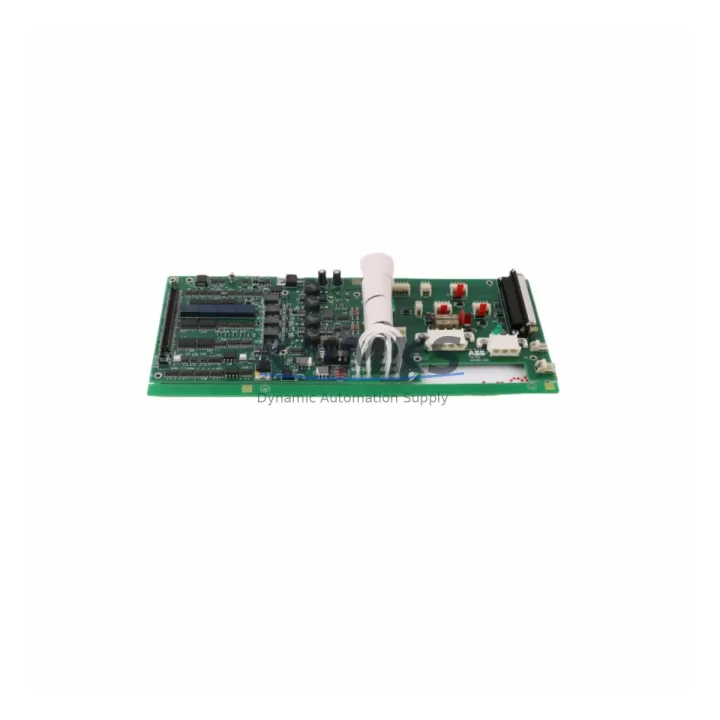
Overview
ABB 086384-003 Migration-Ready Control Board for Legacy Control Systems
The ABB 086384-003 is a migration-ready control board engineered for direct replacement within ABB AC500 PLC control systems. Designed to address the growing demand for legacy system modernization, this board supports engineers and maintenance teams undertaking planned outage upgrades, emergency spare replacements, and phased control cabinet retrofits across process, manufacturing, and utilities sectors. Each unit is pre-tested prior to shipment, backed by a support terms confirmed by quotation, and dispatched from multi-region stock to minimize lead times for critical industrial operations.
When replacing the 086384-003 in an existing AC500 installation, engineers must verify several key parameters before commissioning. Power supply capacity at the backplane level should be confirmed — the AC500 CPU rack typically draws from a PM5xx-series power supply module, and adding or swapping a control board may affect total rail loading. Terminal wiring assignments must be cross-referenced against the original I/O mapping to ensure signal continuity, particularly for analog input channels and digital output groups connected downstream. Backplane interface compatibility with the AC500 rack (TB511, TB521, TB541, or TB561 variants) should be confirmed before seating the replacement board.
Module addressing within the AC500 configuration tool (Automation Builder) must be reviewed. If the original board occupied a specific slot address, the replacement must be assigned the same logical address to avoid program faults on restart. Firmware version alignment is equally critical — the 086384-003 replacement should carry firmware compatible with the existing CPU module (PM573, PM583, or PM595 series) to prevent communication handshake failures. Where HMI panels such as the CP600 series are integrated, screen tag bindings referencing the original board’s I/O addresses should be validated before going live.
Communication link integrity must also be verified. If the control board interfaces with a CS31 fieldbus segment or PROFIBUS DP network, the node address and baud rate settings must match the original configuration. For installations using Modbus TCP or IEC 61850 over Ethernet, the IP addressing scheme and subnet assignments should be documented before the swap and restored immediately after. Installation space within the control cabinet should be measured to confirm the replacement board seats correctly within the existing DIN-rail slot without mechanical interference from adjacent wiring ducts or terminal blocks.
Migration Compatibility Table
| Parameter | Details |
|---|---|
| SKU | 086384-003 |
| Brand / Series | ABB / AC500 |
| Compatible Rack | TB511, TB521, TB541, TB561 (AC500 backplane family) |
| Compatible CPU | PM573, PM583, PM591, PM595 |
| Power Supply Compatibility | PM5xx-series (24 VDC rail; verify total rack load before swap) |
| Communication Protocols | CS31, PROFIBUS DP, Modbus TCP, IEC 61850 (firmware-dependent) |
| Firmware Alignment | Must match installed CPU firmware version; verify via Automation Builder |
| Installation Space | Standard AC500 DIN-rail slot; confirm slot width and backplane connector pitch |
| Wiring Compatibility | Terminal block wiring retained; verify I/O channel mapping before restart |
| HMI Integration | CP600 series; validate tag bindings post-replacement |
| Replacement Recommendation | Direct drop-in; no hardware modification required under standard AC500 rack conditions |
| Commissioning Focus | Slot address, firmware version, I/O mapping, communication node address, HMI tag validation |
| Pre-Shipment Testing | Yes — functional test completed before dispatch |
| Support terms | 12 months from date of delivery |
| Origin | China (CN) |
| Stock Status | Multi-region stock; fast global dispatch available |
Retrofit Planning for Existing Automation Systems
A successful retrofit of the ABB 086384-003 begins with a structured pre-outage audit. Engineers should document the existing rack layout, noting the slot positions of all installed modules — including any SM560-S safety I/O modules, DC532 digital output modules, or AI523 analog input modules sharing the same AC500 backplane. The PM5xx power supply module feeding the rack must be load-checked to confirm sufficient headroom for the replacement board’s current draw, particularly in high-density I/O configurations where multiple expansion modules are installed.
Where the control system includes a CI590-CS31-HA communication interface module for CS31 fieldbus connectivity, the node table and polling cycle must be exported from Automation Builder before the board is removed. Similarly, if a CI854 PROFIBUS DP master module is present, the GSD file and slave address list should be archived. For systems using a TK501 programming cable or USB-to-serial adapter for local firmware updates, ensure the cable driver and the correct Automation Builder version are available on the commissioning laptop before the outage window begins. Signal isolators installed between the 086384-003 and field instruments should be inspected for loop impedance compatibility with the replacement board’s input specifications.
Any changes to analog signal scaling or filter time constants in the PLC program should be documented and tested in simulation before live deployment. Where the existing installation includes a CP600 operator panel with custom alarm pages or trend displays, a full HMI project backup should be taken and the tag database cross-referenced against the replacement board’s I/O address map. This step is frequently overlooked during emergency replacements and is a common source of post-commissioning alarm nuisance or missed process signals.
Downtime Control During System Migration
Minimizing downtime during an AC500 control board replacement requires a disciplined sequence. Before the outage, export the full Automation Builder project, including all POU (Program Organization Unit) logic, variable declarations, and hardware configuration. Store a timestamped backup on an isolated drive accessible to the commissioning team. If the process allows, perform a simulation run using a spare CPU module to validate the replacement board’s behavior under load before the live swap.
During the outage, follow a structured slot-by-slot removal sequence to avoid disturbing adjacent modules on the TB5xx backplane. After seating the 086384-003 replacement, perform a cold restart and monitor the diagnostic LED sequence on the CPU module. Confirm that all I/O modules report healthy status in the Automation Builder online view before releasing control to the process. For installations with CP600 HMI panels, verify that all alarm pages and trend displays are populating correctly from the restored I/O addresses before handing back to operations.
Post-commissioning, run a minimum 30-minute supervised observation period with process engineers present to confirm stable control loop behavior, correct analog scaling, and absence of spurious alarms. Document the firmware version, slot address, and wiring verification sign-off in the site maintenance log before closing the outage record. Retaining the original 086384-003 board as a labeled spare — even if suspected faulty — preserves the option for root-cause analysis and supports future lifecycle planning for the AC500 platform.
Retrofit Support FAQ
Q: Is the ABB 086384-003 a direct drop-in replacement for the original board in AC500 systems?
A: Yes, the 086384-003 is designed as a form-fit-function replacement for the original AC500 control board. Terminal wiring and backplane connector positions are retained. Firmware version alignment with the installed CPU must be confirmed prior to commissioning to avoid communication faults on first power-up.
Q: What pre-shipment testing is performed on the 086384-003?
A: Each unit undergoes functional testing prior to dispatch, including power-on verification, I/O channel continuity checks, and communication interface validation. Units that do not pass functional testing are not dispatched. A test report is available upon request for quality-critical installations.
Q: What is the support terms coverage for this replacement board?
A: All units are covered by a support terms confirmed by quotation from the date of delivery. Support terms covers manufacturing defects and functional failures under normal operating conditions. DOA (Dead on Arrival) units are replaced at no charge with priority dispatch.
Q: How quickly can the 086384-003 be dispatched for emergency replacement?
A: Stock is maintained across multiple regional warehouses to support fast global dispatch. Emergency orders are prioritized for same-day or next-business-day shipment where stock is available. Contact our sales team at admin@knmks.com or +86 18359268345 for lead time confirmation based on your destination and urgency.
© 2026 KNMKS. All rights reserved.
Original Source: https://knmks.com
Contact: admin@knmks.com | +86 18359268345
Product Identification
- Brand / Ecosystem
-
ABB
ABB - Model / Series
-
086384-003
AC500 Series - Product Family
- PLCs & Controllers
- Availability Status
- Available on request after model and quantity confirmation
- Inquiry Type
- B2B RFQ, replacement inquiry and project spare-part request
- Pre-Quote Check
- Exact SKU, brand, series, quantity, nameplate photos and destination country are checked before quotation
System Path
Where this product fits in the KNMKS automation structure.
Specification & Inquiry Focus
- Control platform
- PLC, PAC and modular controllers
- Common needs
- CPU, rack, power and I/O expansion
- Project support
- Replacement, cabinet build and maintenance
Buyer Confirmation
Information KNMKS checks before replying.
- Exact model
- 086384-003
- Brand / ecosystem
- ABB
- Product family
- PLCs & Controllers
- Application note
- Replacement, maintenance, project build or spare-part list
- Useful photos
- Nameplate, installed unit, cabinet layout or connector side
- Delivery details
- Quantity, destination country and target schedule
Document Support
Files and notes can be confirmed during quotation.
- Product photos or nameplate confirmation when available
- Packing and delivery notes before quotation confirmation
- Support scope and delivery terms confirmed per inquiry
- Export document coordination for qualified B2B requests
Inquiry Support
- Model cross-checking before quotation
- CPU, power, rack and expansion module matching
- Support for replacement and project inquiry
What to Send Us
- Brand and exact model number: ABB 086384-003
- Quantity and required delivery time
- Application, replacement requirement or nameplate photo
- Destination country and shipping preference
RFQ Preparation
This is a product inquiry page built for RFQ communication.
Fast Model Check
Send this model to KNMKS for confirmation.
Include quantity, destination country and photos if this is a maintenance replacement. The inquiry will be saved with a reference number after submission.
Brand & Compatibility Note
KNMKS displays automation product information for well-known industrial brand ecosystems and compatible replacement references. Brand names are used for product identification and compatibility reference only; final availability and commercial terms are confirmed per quotation.
 Manufacturing
 Machine Tools
 Packaging
 Energy & Power



 HMI & Displays
 Servo Systems
 Variable Frequency Drives
 Sensors