
Overview
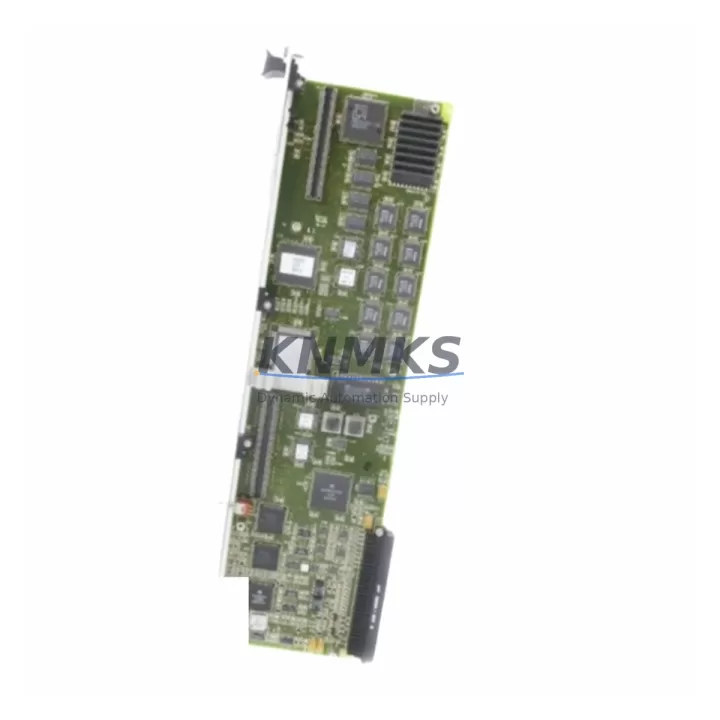
ABB 086349-001 Maintenance-Proven Spare Part for Factory Uptime
The ABB 086349-001 is a CPU module designed for the ABB AC500 programmable logic controller series — one of the most widely deployed automation platforms in process industries, discrete manufacturing, and critical infrastructure. As a maintenance-proven spare part, the 086349-001 is engineered to deliver drop-in compatibility with existing AC500 backplane configurations, enabling maintenance engineers to restore production continuity with minimal downtime and zero re-engineering overhead.
For facilities running continuous or semi-continuous processes, unplanned CPU failures represent one of the highest-cost failure modes in the control cabinet. Stocking the ABB 086349-001 as a verified spare eliminates the lead-time risk associated with emergency procurement and ensures that your maintenance team can execute a controlled replacement during the next available maintenance window — or immediately in the event of an unplanned outage.
Every unit supplied through KNMKS undergoes pre-shipment functional verification, is packaged in anti-static ESD-safe materials, and is backed by a support terms confirmed by quotation covering manufacturing defects and operational failures under normal industrial conditions. Long-term supply continuity is maintained through our global sourcing network, ensuring availability even for mature or end-of-life AC500 configurations.
Spare Maintenance Table
| SKU / Part Number | 086349-001 |
| Brand | ABB |
| Series | AC500 |
| Product Type | PLC CPU Module |
| Country of Origin | Germany (DE) |
| Backplane Compatibility | AC500 standard backplane; drop-in replacement for compatible AC500 CPU slots |
| Installation Type | DIN rail / backplane slot mount |
| Communication Interfaces | Ethernet, serial (series-dependent); refer to AC500 system documentation for port configuration |
| Programming Environment | ABB Automation Builder / CoDeSys-based IEC 61131-3 |
| Operating Temperature | 0°C to +60°C (typical AC500 CPU range) |
| Application Environment | Industrial control cabinets, process automation, discrete manufacturing, utilities |
| Pre-Shipment Testing | Functional verification performed on every unit |
| Packaging | ESD-safe anti-static packaging |
| Support terms | 12 Months — covers manufacturing defects and operational failures under normal use |
| Long-Term Supply | Available through KNMKS global sourcing network |
Maintenance Planning for Continuous Operation
When replacing the ABB 086349-001 CPU module during a scheduled or emergency maintenance event, a disciplined inspection of the surrounding control cabinet components is essential to prevent repeat failures and ensure system stability after restart.
Begin with the AC500 power supply module (such as the PS501 or PS502 series): verify output voltage stability under load, check for capacitor aging indicators, and confirm that the supply rail is within specification before powering the new CPU. A marginal power supply is one of the leading causes of premature CPU failure in AC500 systems and is frequently overlooked during emergency replacements.
Inspect all AC500 I/O expansion modules connected to the backplane — including digital input modules (DI), digital output modules (DO), and analog I/O modules. Confirm that each module’s status LED is reporting correctly and that no I/O channel is in a fault or overload state. Faulty I/O modules can generate bus errors that destabilize the CPU after replacement.
Check the communication modules installed in the AC500 rack, including PROFIBUS DP master/slave modules, PROFINET interface modules, and Modbus TCP adapters. Verify that firmware versions are compatible with the replacement CPU and that network addresses and baud rate settings are correctly retained in non-volatile memory.
Examine the terminal blocks and field wiring at the I/O marshalling panel. Loose or corroded terminals are a common source of intermittent faults that can be misdiagnosed as CPU failures. Torque-check all screw terminals and inspect for signs of thermal discoloration or insulation damage.
If the control system includes an ABB CP600 or CP400 series HMI panel, verify that the communication link to the CPU is re-established after replacement and that the HMI project is compatible with the CPU firmware version. Update the HMI connection parameters if the CPU IP address or communication profile has changed.
Finally, inspect the 24VDC auxiliary power distribution feeding the CPU and I/O rack, including any installed fuse blocks or miniature circuit breakers. Replace any fuses that show signs of thermal stress and verify that the auxiliary supply voltage is stable under the full I/O load of the restored system.
Site Replacement Workflow
Step 1 — Pre-replacement documentation: Before removing the faulty CPU, photograph the existing wiring, record all DIP switch and rotary switch positions, and export or back up the current PLC program from the engineering workstation using ABB Automation Builder. Confirm that the backup is complete and readable before proceeding.
Step 2 — Safe isolation: Follow your site’s lockout/tagout (LOTO) procedure. De-energize the control cabinet and discharge any residual voltage on the backplane bus. Remove the faulty 086349-001 module from the CPU slot, noting the slot position and any jumper configurations.
Step 3 — Module inspection and installation: Inspect the replacement 086349-001 for physical damage. Confirm that the firmware version is compatible with your AC500 system configuration. Insert the module into the correct backplane slot, ensuring the connector is fully seated and the retention latch is engaged.
Step 4 — Program restore and commissioning: Re-energize the cabinet and download the backed-up PLC program to the new CPU using ABB Automation Builder. Verify that all I/O modules are recognized, all communication links are established, and the system enters RUN mode without fault codes.
Step 5 — Functional verification: Perform a controlled I/O test to confirm that all field devices are responding correctly. Check HMI displays, alarm systems, and interlock logic before returning the system to production. Document the replacement in your maintenance management system (CMMS) and update the spare parts inventory record.
Spare Parts Support FAQ
Q1: Is the ABB 086349-001 a new original part or a refurbished unit?
All units supplied by KNMKS are sourced from authorized distribution channels or verified surplus stock. Each unit undergoes pre-shipment functional testing regardless of origin. The condition and source of each specific unit can be confirmed at the time of inquiry. All units are covered by a support terms confirmed by quotation.
Q2: How do I verify compatibility between the 086349-001 and my existing AC500 backplane and I/O configuration?
Compatibility is determined by the AC500 system generation, backplane type, and firmware revision. Provide your existing CPU part number, backplane model, and Automation Builder project version when placing your inquiry, and our technical team will confirm drop-in compatibility before shipment.
Q3: What is your lead time and can you support emergency same-day or next-day dispatch?
Standard lead time for in-stock units is 1–3 business days for international shipments. Emergency dispatch options are available for critical production outages — contact admin@knmks.com or call +86 18359268345 to confirm stock availability and expedited shipping options for your region.
Q4: What does the support terms confirmed by quotation cover and how is a support terms claim processed?
The support terms confirmed by quotation cover manufacturing defects and operational failures under normal industrial operating conditions. It does not cover damage resulting from incorrect installation, overvoltage events, or physical mishandling. To initiate a support terms claim, contact KNMKS with the original order reference, a description of the failure mode, and photographic evidence of the fault condition. Replacement or repair will be arranged within the confirmed support period.
© 2026 KNMKS. All rights reserved.
Original Source: https://knmks.com
Contact: admin@knmks.com | +86 18359268345
Product Identification
- Brand / Ecosystem
-
ABB
ABB - Model / Series
-
086349-001
AC500 Series - Product Family
- PLCs & Controllers
- Availability Status
- Available on request after model and quantity confirmation
- Inquiry Type
- B2B RFQ, replacement inquiry and project spare-part request
- Pre-Quote Check
- Exact SKU, brand, series, quantity, nameplate photos and destination country are checked before quotation
System Path
Where this product fits in the KNMKS automation structure.
Specification & Inquiry Focus
- Control platform
- PLC, PAC and modular controllers
- Common needs
- CPU, rack, power and I/O expansion
- Project support
- Replacement, cabinet build and maintenance
Buyer Confirmation
Information KNMKS checks before replying.
- Exact model
- 086349-001
- Brand / ecosystem
- ABB
- Product family
- PLCs & Controllers
- Application note
- Replacement, maintenance, project build or spare-part list
- Useful photos
- Nameplate, installed unit, cabinet layout or connector side
- Delivery details
- Quantity, destination country and target schedule
Document Support
Files and notes can be confirmed during quotation.
- Product photos or nameplate confirmation when available
- Packing and delivery notes before quotation confirmation
- Support scope and delivery terms confirmed per inquiry
- Export document coordination for qualified B2B requests
Inquiry Support
- Model cross-checking before quotation
- CPU, power, rack and expansion module matching
- Support for replacement and project inquiry
What to Send Us
- Brand and exact model number: ABB 086349-001
- Quantity and required delivery time
- Application, replacement requirement or nameplate photo
- Destination country and shipping preference
RFQ Preparation
This is a product inquiry page built for RFQ communication.
Fast Model Check
Send this model to KNMKS for confirmation.
Include quantity, destination country and photos if this is a maintenance replacement. The inquiry will be saved with a reference number after submission.
Brand & Compatibility Note
KNMKS displays automation product information for well-known industrial brand ecosystems and compatible replacement references. Brand names are used for product identification and compatibility reference only; final availability and commercial terms are confirmed per quotation.
 Manufacturing
 Machine Tools
 Packaging
 Energy & Power



 HMI & Displays
 Servo Systems
 Variable Frequency Drives
 Sensors