
Overview
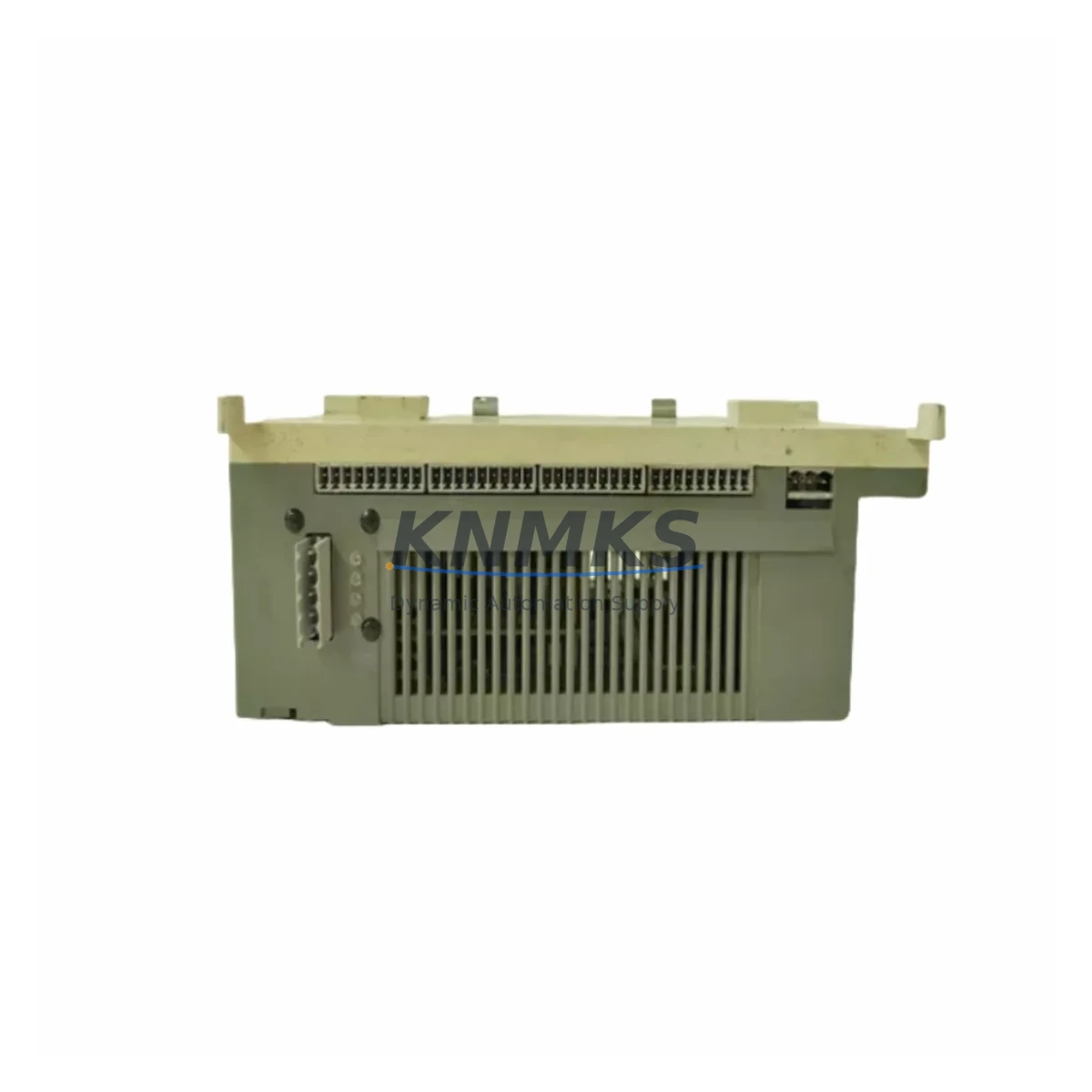
ABB 07KT98 GJR5253100R0278 Spare Part for Factory Uptime
The ABB 07KT98 (GJR5253100R0278) is a CPU module designed for the ABB AC31 programmable logic controller series — a platform widely deployed across process automation, discrete manufacturing, utilities, and building management systems. As a maintenance-proven spare part, the 07KT98 is a critical component for facilities that depend on AC31-based control cabinets for continuous production. Whether you are managing a planned annual overhaul, responding to an unscheduled fault, or building a strategic spare parts inventory, sourcing a verified 07KT98 replacement ensures your control system can be restored to full operation with minimal downtime.
The AC31 series CPU module handles program execution, I/O coordination, and communication management within the control cabinet. A failed or degraded 07KT98 can result in complete line stoppage, loss of process visibility, and cascading faults across connected I/O modules and field devices. Maintenance engineers familiar with AC31 architecture understand that the CPU is the single most critical spare to have on hand — and that sourcing a counterfeit or incompatible replacement introduces far greater risk than the original fault.
Each 07KT98 GJR5253100R0278 unit supplied is original, pre-shipment tested under functional load conditions, and backed by a support terms confirmed by quotation. Units are dispatched from multi-region stock to support emergency replacement timelines globally.
Spare Maintenance Table
| Part Number | 07KT98 |
| Reference Number | GJR5253100R0278 |
| Brand | ABB |
| Series | AC31 (07KT Series) |
| Module Type | PLC CPU Module |
| Origin | Germany (DE) |
| Supply Voltage | 24 VDC (nominal) |
| Program Memory | Onboard Flash / RAM (AC31 architecture) |
| Communication Interface | RCOM / CS31 bus, serial port |
| Compatible Series | ABB AC31 07KT Series control cabinets |
| Mounting | DIN rail / backplane slot (AC31 rack) |
| Operating Temperature | 0°C to +55°C |
| Application Environment | Industrial automation, process control, utilities, manufacturing |
| Maintenance Role | Emergency replacement, planned overhaul, strategic spare stock |
| Pre-Shipment Testing | Yes — functional load test performed before dispatch |
| Support terms | 12 Months |
| Dispatch | Multi-region stock, rapid global dispatch |
| Condition | Original / Migration-ready spare |
Maintenance Planning for Continuous Operation
When a 07KT98 CPU module is flagged for replacement — whether due to a watchdog fault, communication dropout, program execution error, or physical damage — the replacement workflow should extend beyond the CPU itself. Experienced maintenance engineers treat a CPU fault as a trigger for a broader cabinet inspection, because the root cause may involve upstream power quality, backplane integrity, or downstream I/O faults that contributed to the CPU failure.
Begin by verifying the 24 VDC power supply module feeding the AC31 rack. Voltage sags, ripple, or transient spikes are a leading cause of CPU resets and memory corruption in the 07KT Series. If the power supply is original and has been in service for more than five years, it should be treated as a co-replacement candidate alongside the 07KT98. The 07MK92 power supply module (or equivalent AC31-compatible PSU) is a standard companion spare for this cabinet type.
Next, inspect the CS31 bus communication modules and field bus cabling. The AC31 architecture relies on the CS31 serial bus to coordinate remote I/O stations. A degraded bus terminator, damaged CS31 cable, or failing 07CS91 communication module can cause intermittent CPU faults that are misdiagnosed as CPU hardware failure. Verify bus termination resistance and cable continuity before condemning the CPU.
The digital and analog I/O modules installed in the AC31 rack — such as the 07DI92 digital input module or 07AI91 analog input module — should be inspected for blown fuses, damaged field wiring terminals, and correct addressing. A shorted field device connected to an I/O module can generate fault conditions that propagate to the CPU. Replacing the CPU without resolving the I/O fault will result in repeat failures.
For facilities running AC31 systems with operator interface panels or HMI terminals connected via serial or Ethernet, verify that the HMI communication parameters are correctly configured for the replacement CPU. Some 07KT98 units may require firmware version matching or parameter re-initialization after swap-out. Confirm the program backup is available on a programming device or EPROM before proceeding with the replacement.
Finally, review the cabinet-level fusing and surge protection. Fuse holders, miniature circuit breakers, and surge arrestors protecting the 24 VDC rail should be inspected and replaced if signs of thermal stress or arcing are present. Maintaining a stock of compatible fuse elements alongside the 07KT98 CPU spare ensures that a complete cabinet restoration can be completed in a single maintenance window.
Site Replacement Workflow
Step 1 — Isolate and document. Before removing the 07KT98, record the current program version, CPU parameter settings, and I/O configuration. If the CPU is still partially functional, use the ABB programming tool (e.g., Automation Builder or the legacy 907 PC tool) to perform a full program upload and save to a secure backup location. Note the firmware version displayed on the CPU status screen or diagnostic tool.
Step 2 — Power down safely. De-energize the AC31 rack via the main cabinet isolator. Verify that the 24 VDC rail is at zero before touching any module. Allow capacitors in the power supply to discharge (typically 30–60 seconds) before proceeding.
Step 3 — Remove and inspect. Extract the 07KT98 from its backplane slot. Inspect the backplane connector pins for corrosion, bent contacts, or debris. Clean the slot with compressed air if required. Inspect the removed module for visible damage — burnt components, cracked PCB, or swollen capacitors — to help identify the root cause of failure.
Step 4 — Install the replacement unit. Insert the new 07KT98 GJR5253100R0278 into the correct backplane slot. Ensure the module is fully seated and the locking lever is engaged. Restore power and verify that the CPU initializes correctly — STATUS LED should indicate RUN or STOP (not FAULT) after boot.
Step 5 — Restore program and verify. Download the backed-up program to the replacement CPU using the programming tool. Verify I/O mapping, communication parameters, and HMI connectivity. Perform a controlled test cycle before returning the system to production. Document the replacement in the site maintenance log with the new module serial number and date of installation.
This workflow minimizes downtime, preserves system compatibility, and ensures the replacement 07KT98 is correctly commissioned before production resumes. For legacy AC31 systems approaching end-of-life, consider sourcing a second 07KT98 unit as a long-term strategic spare to protect against future supply constraints.
Spare Parts Support FAQ
Q1: Is the 07KT98 GJR5253100R0278 still available as a new or original spare?
Yes. Despite the AC31 series being a mature platform, original 07KT98 units remain available through specialist industrial spare parts suppliers. Each unit supplied is sourced from verified channels, functionally tested before shipment, and backed by a support terms confirmed by quotation. Lead times vary by region; contact our team for current stock availability and dispatch timelines.
Q2: How do I verify compatibility between a replacement 07KT98 and my existing AC31 system?
Compatibility is confirmed by matching the full part number (07KT98) and reference number (GJR5253100R0278) against your existing module label and the cabinet documentation. Additionally, verify the firmware version of the replacement unit against your programming tool requirements. If your site uses a specific firmware revision for program compatibility, inform the supplier before ordering so the correct variant can be confirmed.
Q3: What is the recommended spare parts holding strategy for AC31-based control systems?
For critical production lines, maintain a minimum of one 07KT98 CPU module on-site as an emergency spare. For facilities with multiple AC31 cabinets, a shared pool of two units is advisable. Complement the CPU spare with a power supply module, at least one CS31 communication module, and a set of commonly used I/O modules. Annual inventory review ensures spares remain within their storage life and firmware versions remain compatible with current programming tools.
Q4: What pre-shipment testing is performed on the 07KT98 before dispatch?
Each 07KT98 unit undergoes functional load testing prior to shipment. This includes power-on initialization verification, CPU program execution test, communication port check, and I/O bus response validation. Units that do not pass all test criteria are not dispatched. A test report is available upon request. The support terms confirmed by quotation cover hardware defects identified after installation under normal operating conditions.
© 2026 KNMKS. All rights reserved.
Original Source: https://knmks.com
Contact: admin@knmks.com | +86 18359268345
Product Identification
- Brand / Ecosystem
-
ABB
ABB - Model / Series
- 07KT98 GJR5253100R0278
- Product Family
- PLCs & Controllers
- Availability Status
- Available on request after model and quantity confirmation
- Inquiry Type
- B2B RFQ, replacement inquiry and project spare-part request
- Pre-Quote Check
- Exact SKU, brand, series, quantity, nameplate photos and destination country are checked before quotation
System Path
Where this product fits in the KNMKS automation structure.
Specification & Inquiry Focus
- Control platform
- PLC, PAC and modular controllers
- Common needs
- CPU, rack, power and I/O expansion
- Project support
- Replacement, cabinet build and maintenance
Buyer Confirmation
Information KNMKS checks before replying.
- Exact model
- 07KT98 GJR5253100R0278
- Brand / ecosystem
- ABB
- Product family
- PLCs & Controllers
- Application note
- Replacement, maintenance, project build or spare-part list
- Useful photos
- Nameplate, installed unit, cabinet layout or connector side
- Delivery details
- Quantity, destination country and target schedule
Document Support
Files and notes can be confirmed during quotation.
- Product photos or nameplate confirmation when available
- Packing and delivery notes before quotation confirmation
- Support scope and delivery terms confirmed per inquiry
- Export document coordination for qualified B2B requests
Inquiry Support
- Model cross-checking before quotation
- CPU, power, rack and expansion module matching
- Support for replacement and project inquiry
What to Send Us
- Brand and exact model number: ABB 07KT98 GJR5253100R0278
- Quantity and required delivery time
- Application, replacement requirement or nameplate photo
- Destination country and shipping preference
RFQ Preparation
This is a product inquiry page built for RFQ communication.
Fast Model Check
Send this model to KNMKS for confirmation.
Include quantity, destination country and photos if this is a maintenance replacement. The inquiry will be saved with a reference number after submission.
Brand & Compatibility Note
KNMKS displays automation product information for well-known industrial brand ecosystems and compatible replacement references. Brand names are used for product identification and compatibility reference only; final availability and commercial terms are confirmed per quotation.
 Manufacturing
 Machine Tools
 Packaging
 Energy & Power



 HMI & Displays
 Servo Systems
 Variable Frequency Drives
 Sensors