
Overview
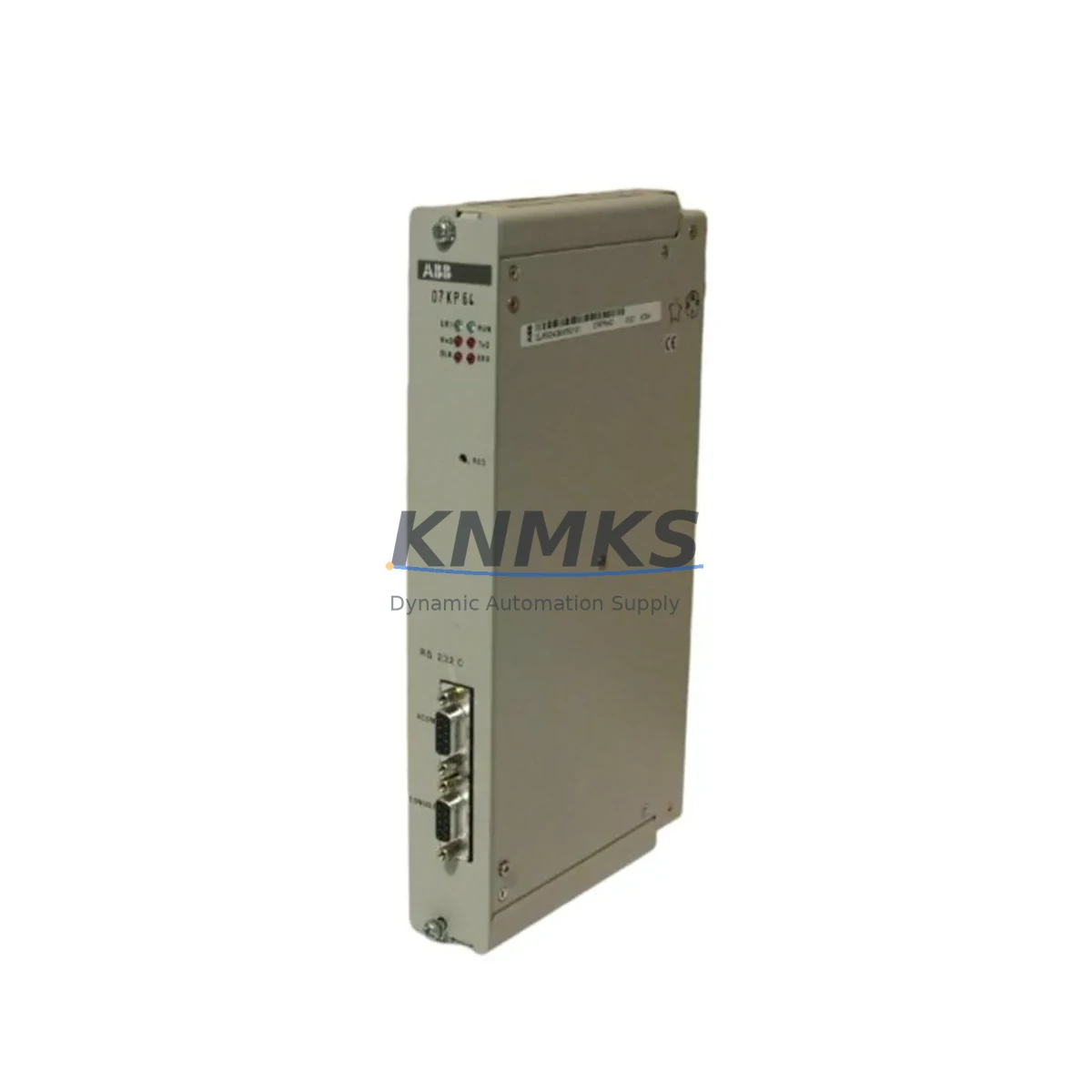
ABB 07KP64 GJR5240600R0101 Migration-Ready RS232 Module: Legacy System Retrofit & Compatibility Upgrade
The ABB 07KP64 (GJR5240600R0101) is an RS232 serial communication module — commonly designated RCOM — designed for the ABB AC31 programmable logic controller platform. As the AC31 series has reached end-of-life status across most global markets, this module has become a critical spare part for facilities operating legacy control cabinets that cannot yet justify a full platform migration. Whether you are extending the service life of an existing AC31 rack, replacing a failed communication link, or preparing a phased migration to a modern ABB control platform, the 07KP64 provides a verified, drop-in compatible solution that minimises engineering risk and unplanned downtime.
Industrial sites running AC31-based control systems — including paper mills, water treatment facilities, packaging lines, and discrete manufacturing cells — frequently encounter the challenge of sourcing discontinued communication modules on short notice. A failed RS232 link between the PLC and an upstream SCADA host, a legacy HMI panel, or a third-party drive can halt production entirely. The 07KP64 addresses this directly: it restores the RS232 RCOM channel without requiring firmware changes to the host controller or reprogramming of the application logic stored in the AC31 CPU module.
Before installing a replacement 07KP64, engineers should systematically verify several integration parameters. First, confirm the rack slot assignment and module address configured in the original application program — the AC31 addressing scheme maps I/O and communication modules by physical slot position, and an incorrect slot will cause the CPU to report a hardware fault on startup. Second, review the RS232 wiring at the DB9 or terminal interface: confirm TX, RX, RTS, CTS, and GND assignments against the original cabinet drawings, as pin configurations can vary between revisions of the AC31 backplane. Third, check the baud rate, parity, stop bits, and data frame settings stored in the PLC program or in the RCOM configuration utility — these parameters must match the connected device, whether that is a barcode reader, a weighing terminal, a variable frequency drive such as the ABB ACS series, or a PC-based SCADA station running a legacy serial driver.
Power budget verification is equally important during retrofit planning. The AC31 rack power supply — typically a 07KT98 or equivalent unit — must have sufficient residual capacity to support the 07KP64 alongside all other installed modules including digital I/O cards, analog input modules, and any co-installed fieldbus adapters. Exceeding the rack power budget can cause intermittent resets or communication errors that are difficult to diagnose in the field. Document the current draw of every installed module before commissioning the replacement.
For sites planning a broader migration from the AC31 platform to a current ABB control architecture — such as the AC500 series — the 07KP64 can serve as a bridge component during the transition period. The AC500 platform supports modern communication protocols including PROFIBUS DP, Modbus TCP, and EtherNet/IP through dedicated communication modules, but legacy serial devices connected via RS232 may still require an intermediate conversion layer or a protocol gateway during the cutover phase. Retaining a functional 07KP64 in the legacy rack while the new AC500 system is commissioned in parallel allows engineers to maintain production continuity and validate the new control logic before the final switchover.
Firmware compatibility should be confirmed against the AC31 CPU firmware version installed on site. Early AC31 CPU revisions may have specific RCOM driver versions that affect supported baud rates or handshaking modes. Where possible, obtain the firmware version from the CPU module label or from the programming software before ordering the replacement module, and cross-reference against the ABB AC31 system manual for your specific CPU variant.
All 07KP64 GJR5240600R0101 units supplied by KNMKS are sourced from verified industrial channels, individually inspected prior to dispatch, and covered by a support terms confirmed by quotation against manufacturing defects and functional failure. Stock is maintained to support urgent replacement requirements, with global shipping available to minimise lead time for critical spare part orders.
Migration Compatibility Table
| Parameter | Details |
|---|---|
| Module Part Number | 07KP64 / GJR5240600R0101 |
| Compatible Platform | ABB AC31 PLC Series |
| Communication Interface | RS232 Serial (RCOM) |
| Backplane / Rack Compatibility | AC31 standard rack; slot-addressed via CPU configuration |
| Installation Requirement | Slot position must match original program address; no physical modification required |
| Wiring Interface | RS232 DB9 / terminal block — verify TX/RX/RTS/CTS/GND against cabinet drawings |
| Protocol / Frame Settings | Baud rate, parity, stop bits configurable via RCOM utility or PLC program |
| Power Supply Compatibility | AC31 rack power supply (e.g. 07KT98); verify residual power budget before installation |
| Firmware Dependency | Confirm AC31 CPU firmware version supports installed RCOM driver revision |
| Replacement / Migration Path | Direct drop-in for failed or discontinued 07KP64 units; bridge use during AC500 migration |
| Commissioning Requirement | Verify slot address, serial parameters, and connected device handshaking before go-live |
| Support terms | support terms confirmed by quotation — functional and manufacturing defect coverage |
Retrofit Planning for Existing Automation Systems
A successful AC31 retrofit begins with a complete audit of the existing control cabinet. Beyond the 07KP64 RS232 module itself, engineers should document every installed component: the AC31 CPU module (such as a 07KR51 or 07KR91 variant), all digital and analog I/O modules occupying rack slots, the rack power supply unit, and any co-installed communication adapters. This inventory forms the baseline for both the immediate replacement and any longer-term migration plan.
In many AC31 installations, the RS232 RCOM channel connects the PLC to a legacy operator panel or HMI terminal — often a character-based or early graphical display that communicates using a proprietary ABB serial protocol. When replacing the 07KP64, confirm that the HMI configuration file still references the correct COM port parameters and that the panel firmware has not been updated in a way that altered the expected data frame structure. If the HMI itself is also approaching end-of-life, this retrofit is an appropriate moment to evaluate a parallel upgrade to a current panel platform, with the new display configured to communicate via Modbus RTU or another open protocol supported by a protocol converter bridging the AC31 serial port.
For sites where the RS232 link connects the AC31 to a variable frequency drive — such as an ABB ACS355 or ACS580 — verify the drive’s serial communication parameters independently. Drive firmware updates can reset communication settings to factory defaults, which will cause the RCOM link to fail even after a successful module replacement. Document the drive parameter group settings related to serial communication before beginning any work.
Where the AC31 rack includes analog input modules for process signal monitoring, confirm that the analog wiring and scaling factors are preserved during the retrofit. Physical disturbance of the rack during module replacement can loosen terminal connections on adjacent I/O modules, introducing signal errors that may not be immediately apparent during initial commissioning but will cause process deviations under load.
If the site uses a PROFIBUS DP network alongside the RS232 link — for example, connecting remote I/O stations or distributed drives — verify that the PROFIBUS master configuration stored in the CPU is not affected by the module replacement. The AC31 PROFIBUS configuration is typically stored in the CPU program memory and should be unaffected by swapping a communication module in a different slot, but this should be confirmed during the post-replacement functional test.
Finally, ensure that a backup copy of the AC31 application program is available before beginning any physical work. Use the ABB programming software to upload and archive the current program from the CPU, including all data blocks and configuration files. This backup is essential for recovery if an unexpected fault occurs during the retrofit and the CPU requires a cold restart.
Downtime Control During System Migration
Minimising production downtime during an AC31 communication module replacement requires preparation that begins well before the maintenance window. The most effective approach is to pre-configure and bench-test the replacement 07KP64 where possible — connecting it to a test rig or a spare AC31 rack with the same firmware version and verifying that the RS232 link establishes correctly with the target device before the unit is taken to site.
During the maintenance window, follow a structured sequence: isolate the control cabinet safely, photograph the existing wiring before disconnecting any terminals, remove the failed module, install the 07KP64 in the correct slot, reconnect wiring according to the documented pin assignments, and restore power. Perform a controlled CPU restart and monitor the diagnostic LEDs on the module for confirmation that the RCOM channel has initialised correctly.
If the connected device — whether an HMI, a drive, or a SCADA gateway — does not respond immediately after the module replacement, do not assume the new module is faulty. Work through the communication parameters systematically: verify baud rate, parity, and stop bits at both ends of the link; confirm that the cable is correctly wired and that no pins are shorted; and check that the connected device is powered and in the correct operating mode. Most RS232 commissioning issues are resolved at this level without requiring further hardware changes.
For sites where continuous operation is critical and a cold restart of the AC31 CPU is not acceptable during production hours, plan the replacement for a scheduled maintenance shutdown and arrange for a qualified engineer to be present for the full commissioning sequence. The 07KP64 replacement itself typically takes under 30 minutes; the majority of the maintenance window should be allocated to verification, testing, and documentation of the restored communication link.
Retrofit Support FAQ
Q: Is the 07KP64 GJR5240600R0101 a direct drop-in replacement for a failed unit in my AC31 rack?
A: Yes. The 07KP64 is designed for the AC31 rack and installs in the same slot as the original module. No physical modification to the rack or backplane is required. Ensure the slot address in your PLC program matches the physical installation position before restarting the CPU.
Q: Do I need to reconfigure the RS232 communication parameters after installing the replacement module?
A: In most cases, no. The communication parameters — baud rate, parity, stop bits, and handshaking — are stored in the AC31 application program or in the RCOM configuration, not in the module itself. After installing the replacement 07KP64, the CPU will apply the existing configuration automatically on restart. Verify the link is active by checking the RCOM diagnostic status in the programming software.
Q: Has the unit been tested before shipping, and what support terms is provided?
A: All 07KP64 units supplied by KNMKS are individually inspected and functionally verified prior to dispatch. Each unit is covered by a support terms confirmed by quotation against manufacturing defects and functional failure from the date of delivery. In the event of a support terms claim, contact admin@knmks.com with your order reference and a description of the fault.
Q: Can the 07KP64 be used as a temporary bridge during a migration from AC31 to a newer ABB platform?
A: Yes. The 07KP64 is well-suited for use as a bridge component during a phased migration. It allows the legacy AC31 system to remain operational and maintain its RS232 communication links while the new control platform is commissioned in parallel. This approach reduces migration risk and allows full validation of the new system before the final cutover, keeping downtime to a minimum.
© 2026 KNMKS. All rights reserved.
Original Source: https://knmks.com
Contact: admin@knmks.com | +86 18359268345
Product Identification
- Brand / Ecosystem
-
ABB
ABB - Model / Series
- 07KP64 GJR5240600R0101
- Product Family
- PLCs & Controllers
- Availability Status
- Available on request after model and quantity confirmation
- Inquiry Type
- B2B RFQ, replacement inquiry and project spare-part request
- Pre-Quote Check
- Exact SKU, brand, series, quantity, nameplate photos and destination country are checked before quotation
System Path
Where this product fits in the KNMKS automation structure.
Specification & Inquiry Focus
- Control platform
- PLC, PAC and modular controllers
- Common needs
- CPU, rack, power and I/O expansion
- Project support
- Replacement, cabinet build and maintenance
Buyer Confirmation
Information KNMKS checks before replying.
- Exact model
- 07KP64 GJR5240600R0101
- Brand / ecosystem
- ABB
- Product family
- PLCs & Controllers
- Application note
- Replacement, maintenance, project build or spare-part list
- Useful photos
- Nameplate, installed unit, cabinet layout or connector side
- Delivery details
- Quantity, destination country and target schedule
Document Support
Files and notes can be confirmed during quotation.
- Product photos or nameplate confirmation when available
- Packing and delivery notes before quotation confirmation
- Support scope and delivery terms confirmed per inquiry
- Export document coordination for qualified B2B requests
Inquiry Support
- Model cross-checking before quotation
- CPU, power, rack and expansion module matching
- Support for replacement and project inquiry
What to Send Us
- Brand and exact model number: ABB 07KP64 GJR5240600R0101
- Quantity and required delivery time
- Application, replacement requirement or nameplate photo
- Destination country and shipping preference
RFQ Preparation
This is a product inquiry page built for RFQ communication.
Fast Model Check
Send this model to KNMKS for confirmation.
Include quantity, destination country and photos if this is a maintenance replacement. The inquiry will be saved with a reference number after submission.
Brand & Compatibility Note
KNMKS displays automation product information for well-known industrial brand ecosystems and compatible replacement references. Brand names are used for product identification and compatibility reference only; final availability and commercial terms are confirmed per quotation.
 Manufacturing
 Machine Tools
 Packaging
 Energy & Power



 HMI & Displays
 Servo Systems
 Variable Frequency Drives
 Sensors