
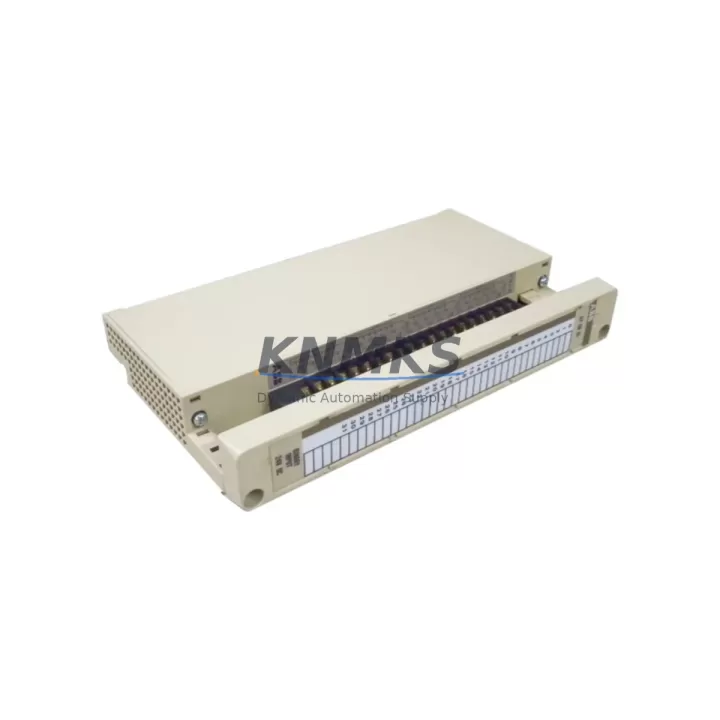
Overview
ABB 07EB60R1 Maintenance-Proven Spare Part for Factory Uptime
The ABB 07EB60R1 is a 16-channel digital input module designed for the ABB AC500 PLC platform — one of the most widely deployed programmable automation controllers in process, power, and discrete manufacturing industries. As a maintenance-proven spare part, the 07EB60R1 supports rapid field replacement, minimizing unplanned downtime and restoring control system availability with minimal reconfiguration effort. Whether you are managing a scheduled annual overhaul, responding to an emergency fault isolation event, or building a strategic spare parts inventory for a critical production line, the 07EB60R1 delivers the electrical compatibility, signal integrity, and mechanical fit required for back-to-back replacement in live AC500 installations.
Sourced from verified supply channels and shipped after pre-dispatch functional testing, each unit is backed by a support terms confirmed by quotation covering manufacturing defects and operational failures under normal industrial service conditions. Long-term supply continuity is maintained through regional warehouse stock, ensuring availability for both immediate emergency orders and planned procurement cycles.
Spare Maintenance Table
| Parameter | Specification |
|---|---|
| Part Number / SKU | 07EB60R1 |
| Brand | ABB |
| Series | AC500 |
| Module Type | Digital Input Module (DI) |
| Number of Channels | 16 x Digital Input |
| Input Voltage Range | 24 V DC (nominal) |
| Input Signal Standard | IEC 61131-2 Type 1 / Type 3 |
| Isolation | Galvanic isolation between field and logic side |
| Backplane Interface | AC500 S500 I/O bus |
| Mounting | DIN rail, snap-on to AC500 terminal unit |
| Operating Temperature | -25 °C to +60 °C |
| Protection Class | IP20 |
| Country of Origin | Germany (DE) |
| Compatibility | ABB AC500 CPU modules (PM5xx, PM5xxV2 series), S500 I/O terminal units |
| Certifications | CE, UL, cUL (per AC500 platform) |
| Support terms | 12 Months — covers manufacturing defects and operational failure under normal service conditions |
| Condition | Original, tested before shipment |
Maintenance Planning for Continuous Operation
When replacing the ABB 07EB60R1 in a live AC500 control cabinet, a disciplined maintenance workflow requires more than a module swap. Maintenance engineers should treat the replacement as an opportunity to inspect the full I/O subsystem and associated field wiring. Begin by verifying the 24 V DC field power supply feeding the digital input channels — a degraded or undersized power supply rail is a common root cause of intermittent input faults that are incorrectly attributed to the module itself. Check the terminal unit (TB5xx series) that the 07EB60R1 plugs into: worn connector contacts or cracked terminal blocks can cause signal dropout even after a new module is installed.
Inspect the field-side wiring connected to the input channels. Loose ferrules, corroded terminals, or undersized cable cross-sections introduce resistance that can push input signals below the IEC 61131-2 threshold voltage, causing false-off readings. If the installation uses signal isolators or intrinsic safety barriers between field sensors and the 07EB60R1 input channels, verify that these devices — such as the ABB HART multiplexer or third-party signal conditioners — are within their calibration and service life.
For AC500 systems with communication-intensive architectures, also inspect the PROFIBUS DP or Modbus RTU communication modules (such as the CM572-DP or CM575-DN) installed in the same rack. A communication module fault can mask I/O errors and complicate fault isolation. Similarly, check the AC500 CPU module (PM554, PM564, or PM583 series) firmware version to confirm compatibility with the 07EB60R1 hardware revision — mismatched firmware can cause configuration errors during hot-swap or cold-start sequences.
Fuse protection for the 24 V DC input supply should be verified at the cabinet level. Blown or degraded fuses on the field power distribution rail are a frequent silent failure mode. If the cabinet includes an ABB CP600 or CP400 series HMI panel connected to the same AC500 CPU, confirm that the HMI project configuration reflects the correct I/O mapping after module replacement to avoid operator display errors during the first post-maintenance production run.
For sites running extended maintenance intervals, consider stocking the 07EB60R1 alongside the corresponding terminal unit and a spare 24 V DC field power supply module as a matched replacement kit. This approach eliminates secondary delays caused by discovering a failed terminal unit or power supply only after the primary module has already been replaced.
Site Replacement Workflow
Step 1 — Fault Isolation: Use the AC500 diagnostic LEDs and the Automation Builder engineering software to confirm the 07EB60R1 as the fault source. Check the CPU diagnostic buffer for I/O module error codes before removing the module.
Step 2 — Safe Isolation: De-energize the 24 V DC field supply to the affected terminal unit. Do not remove the module under live field voltage. Follow site LOTO (Lockout/Tagout) procedures.
Step 3 — Module Removal: Release the module locking tab and slide the 07EB60R1 off the terminal unit. The terminal unit and field wiring remain in place — no rewiring is required for a like-for-like replacement.
Step 4 — Replacement Installation: Align the new 07EB60R1 with the terminal unit bus connector and press firmly until the locking tab engages. Verify the module address DIP switch settings match the original configuration if applicable.
Step 5 — Power-On and Verification: Re-energize the field supply. Confirm the module RUN LED is active and all 16 input channel LEDs respond correctly to field signals. Use Automation Builder online monitoring to verify I/O data is updating in the CPU process image.
Step 6 — Documentation: Record the replacement in the site maintenance log, including the new module serial number, date, and technician ID. Update the spare parts inventory to trigger a replenishment order for the consumed unit.
Spare Parts Support FAQ
Q1: Is the 07EB60R1 a direct drop-in replacement for older AC500 S500 digital input modules?
Yes. The 07EB60R1 is designed for the AC500 S500 I/O platform and is mechanically and electrically compatible with the standard S500 terminal units. It replaces earlier 16-channel DI modules in the same series without requiring changes to field wiring or terminal unit assignments. Confirm the CPU firmware version supports the module hardware revision via the ABB Automation Builder compatibility matrix before installation.
Q2: What pre-shipment testing is performed on each 07EB60R1 unit?
Each unit undergoes functional verification prior to dispatch, including power-on self-test, channel continuity check, and isolation verification. Units that fail any test parameter are quarantined and not shipped. A test report is available upon request for critical infrastructure procurement.
Q3: What is covered under the support terms confirmed by quotation?
The support terms confirmed by quotation cover manufacturing defects and operational failures occurring under normal industrial service conditions, including correct supply voltage, operating temperature within specification, and proper installation per ABB guidelines. Physical damage, incorrect wiring, or operation outside rated parameters are excluded. Support requests are processed with return shipment coordination and replacement dispatch within agreed lead times.
Q4: Can long-term supply be arranged for multi-site maintenance programs?
Yes. Blanket stock arrangements and scheduled release orders are available for maintenance programs requiring guaranteed availability across multiple sites or extended service contracts. Contact our procurement team to discuss volume commitments, consignment stock options, and priority allocation for critical spare parts lists.
© 2026 KNMKS. All rights reserved.
Original Source: https://knmks.com
Contact: admin@knmks.com | +86 18359268345
Product Identification
- Brand / Ecosystem
-
ABB
ABB - Model / Series
-
07EB60R1
AC500 Series - Product Family
- PLCs & Controllers
- Availability Status
- Available on request after model and quantity confirmation
- Inquiry Type
- B2B RFQ, replacement inquiry and project spare-part request
- Pre-Quote Check
- Exact SKU, brand, series, quantity, nameplate photos and destination country are checked before quotation
System Path
Where this product fits in the KNMKS automation structure.
Specification & Inquiry Focus
- Control platform
- PLC, PAC and modular controllers
- Common needs
- CPU, rack, power and I/O expansion
- Project support
- Replacement, cabinet build and maintenance
Buyer Confirmation
Information KNMKS checks before replying.
- Exact model
- 07EB60R1
- Brand / ecosystem
- ABB
- Product family
- PLCs & Controllers
- Application note
- Replacement, maintenance, project build or spare-part list
- Useful photos
- Nameplate, installed unit, cabinet layout or connector side
- Delivery details
- Quantity, destination country and target schedule
Document Support
Files and notes can be confirmed during quotation.
- Product photos or nameplate confirmation when available
- Packing and delivery notes before quotation confirmation
- Support scope and delivery terms confirmed per inquiry
- Export document coordination for qualified B2B requests
Inquiry Support
- Model cross-checking before quotation
- CPU, power, rack and expansion module matching
- Support for replacement and project inquiry
What to Send Us
- Brand and exact model number: ABB 07EB60R1
- Quantity and required delivery time
- Application, replacement requirement or nameplate photo
- Destination country and shipping preference
RFQ Preparation
This is a product inquiry page built for RFQ communication.
Fast Model Check
Send this model to KNMKS for confirmation.
Include quantity, destination country and photos if this is a maintenance replacement. The inquiry will be saved with a reference number after submission.
Brand & Compatibility Note
KNMKS displays automation product information for well-known industrial brand ecosystems and compatible replacement references. Brand names are used for product identification and compatibility reference only; final availability and commercial terms are confirmed per quotation.
 Manufacturing
 Machine Tools
 Packaging
 Energy & Power



 HMI & Displays
 Servo Systems
 Variable Frequency Drives
 Sensors