
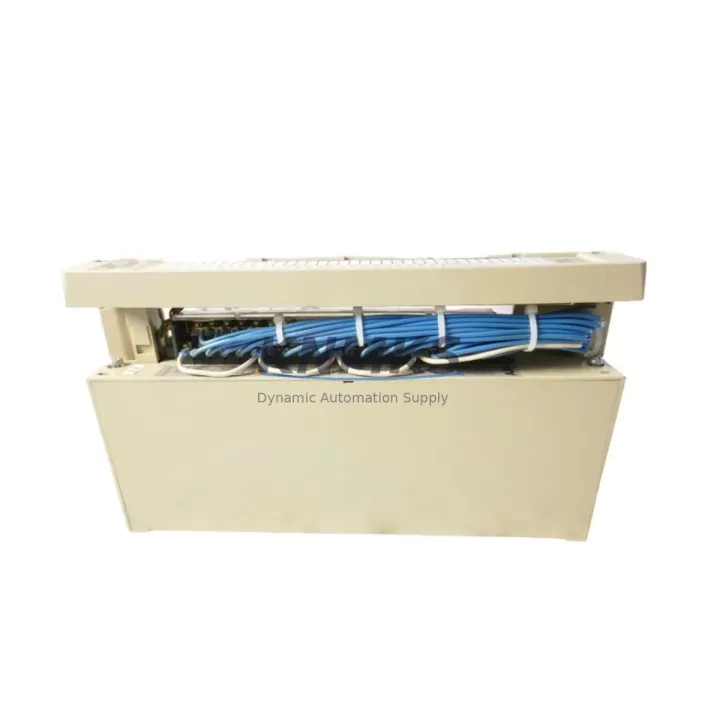
Overview
ABB 07EA63R1 Maintenance-Proven Spare Part for Factory Uptime
The ABB 07EA63R1 is an original 8-channel analog input module designed for the ABB AC500 PLC platform — one of the most widely deployed modular programmable logic controller families in industrial process control, manufacturing automation, and utility infrastructure. For maintenance engineers managing aging AC500 control cabinets, the 07EA63R1 represents a critical spare that directly impacts production continuity. Signal drift, channel failure, or module fault on an analog input card can trigger unplanned shutdowns across entire process lines. Stocking a verified original 07EA63R1 is a foundational element of any responsible spare parts strategy for AC500-based systems.
This module supports standard analog signal ranges including 0–10 V, ±10 V, 0–20 mA, and 4–20 mA inputs, making it compatible with a broad range of field transmitters — pressure transducers, temperature sensors, flow meters, and level instruments commonly found in process industries. Its 12-bit resolution and configurable channel parameterization allow direct drop-in replacement without reprogramming the CPU, provided the replacement module carries the same firmware baseline as the original. Procurement engineers should confirm the hardware revision and firmware version with the supplier before ordering to avoid compatibility gaps in mixed-revision AC500 racks.
KNMKS supplies the ABB 07EA63R1 as a genuine original component, fully tested prior to shipment, with a support terms confirmed by quotation covering manufacturing defects and functional failure under normal operating conditions. Each unit undergoes functional verification against ABB’s published electrical specifications before dispatch. Long-term supply continuity is maintained through established sourcing channels, ensuring availability even for legacy AC500 installations that have passed ABB’s standard product lifecycle support window.
Spare Maintenance Table
| Parameter | Specification |
|---|---|
| Part Number | 07EA63R1 |
| Brand | ABB |
| Series | AC500 |
| Module Type | Analog Input Module |
| Number of Channels | 8 Channels |
| Signal Input Range | 0–10 V / ±10 V / 0–20 mA / 4–20 mA (configurable per channel) |
| Resolution | 12-bit |
| Supply Voltage | 24 V DC (via AC500 backplane) |
| Communication Interface | AC500 internal bus (backplane) |
| Mounting | AC500 I/O rack / expansion unit |
| Operating Temperature | 0°C to +60°C |
| Protection Class | IP20 |
| Country of Origin | Germany |
| Compatibility | ABB AC500 PLC family (PM5xx, PM5xx-ETH CPU modules) |
| Application Environment | Process control, manufacturing automation, utility infrastructure |
| Maintenance Recommendation | Inspect signal wiring and terminal blocks annually; verify channel calibration during scheduled shutdowns |
| Support terms | 12 Months — covers manufacturing defects and functional failure under normal operating conditions |
| Pre-shipment Testing | Functional verification against ABB electrical specifications |
Maintenance Planning for Continuous Operation
When replacing the ABB 07EA63R1 in an AC500 control cabinet, a thorough maintenance inspection of the surrounding electrical environment is essential to prevent repeat failures and ensure stable signal integrity after the swap. Maintenance engineers should begin by verifying the 24 V DC backplane power supply — typically an ABB CP-E 24/5.0 or equivalent DIN-rail power supply unit — since undervoltage or ripple on the supply rail is a common root cause of analog module instability and premature failure. A replacement module installed into a degraded power environment will exhibit the same symptoms as the original fault.
Signal wiring at the terminal blocks deserves close attention. Loose or corroded connections on the field wiring side introduce noise and offset errors that are frequently misdiagnosed as module failure. Inspect the terminal strips, cable shields, and grounding connections at the I/O rack before powering up the replacement 07EA63R1. If the installation uses signal isolators or loop-powered transmitters, verify that the isolator output range matches the module’s configured input range — a mismatch here will produce out-of-range readings that can trigger process alarms or safety shutdowns.
For AC500 systems with communication modules such as the CM572-DP PROFIBUS DP master or CM589-PNIO PROFINET interface module, confirm that the I/O configuration in the CPU project file correctly maps the replacement module’s slot position. A slot reassignment without a corresponding project update will result in the CPU reading incorrect channel data. Similarly, if the control cabinet includes an ABB CP600 or CP400 series HMI panel, verify that analog trend displays and alarm setpoints reference the correct I/O addresses after the module swap.
Fuse protection for the 24 V field supply circuits should be inspected and replaced if there is any evidence of thermal stress or discoloration. Miniature circuit breakers or blade fuses protecting individual field loops are often overlooked during emergency replacements and can be a source of intermittent signal loss. Completing a full cabinet inspection — covering the CPU module, power supply, communication modules, I/O expansion backplane, and field wiring — during the same maintenance window as the 07EA63R1 replacement maximizes uptime and reduces the probability of a secondary fault requiring another unplanned shutdown.
Site Replacement Workflow
Step 1 — Preparation: Obtain the ABB 07EA63R1 replacement unit and confirm the hardware revision matches or is compatible with the installed AC500 firmware version. Download the current CPU project backup before any hardware changes.
Step 2 — Safe Isolation: Follow site lockout/tagout (LOTO) procedures. De-energize the I/O rack section containing the faulty module. Disconnect field signal cables from the terminal block, labeling each wire for accurate reconnection.
Step 3 — Module Removal: Release the module locking mechanism on the AC500 I/O rack and slide the 07EA63R1 out of its slot. Note the slot position for correct reinstallation of the replacement.
Step 4 — Replacement Installation: Insert the new 07EA63R1 into the same slot. Reconnect field signal cables to the terminal block in the original configuration. Restore power to the rack.
Step 5 — Verification: Monitor the CPU diagnostic display and HMI for module status confirmation. Verify all 8 analog input channels are reading within expected engineering unit ranges. Compare live values against process historian data or known reference values to confirm signal accuracy.
Step 6 — Documentation: Record the replacement date, module serial number, and any observations in the site maintenance log. Update the spare parts inventory to trigger reorder of a replacement stock unit.
Spare Parts Support FAQ
Q1: Is the ABB 07EA63R1 supplied by KNMKS a genuine original component?
Yes. KNMKS supplies only original ABB 07EA63R1 modules sourced through established industrial supply channels. Each unit is functionally tested against ABB’s published electrical specifications prior to shipment. A support terms confirmed by quotation is included, covering manufacturing defects and functional failure under normal operating conditions.
Q2: How do I confirm compatibility with my existing AC500 installation?
The 07EA63R1 is compatible with the ABB AC500 PLC family, including PM5xx and PM5xx-ETH CPU modules. Compatibility depends on the hardware revision and firmware version of your installed system. We recommend providing your CPU module part number and firmware version when placing an order so our technical team can confirm compatibility before shipment.
Q3: What is the lead time and can KNMKS support long-term supply for legacy AC500 systems?
Standard orders ship within 3–7 business days. For legacy AC500 installations beyond ABB’s standard support lifecycle, KNMKS maintains sourcing channels to support long-term supply continuity. Contact admin@knmks.com to discuss blanket order arrangements or consignment stock programs for high-criticality sites.
Q4: What should I do if the replacement module does not resolve the original fault?
If installing the 07EA63R1 does not restore normal operation, the fault may originate in the field wiring, power supply, backplane, or CPU configuration rather than the module itself. KNMKS technical support can assist with fault isolation guidance. All returned modules are inspected; if the unit is confirmed defective on arrival, a replacement is dispatched under the support terms confirmed by quotation at no additional cost.
© 2026 KNMKS. All rights reserved.
Original Source: https://knmks.com
Contact: admin@knmks.com | +86 18359268345
Product Identification
- Brand / Ecosystem
-
ABB
ABB - Model / Series
-
07EA63R1
AC500 Series - Product Family
- PLCs & Controllers
- Availability Status
- Available on request after model and quantity confirmation
- Inquiry Type
- B2B RFQ, replacement inquiry and project spare-part request
- Pre-Quote Check
- Exact SKU, brand, series, quantity, nameplate photos and destination country are checked before quotation
System Path
Where this product fits in the KNMKS automation structure.
Specification & Inquiry Focus
- Control platform
- PLC, PAC and modular controllers
- Common needs
- CPU, rack, power and I/O expansion
- Project support
- Replacement, cabinet build and maintenance
Buyer Confirmation
Information KNMKS checks before replying.
- Exact model
- 07EA63R1
- Brand / ecosystem
- ABB
- Product family
- PLCs & Controllers
- Application note
- Replacement, maintenance, project build or spare-part list
- Useful photos
- Nameplate, installed unit, cabinet layout or connector side
- Delivery details
- Quantity, destination country and target schedule
Document Support
Files and notes can be confirmed during quotation.
- Product photos or nameplate confirmation when available
- Packing and delivery notes before quotation confirmation
- Support scope and delivery terms confirmed per inquiry
- Export document coordination for qualified B2B requests
Inquiry Support
- Model cross-checking before quotation
- CPU, power, rack and expansion module matching
- Support for replacement and project inquiry
What to Send Us
- Brand and exact model number: ABB 07EA63R1
- Quantity and required delivery time
- Application, replacement requirement or nameplate photo
- Destination country and shipping preference
RFQ Preparation
This is a product inquiry page built for RFQ communication.
Fast Model Check
Send this model to KNMKS for confirmation.
Include quantity, destination country and photos if this is a maintenance replacement. The inquiry will be saved with a reference number after submission.
Brand & Compatibility Note
KNMKS displays automation product information for well-known industrial brand ecosystems and compatible replacement references. Brand names are used for product identification and compatibility reference only; final availability and commercial terms are confirmed per quotation.
 Manufacturing
 Machine Tools
 Packaging
 Energy & Power



 HMI & Displays
 Servo Systems
 Variable Frequency Drives
 Sensors