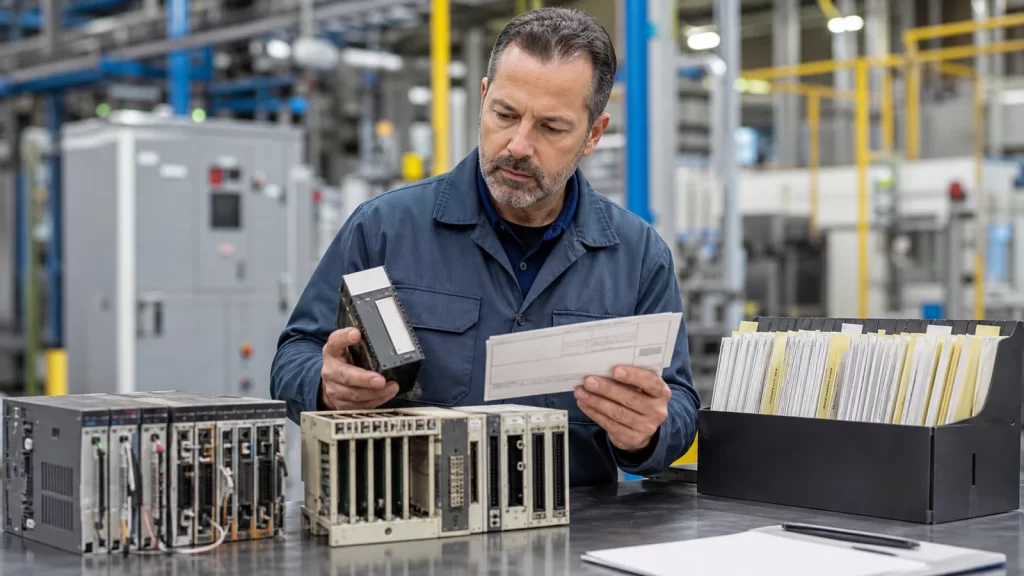
Why obsolete automation parts need a documented inquiry process
Obsolete industrial parts can remain critical to a factory long after the original equipment generation has changed. A maintenance team may need a discontinued PLC module, DCS card, servo drive, VFD board, HMI panel, relay interface, or communication module to keep an existing line running. Because these requests often involve old labels, cross-reference codes, and uncertain availability, the inquiry process must be more structured than a normal catalog search.
KNMKS treats obsolete automation inquiries as RFQ-based requests. Buyers can begin from the product lines, brand index, or series index, but the final quotation depends on model confirmation, quantity, destination, condition expectations, and shipping requirements.
What makes obsolete part identification difficult
Obsolete parts often appear under multiple references. A maintenance list may use an old purchasing code, while the module label may show a manufacturer number, firmware reference, revision code, or internal board number. Sometimes the machine builder applied its own label on top of the original part number. Without photos or supporting documents, a supplier may not know which code should be treated as the true model.
- Manufacturer model number and all visible suffixes.
- Cross-reference code, old invoice code, or machine builder reference.
- Photo of the part label and installed position.
- System type such as PLC, DCS, drive, HMI, or industrial control module.
- Quantity, country, urgency, and whether replacement alternatives can be considered.
How to prepare an obsolete parts RFQ
The best approach is to send the exact model evidence first, then explain the use case. If the part is required to restart a stopped line, the request should say it is urgent. If the part is for preventive maintenance stock, the buyer can include a target purchase window. This helps the quotation team separate emergency sourcing from planned spare parts review.
For system-level organization, obsolete items can be mapped back to the relevant hub, such as Industrial Control Systems, PLC systems, DCS systems, or automation systems. This prevents large mixed lists from becoming difficult to review.
RFQ-only workflow instead of instant online purchase
Obsolete automation parts usually cannot be handled like simple simple catalog items. Availability, condition, compatibility, lead time, and inspection requirements can change by model and quantity. For that reason, the site uses inquiry buttons, email RFQ links, and model confirmation prompts instead of instant purchase or instant price signals.
This workflow is designed for B2B buyers who need accurate confirmation before procurement approval. A clear RFQ creates a better record for both the maintenance team and purchasing department.
When photos are more useful than text
If a model number is partly unreadable, a photo can still provide clues from housing shape, terminal arrangement, labels, or connector layout. For board-level parts, high-resolution photos of both sides can be helpful. For installed equipment, a cabinet photo can show the rack or system family. These details do not replace the exact model number, but they can support identification when documentation is incomplete.
Final obsolete parts inquiry checklist
Before submitting an obsolete parts request, include every visible reference code, attach photos, state the quantity and destination, and explain whether alternatives are acceptable. This keeps the first response focused on availability and quotation details instead of basic model clarification.
Related published product examples: ABB legacy DCS CPU and KIKUSUI legacy DC supply. These pages provide model-level context for the inquiry; availability and quotation details are confirmed through the RFQ process.
Related Product Paths