An industrial temperature controller replacement affects the sensor input, control output, alarm behavior, and the process response. A controller that fits the same panel cutout may still use a different thermocouple or RTD input, output mode, control algorithm, or parameter structure. For a temperature controller replacement RFQ, the model number should be supported by sensor, wiring, load, and application evidence.
This guide explains how maintenance teams can document a temperature controller replacement without assuming that a similar display or enclosure makes two controllers interchangeable.
Capture the complete controller identity
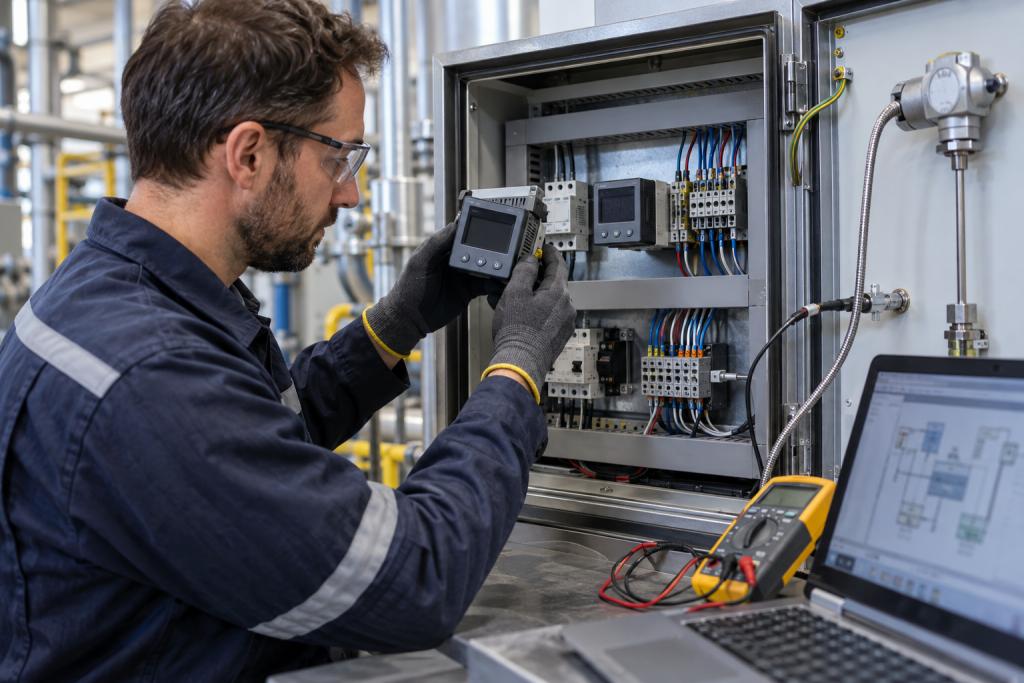
Photograph the controller face, side or rear label, terminal layout, panel cutout, and the cabinet context. Record the manufacturer, full model number, suffix, input and output option codes, firmware or revision marking, and any visible alarm or communication options.
Do not crop the suffix or option label. A suffix can define thermocouple or RTD support, relay or solid-state output, analog output, auxiliary input, alarm count, communication protocol, or power supply. Include the installed controller’s mounting clips, gasket, terminal block, and nearby wiring in the photographs.
Identify the temperature sensor
Record the sensor type, wiring arrangement, range, extension cable, polarity, and installation point. Common possibilities include thermocouple, RTD, thermistor, and an analog transmitter. For a thermocouple, identify the type and extension-compensation requirements. For an RTD, record the 2-wire, 3-wire, or 4-wire arrangement and any lead compensation.
Do not infer the sensor from the temperature value shown on the display. Check the drawing, sensor label, engineering configuration, and wiring. Siemens commissioning guidance emphasizes that the replacement sensor must have the same specifications and mounting requirements as the original, while Omron documentation shows that sensor fault behavior can differ by sensor type.
Check control output and load requirements
Identify what the controller drives: heater, valve, fan, contactor, solid-state relay, or another actuator. Record the output type, voltage, current, frequency, and whether an interposing relay, SSR, contactor, or current transformer is installed.
Confirm whether the controller uses on/off, PID, proportional, or another control mode. Record the configured cycle time, autotune status, proportional band, integral and derivative settings, output limits, and manual or automatic mode if the process documentation permits. A replacement may require a controlled tuning review even when the input and output terminals match.
Document alarms and process protection
List every alarm function and its purpose, including high, low, deviation, sensor-break, heater-burnout, loop-break, and over-temperature protection. Record the alarm output destination and whether the alarm is handled by the controller, PLC, safety system, or a separate device.
Alarm behavior is part of the application, not just a display setting. Omron’s temperature-controller guidance describes different output behavior when thermocouple, resistance thermometer, or thermistor inputs fail. This is why the RFQ should identify the sensor type and the expected fail-state rather than asking only for a controller with the same temperature range.
Check panel, power, and communication compatibility
Measure the panel cutout, controller depth, mounting direction, power supply, terminal spacing, and clearance. Record whether the replacement must use the existing cutout or whether an adapter plate is acceptable. Include the gasket, mounting bracket, and any panel sealing requirement.
Identify communication requirements such as RS-485, Modbus, Ethernet, or a proprietary link. Record address, baud rate, protocol role, data mapping, and the PLC or HMI connected to the controller. A controller that operates locally may still be unsuitable if the plant relies on remote setpoint, alarm, or trend data.
Use system context to avoid a false match
Describe the process or machine area, such as heating, drying, extrusion, packaging, furnace control, or environmental regulation. Include quantity, destination country, required delivery window, and whether an identical model or a documented alternative review is required.
For related KNMKS reference paths, review the industrial automation product listings, the sensors category, and the ABB product reference page. These pages help organize an inquiry, while the installed sensor loop, output load, and approved documentation remain the basis for confirmation.
What to include in a temperature controller replacement RFQ
- Complete controller model, suffix, option code, revision, and power supply.
- Clear controller, terminal, panel cutout, sensor, actuator, and cabinet photos.
- Sensor type, wiring, range, extension cable, mounting, and process measurement point.
- Control output type, load, SSR or relay arrangement, cycle time, and control mode.
- Alarm functions, sensor-break behavior, heater protection, communication, and PLC/HMI context.
- Quantity, destination country, target delivery window, and whether an alternative may be reviewed.
Final verification gate
Before approving the inquiry, compare the proposed controller with the installed sensor, control output, load, alarm behavior, panel cutout, power, communication, and process requirements. Keep the original tuning and configuration evidence unchanged, and distinguish confirmed facts from items that still require engineering review.
KNMKS can review the model, quantity, application context, and available photographs as part of an RFQ. The final quotation should remain subject to model and application confirmation. This evidence-first process reduces the risk of treating a similar-looking temperature controller as a guaranteed replacement.
Need help checking a temperature controller? Send the complete model number, sensor and wiring details, output load, quantity, destination country, and available control documentation through the KNMKS inquiry process.
Sources: Omron Temperature Controller Sensor-Failure FAQ; Omron Temperature Controller Alarm Terminology; Siemens Sensor Replacement Commissioning Guidance.
Related Product Paths