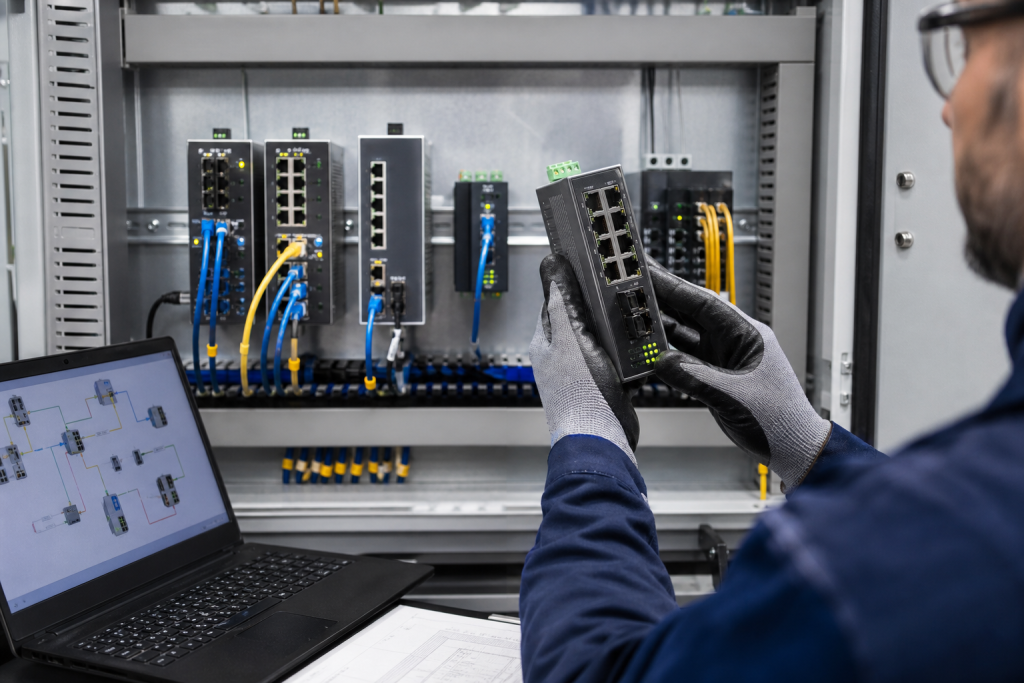
An industrial Ethernet switch replacement is not always a simple port-for-port exchange. The replacement must match the network role, port media, topology, protocol requirements, power arrangement, mounting conditions and environmental rating. A visually similar switch can still create a communication or redundancy problem if one of those details changes.
This guide gives maintenance and sourcing teams a practical checklist for preparing an industrial Ethernet switch RFQ. It focuses on evidence and compatibility boundaries rather than assuming that one switch family can replace another.
1. Record the complete switch reference
Photograph the front, side and rear labels and record the full catalog number, suffix, hardware revision and certification marking. Include any removable memory or configuration device, such as a plug-in configuration medium, if the switch uses one.
Also record the installed location: machine cell, control cabinet, aggregation cabinet, remote field enclosure or plant backbone. The network position helps determine whether the device is an unmanaged edge switch, a managed Layer 2 switch, a router, a media converter or a backbone component.
2. Count ports and identify the media
Count every electrical and optical port. Record the connector type, port speed, duplex capability, fiber type, transceiver or SFP reference, and whether the ports are fixed or modular. Check whether the current network uses copper, multimode fiber, single-mode fiber or a mixed topology.
A switch with more ports is not automatically a compatible replacement. The port count, speed and media must match the connected devices and cable plant. A copper-only unit cannot replace an optical interface without an appropriate conversion path, and a different fiber transceiver can change the link distance or optical budget.
3. Confirm managed or unmanaged operation
Determine whether the existing switch is managed, unmanaged or configured as a Layer 3 device. For a managed switch, record the management address, VLANs, QoS settings, port mirroring, diagnostics, access method and configuration backup. For an unmanaged switch, confirm that the network does not rely on features that the replacement would lack.
Siemens describes SCALANCE X-100 as an unmanaged range intended for simple machine networks, while SCALANCE X-200 provides managed functions for line, star and ring structures. Those roles are not interchangeable simply because the enclosure and port layout look similar.
4. Check protocols and redundancy
Identify whether the network uses PROFINET, EtherNet/IP, Modbus TCP, DLR, MRP, RSTP, PRP, HSR or another industrial communication and redundancy mechanism. Record which switch is the ring manager or supervisor and which ports participate in the ring.
Siemens documentation describes MRP and other redundancy functions for high-availability industrial networks. Rockwell Automation describes DLR and ring-related capabilities for Stratix industrial Ethernet switches. Replacing a ring participant without checking the network’s redundancy protocol can interrupt the recovery behavior even if ordinary Ethernet traffic appears to work.
5. Verify power and cabinet installation
Record the supply voltage, dual-power-input arrangement, alarm relay, grounding connection, DIN-rail or rack mounting, enclosure rating and available clearance. Photograph the power terminals and cable routing. Note whether the switch is installed inside a cabinet or in a field enclosure.
Check the ambient temperature, vibration, dust, moisture, corrosive atmosphere and hazardous-area requirements. Some industrial switch families support extended temperature ranges or special approvals, but the exact variant must be confirmed from the model documentation.
6. Preserve configuration and cybersecurity evidence
Before a planned replacement, save the current configuration if the plant procedure allows it. Record firmware version, configuration backup, user access method, VLAN and port settings, managed ring settings, and any alarms shown in the diagnostic interface.
Do not copy a configuration to a replacement solely because the model appears similar. The port map, firmware features, interface names and supported protocols may differ. The responsible controls or network engineer should validate the configuration before it is applied to a live system.
7. Prepare the Ethernet switch RFQ
- full switch model, suffix and hardware revision;
- number and type of copper, fiber and SFP ports;
- managed, unmanaged or Layer 3 role;
- network protocol, topology and redundancy mechanism;
- power inputs, alarm contacts and mounting method;
- temperature, enclosure, certification and installation conditions;
- configuration backup and firmware information when available;
- quantity, destination country and required delivery window.
For model orientation, review the KNMKS Industrial Switches category, the Siemens brand page, the KNMKS products page, and the published Siemens industrial Ethernet switch example.
8. What a photograph cannot confirm
A front photograph cannot confirm the switch’s firmware, VLAN configuration, optical specification, cybersecurity settings or network role. It can support model identification, but the final replacement review should use the complete reference, cabinet context, configuration information and the relevant manufacturer documentation.
Need an industrial Ethernet switch replacement review? Send the complete model, port photographs, network context, quantity and destination for an RFQ review. KNMKS can help organize the evidence needed for a more precise quotation without assuming unsupported compatibility.
Reference sources: Siemens SCALANCE X-200 managed switches, Siemens SCALANCE X-100 unmanaged switches, and Rockwell Automation Stratix 5400.
Related Product Paths