
Overview
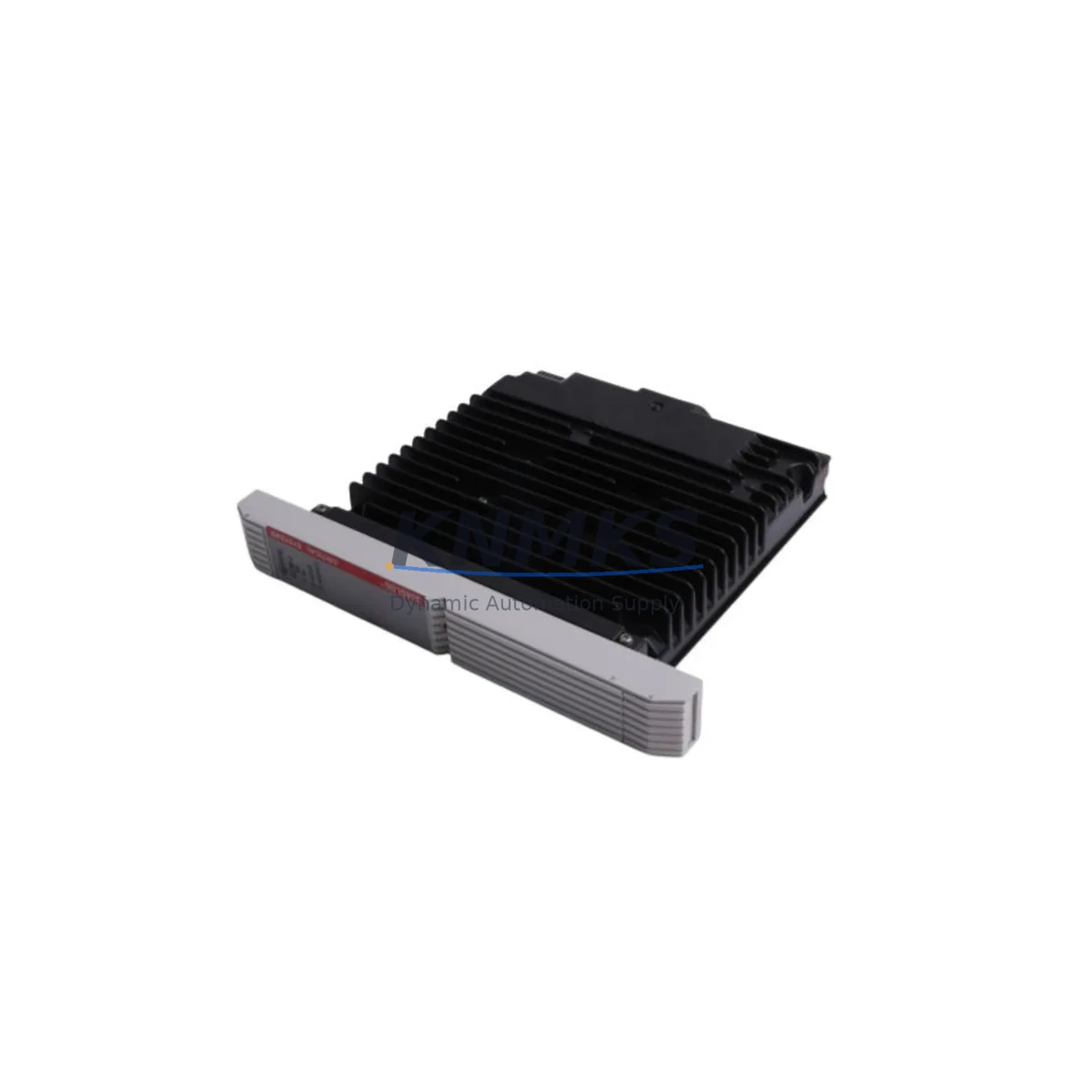
Siemens QLCCM24AAN Migration-Ready BACnet CCM for Legacy Control Systems
The Siemens QLCCM24AAN is a BACnet Communicating Control Module (CCM) engineered for direct integration into APOGEE and Desigo building automation platforms. As legacy APOGEE field panels and Desigo PX controllers approach end-of-service milestones, the QLCCM24AAN provides a validated migration path that preserves existing wiring infrastructure, terminal assignments, and BACnet/IP communication topology. Whether you are replacing a discontinued QLCCM24 variant, upgrading a multi-drop MS/TP trunk, or consolidating field-level control under a unified Desigo CC management station, this module delivers the compatibility and reliability that critical facility operations demand.
Designed for 24 VAC/VDC power input, the QLCCM24AAN supports native BACnet MS/TP and BACnet/IP communication, enabling seamless integration with existing Siemens APOGEE Insight or Desigo CC supervisory platforms without requiring protocol gateways or additional translation hardware. The module’s terminal block layout is backward-compatible with earlier QLCCM-series wiring schemes, significantly reducing field rewiring time during scheduled maintenance windows or emergency replacements. Pre-shipment functional testing is performed on every unit prior to dispatch, and each module is covered by a support terms confirmed by quotation from the date of delivery.
For facilities managing a mixed installed base of APOGEE MBC/MEC field panels alongside newer Desigo PX or Desigo RX controllers, the QLCCM24AAN serves as a critical bridge component. It can be installed alongside the Siemens PXC36-E.D compact automation station to extend BACnet coverage to terminal equipment controllers, or paired with the Siemens PXCM-E modular controller chassis where additional I/O capacity is required. In applications where the existing backplane or DIN-rail mounting space is constrained, the module’s compact form factor allows installation within the original control cabinet footprint without structural modification.
Communication link integrity is a primary concern during any APOGEE-to-Desigo migration. The QLCCM24AAN supports MS/TP baud rates up to 76.8 kbps and is compatible with existing shielded twisted-pair trunk cabling, eliminating the need for cable replacement in most retrofit scenarios. When integrating with a Siemens OPS (Open Protocol Server) or a third-party BACnet/IP router, the module’s MAC address and device instance parameters can be configured via the Desigo CC engineering tool or the APOGEE Insight workstation, preserving existing BACnet object naming conventions and HMI graphic bindings.
Power budget verification is an essential pre-installation step. The QLCCM24AAN draws a defined VA load from the field panel transformer, and engineers must confirm that the existing 24 VAC transformer — typically shared with Siemens QAD2012 or QAD2022 duct sensors and actuators on the same panel — has sufficient remaining capacity after accounting for all connected loads. In panels where transformer headroom is marginal, a supplemental Siemens SITRANS power supply module or equivalent 24 VAC source should be provisioned before the replacement module is energized.
Firmware version alignment is equally critical. The QLCCM24AAN must run a firmware revision compatible with the target Desigo CC or APOGEE Insight server version. Mismatched firmware can result in object discovery failures or communication timeouts during initial commissioning. Firmware upgrade files are available through the Siemens Building Technologies partner portal, and the upgrade procedure can be executed via the USB service port or over the BACnet/IP network using the Desigo CC firmware distribution tool. It is strongly recommended to document the existing firmware version of the module being replaced before decommissioning, to establish a verified baseline for the replacement unit.
In multi-zone VAV and AHU control applications, the QLCCM24AAN typically operates in conjunction with Siemens TEC (Terminal Equipment Controller) modules and Siemens QMX3 room controllers. During the cutover sequence, maintaining control continuity for occupied zones requires careful scheduling of the module swap to coincide with unoccupied periods or planned shutdowns. The module supports a warm-start capability that allows it to resume control output states from non-volatile memory within seconds of power restoration, minimizing the risk of thermal comfort disruption in occupied spaces.
Global stock is maintained across multiple warehouse locations to support emergency replacement requirements with rapid dispatch. Standard lead time for in-stock units is 1–3 business days for international shipments, with expedited options available for critical facility operations. All units are shipped with original or equivalent packaging, and each shipment includes a test report confirming pre-dispatch functional verification.
Migration Compatibility Table
| Parameter | QLCCM24AAN (Replacement) | Legacy QLCCM24 / Earlier Variants | Notes |
|---|---|---|---|
| Power Supply | 24 VAC/VDC | 24 VAC/VDC | Verify transformer VA headroom before installation |
| Communication Protocol | BACnet MS/TP, BACnet/IP | BACnet MS/TP | BACnet/IP capability enables direct Ethernet integration |
| Terminal Block Compatibility | Compatible with QLCCM-series wiring | Original QLCCM wiring scheme | Minimal rewiring required in most installations |
| Mounting | DIN-rail / panel mount | DIN-rail / panel mount | Fits original cabinet footprint; no structural modification needed |
| Supervisory Platform | Desigo CC, APOGEE Insight | APOGEE Insight | Desigo CC engineering tool required for full configuration |
| Firmware Compatibility | Must match target server version | Legacy firmware | Verify and upgrade via Desigo CC firmware distribution tool |
| BACnet Object Retention | Supported (same device instance) | Original object model | Preserves HMI graphic bindings and BACnet object names |
| MS/TP Baud Rate | Up to 76.8 kbps | Up to 76.8 kbps | Compatible with existing shielded twisted-pair trunk cabling |
| Pre-Shipment Testing | Yes — functional test report included | N/A | Every unit tested before dispatch |
| Support terms | 12 Months from delivery | N/A | Covers manufacturing defects and functional failures |
Retrofit Planning for Existing Automation Systems
A successful QLCCM24AAN retrofit begins with a thorough audit of the existing control cabinet. Engineers should document all terminal assignments on the outgoing module, photograph the wiring harness, and record the current BACnet device instance and MAC address before initiating the replacement sequence. In APOGEE installations where the field panel also hosts a Siemens MBC (Modular Building Controller) or MEC (Modular Equipment Controller), the QLCCM24AAN replacement must be coordinated with the panel’s overall I/O map to avoid address conflicts on the MS/TP trunk.
For systems where I/O expansion is required alongside the CCM replacement, the Siemens PXX-L1 I/O extension module can be added to the same DIN-rail assembly, providing additional universal inputs and digital outputs without requiring a separate controller. In AHU and chiller plant applications, the QLCCM24AAN is frequently installed alongside Siemens QAE2164 immersion temperature sensors and Siemens GDB161.1E damper actuators, both of which connect directly to the module’s analog and digital I/O terminals using the original field wiring.
Where the existing installation includes a Siemens OCI600 or OCI700 communication interface for legacy P-bus or LPB protocol devices, the migration to BACnet MS/TP via the QLCCM24AAN may require a protocol bridge or a phased decommissioning of the legacy bus segment. In these scenarios, the Siemens OZW672 web server can serve as an interim supervisory node, maintaining visibility of legacy devices while the BACnet migration proceeds zone by zone. Signal isolation between the legacy bus and the new BACnet trunk should be verified using a Siemens or third-party signal isolator to prevent ground loop interference on the MS/TP network.
Programming cable access is required during initial commissioning of the QLCCM24AAN. The module’s USB service port accepts a standard USB-A to USB-B cable for direct connection to the Desigo CC engineering workstation. Alternatively, over-the-network commissioning is supported via BACnet/IP, provided the engineering workstation has routable access to the module’s IP subnet. In facilities with strict network segmentation policies, a dedicated commissioning VLAN or a temporary cross-connect may be required to complete the initial device discovery and parameter download.
Downtime Control During System Migration
Minimizing control interruption during a QLCCM24AAN replacement requires a structured cutover plan. The recommended approach is to pre-configure the replacement module offline using the Desigo CC engineering tool, loading the target application program, BACnet device instance, and I/O configuration before the module is installed in the field. This offline preparation reduces the live cutover window to the time required for physical module swap, terminal reconnection, and a brief functional verification — typically achievable within a 30–60 minute maintenance window for a single CCM replacement.
To protect the original control program logic, a full backup of the existing module’s application database should be exported from the APOGEE Insight or Desigo CC server before the replacement begins. This backup serves as the recovery baseline in the event that the new module requires a rollback or if unexpected compatibility issues arise during commissioning. The backup file should be stored on a local engineering workstation as well as on the facility’s BMS server to ensure redundancy.
During the cutover, field control continuity can be maintained for non-critical zones by placing the associated AHU or VAV controllers in manual override mode via the local operator display or the supervisory workstation. For critical zones — such as data center cooling or operating theater HVAC — a temporary portable controller or a pre-staged spare QLCCM24AAN should be available on-site to minimize exposure time in the event of an unexpected commissioning delay.
Post-installation verification should include a full BACnet object scan from the Desigo CC or APOGEE Insight workstation, confirmation of all analog input readings against field sensor values, verification of digital output states against actuator positions, and a communication link quality check on the MS/TP trunk. Any discrepancies in object values or communication errors should be resolved before the module is returned to automatic control mode and the maintenance window is closed.
Retrofit Support FAQ
Q1: Is the QLCCM24AAN a direct drop-in replacement for earlier QLCCM24 variants?
In most installations, yes. The QLCCM24AAN shares the same terminal block layout and DIN-rail mounting dimensions as earlier QLCCM24 variants, allowing direct physical substitution without cabinet modification. However, firmware version compatibility with the target Desigo CC or APOGEE Insight server must be verified before installation, and the BACnet device instance must be configured to match the outgoing module to preserve HMI graphic bindings and supervisory object references.
Q2: What wiring checks are required before installing the replacement module?
Before installation, verify the 24 VAC supply voltage at the panel transformer secondary terminals, confirm that the MS/TP trunk polarity (+ and −) is correctly identified on the terminal block, and check that the shield drain wire is connected at one end only to prevent ground loops. If the existing wiring uses non-standard color coding or field modifications, photograph and document all connections before disconnecting the outgoing module.
Q3: How is compatibility with the existing Desigo CC or APOGEE Insight server confirmed?
Compatibility is confirmed by cross-referencing the QLCCM24AAN firmware version against the Siemens Building Technologies compatibility matrix for the target server version. This matrix is available through the Siemens partner portal. If the installed server version is older than the minimum supported version for the QLCCM24AAN firmware, a server software update may be required before the replacement module can be fully commissioned.
Q4: What does the support terms confirmed by quotation cover, and what is the dispatch timeline for in-stock units?
The support terms confirmed by quotation cover manufacturing defects and functional failures under normal operating conditions from the date of delivery. It does not cover damage resulting from incorrect installation, overvoltage, or unauthorized modification. In-stock units are dispatched within 1–3 business days for international orders, with expedited shipping available for emergency replacement requirements. A pre-shipment functional test report is included with every unit.
© 2026 KNMKS. All rights reserved.
Original Source: https://knmks.com
Contact: admin@knmks.com | +86 18359268345
Product Identification
- Brand / Ecosystem
-
Siemens
Siemens - Model / Series
- QLCCM24AAN 16418-41'1
- Product Family
- PLCs & Controllers
- Availability Status
- Available on request after model and quantity confirmation
- Inquiry Type
- B2B RFQ, replacement inquiry and project spare-part request
- Pre-Quote Check
- Exact SKU, brand, series, quantity, nameplate photos and destination country are checked before quotation
System Path
Where this product fits in the KNMKS automation structure.
Specification & Inquiry Focus
- Control platform
- PLC, PAC and modular controllers
- Common needs
- CPU, rack, power and I/O expansion
- Project support
- Replacement, cabinet build and maintenance
Buyer Confirmation
Information KNMKS checks before replying.
- Exact model
- QLCCM24AAN 16418-41'1
- Brand / ecosystem
- Siemens
- Product family
- PLCs & Controllers
- Application note
- Replacement, maintenance, project build or spare-part list
- Useful photos
- Nameplate, installed unit, cabinet layout or connector side
- Delivery details
- Quantity, destination country and target schedule
Document Support
Files and notes can be confirmed during quotation.
- Product photos or nameplate confirmation when available
- Packing and delivery notes before quotation confirmation
- Support scope and delivery terms confirmed per inquiry
- Export document coordination for qualified B2B requests
Inquiry Support
- Model cross-checking before quotation
- CPU, power, rack and expansion module matching
- Support for replacement and project inquiry
What to Send Us
- Brand and exact model number: Siemens QLCCM24AAN 16418-41'1
- Quantity and required delivery time
- Application, replacement requirement or nameplate photo
- Destination country and shipping preference
RFQ Preparation
This is a product inquiry page built for RFQ communication.
Fast Model Check
Send this model to KNMKS for confirmation.
Include quantity, destination country and photos if this is a maintenance replacement. The inquiry will be saved with a reference number after submission.
Brand & Compatibility Note
KNMKS displays automation product information for well-known industrial brand ecosystems and compatible replacement references. Brand names are used for product identification and compatibility reference only; final availability and commercial terms are confirmed per quotation.
 Manufacturing
 Machine Tools
 Packaging
 Energy & Power



 HMI & Displays
 Servo Systems
 Variable Frequency Drives
 Sensors