
Overview
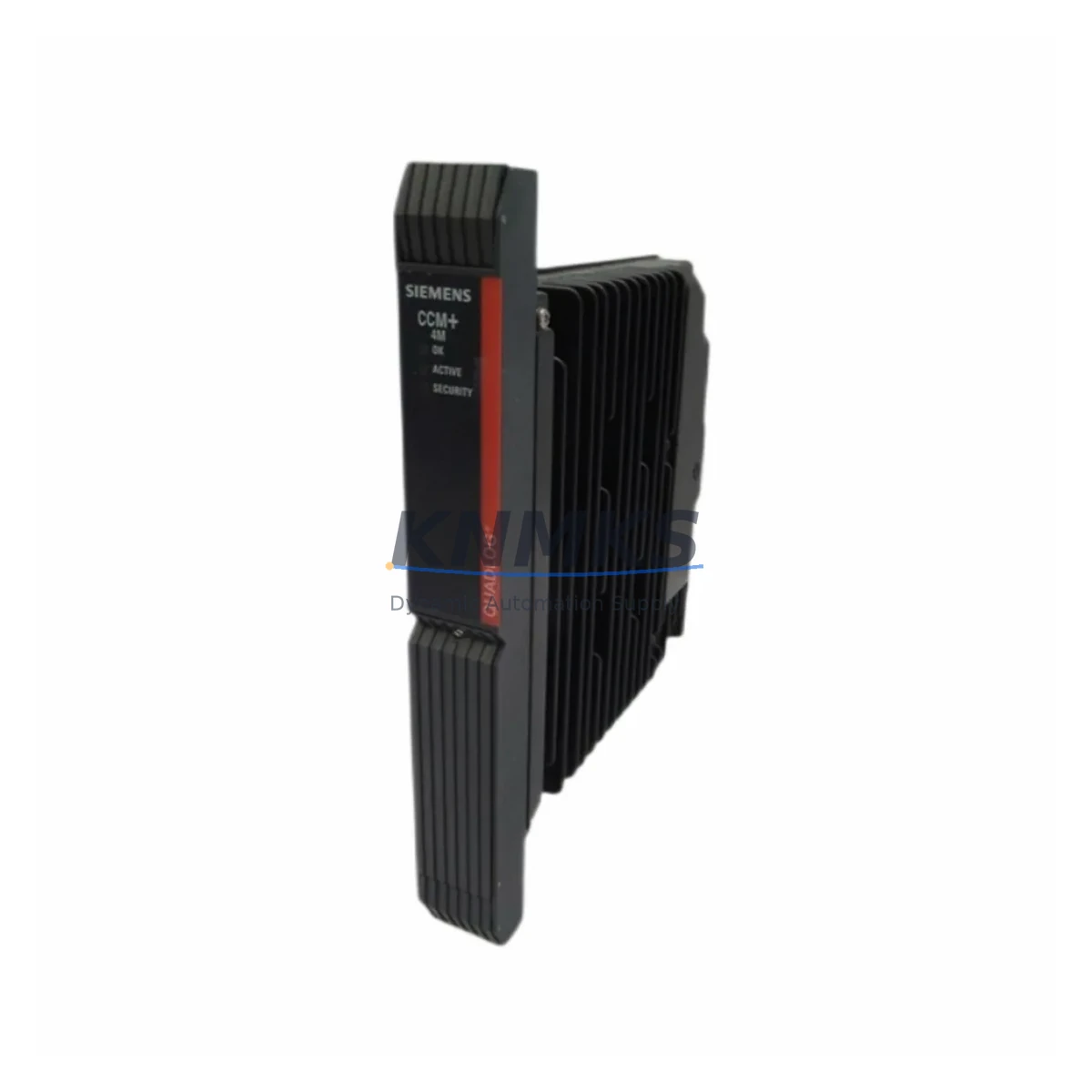
Siemens QLCCM24AAN A5E00282046 Maintenance-Proven Spare Part for Factory Uptime
The Siemens QLCCM24AAN (Part No. A5E00282046) is a communication module designed for the SIMATIC S7-300 programmable logic controller platform — one of the most widely deployed automation systems in global manufacturing, process control, and utility infrastructure. As production lines age and OEM support windows narrow, maintaining a verified stock of this module is a critical element of any industrial maintenance strategy. KNMKS supplies this module as an original spare part, pre-shipment tested, with a support terms confirmed by quotation and fast dispatch to minimize unplanned downtime.
Whether you are a maintenance engineer responding to a communication fault alarm, a reliability engineer building a preventive spare parts list, or a procurement engineer sourcing long-lead components for an aging S7-300 rack, the QLCCM24AAN A5E00282046 is a direct, drop-in replacement that restores system communication integrity without requiring software reconfiguration or hardware adaptation.
Spare Maintenance Table
| Parameter | Specification |
|---|---|
| Part Number | QLCCM24AAN |
| Reference Number | A5E00282046 |
| Brand | Siemens |
| Series | SIMATIC S7-300 |
| Module Type | PLC Communication Module |
| Country of Origin | Germany (DE) |
| Compatibility | SIMATIC S7-300 rack; compatible with standard S7-300 backplane bus |
| Installation | DIN rail / S7-300 rack slot mounting; no tools required for module swap |
| Application Environment | Industrial automation, process control, factory floor, control cabinet |
| Operating Temperature | 0°C to +60°C (standard S7-300 operating range) |
| Maintenance Recommendation | Inspect communication LEDs during routine cabinet checks; replace on first fault indication |
| Support terms | 12 Months — covers manufacturing defects and functional failure under normal operating conditions |
| Pre-Shipment Test | Yes — functional verification performed before dispatch |
| Condition | Original spare part |
Maintenance Planning for Continuous Operation
In a SIMATIC S7-300 control system, the communication module does not operate in isolation. A fault in the QLCCM24AAN typically surfaces as a loss of network communication, a BUS FAULT LED indication, or a CPU STOP state — all of which halt production. Experienced maintenance engineers know that when replacing this module, a thorough inspection of the surrounding components is essential to confirm the root cause and prevent repeat failures.
Begin with the S7-300 CPU module (such as the CPU 315-2 DP or CPU 317-2 PN/DP series): verify that the CPU is in RUN state and that the MPI/PROFIBUS or PROFINET interface is active and error-free. Next, inspect the PS 307 power supply module — an unstable 24 VDC rail is a common but overlooked cause of communication module resets and intermittent faults. Check output voltage under load and replace if ripple exceeds specification.
Examine the backplane bus connector between rack slots: corrosion, mechanical damage, or improper seating can cause intermittent communication errors that mimic a failed module. For systems using PROFIBUS DP, inspect the PROFIBUS bus termination resistors and connectors at both ends of the segment — an unterminated or damaged segment will cause all nodes to lose communication simultaneously.
If the system uses distributed I/O, verify the status of ET 200 remote I/O stations connected via PROFIBUS or PROFINET. A failed ET 200 head station can generate bus errors that are incorrectly attributed to the central communication module. Similarly, check any CP 343-1 or CP 343-5 communication processors installed in the same rack — these modules share the backplane bus and can be affected by power or bus integrity issues.
For control cabinets with signal isolation requirements, inspect signal isolators and barriers on analog I/O channels: degraded isolation can introduce ground loops that affect communication module stability. Finally, review the 24 VDC fuse and circuit breaker protecting the S7-300 rack power supply — a nuisance trip or a slow-blow fuse nearing end of life can cause intermittent power dips that reset the communication module without triggering a hard fault alarm.
Maintaining a cabinet-level spare kit that includes the QLCCM24AAN A5E00282046, a PS 307 power supply module, a set of PROFIBUS connectors, and a spare CPU module ensures that your maintenance team can restore communication and return the line to production within a single shift — without waiting for emergency procurement.
Site Replacement Workflow
Step 1 — Isolate and document: Place the CPU in STOP mode via the mode selector switch. Record the current hardware configuration in STEP 7 or TIA Portal, including the slot assignment and module parameters for the QLCCM24AAN. Take a photograph of the rack layout and wiring before removal.
Step 2 — Power down safely: Switch off the PS 307 power supply module. Verify zero voltage on the backplane bus using a calibrated multimeter before touching any module.
Step 3 — Remove the faulty module: Release the front connector (if applicable), unlock the module retaining clips, and slide the QLCCM24AAN out of its rack slot. Inspect the backplane bus connector on the rack for damage or contamination before installing the replacement.
Step 4 — Install the replacement: Slide the new QLCCM24AAN A5E00282046 into the same slot. Ensure the backplane bus connector is fully engaged. Reconnect any front connectors or communication cables.
Step 5 — Power up and verify: Restore power via the PS 307. Switch the CPU to RUN mode. Confirm that the communication module LEDs indicate normal operation (no BUS FAULT, no SF LED). Verify communication with all connected PROFIBUS or PROFINET nodes in the diagnostic buffer.
Step 6 — Update maintenance records: Log the replacement date, module serial number, and test results in your CMMS or maintenance logbook. Schedule the next inspection interval according to your preventive maintenance plan.
This workflow is compatible with both hot-standby and standard S7-300 configurations and does not require re-parameterization when replacing a module of the same part number.
Spare Parts Support FAQ
Q1: Is the QLCCM24AAN A5E00282046 compatible with all S7-300 rack configurations?
The QLCCM24AAN is designed for the SIMATIC S7-300 platform and is compatible with standard S7-300 racks and backplane bus configurations. Before installation, verify the slot assignment and hardware configuration in your STEP 7 or TIA Portal project to confirm compatibility with your specific CPU and rack version. If you are replacing an older revision of this module, contact our technical team with your existing hardware configuration for confirmation.
Q2: What does the support terms confirmed by quotation cover, and what is the claims process?
The support terms confirmed by quotation cover manufacturing defects and functional failure under normal industrial operating conditions from the date of shipment. It does not cover damage caused by incorrect installation, overvoltage, or environmental conditions outside the module’s rated specification. To initiate a support terms claim, contact admin@knmks.com with your order number, a description of the fault, and diagnostic evidence (e.g., CPU diagnostic buffer export or LED status photograph). Replacement or repair will be arranged promptly.
Q3: How do you verify the module before shipment, and what documentation is provided?
Every QLCCM24AAN A5E00282046 unit undergoes a functional pre-shipment test to verify communication interface operation and backplane bus integrity. A test report is available upon request. The module is shipped with original packaging where available, and the part number and reference number are verified against the physical label before dispatch.
Q4: Can KNMKS support long-term supply for this module as part of an ongoing maintenance contract?
Yes. KNMKS maintains stock of the QLCCM24AAN A5E00282046 and can support scheduled procurement for annual maintenance budgets, MRO (Maintenance, Repair, and Operations) contracts, and emergency stock replenishment programs. For volume pricing, lead time commitments, or consignment stock arrangements, contact admin@knmks.com or call +86 18359268345 to discuss your requirements.
© 2026 KNMKS. All rights reserved.
Original Source: https://knmks.com
Contact: admin@knmks.com | +86 18359268345
Product Identification
- Brand / Ecosystem
-
Siemens
Siemens - Model / Series
- QLCCM24AAN A5E00282046
- Product Family
- PLCs & Controllers
- Availability Status
- Available on request after model and quantity confirmation
- Inquiry Type
- B2B RFQ, replacement inquiry and project spare-part request
- Pre-Quote Check
- Exact SKU, brand, series, quantity, nameplate photos and destination country are checked before quotation
System Path
Where this product fits in the KNMKS automation structure.
Specification & Inquiry Focus
- Control platform
- PLC, PAC and modular controllers
- Common needs
- CPU, rack, power and I/O expansion
- Project support
- Replacement, cabinet build and maintenance
Buyer Confirmation
Information KNMKS checks before replying.
- Exact model
- QLCCM24AAN A5E00282046
- Brand / ecosystem
- Siemens
- Product family
- PLCs & Controllers
- Application note
- Replacement, maintenance, project build or spare-part list
- Useful photos
- Nameplate, installed unit, cabinet layout or connector side
- Delivery details
- Quantity, destination country and target schedule
Document Support
Files and notes can be confirmed during quotation.
- Product photos or nameplate confirmation when available
- Packing and delivery notes before quotation confirmation
- Support scope and delivery terms confirmed per inquiry
- Export document coordination for qualified B2B requests
Inquiry Support
- Model cross-checking before quotation
- CPU, power, rack and expansion module matching
- Support for replacement and project inquiry
What to Send Us
- Brand and exact model number: Siemens QLCCM24AAN A5E00282046
- Quantity and required delivery time
- Application, replacement requirement or nameplate photo
- Destination country and shipping preference
RFQ Preparation
This is a product inquiry page built for RFQ communication.
Fast Model Check
Send this model to KNMKS for confirmation.
Include quantity, destination country and photos if this is a maintenance replacement. The inquiry will be saved with a reference number after submission.
Brand & Compatibility Note
KNMKS displays automation product information for well-known industrial brand ecosystems and compatible replacement references. Brand names are used for product identification and compatibility reference only; final availability and commercial terms are confirmed per quotation.
 Manufacturing
 Machine Tools
 Packaging
 Energy & Power



 HMI & Displays
 Servo Systems
 Variable Frequency Drives
 Sensors