
Overview
Siemens NIDI01 Maintenance-Proven Spare Part for Factory Uptime
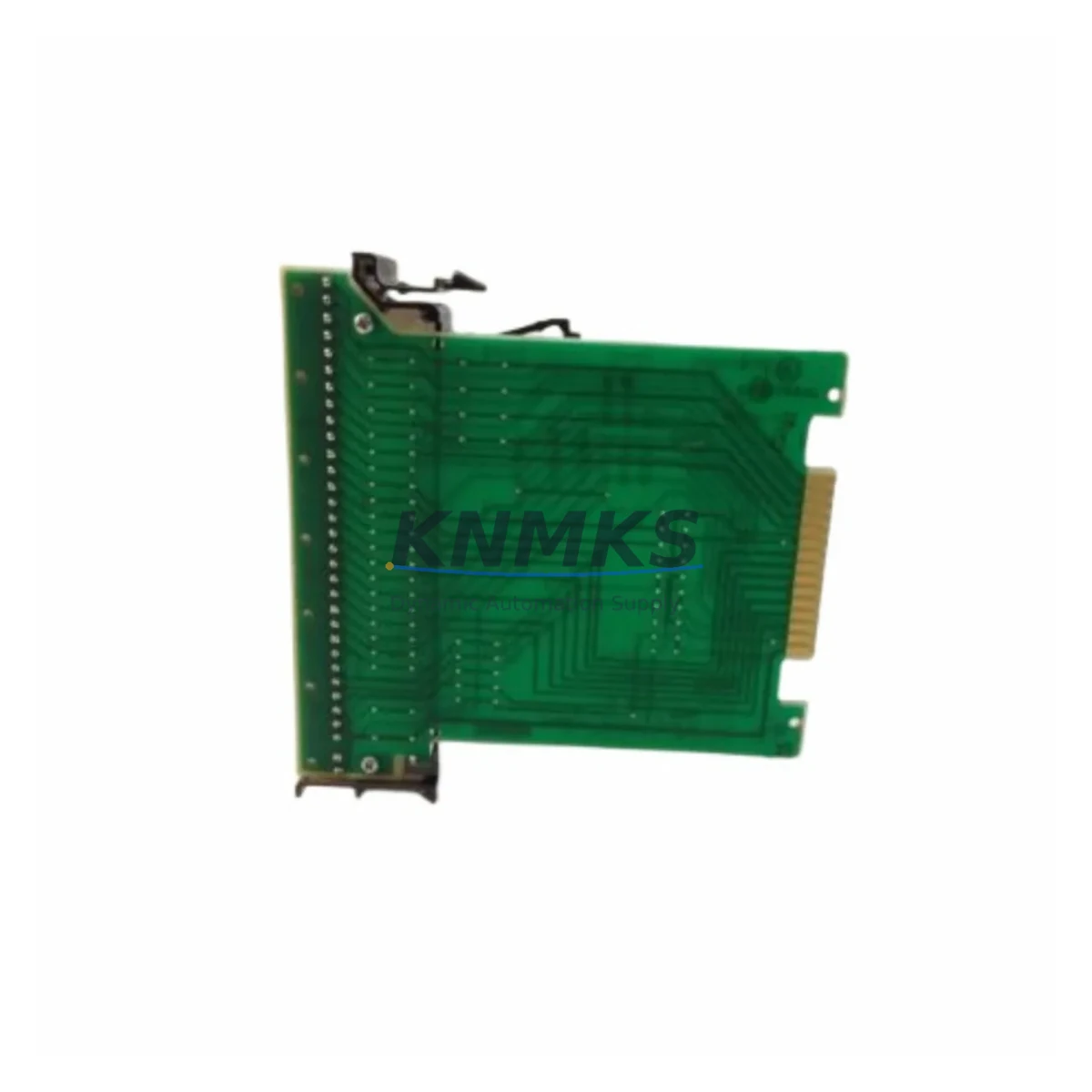
The Siemens NIDI01 is an original I/O Termination Module designed for the ET200 distributed I/O family and S7-300 automation systems. As a maintenance-proven spare part, the NIDI01 plays a critical role in sustaining continuous factory operation — from routine point inspections and fault isolation to emergency line restoration and annual overhaul cycles. Sourced from verified supply channels, each unit is tested prior to dispatch and backed by a support terms confirmed by quotation, giving maintenance engineers and procurement teams the confidence to stock and deploy with minimal risk.
For industrial facilities running Siemens ET200M or ET200S configurations, the NIDI01 termination module serves as the interface between field wiring and the I/O backplane. Its correct function is essential for signal integrity across analog and digital I/O channels. When this module degrades or fails, the result is typically erratic sensor readings, I/O channel faults, or complete loss of a field device group — all of which translate directly into unplanned downtime. Keeping a verified spare on the shelf is the most cost-effective insurance against these scenarios.
Procurement engineers sourcing NIDI01 for long-term MRO inventory should note that this module is compatible with the standard ET200M IM153 interface module family. It integrates directly into existing PROFIBUS DP or PROFINET architectures without firmware modification, making it a drop-in replacement for aging or damaged units in legacy control cabinets.
Spare Maintenance Table
| Parameter | Specification |
|---|---|
| SKU / Part Number | NIDI01 |
| Brand | Siemens |
| Series | ET200 / S7-300 |
| Product Type | I/O Termination Module |
| Compatible Systems | ET200M, ET200S, S7-300 with IM153 interface modules |
| Communication Interface | PROFIBUS DP / PROFINET (system-dependent) |
| Mounting | DIN rail, standard ET200 backplane slot |
| Operating Temperature | 0 °C to +60 °C (standard industrial range) |
| Origin | Germany (DE) |
| Condition | Original, new or refurbished-tested |
| Pre-shipment Test | Yes — functional verification before dispatch |
| Support terms | 12 Months |
| Lead Time | availability confirmed by RFQ — ships within 1–3 business days |
| Maintenance Recommendation | Inspect termination contacts and field wiring annually; replace if oxidation or mechanical wear is detected |
Maintenance Planning for Continuous Operation
When replacing the NIDI01 termination module during a scheduled or emergency maintenance event, a thorough inspection of the surrounding control cabinet components is strongly recommended. Termination module failures rarely occur in isolation — they are often accompanied by degraded field wiring, loose terminal connections, or upstream power supply irregularities.
Maintenance engineers should verify the condition of the Siemens PS307 or PS305 24 VDC power supply module feeding the ET200 rack, as voltage fluctuations are a common root cause of I/O module stress. The IM153 interface module (e.g., 6ES7153-1AA03-0XB0) should be inspected for PROFIBUS address integrity and communication fault LEDs. If the NIDI01 is installed in a mixed analog/digital rack, the adjacent SM321 digital input modules and SM331 analog input modules should be checked for channel-level faults that may have been masked by the termination failure.
For cabinets with relay-driven outputs, inspect the SM322 digital output modules and any associated intermediate relay terminals (e.g., Phoenix Contact or Weidmüller relay terminal blocks) for contact wear. Signal isolation between field devices and the PLC backplane should be verified using a signal isolator or loop calibrator — particularly for 4–20 mA analog loops where ground loops can accelerate module degradation.
Communication integrity on the PROFIBUS segment should be confirmed with a bus diagnostic tool. If the facility uses Siemens CP343-1 or CP343-5 communication processors, verify that the NIDI01 replacement does not introduce address conflicts on the DP network. Finally, check all fuse holders and miniature circuit breakers in the 24 VDC distribution rail — a blown fuse upstream of the ET200 station is frequently overlooked during rapid fault response.
For facilities managing aging S7-300 infrastructure, maintaining a consolidated spare parts kit that includes the NIDI01, a spare IM153 interface module, one PS307 power supply, and a set of SM321/SM331 I/O modules significantly reduces mean time to repair (MTTR) and supports long-term system life extension beyond the standard product lifecycle.
Site Replacement Workflow
Step 1 — Safety Isolation: De-energize the ET200 station at the main disconnect. Confirm zero-energy state with a voltage tester on the 24 VDC rail before touching any module.
Step 2 — Document Current Configuration: Record the slot position, field wiring labels, and any DIP switch or jumper settings on the existing NIDI01. Photograph the terminal block wiring before disconnection.
Step 3 — Remove the Faulty Module: Release the module locking tab, disconnect field wiring terminals, and slide the NIDI01 out of the backplane slot. Inspect the backplane connector for bent pins or corrosion.
Step 4 — Install the Replacement Unit: Seat the new NIDI01 firmly into the backplane slot until the locking tab engages. Reconnect field wiring terminals in the documented sequence. Verify terminal torque to manufacturer specification (typically 0.5–0.8 Nm for standard screw terminals).
Step 5 — Power-Up and Verification: Re-energize the station and observe the module status LEDs. In STEP 7 or TIA Portal, perform an online diagnostic to confirm all I/O channels are reporting correctly. Clear any residual fault messages in the CPU diagnostic buffer.
Step 6 — Functional Test: Trigger each field device connected to the replaced module and verify correct signal response in the HMI or SCADA system. Document the replacement in the maintenance log with date, technician ID, and new module serial number.
This workflow is applicable to both planned annual overhauls and emergency line restoration scenarios. The NIDI01’s plug-and-play compatibility with the ET200 backplane means no hardware reconfiguration is required — the replacement is recognized automatically by the IM153 interface module upon power-up, minimizing restoration time.
Spare Parts Support FAQ
Q1: Is the NIDI01 a direct drop-in replacement for all ET200M configurations?
Yes. The NIDI01 is designed as a standard termination module for the ET200M family and is compatible with all IM153 interface module variants. No firmware update or hardware reconfiguration is required. Confirm the backplane slot type (standard vs. high-feature) matches your existing installation before ordering.
Q2: What is the recommended inventory quantity for a facility running multiple ET200 stations?
For facilities with 5 or more ET200M stations, maintaining a minimum of 2 NIDI01 units in the on-site spare parts store is recommended. High-criticality lines (continuous process, cleanroom, or food-grade environments) should carry a higher buffer. KNMKS can support blanket order arrangements for volume procurement with guaranteed lead times.
Q3: How is each unit tested before shipment?
Every NIDI01 unit dispatched by KNMKS undergoes a pre-shipment functional verification that includes backplane connector integrity check, visual inspection for physical damage, and where applicable, powered I/O channel testing. A test report is available upon request for quality-controlled procurement processes.
Q4: What support terms and long-term supply support does KNMKS provide?
All NIDI01 units are covered by a support terms confirmed by quotation from the date of shipment, covering manufacturing defects and functional failures under normal operating conditions. KNMKS maintains ongoing sourcing relationships to support long-term supply continuity for legacy Siemens ET200 and S7-300 components, including obsolete and end-of-life part numbers. Contact our team for multi-year supply agreements.
© 2026 KNMKS. All rights reserved.
Original Source: https://knmks.com
Contact: admin@knmks.com | +86 18359268345
Product Identification
- Brand / Ecosystem
-
Siemens
Siemens - Model / Series
- NIDI01
- Product Family
- PLCs & Controllers
- Availability Status
- Available on request after model and quantity confirmation
- Inquiry Type
- B2B RFQ, replacement inquiry and project spare-part request
- Pre-Quote Check
- Exact SKU, brand, series, quantity, nameplate photos and destination country are checked before quotation
System Path
Where this product fits in the KNMKS automation structure.
Specification & Inquiry Focus
- Control platform
- PLC, PAC and modular controllers
- Common needs
- CPU, rack, power and I/O expansion
- Project support
- Replacement, cabinet build and maintenance
Buyer Confirmation
Information KNMKS checks before replying.
- Exact model
- NIDI01
- Brand / ecosystem
- Siemens
- Product family
- PLCs & Controllers
- Application note
- Replacement, maintenance, project build or spare-part list
- Useful photos
- Nameplate, installed unit, cabinet layout or connector side
- Delivery details
- Quantity, destination country and target schedule
Document Support
Files and notes can be confirmed during quotation.
- Product photos or nameplate confirmation when available
- Packing and delivery notes before quotation confirmation
- Support scope and delivery terms confirmed per inquiry
- Export document coordination for qualified B2B requests
Inquiry Support
- Model cross-checking before quotation
- CPU, power, rack and expansion module matching
- Support for replacement and project inquiry
What to Send Us
- Brand and exact model number: Siemens NIDI01
- Quantity and required delivery time
- Application, replacement requirement or nameplate photo
- Destination country and shipping preference
RFQ Preparation
This is a product inquiry page built for RFQ communication.
Fast Model Check
Send this model to KNMKS for confirmation.
Include quantity, destination country and photos if this is a maintenance replacement. The inquiry will be saved with a reference number after submission.
Brand & Compatibility Note
KNMKS displays automation product information for well-known industrial brand ecosystems and compatible replacement references. Brand names are used for product identification and compatibility reference only; final availability and commercial terms are confirmed per quotation.
 Manufacturing
 Machine Tools
 Packaging
 Energy & Power



 HMI & Displays
 Servo Systems
 Variable Frequency Drives
 Sensors