
Overview
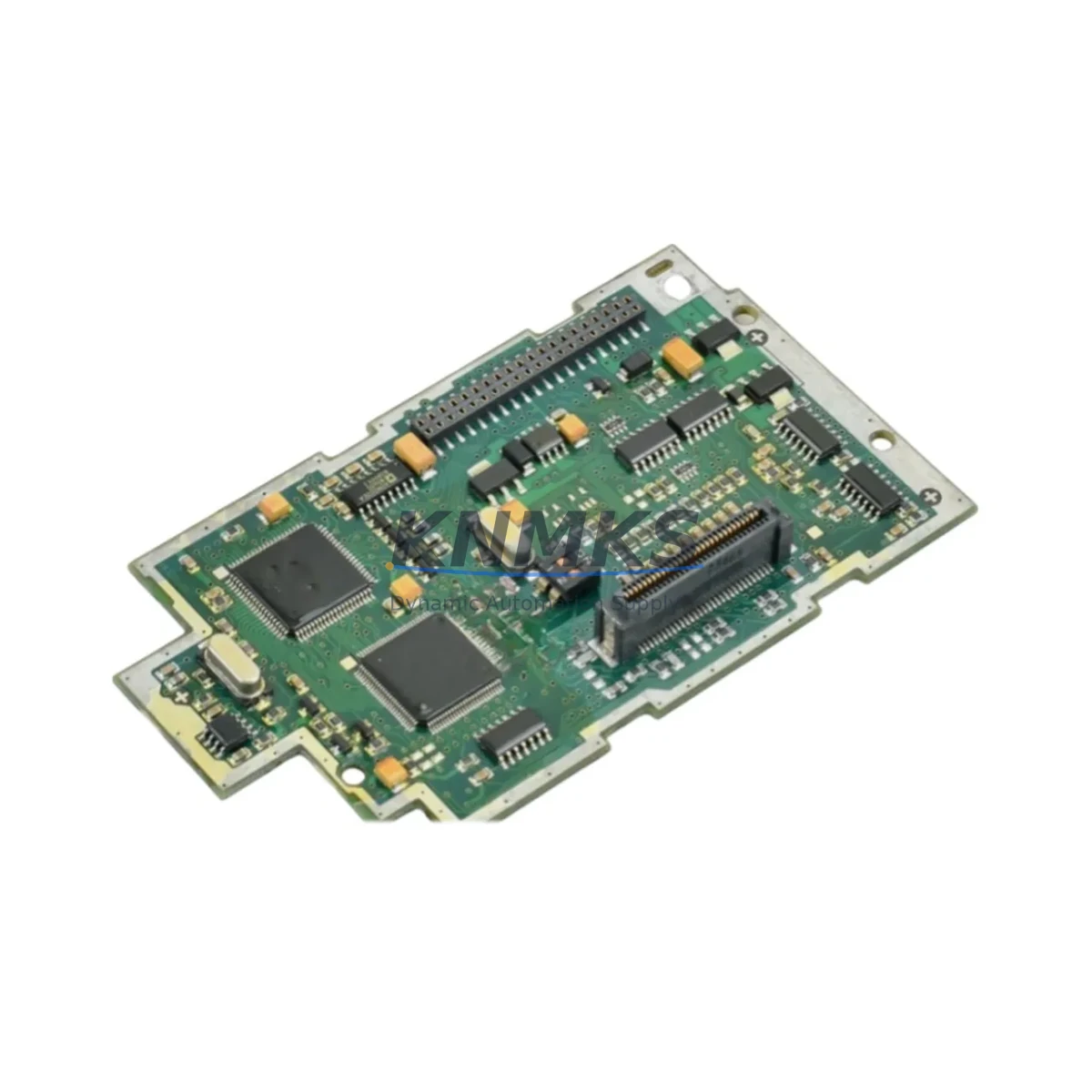
Siemens MC1790L802G01 Maintenance-Proven Spare Part for Factory Uptime
The Siemens MC1790L802G01 is an original analog signal module designed for the SIMATIC S7 automation platform. For maintenance engineers managing continuous production lines, this module represents a critical spare component — one whose failure can trigger unplanned downtime across entire control cabinet assemblies. Sourced as a genuine OEM replacement, the MC1790L802G01 is pre-tested before shipment, backed by a support terms confirmed by quotation, and available for rapid global dispatch to minimize mean time to repair (MTTR) in both scheduled and emergency maintenance scenarios.
Whether you are executing a planned annual overhaul, responding to a fault alarm during a night shift, or building a strategic spare parts inventory for aging SIMATIC S7 infrastructure, the MC1790L802G01 delivers the signal integrity and installation compatibility that field engineers depend on. Its analog I/O architecture supports precise process variable acquisition — essential in applications ranging from temperature and pressure monitoring to flow control and drive feedback loops in manufacturing, chemical processing, and utilities environments.
Spare Maintenance Table
| Parameter | Specification / Detail |
|---|---|
| Part Number / SKU | MC1790L802G01 |
| Brand | Siemens |
| Series | SIMATIC S7 |
| Module Type | PLC Analog Signal Module |
| Origin | Germany (DE) |
| Signal Type | Analog Input / Output |
| Compatibility | SIMATIC S7-300 / S7-400 control systems |
| Installation | DIN rail / backplane slot mounting, standard S7 form factor |
| Operating Environment | Industrial control cabinet; 0–60°C ambient, IP20 protection |
| Maintenance Recommendation | Inspect signal wiring and terminal blocks during each replacement; verify channel calibration after installation |
| Pre-Shipment Testing | Function-tested before dispatch |
| Support terms | 12 Months |
| Lead Time | availability confirmed by RFQ — ships within 1–3 business days |
| Long-Term Supply | Available for blanket orders and annual maintenance contracts |
Maintenance Planning for Continuous Operation
Replacing the MC1790L802G01 in a live SIMATIC S7 control cabinet is rarely an isolated task. Experienced maintenance engineers know that analog module failures are often symptomatic of broader electrical stress in the control loop. Before returning the system to service, a thorough inspection of adjacent components is strongly recommended to prevent repeat failures and ensure signal quality across the entire I/O chain.
Start by examining the 24 VDC power supply module feeding the S7 rack — voltage ripple or transient spikes are a leading cause of analog module degradation. Check the backplane bus connector for oxidation or mechanical damage, as poor backplane contact can cause intermittent channel faults that mimic module failure. Inspect all signal wiring and shielded cables connected to the analog terminals; damaged insulation or improper shielding grounding introduces noise that corrupts 4–20 mA or 0–10 V process signals.
Review the terminal blocks and wiring ferrules on the front connector — loose terminations are a common source of signal drift in high-vibration environments. If the cabinet includes a signal isolator or signal conditioner in the analog loop, verify its output range and calibration against the new module’s input specification. For systems using PROFIBUS DP or MPI communication modules on the same S7 rack, confirm that the communication bus remains stable after the module swap, as backplane disturbances during hot-swap procedures can occasionally corrupt network parameters.
Where the control system interfaces with an HMI panel — such as a Siemens TP or MP series operator panel — validate that analog tag values are displaying correctly after replacement and that no alarm thresholds have been inadvertently reset. Finally, check any fuse holders or miniature circuit breakers protecting the analog input circuits; a blown fuse on an input channel is sometimes misdiagnosed as module failure, and replacing the module without addressing the root cause will result in immediate repeat failure.
For facilities managing multiple S7 racks, it is best practice to maintain at least one MC1790L802G01 per control cabinet as a ready spare, alongside a matched set of front connectors, to eliminate connector re-wiring time during emergency replacements.
Site Replacement Workflow
The MC1790L802G01 is a direct replacement for the corresponding analog module slot in SIMATIC S7-300 and S7-400 configurations. No hardware modification or firmware update is required for like-for-like substitution — the module is recognized automatically by the S7 CPU upon rack power-up, provided the hardware configuration in STEP 7 or TIA Portal matches the installed module type.
Step 1 — Isolation: Place the affected CPU in STOP mode via the mode selector switch or the programming software. De-energize the rack segment using the cabinet’s main isolator or the dedicated MCB for that rack. Do not rely solely on software STOP for live-circuit work.
Step 2 — Documentation: Photograph or record the existing wiring on the front connector before removal. Label each wire if the connector is not already marked. Note the slot address as configured in the hardware catalog.
Step 3 — Module Removal: Disconnect the front connector by pressing the release tab and pulling forward. Unlock the module from the backplane bus by releasing the top and bottom mounting clips, then slide the module forward out of the slot.
Step 4 — Installation: Insert the MC1790L802G01 into the same slot, ensuring the backplane bus connector engages fully. Secure the mounting clips. Reconnect the front connector with the original wiring.
Step 5 — Verification: Restore power and switch the CPU to RUN mode. Monitor the diagnostic buffer in STEP 7 or TIA Portal for any module fault entries. Verify analog channel values against known process references or a calibrated signal source before releasing the system to production.
This workflow reduces replacement time to under 30 minutes for trained technicians, supporting rapid line recovery and minimizing production loss during unplanned outages.
Spare Parts Support FAQ
Q1: Is the MC1790L802G01 a genuine Siemens original part?
Yes. All units supplied by KNMKS are sourced as original Siemens components. Each module undergoes functional testing prior to shipment, and a support terms confirmed by quotation is provided from the date of delivery. Batch traceability documentation is available upon request for quality-critical procurement processes.
Q2: How do I confirm compatibility with my existing SIMATIC S7 system before ordering?
Compatibility is determined by the slot address and module type defined in your STEP 7 or TIA Portal hardware configuration. The MC1790L802G01 is designed for the SIMATIC S7-300/S7-400 platform. If you are uncertain, share your existing hardware configuration file or rack layout with our technical team at admin@knmks.com and we will confirm compatibility before shipment.
Q3: What is the typical lead time, and can I place a blanket order for long-term supply?
In-stock units ship within 1–3 business days. For facilities with ongoing maintenance programs or aging S7 infrastructure, KNMKS supports blanket purchase orders and annual supply agreements to ensure guaranteed availability and price stability. Contact us to discuss volume pricing and scheduled delivery arrangements.
Q4: What should I do if the replacement module shows a fault immediately after installation?
First, verify that the front connector wiring matches the original configuration and that all terminals are fully seated. Check the STEP 7 or TIA Portal diagnostic buffer for specific fault codes — common causes include address mismatch, incorrect module type in the hardware catalog, or a blown input fuse. If the fault persists after these checks, contact KNMKS technical support. All modules are covered by a support terms confirmed by quotation, and defective units will be replaced or refunded in accordance with our standard support terms policy.
—
© 2026 KNMKS. All rights reserved.
Original Source: https://knmks.com
Contact: admin@knmks.com | +86 18359268345
Product Identification
- Brand / Ecosystem
-
Siemens
Siemens - Model / Series
- MC1790L802G01
- Product Family
- PLCs & Controllers
- Availability Status
- Available on request after model and quantity confirmation
- Inquiry Type
- B2B RFQ, replacement inquiry and project spare-part request
- Pre-Quote Check
- Exact SKU, brand, series, quantity, nameplate photos and destination country are checked before quotation
System Path
Where this product fits in the KNMKS automation structure.
Specification & Inquiry Focus
- Control platform
- PLC, PAC and modular controllers
- Common needs
- CPU, rack, power and I/O expansion
- Project support
- Replacement, cabinet build and maintenance
Buyer Confirmation
Information KNMKS checks before replying.
- Exact model
- MC1790L802G01
- Brand / ecosystem
- Siemens
- Product family
- PLCs & Controllers
- Application note
- Replacement, maintenance, project build or spare-part list
- Useful photos
- Nameplate, installed unit, cabinet layout or connector side
- Delivery details
- Quantity, destination country and target schedule
Document Support
Files and notes can be confirmed during quotation.
- Product photos or nameplate confirmation when available
- Packing and delivery notes before quotation confirmation
- Support scope and delivery terms confirmed per inquiry
- Export document coordination for qualified B2B requests
Inquiry Support
- Model cross-checking before quotation
- CPU, power, rack and expansion module matching
- Support for replacement and project inquiry
What to Send Us
- Brand and exact model number: Siemens MC1790L802G01
- Quantity and required delivery time
- Application, replacement requirement or nameplate photo
- Destination country and shipping preference
RFQ Preparation
This is a product inquiry page built for RFQ communication.
Fast Model Check
Send this model to KNMKS for confirmation.
Include quantity, destination country and photos if this is a maintenance replacement. The inquiry will be saved with a reference number after submission.
Brand & Compatibility Note
KNMKS displays automation product information for well-known industrial brand ecosystems and compatible replacement references. Brand names are used for product identification and compatibility reference only; final availability and commercial terms are confirmed per quotation.
 Manufacturing
 Machine Tools
 Packaging
 Energy & Power



 HMI & Displays
 Servo Systems
 Variable Frequency Drives
 Sensors