
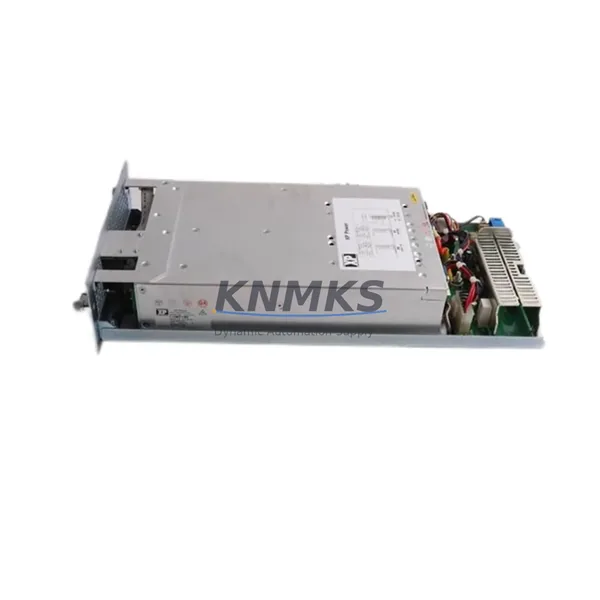
Overview
Siemens MA12 Maintenance-Proven Spare Part for Factory Uptime
The Siemens MA12 is a field-proven communication and interface module designed for integration within the SIMATIC S7 automation platform. For maintenance engineers managing aging control systems and procurement engineers building strategic spare parts inventories, the MA12 represents a critical line item — one whose absence during an unplanned shutdown can cascade into hours of lost production. Sourced as an original Siemens component, this unit is tested prior to shipment, backed by a support terms confirmed by quotation, and available for long-term supply to support both emergency replacement and scheduled maintenance programs.
Industrial facilities operating SIMATIC S7-300 and S7-400 series PLCs rely on modules like the MA12 to maintain signal integrity across distributed I/O networks, fieldbus segments, and inter-rack communication backbones. Whether your plant runs PROFIBUS DP, MPI, or point-to-point serial links, the MA12 occupies a position in the control cabinet that directly affects system availability. A failed or degraded MA12 can manifest as intermittent communication faults, loss of remote I/O response, or complete rack isolation — all of which trigger emergency maintenance calls and unplanned downtime.
Procurement engineers should note that the MA12 is compatible across multiple S7 rack configurations and does not require firmware re-flashing when replacing a like-for-like unit in most standard installations. Compatibility verification against your existing CPU firmware version and rack backplane is recommended before installation, particularly in systems running S7-300 CPUs such as the CPU 315-2 DP or CPU 317-2 PN/DP, where communication module firmware dependencies may apply.
Spare Maintenance Table
| Parameter | Specification |
|---|---|
| SKU / Part Number | MA12 |
| Brand | Siemens |
| Series | SIMATIC S7 |
| Module Type | PLC Communication Module |
| Compatible Systems | SIMATIC S7-300, S7-400 |
| Communication Interface | MPI / PROFIBUS DP / Serial (application-dependent) |
| Operating Voltage | 24 V DC (backplane supplied) |
| Operating Temperature | 0°C to +60°C |
| Mounting | DIN rail / S7 rack slot |
| Origin | Germany |
| Condition | Original, New |
| Pre-shipment Test | Yes — functional verification before dispatch |
| Support terms | 12 Months |
| Long-term Supply | Available — contact for volume and lead time |
Maintenance Planning for Continuous Operation
When replacing the MA12 in a live control cabinet, a disciplined maintenance workflow significantly reduces the risk of secondary faults. Begin with a full inspection of the 24 V DC power supply feeding the S7 rack — a degraded power module such as a Siemens PS 307 or PS 305 can cause intermittent module resets that mimic communication faults, leading to misdiagnosis. Verify that the backplane bus connector is free of corrosion and that the rack itself shows no signs of mechanical stress or bent guide rails before seating the replacement module.
Check all PROFIBUS DP termination resistors and cable shielding on the segment connected to the MA12. Improperly terminated fieldbus segments are a leading cause of communication instability after module replacement. If the system uses a CP 342-5 or CP 343-5 communications processor in the same rack, verify that its configuration in STEP 7 or TIA Portal still reflects the correct slot assignment after the MA12 swap.
For facilities running distributed I/O via ET 200M or ET 200S remote stations, confirm that the IM 153-x interface module at each remote station is responding correctly after the MA12 is replaced and the CPU returns to RUN mode. Signal isolators on analog input channels — particularly those handling 4–20 mA process signals — should be checked for drift if the rack experienced a power interruption during the fault event. Fuse elements on the 24 V DC distribution rail and any miniature circuit breakers protecting the PLC cabinet should also be inspected as part of the post-replacement checklist.
Maintenance teams managing older S7 installations should consider stocking one MA12 per control system as a minimum buffer, alongside a spare CPU module and at least one digital I/O module (such as an SM 321 or SM 322) to cover the most common failure points in a single maintenance kit.
Site Replacement Workflow
Step 1 — Fault Isolation: Confirm the MA12 as the fault source using STEP 7 or TIA Portal diagnostics. Check the module status LED and review the CPU diagnostic buffer for communication timeout or hardware fault entries referencing the module’s slot address.
Step 2 — Safe Isolation: Place the CPU in STOP mode. De-energize the rack if the installation permits hot-swap removal; otherwise follow your site’s live-rack replacement procedure. Document the current slot position and bus connector orientation before removal.
Step 3 — Physical Replacement: Remove the faulty MA12 by releasing the top and bottom mounting clips. Seat the replacement unit firmly until the bus connector engages. Secure the front panel locking screw if present.
Step 4 — Configuration Verification: Restart the CPU and confirm the module appears in the hardware configuration without fault flags. If the system uses GSD-based PROFIBUS configuration, verify that the module’s station address and baud rate settings match the original unit.
Step 5 — Functional Test: Cycle the controlled process through a test sequence to confirm all I/O, communication links, and HMI data displays are operating correctly before returning the line to production.
This workflow is applicable to direct like-for-like replacement of the MA12 and supports minimal downtime recovery — typically achievable within one to two hours for a prepared maintenance team with the spare part on hand.
Spare Parts Support FAQ
Q: Is the MA12 compatible with both S7-300 and S7-400 racks?
A: Compatibility depends on the specific rack configuration and CPU firmware version in your installation. The MA12 is designed for the SIMATIC S7 platform; please provide your CPU part number and rack configuration when inquiring so we can confirm direct compatibility before shipment.
Q: What testing is performed before the MA12 is shipped?
A: Each unit undergoes functional verification prior to dispatch, including power-on testing and communication interface checks. A support terms confirmed by quotation is provided from the date of shipment, covering manufacturing defects and functional failures under normal operating conditions.
Q: Can you support long-term or repeat supply of the MA12?
A: Yes. We maintain stock and can support scheduled procurement programs, annual maintenance contracts, and emergency orders. Contact our team to discuss lead times, volume pricing, and consignment stock arrangements.
Q: How do I verify the MA12 is the correct replacement for my system before ordering?
A: Provide your existing module’s full part number, the CPU model, rack type, and any visible firmware or hardware revision markings. Our technical team will confirm compatibility and advise on any configuration steps required for a seamless replacement.
© 2026 KNMKS. All rights reserved.
Original Source: https://knmks.com
Contact: admin@knmks.com | +86 18359268345
Product Identification
- Brand / Ecosystem
-
Siemens
Siemens - Model / Series
- MA12
- Product Family
- PLCs & Controllers
- Availability Status
- Available on request after model and quantity confirmation
- Inquiry Type
- B2B RFQ, replacement inquiry and project spare-part request
- Pre-Quote Check
- Exact SKU, brand, series, quantity, nameplate photos and destination country are checked before quotation
System Path
Where this product fits in the KNMKS automation structure.
Specification & Inquiry Focus
- Control platform
- PLC, PAC and modular controllers
- Common needs
- CPU, rack, power and I/O expansion
- Project support
- Replacement, cabinet build and maintenance
Buyer Confirmation
Information KNMKS checks before replying.
- Exact model
- MA12
- Brand / ecosystem
- Siemens
- Product family
- PLCs & Controllers
- Application note
- Replacement, maintenance, project build or spare-part list
- Useful photos
- Nameplate, installed unit, cabinet layout or connector side
- Delivery details
- Quantity, destination country and target schedule
Document Support
Files and notes can be confirmed during quotation.
- Product photos or nameplate confirmation when available
- Packing and delivery notes before quotation confirmation
- Support scope and delivery terms confirmed per inquiry
- Export document coordination for qualified B2B requests
Inquiry Support
- Model cross-checking before quotation
- CPU, power, rack and expansion module matching
- Support for replacement and project inquiry
What to Send Us
- Brand and exact model number: Siemens MA12
- Quantity and required delivery time
- Application, replacement requirement or nameplate photo
- Destination country and shipping preference
RFQ Preparation
This is a product inquiry page built for RFQ communication.
Fast Model Check
Send this model to KNMKS for confirmation.
Include quantity, destination country and photos if this is a maintenance replacement. The inquiry will be saved with a reference number after submission.
Brand & Compatibility Note
KNMKS displays automation product information for well-known industrial brand ecosystems and compatible replacement references. Brand names are used for product identification and compatibility reference only; final availability and commercial terms are confirmed per quotation.
 Manufacturing
 Machine Tools
 Packaging
 Energy & Power



 HMI & Displays
 Servo Systems
 Variable Frequency Drives
 Sensors