
Overview
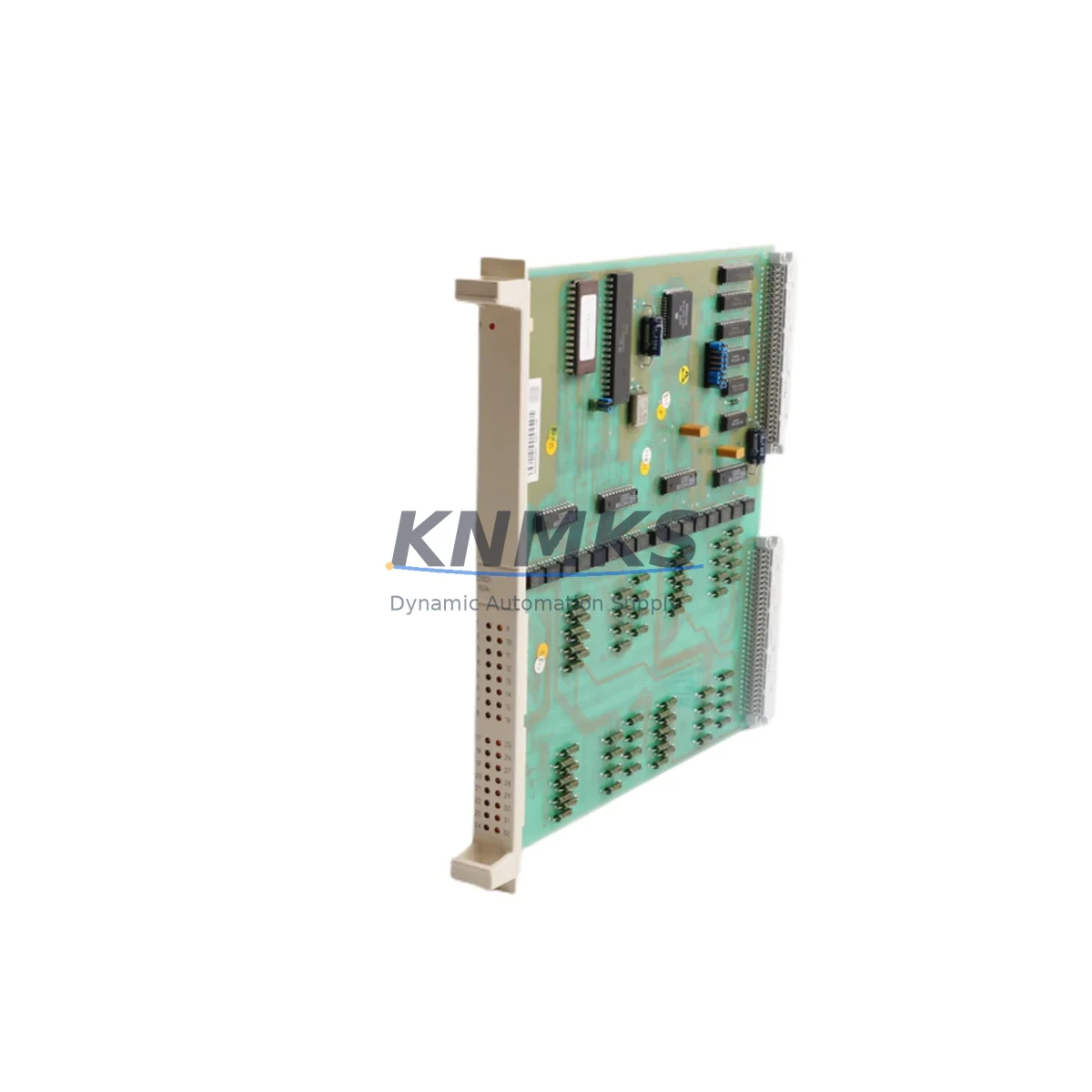
Siemens DSDI110A 57160001-AAA Spare Part for Factory Uptime
The Siemens DSDI110A (part number 57160001-AAA) is an original digital input module designed for the ABB AC500 PLC platform — a widely deployed automation architecture in process industries, manufacturing lines, and utility control systems. Maintenance engineers and spare parts procurement teams rely on this module to sustain continuous operation of control cabinets where digital field signals from sensors, limit switches, and proximity detectors are routed into the PLC logic layer. Sourcing a verified replacement unit before failure occurs is the single most effective strategy for reducing unplanned downtime in facilities running AC500-based control systems.
The DSDI110A handles 16 digital inputs at 24 VDC, with DIN rail mounting and standard terminal block wiring compatible with existing field wiring harnesses. Its compact form factor fits directly into populated AC500 backplanes without mechanical modification, making site replacement a straightforward swap-and-configure procedure when a pre-configured backup unit is available. For facilities operating multiple AC500 racks, maintaining at least one DSDI110A 57160001-AAA in the on-site spare parts inventory is a recognized best practice aligned with IEC 62443 asset management recommendations for industrial control systems.
Spare Maintenance Table
| Parameter | Specification |
|---|---|
| Part Number | DSDI110A / 57160001-AAA |
| Brand | Siemens (OEM-compatible AC500 platform) |
| Series | AC500 / S500 I/O |
| Module Type | Digital Input Module (DI) |
| Number of Inputs | 16 DI channels |
| Input Voltage | 24 VDC |
| Mounting | DIN Rail (35 mm) |
| Communication Interface | AC500 backplane bus |
| Origin | Germany |
| Application Environment | Industrial control cabinets, process automation, factory floor PLC racks |
| Maintenance Recommendation | Inspect terminal connections and backplane contacts annually; replace if input response time degrades or channel faults are logged |
| Compatibility | AC500 CPU modules (PM571, PM572, PM581, PM582, PM591, PM592 series) with S500 I/O expansion |
| Support terms | 12 Months |
| Pre-shipment Testing | Functional test performed before dispatch |
Maintenance Planning for Continuous Operation
When a DSDI110A 57160001-AAA is flagged for replacement during a scheduled inspection or after a channel fault alarm, the maintenance scope should extend beyond the module itself. A thorough cabinet audit at the time of replacement significantly reduces the risk of repeat failures and secondary faults that can cascade into broader system outages.
Begin by verifying the 24 VDC supply rail feeding the I/O rack. The AC500 S500 I/O bus draws regulated power from a dedicated power supply module — typically a PS501 or equivalent DIN rail power supply unit — and any voltage sag or ripple on this rail can cause intermittent input read errors that mimic module failure. Inspect the power supply output terminals and check for signs of thermal stress or loose connections before condemning the DSDI110A.
Next, audit the terminal block wiring on the affected module. Field wiring connected to the 16 DI channels should be checked for insulation integrity, correct ferrule crimping, and secure seating in the terminal strip. Loose field wires are a common root cause of sporadic input faults that are incorrectly attributed to module failure. If the terminal blocks show signs of arcing or discoloration, replace the terminal block assembly alongside the DSDI110A.
The AC500 backplane itself warrants inspection during any I/O module replacement. Backplane connector pins should be visually checked for corrosion or mechanical damage, particularly in environments with high humidity or airborne contaminants. If the rack houses additional S500 modules such as analog input modules (DAIO135A), digital output modules (DSDO115A), or communication interface modules (CI501-PNIO for PROFINET or CI502-PNIO), verify that adjacent modules are seated correctly and that no backplane bus errors are logged in the CPU diagnostic buffer.
For facilities using the AC500 with PROFIBUS or PROFINET field networks, confirm that the network topology remains intact after the module swap. Communication modules such as the CI504-PNIO or CI541-DP should be checked for active network status LEDs and error-free diagnostic registers. A module replacement that disturbs the backplane bus can occasionally trigger a network re-initialization that affects other field devices on the same segment.
Finally, review the CPU event log (accessible via Automation Builder or PS501 programming environment) for any pre-existing fault codes associated with the replaced module slot. Clearing residual fault history after a verified replacement prevents false alarms during the post-maintenance commissioning check and ensures the maintenance record accurately reflects the current system state.
Site Replacement Workflow
Replacing the DSDI110A 57160001-AAA on-site is a structured procedure that can be completed within a planned maintenance window of 30 to 60 minutes when a pre-tested spare unit is available. The following workflow is designed to minimize downtime and ensure system compatibility is maintained throughout the replacement process.
Step 1 — Preparation: Confirm the replacement unit part number matches 57160001-AAA exactly. Verify the spare has been pre-tested and is accompanied by a test report. Download the current AC500 project file from the CPU using Automation Builder before beginning any hardware work, and store a timestamped backup on a local engineering workstation.
Step 2 — Safe Isolation: Place the AC500 CPU in STOP mode via the programming software or the physical RUN/STOP switch on the CPU module. De-energize the 24 VDC I/O supply rail feeding the affected rack using the appropriate isolation switch. Verify zero voltage at the module terminals with a calibrated multimeter before proceeding.
Step 3 — Module Removal: Disconnect field wiring from the DSDI110A terminal block, labeling each wire if the existing labeling is unclear. Release the DIN rail locking tab and slide the module free from the backplane connector. Inspect the backplane connector on the rack for damage before installing the replacement.
Step 4 — Installation: Seat the replacement DSDI110A firmly onto the backplane connector and engage the DIN rail locking tab. Reconnect field wiring to the terminal block in accordance with the original wiring diagram. Restore the 24 VDC supply rail and return the CPU to RUN mode.
Step 5 — Verification: Monitor the CPU diagnostic buffer for any new fault codes. Confirm all 16 DI channels are reading correctly against known field signal states. Log the replacement in the site maintenance record, including the removed module serial number, replacement unit serial number, and date of replacement.
This workflow applies equally to legacy AC500 installations where the DSDI110A may be replacing an older revision of the same module type. No firmware update is required for a like-for-like module swap within the same AC500 hardware generation.
Spare Parts Support FAQ
Q: Is the DSDI110A 57160001-AAA compatible with all AC500 CPU generations?
A: The DSDI110A is compatible with the AC500 S500 I/O expansion system, which supports CPU modules from the PM571 through PM592 range. Compatibility with specific CPU firmware versions should be verified against the AC500 hardware compatibility matrix available from the OEM. For legacy installations using older CPU revisions, functional compatibility is generally maintained for like-for-like DI module replacements within the S500 I/O family.
Q: How is the module tested before shipment?
A: Each DSDI110A 57160001-AAA unit undergoes a functional input channel test prior to dispatch. The test verifies that all 16 DI channels respond correctly to 24 VDC input signals and that the backplane bus interface communicates without error. A test record is available upon request and accompanies the unit on request for quality-critical procurement orders.
Q: What is the recommended spare parts inventory strategy for AC500 installations?
A: For facilities operating three or more AC500 racks, maintaining a minimum of one DSDI110A per rack type in on-site inventory is recommended. For single-rack installations in critical process applications, a cold standby spare stored in a climate-controlled cabinet provides adequate protection against unplanned downtime. Spare modules should be inspected annually and rotated into service on a first-in, first-out basis to prevent storage-related degradation.
Q: What support terms and long-term supply support is provided?
A: All DSDI110A 57160001-AAA units supplied by KNMKS carry a support terms confirmed by quotation covering manufacturing defects and functional failures under normal operating conditions. Long-term supply continuity is supported through established distributor relationships and multi-source procurement channels, ensuring availability even for modules that have reached end-of-production status with the OEM. For volume procurement or scheduled annual maintenance orders, contact the KNMKS sales team to discuss reserved stock arrangements.
© 2026 KNMKS. All rights reserved.
Original Source: https://knmks.com
Contact: admin@knmks.com | +86 18359268345
Product Identification
- Brand / Ecosystem
-
Siemens
Siemens - Model / Series
- DSDI110A 57160001-AAA
- Product Family
- PLCs & Controllers
- Availability Status
- Available on request after model and quantity confirmation
- Inquiry Type
- B2B RFQ, replacement inquiry and project spare-part request
- Pre-Quote Check
- Exact SKU, brand, series, quantity, nameplate photos and destination country are checked before quotation
System Path
Where this product fits in the KNMKS automation structure.
Specification & Inquiry Focus
- Control platform
- PLC, PAC and modular controllers
- Common needs
- CPU, rack, power and I/O expansion
- Project support
- Replacement, cabinet build and maintenance
Buyer Confirmation
Information KNMKS checks before replying.
- Exact model
- DSDI110A 57160001-AAA
- Brand / ecosystem
- Siemens
- Product family
- PLCs & Controllers
- Application note
- Replacement, maintenance, project build or spare-part list
- Useful photos
- Nameplate, installed unit, cabinet layout or connector side
- Delivery details
- Quantity, destination country and target schedule
Document Support
Files and notes can be confirmed during quotation.
- Product photos or nameplate confirmation when available
- Packing and delivery notes before quotation confirmation
- Support scope and delivery terms confirmed per inquiry
- Export document coordination for qualified B2B requests
Inquiry Support
- Model cross-checking before quotation
- CPU, power, rack and expansion module matching
- Support for replacement and project inquiry
What to Send Us
- Brand and exact model number: Siemens DSDI110A 57160001-AAA
- Quantity and required delivery time
- Application, replacement requirement or nameplate photo
- Destination country and shipping preference
RFQ Preparation
This is a product inquiry page built for RFQ communication.
Fast Model Check
Send this model to KNMKS for confirmation.
Include quantity, destination country and photos if this is a maintenance replacement. The inquiry will be saved with a reference number after submission.
Brand & Compatibility Note
KNMKS displays automation product information for well-known industrial brand ecosystems and compatible replacement references. Brand names are used for product identification and compatibility reference only; final availability and commercial terms are confirmed per quotation.
 Manufacturing
 Machine Tools
 Packaging
 Energy & Power



 HMI & Displays
 Servo Systems
 Variable Frequency Drives
 Sensors