
Overview
Siemens DP97*B AS S9032AL-0 Maintenance-Proven Spare Part for Factory Uptime
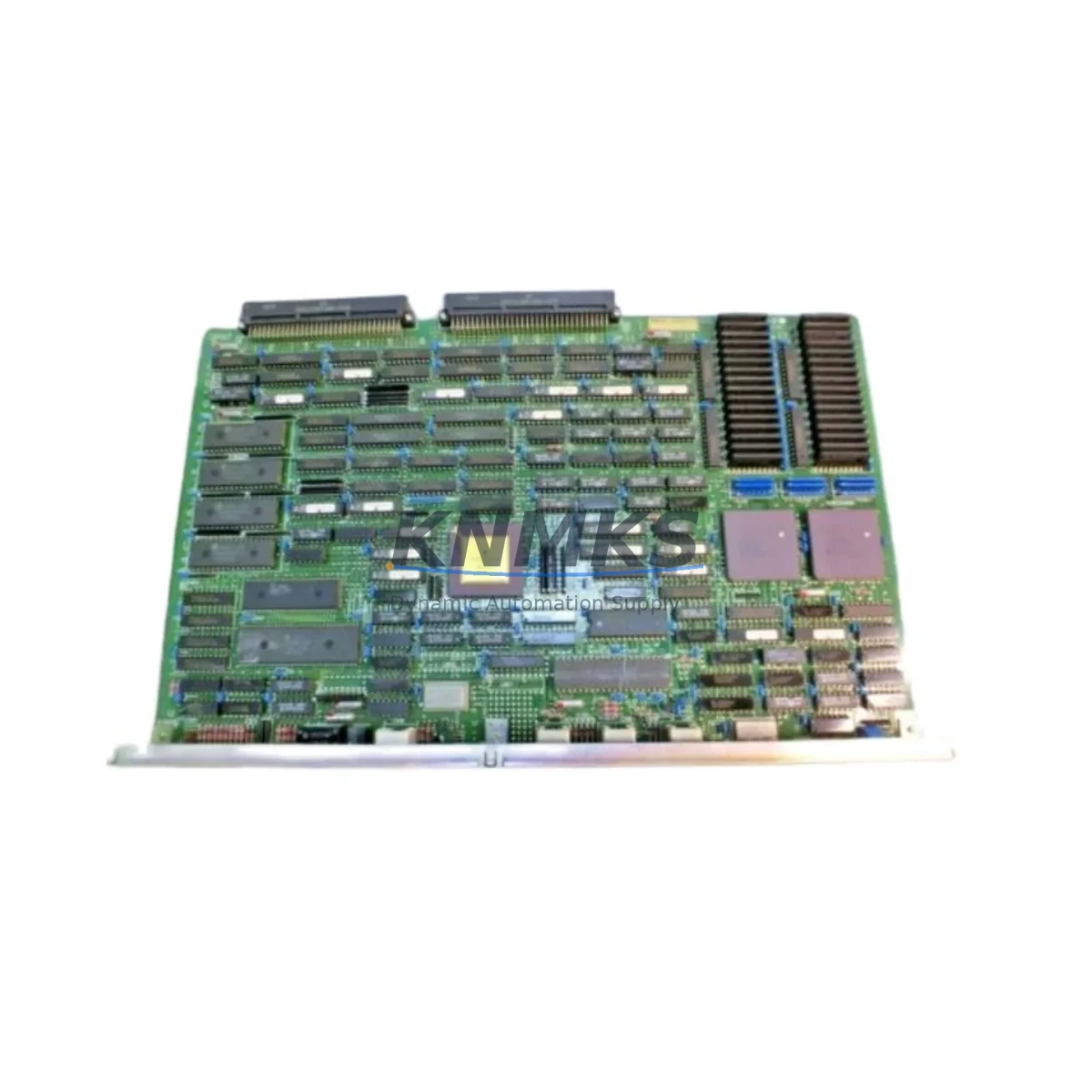
The Siemens DP97*B AS S9032AL-0 is a PROFIBUS DP communication processor module designed for SIMATIC S7 automation systems. As a critical interface between the PLC backplane and the PROFIBUS DP field network, this module governs real-time data exchange between the controller and distributed I/O stations, drives, valve terminals, and remote HMI panels. When this module fails or degrades, the entire PROFIBUS segment goes silent — halting production, triggering safety shutdowns, and forcing unplanned downtime that can cost thousands per hour in a continuous-process or discrete manufacturing environment.
Sourced as an original Siemens component, the DP97*B AS S9032AL-0 is fully tested prior to shipment, backed by a support terms confirmed by quotation, and available for fast global dispatch. Whether you are executing an emergency replacement, building a critical-spare inventory, or planning an annual shutdown overhaul, this module is ready to restore your PROFIBUS DP segment to full operational status with zero firmware reconfiguration in compatible S7 rack configurations.
Spare Maintenance Table
| Parameter | Specification |
|---|---|
| Part Number / SKU | DP97*B AS S9032AL-0 |
| Manufacturer | Siemens AG |
| Series | SIMATIC S7 / PROFIBUS DP |
| Module Type | Communication Processor (CP) — PROFIBUS DP Master/Slave |
| Bus Interface | PROFIBUS DP (EN 50170), up to 12 Mbit/s |
| Backplane Interface | S7-300 / S7-400 compatible rack slot |
| Supply Voltage | DC 24 V (via backplane bus) |
| Operating Temperature | 0 °C to +60 °C |
| Storage Temperature | -40 °C to +70 °C |
| Protection Class | IP20 |
| Country of Origin | Germany |
| Compatibility | SIMATIC S7-300 / S7-400 racks; STEP 7 / TIA Portal configurable |
| Mounting | DIN rail via S7 rack; standard module slot installation |
| Condition | Original Siemens — tested before shipment |
| Support terms | 12 Months |
| Weight (approx.) | 900 g (packaged) |
Maintenance Planning for Continuous Operation
Replacing the DP97*B AS S9032AL-0 in a live control cabinet is rarely an isolated task. Experienced maintenance engineers know that a PROFIBUS DP communication fault often signals stress across the entire communication chain. Before declaring the module as the sole root cause, a thorough site inspection should cover the following associated components.
Start with the PROFIBUS DP cable and connectors — degraded shielding, loose 9-pin Sub-D connectors, or incorrect bus termination resistors at segment ends are among the most common causes of intermittent DP faults that mimic module failure. Inspect the PS 307 or PS 405 power supply module in the same rack: an unstable 24 VDC rail will cause communication processors to reset unpredictably, and a failing power supply is frequently overlooked when a CP module is blamed. Check the CPU module (such as a CPU 315-2 DP or CPU 416-2 DP) for diagnostic buffer entries — the CPU’s own DP master interface may be generating the fault, not the CP slot.
Inspect the S7 backplane bus connector between modules for oxidation or mechanical damage; a poor backplane contact can corrupt data transfer between the CPU and the communication processor. If the system uses ET 200M or ET 200S distributed I/O on the same PROFIBUS segment, verify that each IM 153 or IM 151 interface module is functioning correctly, as a failed remote I/O interface can bring down the entire DP segment. For systems with SINAMICS or MICROMASTER drives connected via PROFIBUS, confirm that drive parameter sets and DP addresses are intact after the module swap — drive communication parameters are sometimes lost during power cycling.
In cabinets with signal isolators or PROFIBUS repeaters bridging long cable runs or electrically noisy environments, verify repeater power and signal integrity. Finally, check miniature circuit breakers (MCBs) and fuses protecting the 24 VDC distribution rail — a nuisance trip on the control voltage circuit is a common secondary fault that appears after a communication module replacement and delays restart unnecessarily.
Site Replacement Workflow
Step 1 — Document and back up: Before removing the DP97*B AS S9032AL-0, use STEP 7 or TIA Portal to export the hardware configuration and save the CPU memory card backup. Record the PROFIBUS DP address assigned to this CP slot and note all slave addresses on the segment.
Step 2 — De-energize safely: Follow your site LOTO (Lockout/Tagout) procedure. Switch off the rack power supply and wait for the backplane bus capacitors to discharge (typically 30 seconds). Do not hot-swap communication processor modules unless the specific hardware revision explicitly supports it.
Step 3 — Physical replacement: Remove the bus connector from the front of the module, release the module locking lever, and slide the DP97*B AS S9032AL-0 out of its slot. Insert the replacement module into the same slot position. Reconnect the PROFIBUS DP bus connector, ensuring the termination switch is set correctly (ON only at the physical end nodes of the segment).
Step 4 — Restore and verify: Re-energize the rack. The CPU should automatically recognize the replacement module if the hardware configuration is unchanged. In STEP 7 or TIA Portal, perform an online comparison to confirm the actual hardware matches the configured hardware. Check the DP diagnostic LEDs — BF (Bus Fault) should extinguish within seconds of a successful segment initialization. Monitor the CPU diagnostic buffer for any residual slave faults.
Step 5 — Functional test: Cycle the controlled process through a safe test sequence to confirm all PROFIBUS slaves are communicating correctly. Verify I/O data consistency in the process image and confirm that any connected drives or HMI panels are receiving valid data before returning the system to production.
This workflow minimizes downtime, eliminates configuration errors, and ensures the replacement module is validated before the production line resumes. Keeping one DP97*B AS S9032AL-0 as a critical spare on the shelf reduces mean time to repair (MTTR) from hours to minutes.
Spare Parts Support FAQ
Q1: Is the DP97*B AS S9032AL-0 compatible with both S7-300 and S7-400 racks?
Compatibility depends on the specific hardware revision and the rack type. The AS S9032AL-0 suffix indicates a specific board assembly revision. Always verify the exact order number against your STEP 7 or TIA Portal hardware catalog before installation. If you are unsure, provide your CPU model and rack configuration to our sales team and we will confirm compatibility before shipment.
Q2: What testing is performed before shipment?
Each DP97*B AS S9032AL-0 unit undergoes functional power-on testing and communication interface verification before dispatch. Units that fail any test parameter are quarantined and not shipped. A test report is available upon request for critical infrastructure procurement.
Q3: How should I manage long-term spare parts inventory for PROFIBUS DP communication modules?
For systems with more than one PROFIBUS DP segment, we recommend holding a minimum of one CP module per segment as a critical spare. Modules should be stored in anti-static packaging in a dry environment between 10 °C and 35 °C. Inspect stored modules annually for physical damage. Given that Siemens has announced end-of-life timelines for several S7-300 components, securing multi-year inventory now is a prudent risk mitigation strategy for facilities planning to operate legacy S7 systems beyond 2030.
Q4: What is covered under the support terms confirmed by quotation?
The support terms confirmed by quotation cover manufacturing defects and functional failures under normal operating conditions. It does not cover damage caused by incorrect installation, overvoltage events, physical impact, or operation outside specified environmental parameters. Support requests are processed with a replacement-first policy to minimize your downtime. Contact admin@knmks.com with your order reference and a fault description to initiate a claim.
© 2026 KNMKS. All rights reserved.
Original Source: https://knmks.com
Contact: admin@knmks.com | +86 18359268345
Product Identification
- Brand / Ecosystem
-
Siemens
Siemens - Model / Series
- DP97*B AS S9032AL-0
- Product Family
- PLCs & Controllers
- Availability Status
- Available on request after model and quantity confirmation
- Inquiry Type
- B2B RFQ, replacement inquiry and project spare-part request
- Pre-Quote Check
- Exact SKU, brand, series, quantity, nameplate photos and destination country are checked before quotation
System Path
Where this product fits in the KNMKS automation structure.
Specification & Inquiry Focus
- Control platform
- PLC, PAC and modular controllers
- Common needs
- CPU, rack, power and I/O expansion
- Project support
- Replacement, cabinet build and maintenance
Buyer Confirmation
Information KNMKS checks before replying.
- Exact model
- DP97*B AS S9032AL-0
- Brand / ecosystem
- Siemens
- Product family
- PLCs & Controllers
- Application note
- Replacement, maintenance, project build or spare-part list
- Useful photos
- Nameplate, installed unit, cabinet layout or connector side
- Delivery details
- Quantity, destination country and target schedule
Document Support
Files and notes can be confirmed during quotation.
- Product photos or nameplate confirmation when available
- Packing and delivery notes before quotation confirmation
- Support scope and delivery terms confirmed per inquiry
- Export document coordination for qualified B2B requests
Inquiry Support
- Model cross-checking before quotation
- CPU, power, rack and expansion module matching
- Support for replacement and project inquiry
What to Send Us
- Brand and exact model number: Siemens DP97*B AS S9032AL-0
- Quantity and required delivery time
- Application, replacement requirement or nameplate photo
- Destination country and shipping preference
RFQ Preparation
This is a product inquiry page built for RFQ communication.
Fast Model Check
Send this model to KNMKS for confirmation.
Include quantity, destination country and photos if this is a maintenance replacement. The inquiry will be saved with a reference number after submission.
Brand & Compatibility Note
KNMKS displays automation product information for well-known industrial brand ecosystems and compatible replacement references. Brand names are used for product identification and compatibility reference only; final availability and commercial terms are confirmed per quotation.
 Manufacturing
 Machine Tools
 Packaging
 Energy & Power



 HMI & Displays
 Servo Systems
 Variable Frequency Drives
 Sensors