
Overview
Siemens BUG2-30-31-B Maintenance-Proven Spare Part for Factory Uptime
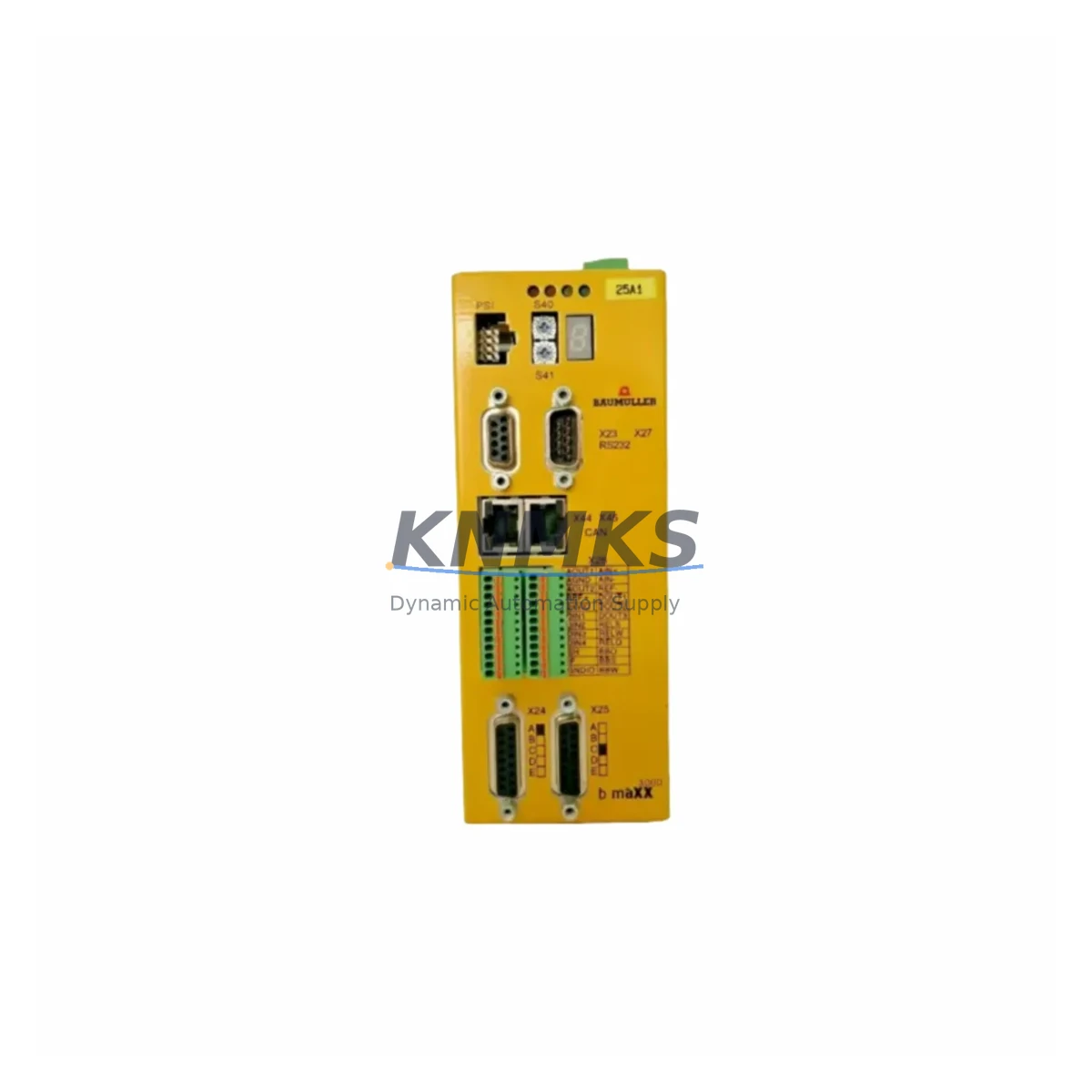
The Siemens BUG2-30-31-B is an original AC servo drive module engineered for continuous-duty industrial environments where unplanned downtime carries significant operational and financial consequences. Designed as part of the Siemens BUG2 series servo drive platform, this unit delivers precise torque and speed control for servo-driven axes in machine tools, packaging lines, press systems, and general-purpose automation cells. For maintenance engineers managing aging BUG2-series installations, holding a verified spare of the BUG2-30-31-B is the single most effective measure to compress mean time to repair (MTTR) when a drive fault occurs mid-shift or during a scheduled production window.
At KNMKS, every BUG2-30-31-B unit is sourced from authorized supply channels, subjected to pre-shipment functional testing, and dispatched with a 12-month replacement support terms. Multi-region stock positions allow same-week dispatch to facilities across Asia, Europe, and the Americas, supporting both emergency breakdown recovery and planned annual-overhaul procurement cycles.
Spare Maintenance Table
| Parameter | Specification / Detail |
|---|---|
| Part Number / SKU | BUG2-30-31-B |
| Brand | Siemens |
| Series | BUG2 AC Servo Drive Series |
| Product Type | AC Servo Drive Module |
| Country of Origin | Germany (DE) |
| Drive Topology | Servo amplifier / axis drive module |
| Compatibility | Siemens BUG2 series servo systems; verify bus interface and firmware revision before installation |
| Mounting / Form Factor | Panel / cabinet-mount module; refer to OEM dimensional drawing for slot and rail requirements |
| Cooling | Forced-air or natural convection depending on enclosure configuration |
| Application Environment | Machine tools, packaging automation, press lines, general servo-axis control |
| Maintenance Recommendation | Replace at first sign of fault codes, thermal shutdown, or axis positioning error; do not run degraded |
| Pre-Shipment Testing | Functional power-on and output verification performed before dispatch |
| Support terms | 12 months from date of shipment |
| Dispatch | Multi-region stock; same-week global dispatch available |
Maintenance Planning for Continuous Operation
A BUG2-30-31-B replacement should never be treated as an isolated swap. Servo drive failures in BUG2-series cabinets are frequently accompanied by — or caused by — degradation in adjacent components. During any planned or emergency replacement of this drive module, maintenance engineers should systematically inspect and, where appropriate, replace the following associated components to prevent repeat failures and restore full system integrity.
Begin with the 24 VDC control power supply feeding the drive’s logic board. Voltage sag or ripple on the control rail is a leading cause of spurious drive faults and can damage a replacement unit if left uncorrected. Next, inspect the servo motor feedback cable and encoder connector — a degraded or intermittently shorted encoder signal is one of the most common root causes of BUG2-series axis faults and will immediately trigger fault codes on a new drive. Check the DC bus capacitor bank or regenerative braking resistor if the cabinet uses a shared DC bus architecture; a failing capacitor or resistor can cause overvoltage trips that appear to be drive failures.
On the I/O side, verify the digital I/O terminal block wiring for loose terminations, particularly on enable, ready, and fault-reset signals. Loose terminals cause intermittent enable faults that are difficult to diagnose without a spare drive in circuit. If the BUG2 system communicates over PROFIBUS DP or PROFINET, inspect the bus connector, termination resistor, and cable shield continuity — a degraded bus segment can cause the replacement drive to report communication faults immediately after commissioning. For cabinets with a Siemens SIMATIC S7-300 or S7-400 PLC acting as the motion controller, confirm that the drive’s axis parameters and telegram configuration are backed up before removal; parameter loss is a common source of extended downtime during drive replacement.
Finally, check the cabinet-level fusing and circuit breaker on the drive’s AC input feed. A nuisance trip or a fuse rated below the drive’s inrush current will prevent the replacement unit from powering up correctly. If the installation includes a line filter or EMC choke upstream of the drive, inspect it for signs of overheating or insulation breakdown, as a failed filter can introduce conducted interference that degrades drive performance.
Site Replacement Workflow
Step 1 — Isolate and document. De-energize the cabinet following LOTO procedures. Photograph all wiring, connector positions, and parameter screens on the HMI or drive keypad before disconnecting anything. Record the existing firmware version and axis parameter set.
Step 2 — Remove the failed unit. Disconnect the motor power cable, encoder feedback cable, control wiring, and bus connector in sequence. Label each connector if not already marked. Slide or unclip the drive module from its mounting rail or panel position.
Step 3 — Inspect and prepare the replacement BUG2-30-31-B. Confirm the replacement unit’s hardware revision matches or is compatible with the installed system. Load the backed-up parameter set via the commissioning tool or HMI before energizing.
Step 4 — Install and reconnect. Mount the replacement module, reconnect all cables in reverse order, and verify torque on terminal screws. Restore control power first; confirm the drive powers up without fault before applying motor power.
Step 5 — Commission and verify. Run the axis through a low-speed jog cycle to confirm encoder feedback, direction, and torque response. Clear any residual fault history and document the replacement in the site maintenance log. Return the failed unit to KNMKS for evaluation if required under support terms terms.
This workflow is designed to minimize cabinet downtime to under two hours for a prepared maintenance team holding a pre-tested spare BUG2-30-31-B on site.
Spare Parts Support FAQ
Q1: How do I confirm the BUG2-30-31-B is compatible with my installed BUG2 series system?
Match the hardware revision code on the nameplate of your existing drive to the replacement unit’s revision. Also verify the firmware version supported by your motion controller and the bus telegram type (e.g., PROFIBUS telegram 105 or PROFINET telegram 111). KNMKS technical support can assist with compatibility verification before order placement — contact admin@knmks.com with your nameplate photo and system configuration.
Q2: What is included in the support terms confirmed by quotation and what does pre-shipment testing cover?
Every BUG2-30-31-B dispatched by KNMKS undergoes functional power-on testing, output voltage verification, and communication interface check before shipment. The support terms confirmed by quotation cover manufacturing defects and functional failure under normal operating conditions from the date of shipment. It does not cover damage resulting from incorrect installation, overvoltage events, or operation outside rated parameters.
Q3: Can KNMKS support long-term or blanket-order supply of BUG2-30-31-B units for annual maintenance programs?
Yes. KNMKS maintains multi-region stock positions specifically to support scheduled outage procurement and annual maintenance budgets. Long-term supply agreements with fixed pricing and reserved stock allocation are available for facilities that require guaranteed availability across multiple maintenance cycles. Contact admin@knmks.com to discuss volume and scheduling requirements.
Q4: What should I do if the replacement BUG2-30-31-B shows a fault code immediately after installation?
First, verify that the parameter set was correctly loaded and that the encoder feedback cable is fully seated and undamaged. Check the 24 VDC control supply voltage at the drive terminals — it must be within ±10% of nominal. Confirm bus termination is correct if using PROFIBUS or PROFINET. If the fault persists after these checks, contact KNMKS support with the fault code, firmware version, and a description of the installation environment for rapid diagnosis.
© 2026 KNMKS. All rights reserved.
Original Source: https://knmks.com
Contact: admin@knmks.com | +86 18359268345
Product Identification
- Brand / Ecosystem
-
Siemens
Siemens - Model / Series
- BUG2-30-31-B
- Product Family
- Servo Systems
- Availability Status
- Available on request after model and quantity confirmation
- Inquiry Type
- B2B RFQ, replacement inquiry and project spare-part request
- Pre-Quote Check
- Exact SKU, brand, series, quantity, nameplate photos and destination country are checked before quotation
System Path
Where this product fits in the KNMKS automation structure.
Specification & Inquiry Focus
- Motion range
- Servo drives, motors and cable sets
- Common needs
- Power, encoder and brake confirmation
- Project support
- Motion upgrade and spare-part supply
Buyer Confirmation
Information KNMKS checks before replying.
- Exact model
- BUG2-30-31-B
- Brand / ecosystem
- Siemens
- Product family
- Servo Systems
- Application note
- Replacement, maintenance, project build or spare-part list
- Useful photos
- Nameplate, installed unit, cabinet layout or connector side
- Delivery details
- Quantity, destination country and target schedule
Document Support
Files and notes can be confirmed during quotation.
- Product photos or nameplate confirmation when available
- Packing and delivery notes before quotation confirmation
- Support scope and delivery terms confirmed per inquiry
- Export document coordination for qualified B2B requests
Inquiry Support
- Motor, drive and cable set coordination
- Power rating and encoder type checking
- Motion control replacement support
What to Send Us
- Brand and exact model number: Siemens BUG2-30-31-B
- Quantity and required delivery time
- Application, replacement requirement or nameplate photo
- Destination country and shipping preference
RFQ Preparation
This is a product inquiry page built for RFQ communication.
Fast Model Check
Send this model to KNMKS for confirmation.
Include quantity, destination country and photos if this is a maintenance replacement. The inquiry will be saved with a reference number after submission.
Brand & Compatibility Note
KNMKS displays automation product information for well-known industrial brand ecosystems and compatible replacement references. Brand names are used for product identification and compatibility reference only; final availability and commercial terms are confirmed per quotation.
 Manufacturing
 Machine Tools
 Packaging
 Energy & Power
 PLCs & Controllers
 HMI & Displays
 Variable Frequency Drives
 Sensors