
Overview
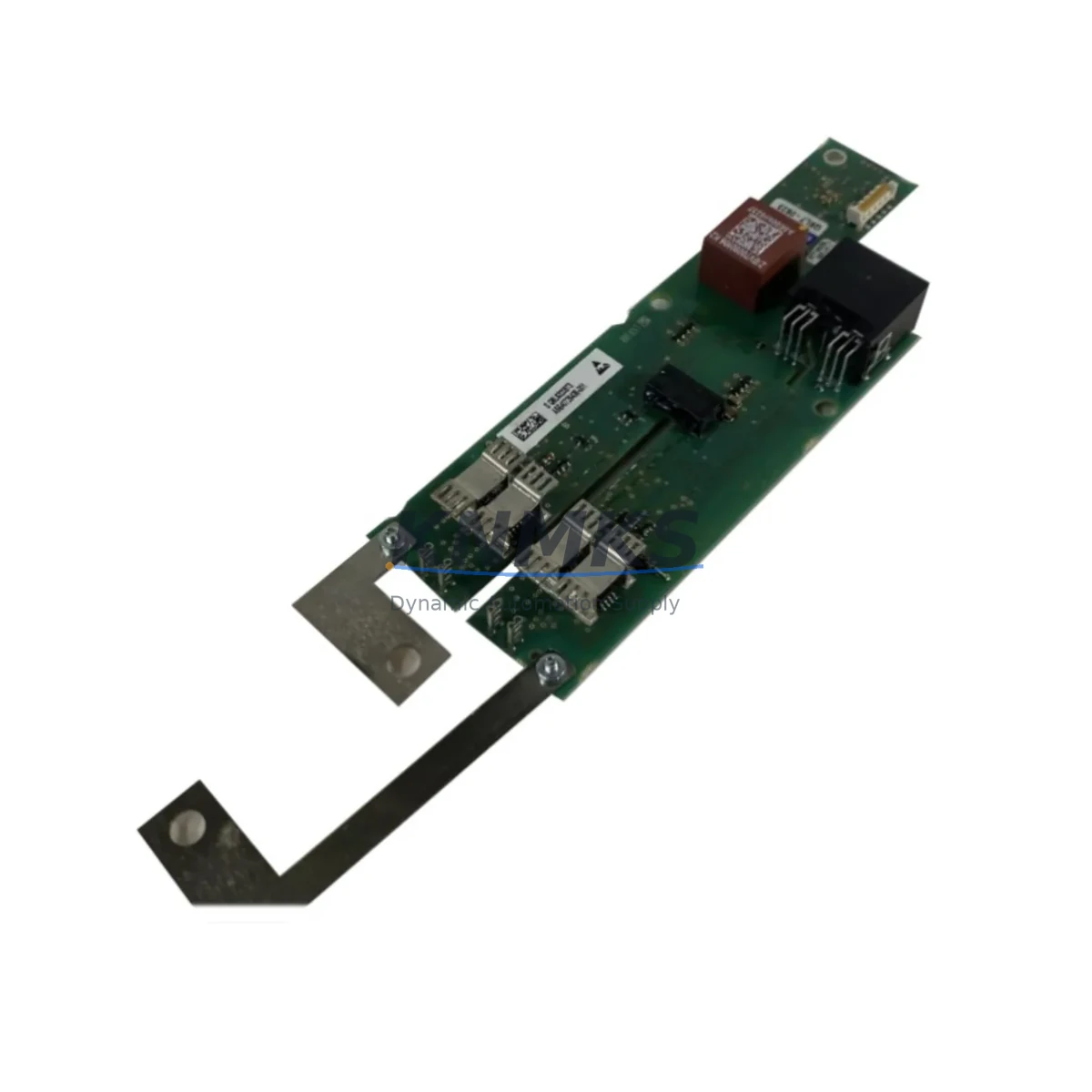
Siemens A5E40726438-001 Migration-Ready I/O for ET 200: Legacy System Retrofit and Control Upgrade
The Siemens A5E40726438-001 is a SIMATIC ET 200 series distributed I/O module engineered for seamless integration into both active production lines and legacy control architectures undergoing modernization. As industrial facilities face increasing pressure to extend the operational life of aging automation infrastructure while maintaining production continuity, the A5E40726438-001 serves as a proven, migration-ready replacement for discontinued or end-of-life I/O modules within the ET 200 platform family.
This module is particularly well-suited for retrofit projects where engineers must replace obsolete field I/O without redesigning the entire control cabinet. Its compatibility with standard PROFIBUS DP and PROFINET communication backbones means that existing network topologies, GSD files, and hardware configuration databases in STEP 7 or TIA Portal can often be preserved with minimal modification. For facilities running S7-300 or S7-400 controllers, the A5E40726438-001 integrates directly into the existing rack and backplane architecture, reducing the scope of firmware updates and program re-validation required during the changeover window.
Before committing to a replacement, engineers should verify several critical parameters: the power supply capacity of the existing ET 200 station (particularly the 24 VDC bus load budget), terminal wiring compatibility with the existing field cable cross-sections, backplane slot addressing and module order within the hardware configuration, and whether the replacement module’s channel count and signal type match the original I/O map. Any mismatch in module addressing will require a corresponding update in the PLC program’s symbolic table and may trigger diagnostic alarms in the SCADA or DCS layer above.
In projects involving communication protocol migration — for example, transitioning from PROFIBUS DP to PROFINET IO — the A5E40726438-001 can serve as a stable interim I/O node while the network backbone is upgraded in phases. This phased approach allows production to continue on the legacy bus segment while new PROFINET segments are commissioned in parallel, significantly reducing planned downtime. Engineers should confirm firmware version compatibility between the ET 200 head station (such as the IM 151-1 or IM 155-5 interface module) and the I/O module before finalizing the bill of materials.
For control cabinet upgrades that also involve expanding I/O capacity, the A5E40726438-001 can be combined with additional ET 200SP or ET 200MP expansion modules to increase channel density without replacing the existing head station. This is especially relevant in applications where the original cabinet was designed with limited spare slots, and the retrofit scope includes adding new field instruments, safety interlocks, or motor control circuits. In such cases, verifying available DIN rail space, cabinet depth, and heat dissipation capacity is essential before finalizing the module selection.
HMI screen updates are another frequently overlooked element of I/O module replacement. If the original WinCC or TP series HMI panel references specific I/O addresses or diagnostic tags tied to the legacy module, those tag bindings must be updated to reflect the new module’s address map. Failing to do so can result in incorrect process visualization or suppressed fault alarms during the initial post-retrofit commissioning period.
Programming cable compatibility should also be confirmed when performing on-site firmware updates or hardware configuration downloads. The PC Adapter USB A2 or PROFIBUS/MPI adapter used for S7-300 systems may differ from the interface required for newer ET 200 head stations, and having the correct programming interface on-site prevents unnecessary delays during the maintenance window.
All units supplied are tested prior to shipment, with in-stock availability supporting urgent replacement and scheduled maintenance programs. A support terms confirmed by quotation is included as standard.
Migration Compatibility Table
| Parameter | Detail |
|---|---|
| SKU / Part Number | A5E40726438-001 (A5E40726438) |
| Platform | SIMATIC ET 200 Distributed I/O |
| Compatible Controllers | S7-300, S7-400, S7-1500 (via IM adapter) |
| Communication Interface | PROFIBUS DP / PROFINET IO (head station dependent) |
| Backplane / Rack Compatibility | ET 200SP / ET 200MP standard backplane |
| Terminal Wiring | Push-in or screw terminal (confirm with base unit type) |
| Supply Voltage | 24 VDC (verify bus load budget before installation) |
| Installation Space | Standard DIN rail; confirm cabinet depth and slot availability |
| Firmware Compatibility | Verify against IM 151-1 / IM 155-5 head station firmware version |
| Replacement Recommendation | Direct replacement for equivalent ET 200 I/O modules; validate I/O address map |
| Commissioning Note | Update HMI tag bindings and PLC hardware configuration after swap |
| Pre-Shipment Testing | Function-tested before dispatch |
| Support terms | 12 Months |
| Origin | Germany |
Retrofit Planning for Existing Automation Systems
A successful retrofit using the A5E40726438-001 typically begins with a full audit of the existing ET 200 station configuration. Engineers should document the current module order, slot assignments, and I/O address ranges before removing any hardware. In multi-rack configurations, the IM 151-1 or IM 155-5 interface module governs the PROFIBUS or PROFINET connection to the upstream S7-300 or S7-1500 controller, and its configuration file must be updated in TIA Portal or STEP 7 to reflect any changes in the module lineup.
Power distribution within the ET 200 station is managed through dedicated power modules — such as the PM-E 24VDC or PM-D series — which supply segmented bus voltage to groups of I/O modules. When adding or replacing modules, the cumulative current draw on each power segment must be recalculated to avoid overloading the supply rail. If the existing power module is already near its rated output, a supplementary PM module may need to be added to the station before the new I/O module is installed.
For applications involving analog signal conditioning or signal isolation between field instruments and the PLC, signal isolators or signal conditioners may be required in the terminal cabinet to protect the new module’s input circuits from ground loops or voltage spikes common in older field wiring installations. This is particularly relevant when the legacy wiring uses unshielded cables or shares conduit with high-voltage motor circuits.
In systems where the ET 200 station communicates over PROFIBUS DP, the GSD file for the A5E40726438-001 must be imported into the engineering tool and the station re-parameterized. The bus termination resistors at each end of the PROFIBUS segment should be verified, and the baud rate confirmed against the existing network configuration. For PROFINET-based systems, the GSDML file and device name assignment must be completed before the module will respond on the network.
Where the retrofit scope extends to the operator interface layer, WinCC flexible or TIA Portal WinCC screens referencing the replaced module’s diagnostic or process tags will require tag remapping. Coordinating this update with the PLC program modification ensures that both layers are consistent before the system is returned to automatic mode. A structured pre-startup checklist — covering power-up sequence, diagnostic LED status, channel-by-channel I/O verification, and communication link confirmation — is strongly recommended to minimize the risk of undetected faults during the first production run after the retrofit.
Downtime Control During System Migration
Minimizing unplanned downtime is the primary operational constraint in any I/O module replacement project. The A5E40726438-001 supports a structured hot-swap or planned-outage replacement strategy depending on the ET 200 head station type and the safety classification of the controlled process.
For non-safety-rated stations, the replacement can often be performed during a scheduled maintenance window without requiring a full PLC restart. The existing program logic, data blocks, and retentive memory in the S7-300 or S7-1500 CPU are preserved during the module swap, provided the hardware configuration download is performed in a controlled sequence. Engineers should place the affected I/O channels in a safe state — typically by forcing outputs to their de-energized position and confirming that field actuators are in a known safe condition — before removing the legacy module.
Where the process cannot tolerate even a brief interruption, a parallel commissioning approach can be used: the new module is installed in an adjacent slot or a temporary test rack, fully configured and verified against the live program, and then swapped into the active slot during the shortest available process pause. This approach requires careful coordination between the automation engineer, the process operator, and the maintenance team, but can reduce the active changeover window to under 15 minutes in well-prepared projects.
Post-swap verification should include a full diagnostic scan of the ET 200 station from the engineering workstation, confirmation of green status LEDs on the new module, channel-by-channel I/O force test, and a review of the PLC diagnostic buffer for any new fault entries. Communication link integrity between the ET 200 station and the upstream controller should be confirmed before releasing the process to automatic control. All test results should be documented as part of the retrofit completion record to support future maintenance and audit requirements.
Retrofit Support FAQ
Q1: Is the A5E40726438-001 a direct drop-in replacement for my existing ET 200 I/O module?
In most ET 200SP and ET 200MP configurations, the A5E40726438-001 can replace equivalent-generation I/O modules with the same signal type and channel count. However, you must verify the module’s hardware configuration entry in TIA Portal or STEP 7 matches the replacement unit, and confirm that the I/O address map is preserved. If the original module used a different base unit or terminal type, the base unit may also need to be replaced.
Q2: What commissioning steps are required after installation?
After physical installation, download the updated hardware configuration to the PLC, perform a channel-by-channel I/O force test to verify field wiring continuity, check the ET 200 station diagnostic LEDs for fault-free status, and confirm communication link integrity on PROFIBUS or PROFINET. Update any HMI tag bindings that reference the replaced module’s addresses, and document the commissioning results before returning the system to automatic operation.
Q3: Do you provide pre-shipment testing and what does the support terms confirmed by quotation cover?
Yes. Every A5E40726438-001 unit is function-tested before dispatch to confirm electrical integrity and basic I/O channel operation. The support terms confirmed by quotation cover manufacturing defects and functional failures under normal operating conditions. It does not cover damage resulting from incorrect installation, overvoltage, or use outside the module’s rated environmental specifications.
Q4: What is your typical lead time and do you maintain stock for urgent replacement orders?
We maintain in-stock inventory of the A5E40726438-001 to support both planned maintenance programs and urgent unplanned replacement requirements. Contact our sales team to confirm current stock levels and arrange expedited dispatch if required. For large-volume or blanket orders supporting multi-site retrofit programs, please inquire about scheduled delivery arrangements.
© 2026 KNMKS. All rights reserved.
Original Source: https://knmks.com
Contact: admin@knmks.com | +86 18359268345
Product Identification
- Brand / Ecosystem
-
Siemens
Siemens - Model / Series
- A5E40726438 A5E40726438-001
- Product Family
- PLCs & Controllers
- Availability Status
- Available on request after model and quantity confirmation
- Inquiry Type
- B2B RFQ, replacement inquiry and project spare-part request
- Pre-Quote Check
- Exact SKU, brand, series, quantity, nameplate photos and destination country are checked before quotation
System Path
Where this product fits in the KNMKS automation structure.
Specification & Inquiry Focus
- Control platform
- PLC, PAC and modular controllers
- Common needs
- CPU, rack, power and I/O expansion
- Project support
- Replacement, cabinet build and maintenance
Buyer Confirmation
Information KNMKS checks before replying.
- Exact model
- A5E40726438 A5E40726438-001
- Brand / ecosystem
- Siemens
- Product family
- PLCs & Controllers
- Application note
- Replacement, maintenance, project build or spare-part list
- Useful photos
- Nameplate, installed unit, cabinet layout or connector side
- Delivery details
- Quantity, destination country and target schedule
Document Support
Files and notes can be confirmed during quotation.
- Product photos or nameplate confirmation when available
- Packing and delivery notes before quotation confirmation
- Support scope and delivery terms confirmed per inquiry
- Export document coordination for qualified B2B requests
Inquiry Support
- Model cross-checking before quotation
- CPU, power, rack and expansion module matching
- Support for replacement and project inquiry
What to Send Us
- Brand and exact model number: Siemens A5E40726438 A5E40726438-001
- Quantity and required delivery time
- Application, replacement requirement or nameplate photo
- Destination country and shipping preference
RFQ Preparation
This is a product inquiry page built for RFQ communication.
Fast Model Check
Send this model to KNMKS for confirmation.
Include quantity, destination country and photos if this is a maintenance replacement. The inquiry will be saved with a reference number after submission.
Brand & Compatibility Note
KNMKS displays automation product information for well-known industrial brand ecosystems and compatible replacement references. Brand names are used for product identification and compatibility reference only; final availability and commercial terms are confirmed per quotation.
 Manufacturing
 Machine Tools
 Packaging
 Energy & Power



 HMI & Displays
 Servo Systems
 Variable Frequency Drives
 Sensors