
Overview
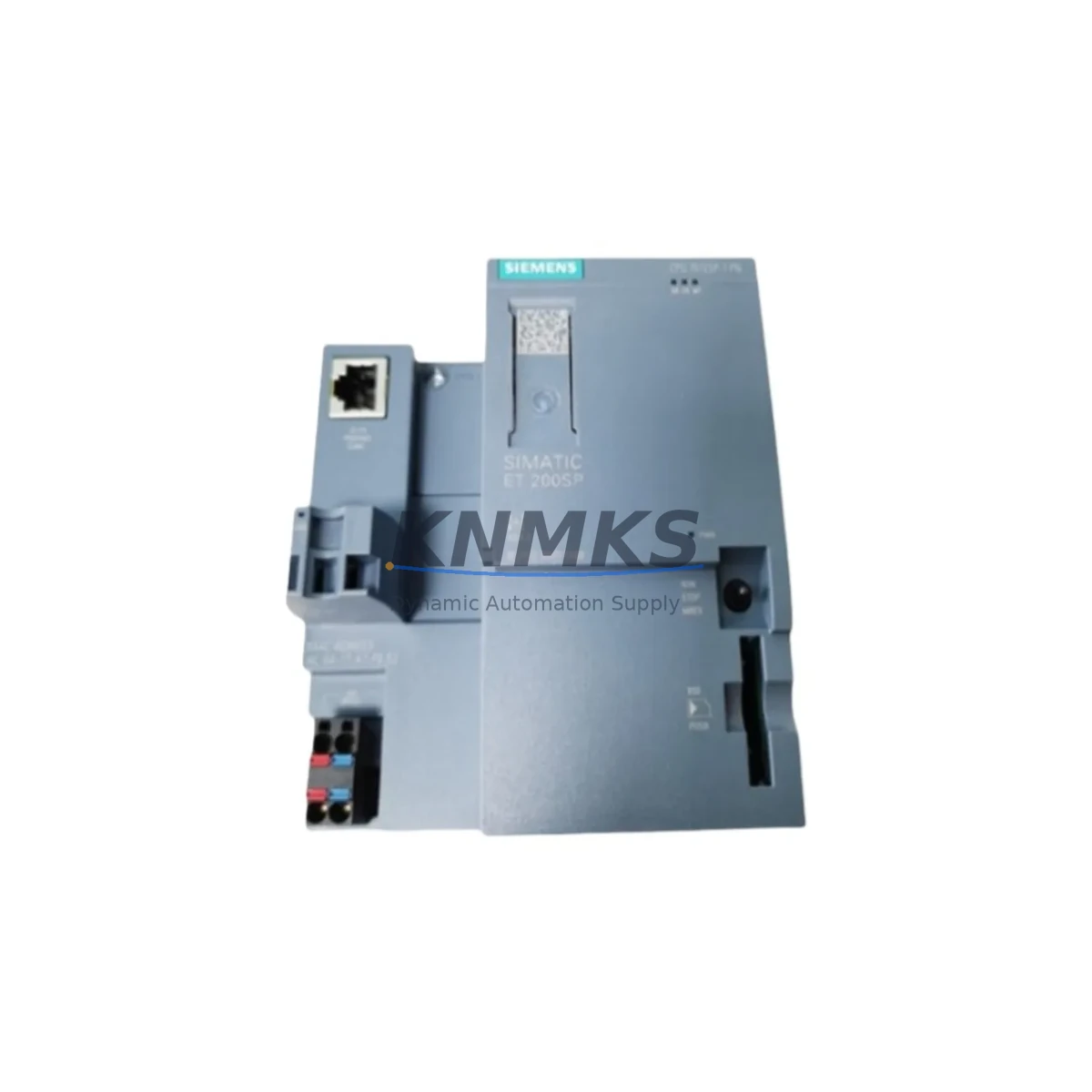
Siemens A5E36968571 Maintenance-Proven Spare for Uptime
The Siemens A5E36968571 is an original SIMATIC S7-series control circuit board engineered for demanding industrial automation environments. For maintenance engineers managing aging S7-300 or S7-400 control cabinets, sourcing a verified, tested spare is the single most effective action to reduce unplanned downtime. This board serves as a direct replacement for failed or degraded CPU interface and control logic assemblies within the SIMATIC S7 platform, preserving system compatibility without requiring firmware re-engineering or hardware redesign.
Whether you are executing a scheduled annual overhaul, responding to an emergency line stoppage, or building a strategic spare parts buffer for a multi-line facility, the A5E36968571 is a maintenance-critical component. Its role in the control circuit means that degradation — even partial — can manifest as intermittent faults, communication dropouts, or complete CPU failure. Proactive replacement during planned maintenance windows is strongly preferred over reactive replacement under production pressure.
Spare Maintenance Table
| Part Number / SKU | A5E36968571 |
| Brand | Siemens |
| Series | SIMATIC S7 (S7-300 / S7-400 platform) |
| Product Type | PLC Control Circuit Board |
| Origin | Germany (DE) |
| Compatibility | SIMATIC S7-300 / S7-400 CPU and interface modules; verified cross-reference with original Siemens BOM |
| Operating Voltage | 24 VDC (nominal, per S7 backplane supply specification) |
| Operating Temperature | 0°C to +60°C (horizontal installation); 0°C to +40°C (vertical installation) |
| Storage Temperature | -40°C to +70°C |
| Humidity | 10% to 95% RH, non-condensing |
| Installation | DIN rail / S7 backplane slot; standard SIMATIC mounting procedure |
| Pre-shipment Testing | Full functional test performed; power-on verification and communication handshake confirmed |
| Support terms | 12 months from date of shipment |
| Condition | Original Siemens spare — new or refurbished-to-spec, clearly stated at order confirmation |
| Lead Time | In-stock units ship within 1–3 business days; global express delivery available |
Maintenance Planning for Continuous Operation
Replacing the A5E36968571 in isolation is rarely sufficient for a complete maintenance intervention. Experienced maintenance engineers know that a failed control circuit board is often a symptom of broader stress in the control cabinet. Before returning the system to production, a structured inspection of adjacent components is essential to prevent repeat failures within the same maintenance cycle.
Begin with the 24 VDC power supply module feeding the S7 backplane — voltage ripple or output sag under load is a leading cause of premature PCB failure. Verify output voltage under full rack load and replace the power supply module if ripple exceeds specification. Next, inspect the S7 backplane bus connector and rack assembly for oxidation, bent pins, or mechanical stress; a compromised backplane can damage a new board within weeks of installation.
Check all digital and analog I/O modules seated in the same rack. Modules such as the SM 321 digital input or SM 331 analog input cards should be inspected for blown protection fuses and verified against the process signal list. If the original fault was caused by a field-side surge, I/O modules are frequently collateral damage. Similarly, inspect signal isolators and surge protection terminals on field wiring entering the cabinet — these are the first line of defense against transient damage to the CPU board.
For systems using PROFIBUS DP or MPI communication, verify the CP 342-5 or equivalent communication processor module and its cable termination resistors. A degraded communication module can cause the replacement CPU board to log persistent bus faults, masking the true system health. If the cabinet includes a TP700 or TP900 HMI panel, confirm that the HMI communication link re-establishes cleanly after board replacement and that no project download is required.
Finally, audit the 24 VDC fuse and circuit breaker protection for each module group. Miniature circuit breakers protecting the PLC supply rail should be tested for correct trip characteristics. Maintaining a documented spare parts list that includes the A5E36968571 alongside these supporting components — power supply, I/O modules, communication processor, and protection devices — is the foundation of a resilient maintenance strategy for any S7-based control system.
Site Replacement Workflow
Step 1 — Pre-replacement documentation: Before powering down, capture the current CPU diagnostic buffer via STEP 7 or TIA Portal online diagnostics. Record the module slot assignment, firmware version, and any active hardware interrupts. This baseline is critical for post-replacement verification.
Step 2 — Safe isolation: Follow your site LOTO (Lockout/Tagout) procedure. Isolate the 24 VDC supply to the rack. Allow 30 seconds for capacitors to discharge before handling the board.
Step 3 — Physical replacement: Remove the faulty A5E36968571 by releasing the front connector and extracting the module from its backplane slot. Insert the replacement board, ensuring the bus connector seats fully. Torque the front connector screws to the specified value.
Step 4 — Power-on and diagnostics: Restore 24 VDC supply. Observe the module status LEDs — SF (System Fault) and BF (Bus Fault) LEDs should extinguish within the normal startup sequence. Connect via STEP 7 or TIA Portal and confirm the CPU transitions to RUN mode without hardware faults.
Step 5 — Compatibility confirmation: Verify that the replacement board’s order number and firmware revision are compatible with the existing project configuration. If a firmware update is required, perform it before returning the system to automatic mode.
Step 6 — Production handover: Run a supervised production cycle for a minimum of 30 minutes. Confirm all I/O signals, HMI displays, and communication links are operating normally before releasing the line to unattended operation. Document the replacement in the site maintenance log with the new board’s serial number and support terms start date.
Spare Parts Support FAQ
Q1: Is the A5E36968571 a direct drop-in replacement for the original Siemens board without software changes?
In the majority of S7-300 and S7-400 applications, yes — the A5E36968571 is a form-fit-function replacement that does not require project re-download or hardware reconfiguration. However, if the replacement unit carries a different firmware revision than the original, a firmware update may be required before the CPU accepts the existing project. Always confirm the firmware revision at order stage if your application has strict version dependencies.
Q2: What pre-shipment testing is performed, and how is the support terms confirmed by quotation applied?
Every A5E36968571 unit undergoes a full power-on functional test and communication handshake verification before dispatch. The support terms confirmed by quotation period begins on the date of shipment and covers manufacturing defects and functional failures under normal operating conditions. Support requests are supported by our technical team at admin@knmks.com with a target response time of one business day.
Q3: Can you support long-term or blanket order arrangements for this part?
Yes. For facilities managing multiple S7 control systems or planning multi-year maintenance contracts, we support blanket purchase orders and scheduled release arrangements. This ensures price stability, guaranteed stock allocation, and priority fulfillment for your maintenance program. Contact our procurement team to discuss volume and delivery scheduling.
Q4: How do I verify compatibility before ordering if my system uses a non-standard S7 configuration?
Provide your existing module’s full order number (including any suffix), the CPU type, and the rack configuration. Our technical team will cross-reference against the Siemens compatibility matrix and confirm suitability before order confirmation. We do not ship parts that cannot be verified as compatible — procurement risk control is a core part of our service commitment.
© 2026 KNMKS. All rights reserved.
Original Source: https://knmks.com
Contact: admin@knmks.com | +86 18359268345
Product Identification
- Brand / Ecosystem
-
Siemens
Siemens - Model / Series
- A5E36968571
- Product Family
- PLCs & Controllers
- Availability Status
- Available on request after model and quantity confirmation
- Inquiry Type
- B2B RFQ, replacement inquiry and project spare-part request
- Pre-Quote Check
- Exact SKU, brand, series, quantity, nameplate photos and destination country are checked before quotation
System Path
Where this product fits in the KNMKS automation structure.
Specification & Inquiry Focus
- Control platform
- PLC, PAC and modular controllers
- Common needs
- CPU, rack, power and I/O expansion
- Project support
- Replacement, cabinet build and maintenance
Buyer Confirmation
Information KNMKS checks before replying.
- Exact model
- A5E36968571
- Brand / ecosystem
- Siemens
- Product family
- PLCs & Controllers
- Application note
- Replacement, maintenance, project build or spare-part list
- Useful photos
- Nameplate, installed unit, cabinet layout or connector side
- Delivery details
- Quantity, destination country and target schedule
Document Support
Files and notes can be confirmed during quotation.
- Product photos or nameplate confirmation when available
- Packing and delivery notes before quotation confirmation
- Support scope and delivery terms confirmed per inquiry
- Export document coordination for qualified B2B requests
Inquiry Support
- Model cross-checking before quotation
- CPU, power, rack and expansion module matching
- Support for replacement and project inquiry
What to Send Us
- Brand and exact model number: Siemens A5E36968571
- Quantity and required delivery time
- Application, replacement requirement or nameplate photo
- Destination country and shipping preference
RFQ Preparation
This is a product inquiry page built for RFQ communication.
Fast Model Check
Send this model to KNMKS for confirmation.
Include quantity, destination country and photos if this is a maintenance replacement. The inquiry will be saved with a reference number after submission.
Brand & Compatibility Note
KNMKS displays automation product information for well-known industrial brand ecosystems and compatible replacement references. Brand names are used for product identification and compatibility reference only; final availability and commercial terms are confirmed per quotation.
 Manufacturing
 Machine Tools
 Packaging
 Energy & Power



 HMI & Displays
 Servo Systems
 Variable Frequency Drives
 Sensors