
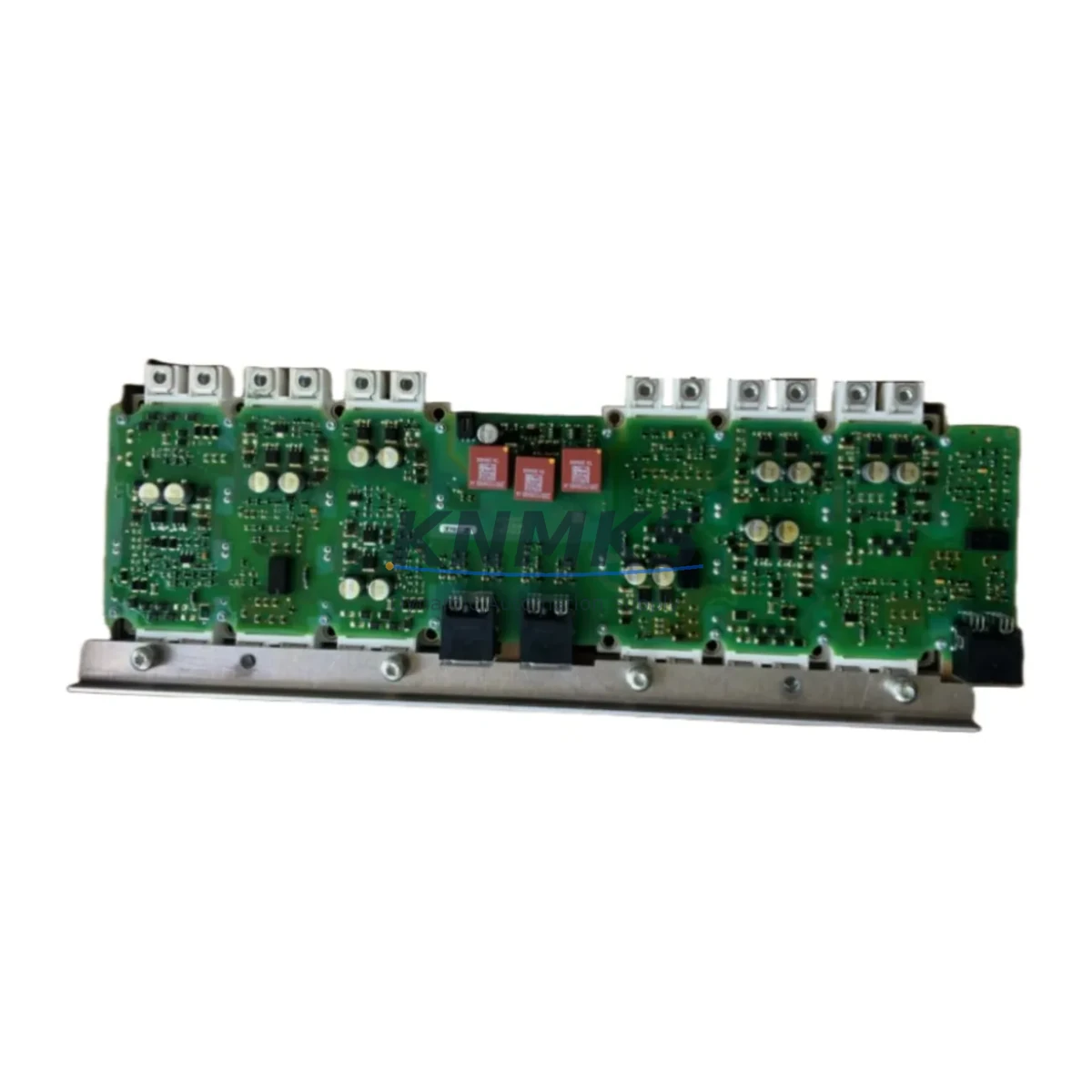
Overview
Siemens A5E35124430 Migration-Ready Digital Output for ET 200SP: Legacy System Retrofit & Compatibility Upgrade
The Siemens A5E35124430 is a SIMATIC ET 200SP Digital Output Module engineered for seamless integration into both active production lines and legacy control system retrofit projects. As industrial facilities face increasing pressure to modernize aging automation infrastructure — particularly systems built around discontinued SIMATIC S5, S7-300, and early S7-400 platforms — the A5E35124430 provides a reliable, drop-in compatible solution that minimizes engineering risk and reduces planned downtime during migration.
This module operates at 24VDC and is designed for installation within the ET 200SP distributed I/O station, which interfaces directly with SIMATIC S7-1500 and S7-1200 controllers via PROFINET. For facilities currently running older PROFIBUS-based architectures, the A5E35124430 is commonly deployed alongside a SIMATIC ET 200SP IM 155-6 PN interface module, enabling a structured migration from PROFIBUS DP to PROFINET without requiring a full control cabinet overhaul in a single maintenance window.
When planning a retrofit involving the A5E35124430, engineers must verify several critical parameters before committing to installation. Power budget calculations for the ET 200SP backplane are essential — each digital output module draws load current from the U-connector power bus, and the total station current must remain within the interface module’s rated supply capacity. Terminal wiring compatibility should be confirmed against the existing field wiring gauge and connector type; the A5E35124430 uses push-in terminal technology, which may require adapter consideration when replacing older screw-terminal modules from the S7-300 SM 322 series.
Backplane slot addressing and module parameterization must be re-validated in TIA Portal when substituting this module into an existing hardware configuration. If the original project was developed in STEP 7 Classic (for S7-300/400 systems), a project migration to TIA Portal V16 or later is typically required before the A5E35124430 can be fully commissioned. During this process, I/O address mapping, process image partition assignments, and diagnostic interrupt configurations should all be reviewed to ensure program logic continuity.
HMI screen updates are frequently overlooked during module-level replacements. If the existing SCADA or WinCC visualization references specific I/O tags tied to the legacy module’s address range, those tag bindings must be updated to reflect the new hardware configuration. This is particularly relevant in facilities where the HMI was originally configured for a SIMATIC S7-300 CPU with onboard digital outputs, and the migration introduces distributed I/O via ET 200SP for the first time.
Communication link integrity is another key validation point. The A5E35124430 relies on a stable PROFINET connection between the ET 200SP station and the S7-1500 CPU. Network topology, switch port configuration, and PROFINET device naming must all be confirmed prior to first power-on. In multi-rack or multi-station environments, the SIMATIC S7-1500 CPU’s PROFINET controller configuration should be reviewed to ensure the new ET 200SP station is correctly assigned and that cycle time requirements are met.
Physical installation space must also be assessed. The ET 200SP system uses a modular, space-efficient form factor, but control cabinet rail space, cable duct routing, and U-connector segment planning all affect the final installation layout. When replacing a larger S7-300 SM 322 digital output module, the physical footprint reduction offered by the ET 200SP platform can free up significant cabinet space — an advantage in retrofit projects where the original cabinet was designed with minimal expansion margin.
Firmware compatibility between the A5E35124430 and the IM 155-6 PN interface module should be verified using the Siemens compatibility matrix available through the TIA Portal hardware catalog. Mismatched firmware versions can cause station startup failures or diagnostic errors that are difficult to trace without access to the original project documentation.
Field commissioning for the A5E35124430 typically involves a structured test sequence: initial power-on diagnostics via TIA Portal online mode, force-table output testing for each channel, and verification of field device response at the actuator level. For safety-critical applications, a formal Factory Acceptance Test (FAT) or Site Acceptance Test (SAT) protocol should be followed before returning the system to production.
Migration Compatibility Table
| Parameter | A5E35124430 (ET 200SP DO) | Legacy Reference (S7-300 SM 322) |
|---|---|---|
| Supply Voltage | 24VDC | 24VDC |
| Output Channels | 8 / 16 (model-dependent) | 8 / 16 / 32 |
| Communication Interface | PROFINET (via IM 155-6 PN) | PROFIBUS DP (via CPU backplane) |
| Terminal Type | Push-in terminal (BaseUnit) | Screw terminal (front connector) |
| Backplane Interface | ET 200SP U-connector bus | S7-300 backplane bus |
| Programming Environment | TIA Portal V15.1+ | STEP 7 Classic / TIA Portal |
| Module Addressing | PROFINET slot-based | Rack/slot-based |
| Diagnostic Support | Channel-level diagnostics | Module-level diagnostics |
| Installation Form Factor | ET 200SP slim rail mount | S7-300 standard rail mount |
| Firmware Compatibility | Verify via TIA Portal catalog | STEP 7 V5.x compatible |
| Replacement Recommendation | Direct retrofit with IM 155-6 PN | Requires PROFINET migration |
| Support terms | 12 Months | — |
Retrofit Planning for Existing Automation Systems
A successful retrofit using the Siemens A5E35124430 requires coordinated planning across hardware, software, and field wiring domains. In practice, most legacy system upgrades involving this module occur within a broader migration from S7-300 or S7-400 platforms to the S7-1500 ecosystem, where the ET 200SP distributed I/O architecture replaces centralized I/O racks.
The SIMATIC ET 200SP IM 155-6 PN ST interface module is the primary companion component for the A5E35124430 in PROFINET-based installations. It provides the PROFINET connection to the S7-1500 CPU and manages power distribution across the ET 200SP station. When planning the station layout, engineers should account for the BaseUnit type required for each I/O module — the A5E35124430 requires a compatible BaseUnit (BU type A0 or equivalent) that matches the module’s terminal and bus connector configuration.
Power supply selection is critical in retrofit projects. The SITOP PSU8200 or equivalent 24VDC stabilized power supply is commonly specified to ensure stable load voltage for the ET 200SP station, particularly in environments where the existing power infrastructure was sized for older, less efficient module generations. In high-channel-count installations, a SIMATIC ET 200SP power supply module may also be required to segment the U-connector bus and manage inrush current during station startup.
For facilities migrating from PROFIBUS DP architectures, a SIMATIC PN/DP coupler or a CPU with integrated PROFIBUS master port may be required during the transition period to maintain communication with legacy field devices that cannot be immediately replaced. This hybrid approach allows the A5E35124430 and other ET 200SP modules to be commissioned on the new PROFINET network while legacy PROFIBUS devices remain operational on the existing network segment.
Signal isolation requirements should be evaluated when the A5E35124430 is used to drive actuators in environments with high electrical noise or long cable runs. In such cases, a SIMATIC S7 signal isolator or third-party DIN-rail isolator module may be inserted between the digital output channel and the field device to protect the module from voltage transients and ground loops.
Programming cable and laptop configuration for TIA Portal commissioning should be prepared in advance. A standard PROFINET Ethernet connection from the engineering station to the S7-1500 CPU is sufficient for online diagnostics and force-table testing. For sites without permanent network infrastructure, a direct Ethernet crossover connection or a portable managed switch can be used during the commissioning phase.
Downtime Control During System Migration
Minimizing production downtime is the primary operational constraint in any legacy system retrofit involving the Siemens A5E35124430. A structured migration approach — combining pre-commissioning validation, parallel testing, and phased cutover — can reduce planned downtime to a single maintenance window in most applications.
Before the cutover window begins, the replacement hardware should be fully staged and tested offline. This includes loading the migrated TIA Portal project onto the S7-1500 CPU, verifying the ET 200SP station configuration in simulation mode, and confirming that all I/O addresses, diagnostic settings, and safety interlocks are correctly mapped. Any discrepancies identified during offline testing should be resolved before the production system is taken offline.
During the cutover, the original program logic should be preserved in its entirety and transferred to the new platform with minimal modification. Where address remapping is required due to differences between the legacy module’s I/O range and the A5E35124430’s assigned PROFINET slot addresses, a structured address translation table should be prepared and reviewed by the responsible automation engineer before implementation.
Field wiring continuity should be maintained throughout the physical module swap. Where possible, existing field cables should be re-terminated directly onto the new ET 200SP BaseUnit terminals, avoiding the need for intermediate junction boxes or additional cable extensions. This approach preserves the original wiring documentation and reduces the risk of miswiring during the cutover.
Post-cutover validation should follow a defined test sequence: CPU startup diagnostics, ET 200SP station online status confirmation, channel-by-channel output forcing, and actuator response verification at the field level. Once all outputs are confirmed operational, the system should be returned to automatic mode under operator supervision for an initial monitoring period before full production restart.
Maintaining a spare A5E35124430 module on-site after the retrofit is strongly recommended. Given the extended lead times that can affect industrial automation components, having a pre-configured spare reduces the risk of extended downtime in the event of a future module failure. Our inventory includes tested, support terms-covered units available for immediate dispatch.
Retrofit Support FAQ
Q1: Can the A5E35124430 directly replace an S7-300 SM 322 digital output module without hardware changes?
A: Not as a direct drop-in replacement. The A5E35124430 is an ET 200SP module and requires an ET 200SP station with a compatible IM 155-6 PN interface module and BaseUnit. However, it is the recommended migration path for facilities upgrading from S7-300 to S7-1500 with PROFINET distributed I/O. Wiring adaptation at the terminal level is required, and the TIA Portal project must be updated to reflect the new hardware configuration.
Q2: What commissioning steps are required after installing the A5E35124430 in a retrofit application?
A: Key commissioning steps include: (1) verifying the ET 200SP station configuration in TIA Portal matches the physical module layout; (2) confirming PROFINET device name and IP address assignment; (3) performing a CPU download and online diagnostics check; (4) executing a channel-by-channel force test to verify field wiring continuity; and (5) confirming actuator response at the field level before returning to automatic mode.
Q3: Is the A5E35124430 compatible with both S7-1500 and S7-1200 controllers?
A: Yes. The A5E35124430, as part of the ET 200SP distributed I/O system, is compatible with both SIMATIC S7-1500 and S7-1200 CPUs that support PROFINET IO controller functionality. Compatibility should be verified against the specific CPU firmware version and TIA Portal project version using the Siemens hardware compatibility matrix.
Q4: What support terms and supply terms apply to the A5E35124430 units available through your inventory?
A: All A5E35124430 units supplied through our inventory are covered by a support terms confirmed by quotation from the date of shipment. Units are pre-tested prior to dispatch and include basic functional verification documentation. We maintain stock for immediate shipment to support urgent retrofit and breakdown replacement requirements. Contact our sales team for current availability and lead time confirmation.
© 2026 KNMKS. All rights reserved.
Original Source: https://knmks.com
Contact: admin@knmks.com | +86 18359268345
Product Identification
- Brand / Ecosystem
-
SIEMENS
Siemens - Model / Series
- A5E35124430
- Product Family
- PLCs & Controllers
- Availability Status
- Available on request after model and quantity confirmation
- Inquiry Type
- B2B RFQ, replacement inquiry and project spare-part request
- Pre-Quote Check
- Exact SKU, brand, series, quantity, nameplate photos and destination country are checked before quotation
System Path
Where this product fits in the KNMKS automation structure.
Specification & Inquiry Focus
- Control platform
- PLC, PAC and modular controllers
- Common needs
- CPU, rack, power and I/O expansion
- Project support
- Replacement, cabinet build and maintenance
Buyer Confirmation
Information KNMKS checks before replying.
- Exact model
- A5E35124430
- Brand / ecosystem
- SIEMENS
- Product family
- PLCs & Controllers
- Application note
- Replacement, maintenance, project build or spare-part list
- Useful photos
- Nameplate, installed unit, cabinet layout or connector side
- Delivery details
- Quantity, destination country and target schedule
Document Support
Files and notes can be confirmed during quotation.
- Product photos or nameplate confirmation when available
- Packing and delivery notes before quotation confirmation
- Support scope and delivery terms confirmed per inquiry
- Export document coordination for qualified B2B requests
Inquiry Support
- Model cross-checking before quotation
- CPU, power, rack and expansion module matching
- Support for replacement and project inquiry
What to Send Us
- Brand and exact model number: SIEMENS A5E35124430
- Quantity and required delivery time
- Application, replacement requirement or nameplate photo
- Destination country and shipping preference
RFQ Preparation
This is a product inquiry page built for RFQ communication.
Fast Model Check
Send this model to KNMKS for confirmation.
Include quantity, destination country and photos if this is a maintenance replacement. The inquiry will be saved with a reference number after submission.
Brand & Compatibility Note
KNMKS displays automation product information for well-known industrial brand ecosystems and compatible replacement references. Brand names are used for product identification and compatibility reference only; final availability and commercial terms are confirmed per quotation.
 Manufacturing
 Machine Tools
 Packaging
 Energy & Power



 HMI & Displays
 Servo Systems
 Variable Frequency Drives
 Sensors