
Overview
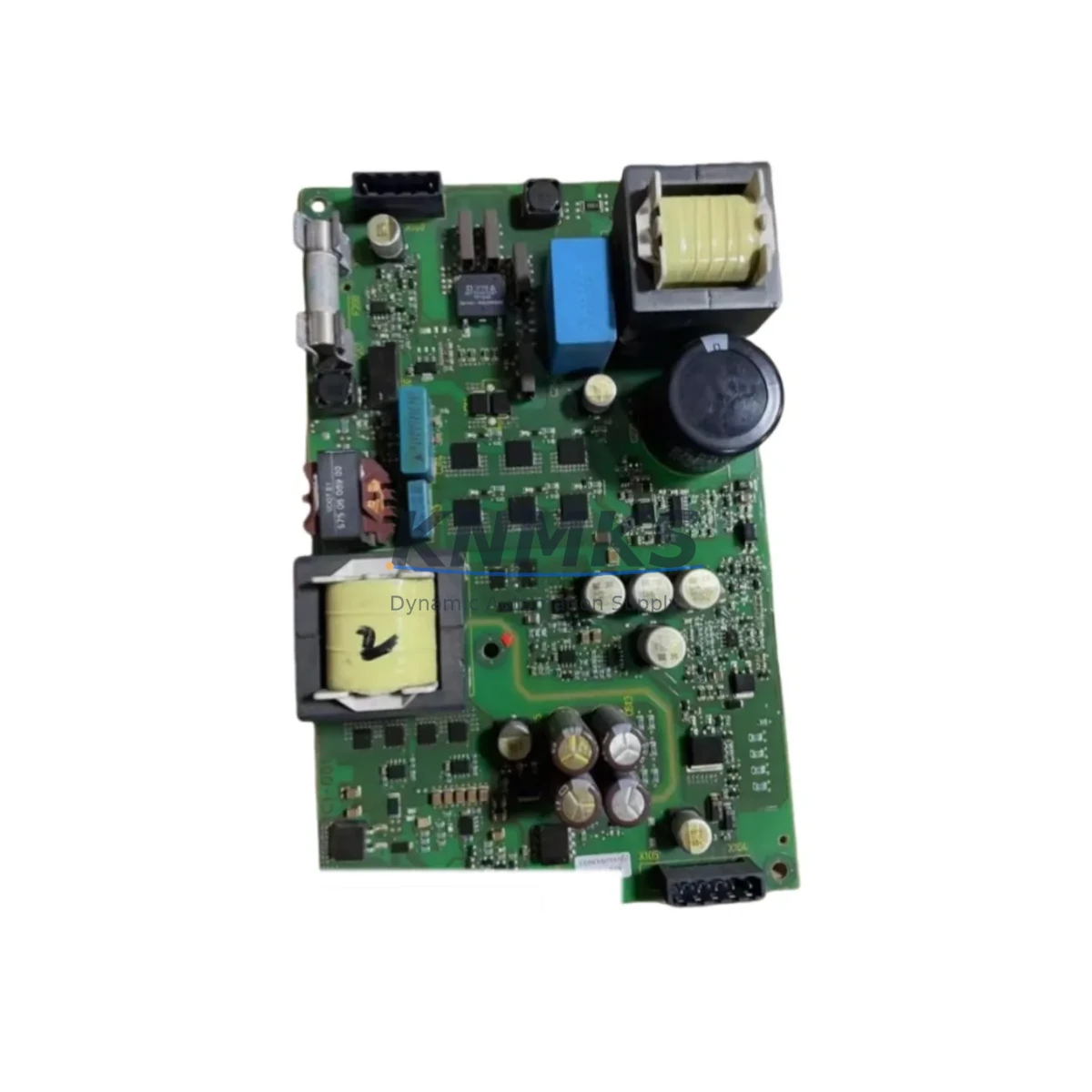
Siemens A5E03712834 Maintenance-Proven Spare Part for ET 200
The Siemens A5E03712834 is an original digital input (DI) module designed for the SIMATIC ET 200 distributed I/O platform — one of the most widely deployed field-level automation systems in global manufacturing, process, and utilities industries. For maintenance engineers managing aging SIMATIC installations, this module represents a critical spare that directly determines whether a production line resumes within minutes or remains idle for hours. Stocking the A5E03712834 as a verified, tested replacement is a foundational element of any responsible preventive maintenance and emergency response strategy.
Whether you are managing a high-speed packaging line, a chemical dosing station, a water treatment facility, or a discrete assembly cell, the ET 200 distributed I/O architecture depends on reliable digital input acquisition at the field level. A failed or degraded DI module can silently corrupt process data, trigger nuisance faults, or cause complete station shutdowns. Sourcing the A5E03712834 from a verified supplier with pre-shipment testing and a support terms confirmed by quotation eliminates the procurement risk that often extends downtime beyond the initial fault.
Spare Maintenance Table
| Parameter | Specification |
|---|---|
| Part Number / SKU | A5E03712834 |
| Brand | Siemens |
| Series | SIMATIC ET 200 |
| Module Type | Digital Input (DI) Module |
| Compatible Platform | SIMATIC ET 200SP / ET 200M / S7-1500 distributed I/O |
| Input Voltage Range | 24 V DC (nominal), IEC 61131-2 Type 3 compliant |
| Number of Channels | 8 DI (typical for this module class) |
| Signal Isolation | Optocoupler-isolated inputs, group isolation per channel block |
| Backplane Interface | ET 200SP BaseUnit / ET 200M rack-compatible |
| Operating Temperature | 0 °C to +60 °C (horizontal installation) |
| Protection Rating | IP20 |
| Certifications | CE, UL, cULus, ATEX (zone 2 capable variants) |
| Country of Origin | Germany |
| Support terms | 12 Months from shipment date |
| Pre-Shipment Testing | Function-verified before dispatch |
| Availability | availability confirmed by RFQ — ready for immediate dispatch |
| Long-Term Supply | Multi-region stock maintained for ongoing procurement |
Maintenance Planning for Continuous Operation
When a digital input module such as the A5E03712834 is flagged during routine control cabinet inspection or fails during a production shift, experienced maintenance engineers know that the fault rarely exists in isolation. A thorough site assessment should extend beyond the module itself to the surrounding electrical and communication infrastructure.
Begin by verifying the 24 V DC supply rail feeding the ET 200 station. A degraded or undersized power supply module — such as the Siemens SITOP PSU100S or equivalent 24 V regulated supply — can cause intermittent input faults that mimic module failure. Confirm that the supply voltage is within tolerance under full load before condemning the DI module. Simultaneously, inspect the terminal block wiring and field cable connections at the BaseUnit. Loose or corroded terminals on the ET 200SP BaseUnit BU15-P16+A0+2D or equivalent are a common root cause of channel-level input errors.
For stations integrated into a PROFINET or PROFIBUS network, check the communication module — typically a Siemens IM 155-6 PN interface module for ET 200SP — for firmware version compatibility and network diagnostics. A communication module running outdated firmware may misreport DI module status or fail to pass diagnostic alarms to the S7-1500 or S7-300 CPU, masking the true fault source. If the station includes analog input modules alongside the digital inputs, verify that signal isolators or barriers protecting 4–20 mA loops are functioning correctly, as ground loops can induce false digital states on adjacent DI channels.
Relay output modules in the same cabinet — such as Siemens SM 522 relay output modules or equivalent ET 200 DO relay variants — should be inspected for contact wear if the DI module is monitoring relay feedback signals. Worn relay contacts produce erratic feedback that can be misdiagnosed as a DI module fault. Additionally, check the backplane bus connector integrity and any installed fuse protection elements within the ET 200 rack. A blown channel fuse or a degraded bus module can disable an entire group of I/O channels without triggering a clear hardware fault code.
For facilities running HMI panels connected to the same PLC network — such as Siemens SIMATIC HMI TP700 Comfort or similar operator panels — confirm that alarm displays and process visualizations correctly reflect the restored I/O status after module replacement. Residual alarm states in the HMI can cause operators to misinterpret system readiness after a successful repair.
Site Replacement Workflow
Replacing the A5E03712834 on a live ET 200 station requires a structured approach to minimize downtime and avoid secondary faults. Begin by placing the affected station in a safe state through the PLC program — use the CPU’s diagnostic buffer to confirm the exact slot and channel reporting the fault before physical intervention. For ET 200SP systems, the hot-swap capability of the BaseUnit design allows module replacement without powering down the entire station in many configurations, significantly reducing mean time to repair (MTTR).
Remove the faulty module by releasing the locking mechanism on the BaseUnit and sliding the module free. Insert the A5E03712834 replacement, ensuring the module snaps fully into the BaseUnit connector. The ET 200SP system will automatically detect the new module and restore channel operation without requiring manual address reassignment, provided the replacement module matches the original module type and parameter set stored in the CPU project. If the replacement module type differs from the original configuration, use TIA Portal to update the hardware configuration and download the revised project to the CPU before resuming production.
After replacement, perform a channel-by-channel functional test by activating each field device connected to the DI inputs and confirming correct signal acquisition in the PLC diagnostic view or HMI. Document the replacement in the site maintenance log, including the date, replaced part number, and post-replacement test results. This record supports support requests and provides traceability for future audits. For facilities with annual maintenance windows, consider replacing all DI modules of the same age cohort simultaneously to prevent cascading failures during peak production periods.
Spare Parts Support FAQ
Q1: Is the A5E03712834 compatible with both ET 200SP and ET 200M platforms?
The A5E03712834 is an ET 200 series digital input module. Compatibility depends on the specific BaseUnit or rack configuration at your site. Please confirm your ET 200 station type (ET 200SP, ET 200M, or ET 200pro) and the existing BaseUnit part number before ordering. Our technical team can verify compatibility based on your TIA Portal hardware configuration or existing rack layout.
Q2: What pre-shipment testing is performed on the A5E03712834?
Every unit undergoes functional verification prior to dispatch, including input channel continuity checks, isolation resistance testing, and backplane interface validation. Units that do not pass testing are not shipped. A test report is available upon request for critical procurement applications.
Q3: What is the support terms coverage and what does it include?
All A5E03712834 units supplied by KNMKS carry a support terms confirmed by quotation from the shipment date. The support terms covers manufacturing defects and functional failures under normal operating conditions. It does not cover damage resulting from incorrect installation, overvoltage events, or environmental exposure beyond the module’s rated operating range. Support requests are processed promptly with replacement or refund options.
Q4: Can KNMKS support long-term or blanket order procurement for the A5E03712834?
Yes. KNMKS maintains multi-region stock of the A5E03712834 and related ET 200 spare parts to support ongoing maintenance programs, annual shutdown kits, and blanket purchase orders. For facilities managing large SIMATIC ET 200 installations, we recommend establishing a standing spare parts agreement to ensure availability during peak demand periods and to lock in pricing against market fluctuations. Contact our procurement team to discuss volume pricing and scheduled delivery arrangements.
© 2026 KNMKS. All rights reserved.
Original Source: https://knmks.com
Contact: admin@knmks.com | +86 18359268345
Product Identification
- Brand / Ecosystem
-
Siemens
Siemens - Model / Series
- A5E03712834
- Product Family
- PLCs & Controllers
- Availability Status
- Available on request after model and quantity confirmation
- Inquiry Type
- B2B RFQ, replacement inquiry and project spare-part request
- Pre-Quote Check
- Exact SKU, brand, series, quantity, nameplate photos and destination country are checked before quotation
System Path
Where this product fits in the KNMKS automation structure.
Specification & Inquiry Focus
- Control platform
- PLC, PAC and modular controllers
- Common needs
- CPU, rack, power and I/O expansion
- Project support
- Replacement, cabinet build and maintenance
Buyer Confirmation
Information KNMKS checks before replying.
- Exact model
- A5E03712834
- Brand / ecosystem
- Siemens
- Product family
- PLCs & Controllers
- Application note
- Replacement, maintenance, project build or spare-part list
- Useful photos
- Nameplate, installed unit, cabinet layout or connector side
- Delivery details
- Quantity, destination country and target schedule
Document Support
Files and notes can be confirmed during quotation.
- Product photos or nameplate confirmation when available
- Packing and delivery notes before quotation confirmation
- Support scope and delivery terms confirmed per inquiry
- Export document coordination for qualified B2B requests
Inquiry Support
- Model cross-checking before quotation
- CPU, power, rack and expansion module matching
- Support for replacement and project inquiry
What to Send Us
- Brand and exact model number: Siemens A5E03712834
- Quantity and required delivery time
- Application, replacement requirement or nameplate photo
- Destination country and shipping preference
RFQ Preparation
This is a product inquiry page built for RFQ communication.
Fast Model Check
Send this model to KNMKS for confirmation.
Include quantity, destination country and photos if this is a maintenance replacement. The inquiry will be saved with a reference number after submission.
Brand & Compatibility Note
KNMKS displays automation product information for well-known industrial brand ecosystems and compatible replacement references. Brand names are used for product identification and compatibility reference only; final availability and commercial terms are confirmed per quotation.
 Manufacturing
 Machine Tools
 Packaging
 Energy & Power



 HMI & Displays
 Servo Systems
 Variable Frequency Drives
 Sensors