
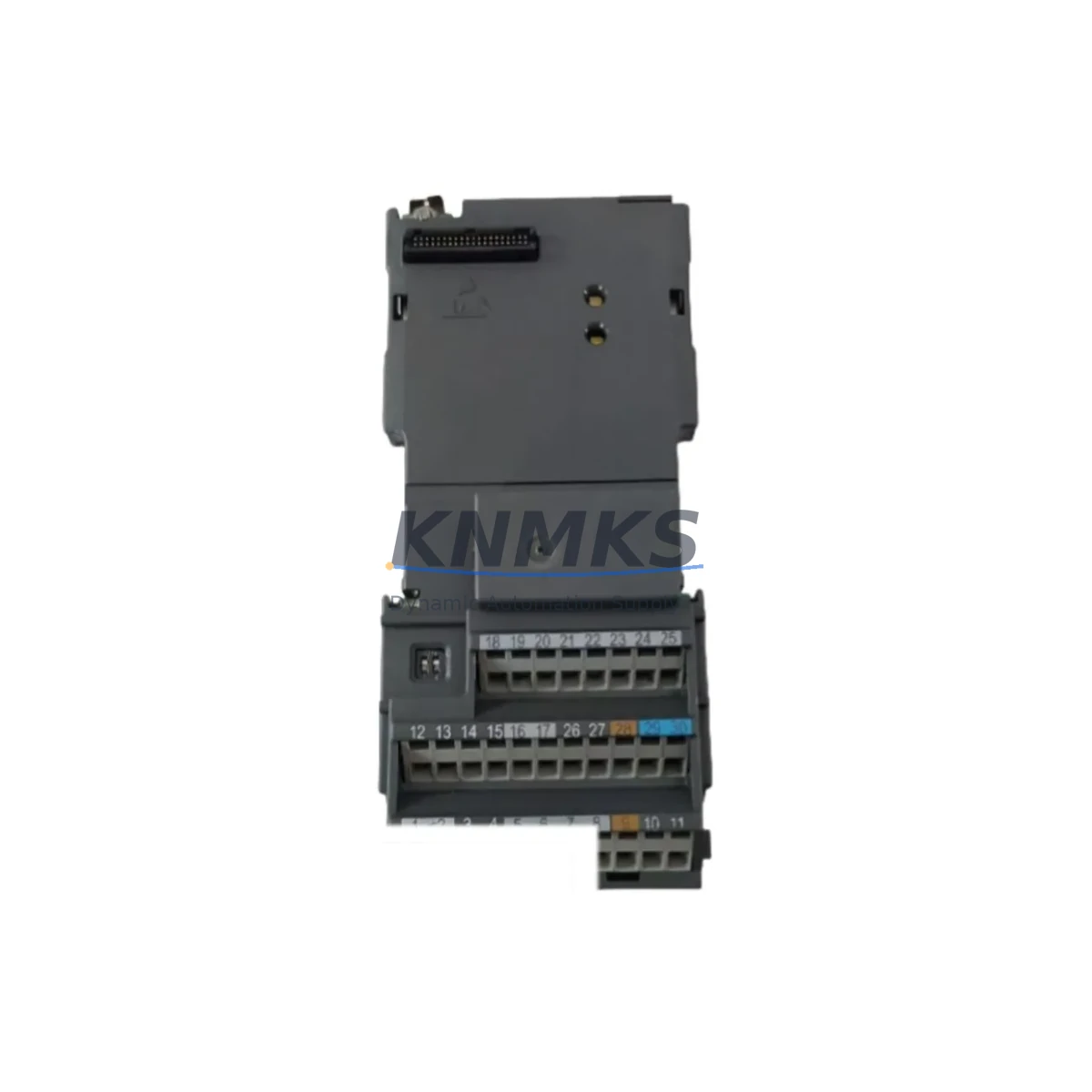
Overview
Siemens A5E02490424 Maintenance-Proven Spare Part for Factory Uptime
The Siemens A5E02490424 is a field-proven I/O module designed for the SIMATIC ET 200 distributed I/O family — one of the most widely deployed automation platforms in discrete manufacturing, process control, and utility infrastructure worldwide. For maintenance engineers managing aging control systems, and procurement engineers building resilient spare parts inventories, the A5E02490424 represents a critical line-replaceable unit (LRU) that directly impacts production continuity and mean time to repair (MTTR).
Whether you are responding to an unplanned fault, executing a scheduled annual overhaul, or proactively stocking your control cabinet spares kit, sourcing a verified original A5E02490424 from a reliable supplier with documented testing and a support terms confirmed by quotation is the lowest-risk path to restoring and sustaining factory uptime. KNMKS maintains ready stock of this module with pre-shipment functional verification, ensuring that what arrives on-site is ready to install — not a source of additional troubleshooting.
Spare Maintenance Table
| Parameter | Specification / Detail |
|---|---|
| Part Number | A5E02490424 |
| Brand | Siemens |
| Series | SIMATIC ET 200 |
| Module Type | I/O Module (Digital/Analog, ET 200 distributed I/O) |
| Product Type | PLC I/O Module |
| Origin | Germany (DE) |
| Compatibility | SIMATIC ET 200S / ET 200M / ET 200SP series racks and backplanes; PROFIBUS-DP and PROFINET configurations |
| Installation | DIN rail mount; plug-in terminal block; hot-swap capable on supported ET 200 variants |
| Operating Voltage | 24 V DC (nominal); refer to OEM datasheet for exact supply range |
| Application Environment | Industrial automation, process control, discrete manufacturing, utility infrastructure |
| Maintenance Recommendation | Inspect terminal connections and backplane contacts during annual overhaul; replace if response time degradation or intermittent I/O faults are logged |
| Pre-Shipment Testing | Functional verification performed before dispatch |
| Support terms | 12 Months |
| Shipping | Global express; ready stock available |
Maintenance Planning for Continuous Operation
Replacing the A5E02490424 in isolation rarely resolves the root cause of a control system fault. Experienced maintenance engineers know that an I/O module failure in an ET 200 station is frequently accompanied by — or caused by — degradation in adjacent components. A disciplined replacement workflow should include inspection of the following:
Power Supply Module: Verify the 24 V DC rail feeding the ET 200 station. A sagging or noisy supply — such as a Siemens SITOP PSU100S or equivalent — can cause intermittent I/O errors that mimic module failure. Measure supply voltage under load before condemning the A5E02490424.
Backplane and Bus Connector: The ET 200 backplane carries both power and PROFIBUS/PROFINET communication. Inspect bus connectors and backplane contacts for oxidation, mechanical damage, or loose seating. A faulty backplane segment can cause cascading I/O faults across multiple modules.
Terminal Blocks and Field Wiring: Loose or corroded terminal connections are a leading cause of intermittent I/O signals. During replacement, re-torque all field wiring terminals to specification and inspect for insulation damage or moisture ingress — particularly in environments with vibration or thermal cycling.
Communication Interface Module (IM): The ET 200 interface module — for example, a Siemens IM 151 or IM 155 series — manages all data exchange between the I/O station and the PLC CPU. If the IM is logging communication errors or showing degraded cycle times, it should be evaluated alongside the I/O module replacement.
Relay Output Modules and Signal Isolators: Where the A5E02490424 drives relay outputs or interfaces with signal isolation barriers, inspect relay contact wear and isolator calibration. Degraded relay modules in the same ET 200 rack can introduce ground loops or signal noise that affects I/O accuracy.
Fuses and Protective Devices: Check all fuse elements in the 24 V DC distribution circuit serving the ET 200 station. A blown or weakened fuse — even one that has not fully opened — can cause voltage drops that trigger module faults. Replace any suspect fuse elements as part of the corrective maintenance action.
Maintaining a minimum of one A5E02490424 in your on-site spare parts kit, alongside a matched IM module and a set of terminal block spares, is the recommended inventory posture for facilities running SIMATIC ET 200 in critical production roles.
Site Replacement Workflow
The A5E02490424 is designed for straightforward field replacement, minimizing the skill level required and reducing mean time to repair. Follow this sequence to ensure a safe, compatible, and efficient swap:
1. Isolate and Document: Before removal, record the current I/O configuration, address assignments, and any parameter settings stored in the module or the PLC project. Export the STEP 7 or TIA Portal hardware configuration for reference. De-energize the ET 200 station following your site lockout/tagout procedure.
2. Remove the Faulty Module: Disconnect field wiring terminal blocks (if plug-in type) and release the module from the backplane. Inspect the backplane connector for damage before installing the replacement.
3. Install the A5E02490424: Seat the new module firmly onto the backplane until the locking mechanism engages. Reconnect terminal blocks and verify wiring integrity. The ET 200 platform supports parameter download from the PLC CPU on power-up, eliminating the need for manual module configuration in most installations.
4. Restore Power and Verify: Re-energize the station and monitor the PLC diagnostic buffer for any residual faults. Confirm all I/O channels are responding correctly in the STEP 7 or TIA Portal online view before returning the system to production.
5. Compatibility Note: The A5E02490424 is a direct replacement for the same SKU in all supported ET 200 rack configurations. If you are migrating from an older hardware revision, verify firmware compatibility with your IM module and PLC CPU version before installation. KNMKS technical support can assist with compatibility confirmation prior to shipment.
Spare Parts Support FAQ
Q1: Is the A5E02490424 a new original part or a refurbished unit?
All A5E02490424 units supplied by KNMKS are sourced as original Siemens spare parts. Each unit undergoes pre-shipment functional verification. A support terms confirmed by quotation is provided from the date of shipment, covering manufacturing defects and functional failures under normal operating conditions.
Q2: How do I confirm compatibility with my existing ET 200 installation before ordering?
Provide your ET 200 station type (ET 200S, ET 200M, or ET 200SP), your IM module part number, and your PLC CPU model to KNMKS sales at admin@knmks.com. Our technical team will confirm compatibility and advise on any firmware or hardware revision considerations before the order is placed.
Q3: What is the recommended inventory quantity for a facility running multiple ET 200 stations?
For facilities with three or more ET 200 stations in critical production roles, a minimum of two A5E02490424 units on-site is recommended. For high-availability lines or 24/7 operations, consider a blanket order arrangement with KNMKS to ensure priority allocation and fixed pricing over a 12-month horizon.
Q4: Can KNMKS support long-term supply for legacy SIMATIC ET 200 systems?
Yes. KNMKS maintains dedicated stock for legacy and current-generation Siemens SIMATIC components, including the A5E02490424 and related ET 200 series modules. Long-term supply agreements, scheduled delivery programs, and multi-unit pricing are available. Contact admin@knmks.com or call +86 18359268345 to discuss your facility’s requirements.
© 2026 KNMKS. All rights reserved.
Original Source: https://knmks.com
Contact: admin@knmks.com | +86 18359268345
Product Identification
- Brand / Ecosystem
-
Siemens
Siemens - Model / Series
- A5E02490424
- Product Family
- PLCs & Controllers
- Availability Status
- Available on request after model and quantity confirmation
- Inquiry Type
- B2B RFQ, replacement inquiry and project spare-part request
- Pre-Quote Check
- Exact SKU, brand, series, quantity, nameplate photos and destination country are checked before quotation
System Path
Where this product fits in the KNMKS automation structure.
Specification & Inquiry Focus
- Control platform
- PLC, PAC and modular controllers
- Common needs
- CPU, rack, power and I/O expansion
- Project support
- Replacement, cabinet build and maintenance
Buyer Confirmation
Information KNMKS checks before replying.
- Exact model
- A5E02490424
- Brand / ecosystem
- Siemens
- Product family
- PLCs & Controllers
- Application note
- Replacement, maintenance, project build or spare-part list
- Useful photos
- Nameplate, installed unit, cabinet layout or connector side
- Delivery details
- Quantity, destination country and target schedule
Document Support
Files and notes can be confirmed during quotation.
- Product photos or nameplate confirmation when available
- Packing and delivery notes before quotation confirmation
- Support scope and delivery terms confirmed per inquiry
- Export document coordination for qualified B2B requests
Inquiry Support
- Model cross-checking before quotation
- CPU, power, rack and expansion module matching
- Support for replacement and project inquiry
What to Send Us
- Brand and exact model number: Siemens A5E02490424
- Quantity and required delivery time
- Application, replacement requirement or nameplate photo
- Destination country and shipping preference
RFQ Preparation
This is a product inquiry page built for RFQ communication.
Fast Model Check
Send this model to KNMKS for confirmation.
Include quantity, destination country and photos if this is a maintenance replacement. The inquiry will be saved with a reference number after submission.
Brand & Compatibility Note
KNMKS displays automation product information for well-known industrial brand ecosystems and compatible replacement references. Brand names are used for product identification and compatibility reference only; final availability and commercial terms are confirmed per quotation.
 Manufacturing
 Machine Tools
 Packaging
 Energy & Power



 HMI & Displays
 Servo Systems
 Variable Frequency Drives
 Sensors