
Overview
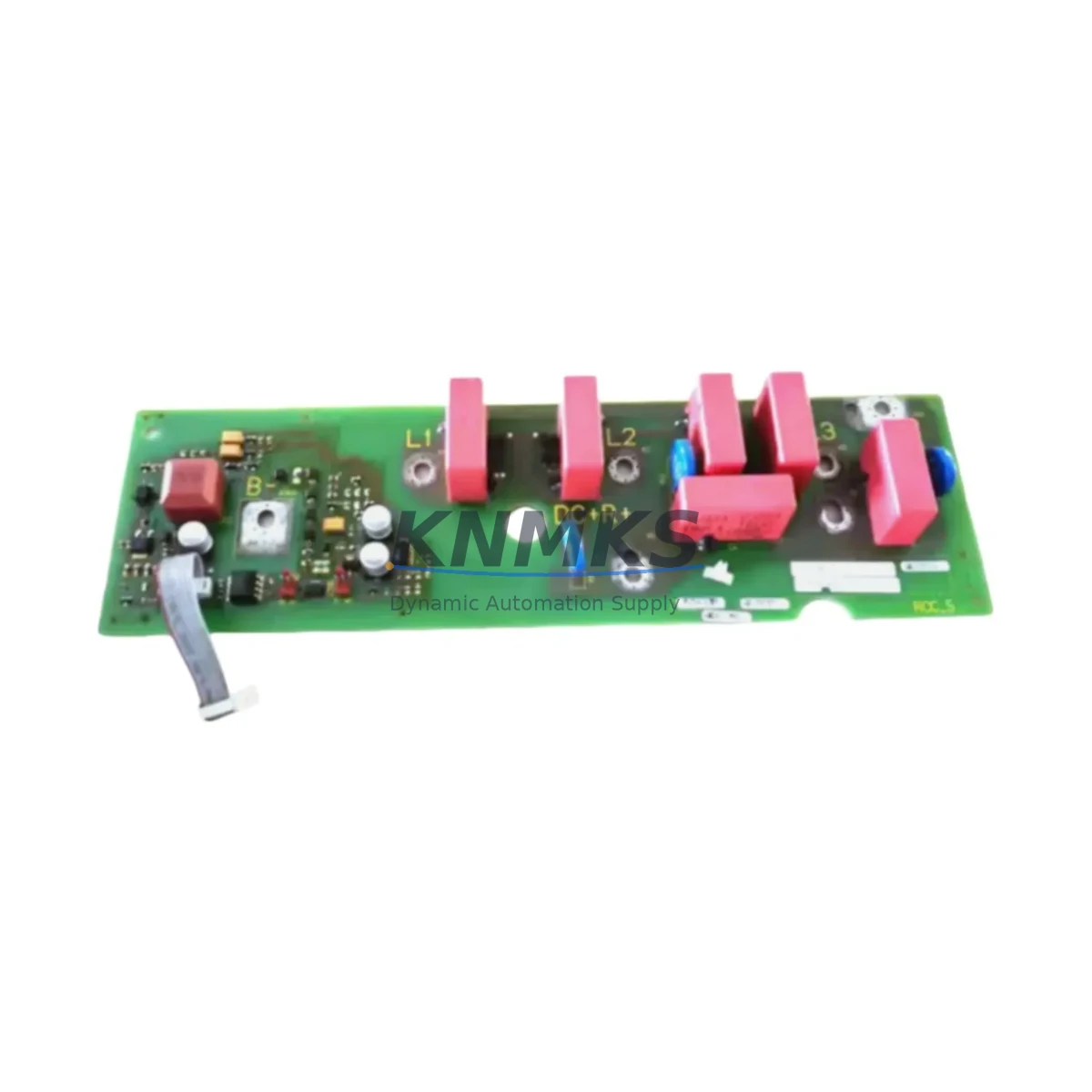
Siemens A5E02268102 Maintenance-Proven Spare Part for Factory Uptime
The Siemens A5E02268102 is a SIMATIC NET Communications Processor (CP) module designed for seamless integration within Siemens S7-300 and S7-400 PLC systems. As a critical network interface component, this CP module enables reliable Industrial Ethernet or PROFIBUS communication between the controller and the broader automation network. For maintenance engineers managing aging SIMATIC installations, securing a verified replacement A5E02268102 is essential to minimizing unplanned downtime and sustaining production continuity.
At KNMKS, every A5E02268102 unit is sourced from authorized supply channels, subjected to pre-shipment functional testing, and backed by a support terms confirmed by quotation. Whether you are executing a planned annual overhaul, responding to an emergency communication fault, or building a strategic spare parts buffer for your control cabinet, this module ships ready for immediate installation.
Spare Maintenance Table
| Parameter | Specification |
|---|---|
| Part Number / SKU | A5E02268102 |
| Brand | Siemens |
| Series | SIMATIC NET / S7-300 / S7-400 |
| Module Type | Communications Processor (CP) |
| Communication Interface | Industrial Ethernet / PROFIBUS (series-dependent) |
| Compatible Systems | SIMATIC S7-300, S7-400 PLC Racks |
| Mounting | DIN Rail / Backplane Slot (S7-300/400 standard) |
| Operating Temperature | 0 °C to +60 °C (standard industrial range) |
| Origin | Germany |
| Condition | Original Spare — Pre-shipment Tested |
| Support terms | 12 Months |
| Shipping | Express available; worldwide delivery |
Maintenance Planning for Continuous Operation
When a SIMATIC NET CP module such as the A5E02268102 is flagged during routine control cabinet inspection or fails during a production shift, the fault rarely exists in isolation. Experienced maintenance engineers know that a communication processor failure often signals stress across adjacent components in the same electrical circuit and backplane.
During any replacement of the A5E02268102, it is best practice to simultaneously inspect the S7-300 power supply module (PS 307) that feeds the rack — voltage sag or ripple is a common root cause of CP module degradation. The CPU module (such as a CPU 315-2 DP or CPU 317-2 PN/DP) should be checked for firmware integrity and communication parameter consistency after the CP swap. If the system uses PROFIBUS DP topology, inspect the bus connector termination resistors and the PROFIBUS cable shielding at both ends of the segment — poor shielding is a frequent source of intermittent CP faults that are misdiagnosed as module failure.
For plants running Industrial Ethernet segments, verify the managed switch port configuration (e.g., a Siemens SCALANCE X series switch) and check for duplex mismatch or VLAN misconfiguration that may have contributed to the CP fault. The IM (Interface Module) used for rack expansion should also be inspected if the A5E02268102 is installed in an expansion rack — a degraded IM 360/361 pair can cause intermittent backplane communication errors that manifest as CP module faults.
Procurement engineers building annual MRO spare parts lists for SIMATIC S7-300/400 installations should consider stocking the A5E02268102 alongside the SM 321/322 digital I/O modules and SM 331/332 analog I/O modules relevant to their process, as these are the most frequently replaced components in the same control cabinet during scheduled overhauls. Maintaining at least one CP module in reserve eliminates the 2–6 week lead time risk associated with sourcing obsolete or end-of-life SIMATIC NET components on short notice.
Site Replacement Workflow
Step 1 — Isolation & Safety: Place the affected PLC rack in STOP mode via the CPU mode selector. Isolate the rack power supply and follow LOTO (Lockout/Tagout) procedures before opening the control cabinet.
Step 2 — Documentation: Record the existing CP module’s slot position, PROFIBUS address or IP address configuration, and any subnet parameters using STEP 7 or TIA Portal before removal. Take a photograph of the wiring and bus connector orientation.
Step 3 — Module Removal: Disconnect the PROFIBUS connector or Ethernet cable from the A5E02268102. Release the module locking mechanism and slide it out of the backplane slot. Inspect the backplane connector pins for corrosion or mechanical damage.
Step 4 — Replacement Installation: Insert the new A5E02268102 into the same slot. Reconnect the communication cable. Restore power and switch the CPU to RUN mode. Confirm the CP module status LED indicates normal operation (typically green).
Step 5 — Parameter Restore & Verification: Download the original hardware configuration from STEP 7 / TIA Portal to the CPU. Verify network communication is re-established by checking the diagnostic buffer and online device view. Confirm all remote I/O stations and HMI panels (e.g., SIMATIC TP or MP series) are communicating correctly.
Step 6 — Documentation & Spare Replenishment: Log the replacement in the maintenance record. Initiate a purchase order to replenish the spare parts buffer — KNMKS offers long-term supply agreements for SIMATIC NET components to support ongoing MRO programs.
Spare Parts Support FAQ
Q1: Is the A5E02268102 compatible with both S7-300 and S7-400 racks?
Compatibility depends on the specific CP variant within the A5E02268102 product family. Please provide your existing hardware configuration or CPU model when ordering so our technical team can confirm slot and firmware compatibility before shipment.
Q2: How is the A5E02268102 tested before shipping?
Every unit undergoes a pre-shipment functional test covering power-on self-test, communication interface verification, and visual inspection for physical damage. A test report is available upon request. All units are covered by a support terms confirmed by quotation from the date of delivery.
Q3: Can this module replace an end-of-life or discontinued SIMATIC NET CP?
The A5E02268102 is intended as a direct replacement for the same part number. For cross-compatibility with adjacent or successor CP models, our engineering team can advise on parameter migration and any firmware update requirements to ensure seamless system integration without additional downtime.
Q4: What is the lead time and long-term supply availability?
In-stock units ship within 1–3 business days. For customers requiring guaranteed long-term supply for multi-year maintenance contracts or plant-wide MRO programs, KNMKS offers blanket order arrangements and priority allocation to protect against market shortages of legacy SIMATIC NET components.
© 2026 KNMKS. All rights reserved.
Original Source: https://knmks.com
Contact: admin@knmks.com | +86 18359268345
Product Identification
- Brand / Ecosystem
-
Siemens
Siemens - Model / Series
- A5E02268102
- Product Family
- PLCs & Controllers
- Availability Status
- Available on request after model and quantity confirmation
- Inquiry Type
- B2B RFQ, replacement inquiry and project spare-part request
- Pre-Quote Check
- Exact SKU, brand, series, quantity, nameplate photos and destination country are checked before quotation
System Path
Where this product fits in the KNMKS automation structure.
Specification & Inquiry Focus
- Control platform
- PLC, PAC and modular controllers
- Common needs
- CPU, rack, power and I/O expansion
- Project support
- Replacement, cabinet build and maintenance
Buyer Confirmation
Information KNMKS checks before replying.
- Exact model
- A5E02268102
- Brand / ecosystem
- Siemens
- Product family
- PLCs & Controllers
- Application note
- Replacement, maintenance, project build or spare-part list
- Useful photos
- Nameplate, installed unit, cabinet layout or connector side
- Delivery details
- Quantity, destination country and target schedule
Document Support
Files and notes can be confirmed during quotation.
- Product photos or nameplate confirmation when available
- Packing and delivery notes before quotation confirmation
- Support scope and delivery terms confirmed per inquiry
- Export document coordination for qualified B2B requests
Inquiry Support
- Model cross-checking before quotation
- CPU, power, rack and expansion module matching
- Support for replacement and project inquiry
What to Send Us
- Brand and exact model number: Siemens A5E02268102
- Quantity and required delivery time
- Application, replacement requirement or nameplate photo
- Destination country and shipping preference
RFQ Preparation
This is a product inquiry page built for RFQ communication.
Fast Model Check
Send this model to KNMKS for confirmation.
Include quantity, destination country and photos if this is a maintenance replacement. The inquiry will be saved with a reference number after submission.
Brand & Compatibility Note
KNMKS displays automation product information for well-known industrial brand ecosystems and compatible replacement references. Brand names are used for product identification and compatibility reference only; final availability and commercial terms are confirmed per quotation.
 Manufacturing
 Machine Tools
 Packaging
 Energy & Power



 HMI & Displays
 Servo Systems
 Variable Frequency Drives
 Sensors