
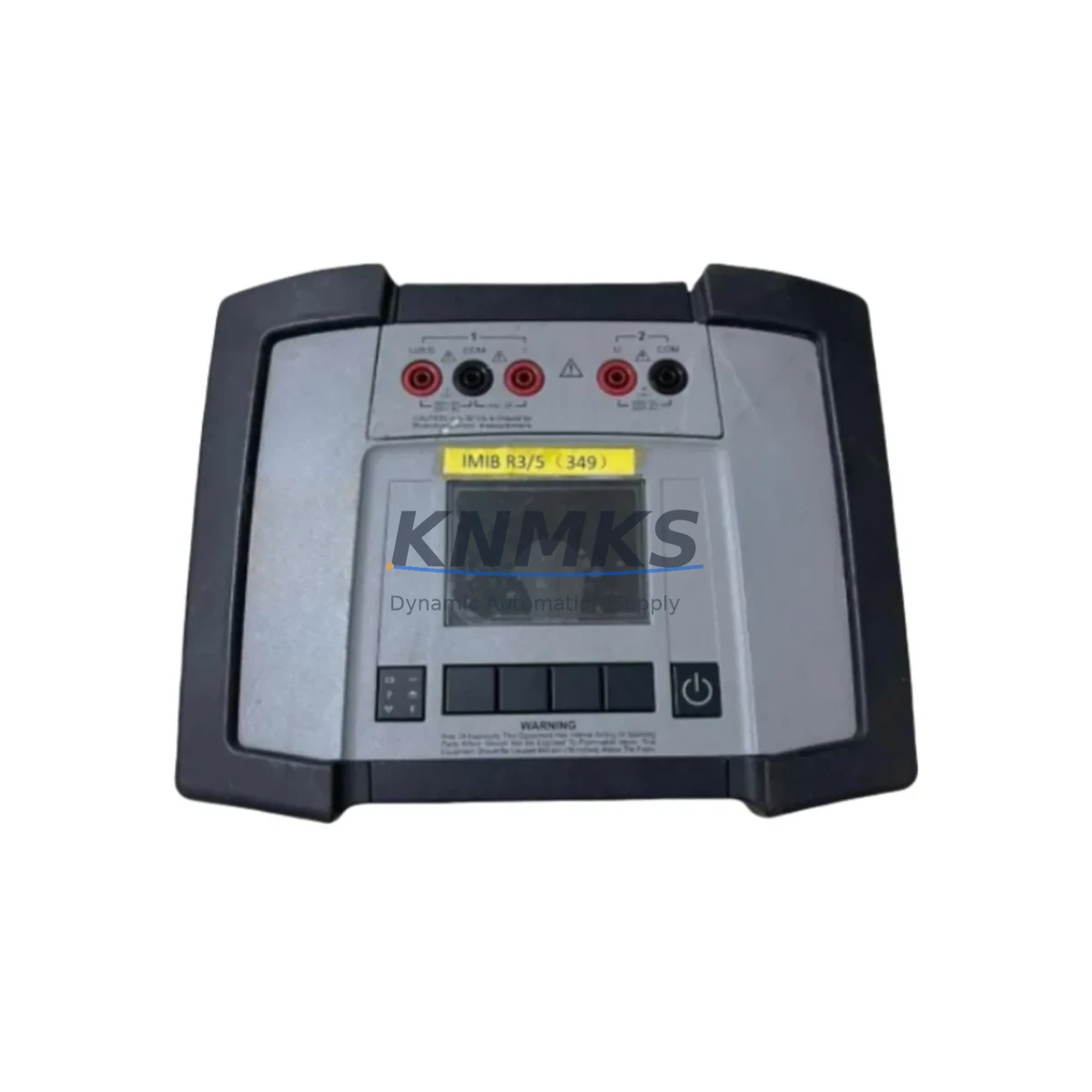
Overview
Siemens A5E01614931 Maintenance-Proven Spare Part for Factory Uptime
The Siemens A5E01614931 is an original SIMATIC S7 diagnostic module designed for continuous operation in demanding industrial automation environments. As a verified OEM spare part, it is engineered to restore full diagnostic visibility to SIMATIC S7-300 and S7-400 control systems with minimal downtime. Whether you are responding to an unplanned fault, executing a scheduled annual overhaul, or building a strategic spare parts inventory for your control cabinet, the A5E01614931 delivers the reliability and compatibility that maintenance engineers and procurement teams depend on.
Sourced from authorized supply channels and subjected to pre-shipment functional testing, each unit is backed by a support terms confirmed by quotation. Our global logistics network supports urgent replacement orders, ensuring that critical production lines can be restored quickly regardless of geographic location.
Spare Maintenance Table
| Parameter | Specification / Value |
|---|---|
| Part Number / SKU | A5E01614931 |
| Brand | Siemens |
| Series | SIMATIC S7 (S7-300 / S7-400) |
| Product Type | PLC Diagnostic Module |
| Country of Origin | Germany (DE) |
| Compatibility | SIMATIC S7-300, S7-400 automation systems; compatible with standard S7 backplane and rack configurations |
| Installation Interface | Standard S7 module slot; DIN rail rack mounting |
| Operating Voltage | 24 V DC (supplied via backplane bus) |
| Operating Temperature | 0 °C to +60 °C (standard industrial range) |
| Protection Class | IP20 (control cabinet installation) |
| Communication Interface | PROFIBUS / MPI (system-dependent) |
| Pre-Shipment Testing | Functional test performed on every unit before dispatch |
| Support terms | 12 months from date of shipment |
| Maintenance Recommendation | Inspect module seating, backplane connector condition, and diagnostic LED status during every scheduled cabinet inspection |
| Replacement Interval | As required by fault condition or preventive maintenance schedule; no fixed wear-out interval under normal operating conditions |
| Supply Condition | Original OEM spare; long-term supply available |
Maintenance Planning for Continuous Operation
When replacing the A5E01614931 diagnostic module in a SIMATIC S7 control cabinet, a thorough maintenance inspection of the surrounding electrical environment is essential to prevent repeat failures and ensure system stability. Maintenance engineers should begin by verifying the 24 V DC power supply module — such as the Siemens SITOP PSU100S or equivalent S7-compatible power supply — to confirm that output voltage and ripple are within specification before inserting the new module.
The S7 backplane or rack itself should be inspected for bent connector pins, oxidation, or mechanical damage, as a compromised backplane can cause intermittent diagnostic errors that are difficult to trace. Adjacent I/O modules — including digital input/output modules such as the SM 321 or SM 322 series — should be reseated and their wiring terminals checked for loose connections or insulation degradation.
Communication integrity is equally critical. The PROFIBUS DP network termination resistors and cable shielding should be verified, particularly if the S7 system uses distributed I/O via ET 200 remote stations. MPI programming cables and connectors should also be inspected for continuity. If the control cabinet includes a CP 343-1 or CP 443-1 Ethernet communication processor, its status LEDs and network configuration should be confirmed after the diagnostic module replacement to ensure no address conflicts have been introduced.
Signal isolation barriers and relay output modules in the same cabinet should be checked for contact wear, especially in high-cycle applications. Fuse holders and miniature circuit breakers protecting the 24 V DC bus should be tested for correct trip characteristics. Finally, if the system includes an HMI panel — such as a Siemens TP700 Comfort or MP377 — the HMI connection to the S7 CPU should be verified post-replacement to confirm that diagnostic data is being correctly transmitted and displayed to operators.
Building a cabinet-level spare parts kit that includes the A5E01614931 alongside a spare power supply module, a set of I/O module fuses, PROFIBUS connector plugs, and a spare CP communication module significantly reduces mean time to repair (MTTR) for S7-based control systems and supports a proactive maintenance culture.
Site Replacement Workflow
Before beginning the replacement of the A5E01614931, ensure the S7 CPU is placed in STOP mode and the cabinet is de-energized in accordance with local lockout/tagout (LOTO) procedures. Document the existing module slot position and any diagnostic codes displayed on the CPU or HMI prior to shutdown — this information is valuable for root cause analysis.
Remove the faulty module by releasing the top and bottom locking levers and sliding it out of the rack. Inspect the backplane connector on the rack for damage before inserting the replacement A5E01614931. Seat the new module firmly until both locking levers engage. Re-energize the cabinet and observe the module’s diagnostic LEDs during the S7 CPU startup sequence. A green RUN LED on the CPU and the absence of SF (system fault) indicators confirm successful installation.
If the system was previously running an older firmware version or a legacy S7-300 configuration, the A5E01614931 is designed to maintain backward compatibility with existing STEP 7 or TIA Portal project configurations, eliminating the need for software reconfiguration in most standard replacement scenarios. This compatibility is a key advantage when maintaining aging S7 systems where engineering documentation may be incomplete.
After restoration, perform a full I/O force test and verify all diagnostic channels are reporting correctly before returning the line to production. Update the maintenance log with the replacement date, module serial number, and post-installation test results to support future audits and support requests.
Spare Parts Support FAQ
Q1: Is the A5E01614931 compatible with both S7-300 and S7-400 systems?
The A5E01614931 is a SIMATIC S7 series diagnostic module. Compatibility should be verified against your specific CPU model and rack configuration using the Siemens SIMATIC catalog or your existing STEP 7 / TIA Portal hardware configuration. Our technical team can assist with compatibility confirmation prior to order placement.
Q2: What pre-shipment testing is performed on each unit?
Every A5E01614931 unit undergoes functional testing before dispatch to verify module initialization, communication interface integrity, and diagnostic channel operation. A test report is available upon request. Units are shipped in anti-static packaging with physical protection to prevent transit damage.
Q3: What does the support terms confirmed by quotation cover, and how is a claim processed?
The support terms confirmed by quotation cover manufacturing defects and functional failures under normal operating conditions. It does not cover damage resulting from incorrect installation, overvoltage events, or environmental conditions outside the specified operating range. To initiate a support terms claim, contact admin@knmks.com with the order reference, installation date, and a description of the fault. Replacement or repair will be arranged promptly.
Q4: Can you support long-term or blanket purchase orders for this part?
Yes. KNMKS maintains multi-region inventory for the A5E01614931 and can support scheduled delivery agreements, blanket purchase orders, and consignment stock arrangements for customers with ongoing maintenance requirements. Long-term supply contracts help procurement engineers stabilize costs and ensure parts availability for aging S7 systems that may no longer be covered by OEM production commitments. Contact admin@knmks.com or call +86 18359268345 to discuss your supply requirements.
© 2026 KNMKS. All rights reserved.
Original Source: https://knmks.com
Contact: admin@knmks.com | +86 18359268345
Product Identification
- Brand / Ecosystem
-
Siemens
Siemens - Model / Series
- A5E01614931
- Product Family
- PLCs & Controllers
- Availability Status
- Available on request after model and quantity confirmation
- Inquiry Type
- B2B RFQ, replacement inquiry and project spare-part request
- Pre-Quote Check
- Exact SKU, brand, series, quantity, nameplate photos and destination country are checked before quotation
System Path
Where this product fits in the KNMKS automation structure.
Specification & Inquiry Focus
- Control platform
- PLC, PAC and modular controllers
- Common needs
- CPU, rack, power and I/O expansion
- Project support
- Replacement, cabinet build and maintenance
Buyer Confirmation
Information KNMKS checks before replying.
- Exact model
- A5E01614931
- Brand / ecosystem
- Siemens
- Product family
- PLCs & Controllers
- Application note
- Replacement, maintenance, project build or spare-part list
- Useful photos
- Nameplate, installed unit, cabinet layout or connector side
- Delivery details
- Quantity, destination country and target schedule
Document Support
Files and notes can be confirmed during quotation.
- Product photos or nameplate confirmation when available
- Packing and delivery notes before quotation confirmation
- Support scope and delivery terms confirmed per inquiry
- Export document coordination for qualified B2B requests
Inquiry Support
- Model cross-checking before quotation
- CPU, power, rack and expansion module matching
- Support for replacement and project inquiry
What to Send Us
- Brand and exact model number: Siemens A5E01614931
- Quantity and required delivery time
- Application, replacement requirement or nameplate photo
- Destination country and shipping preference
RFQ Preparation
This is a product inquiry page built for RFQ communication.
Fast Model Check
Send this model to KNMKS for confirmation.
Include quantity, destination country and photos if this is a maintenance replacement. The inquiry will be saved with a reference number after submission.
Brand & Compatibility Note
KNMKS displays automation product information for well-known industrial brand ecosystems and compatible replacement references. Brand names are used for product identification and compatibility reference only; final availability and commercial terms are confirmed per quotation.
 Manufacturing
 Machine Tools
 Packaging
 Energy & Power



 HMI & Displays
 Servo Systems
 Variable Frequency Drives
 Sensors