
Overview
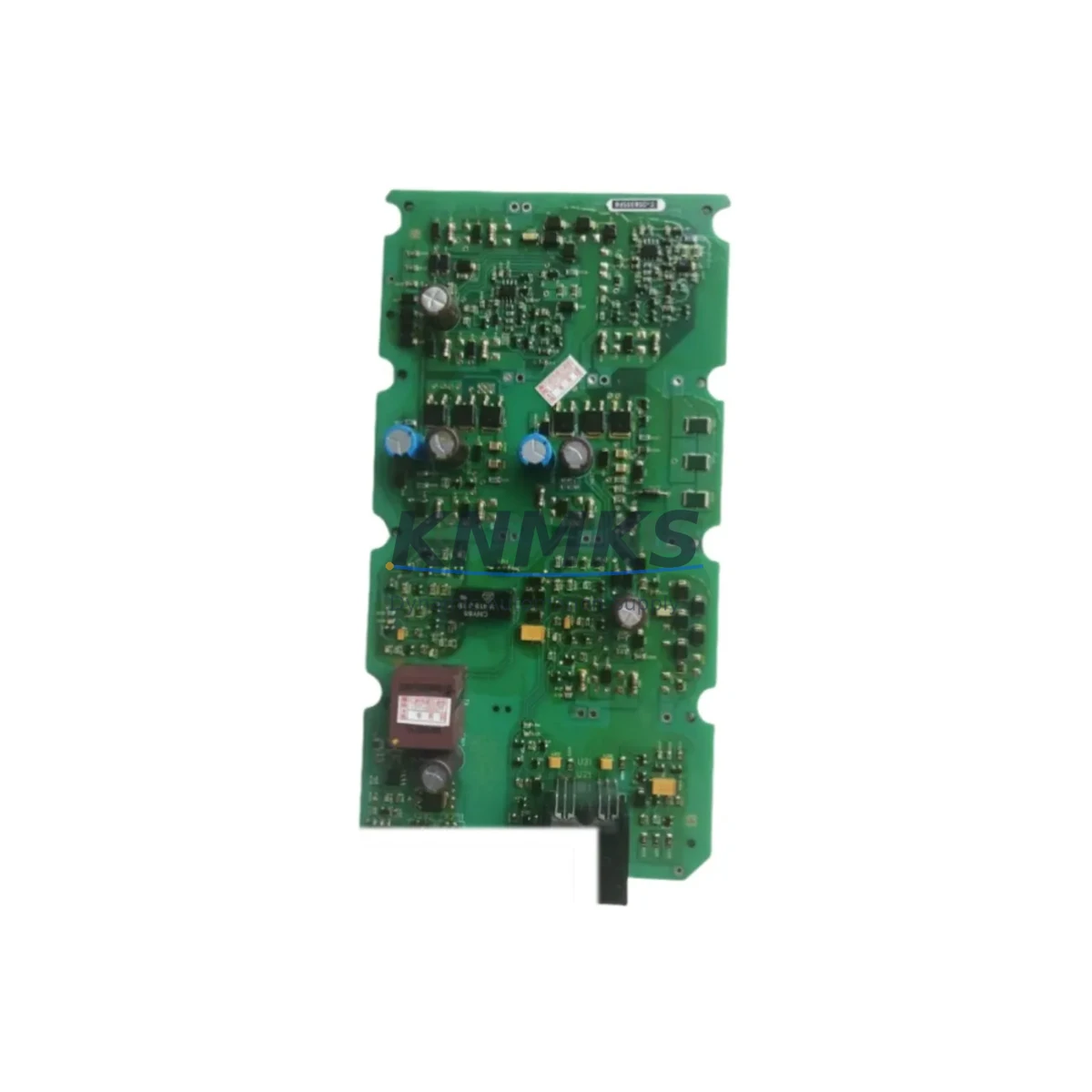
Siemens A5E00296878 Migration-Ready Analog Input Module: Legacy System Retrofit & Compatibility Upgrade
The Siemens A5E00296878 is a migration-ready analog input module engineered for engineers and maintenance teams managing the transition from aging SIMATIC S7-300 and S7-400 control platforms to modern automation architectures. As legacy Siemens hardware reaches end-of-life and original spare parts become increasingly scarce, the A5E00296878 serves as a verified drop-in replacement that preserves existing wiring infrastructure, retains program logic compatibility, and minimizes unplanned downtime during control cabinet upgrades.
Whether you are executing a phased migration from a SIMATIC S7-315 or S7-416 controller, expanding I/O capacity on an existing S7-300 rack, or restoring a production line after a critical module failure, the A5E00296878 delivers the signal accuracy, channel density, and backplane interface compatibility required for seamless integration into your existing control architecture.
Migration Compatibility Table
| Parameter | Details |
|---|---|
| SKU / Part Number | A5E00296878 |
| Brand / Manufacturer | Siemens |
| Compatible Platform | SIMATIC S7-300, S7-400 |
| Module Type | Analog Input Module |
| Backplane Interface | S7-300 / S7-400 standard backplane bus |
| Terminal Wiring | Compatible with existing S7-300 front connector wiring (20-pin) |
| Communication Protocol | PROFIBUS-DP / MPI (via CPU backplane) |
| Replacement Recommendation | Direct replacement for discontinued S7-300 analog input variants |
| Installation Space | Standard S7-300 single-slot form factor |
| Firmware Compatibility | Compatible with STEP 7 v5.x and TIA Portal V13+ |
| Commissioning Notes | Verify module address assignment in hardware configuration; re-download HW config after slot insertion |
| Support terms | 12 Months from date of shipment |
| Origin | Germany |
| Shipping | Global — DHL / FedEx / UPS express available |
Retrofit Planning for Existing Automation Systems
Successful integration of the A5E00296878 into a legacy control system requires a structured pre-migration assessment. Before removing the failed or obsolete module, engineers should document the existing front connector wiring layout and photograph terminal assignments to prevent re-wiring errors during reinstallation. The front connector from the original module is typically reusable, which eliminates the need to re-terminate field cables — a significant time-saver during emergency replacements on live production lines.
When planning rack-level upgrades, it is important to verify the total power budget of the S7-300 or S7-400 rack. The PS 307 power supply module (e.g., 6ES7307-1BA01-0AA0) must be confirmed to support the additional current draw if multiple I/O modules are being replaced simultaneously. In high-density installations, a supplementary power supply or bus segment may be required to maintain stable backplane voltage across all slots.
For systems migrating from older S7-300 racks to newer ET 200MP or ET 200SP distributed I/O architectures, the A5E00296878 provides a cost-effective interim solution — allowing the existing centralized rack to remain operational while peripheral I/O stations are progressively migrated. This phased approach reduces the risk of full-system cutover and allows HMI screens (typically built on WinCC or SIMATIC HMI TP/MP panels) to be updated incrementally without requiring a complete tag remapping exercise.
Communication link integrity is another critical checkpoint. In systems using PROFIBUS-DP for field device communication, the CPU’s DP master configuration must reflect the updated hardware layout after any module swap. If the A5E00296878 replaces a module at a different slot address, the STEP 7 or TIA Portal hardware configuration must be updated and re-downloaded to the CPU (e.g., S7-315-2DP or S7-416-2DP) before the system is restarted. Failure to update the hardware configuration is one of the most common causes of post-replacement diagnostic faults.
Signal isolation requirements should also be reviewed. In applications where analog input channels are connected to sensors in electrically noisy environments — such as variable frequency drives, welding equipment, or high-current motor starters — the use of a signal isolator or signal conditioner between the field sensor and the A5E00296878 input terminals is strongly recommended. This protects the module from ground loops and transient voltage spikes that can degrade measurement accuracy or cause premature module failure.
For systems requiring programming cable access during commissioning, a SIMATIC PC Adapter USB (6ES7972-0CB20-0XA0) or MPI/PROFIBUS programming cable is required to establish a direct connection between the engineering workstation and the CPU. Ensure the cable driver version is compatible with the installed STEP 7 or TIA Portal version before beginning the commissioning session.
Downtime Control During System Migration
Minimizing production downtime during a module replacement or system migration is a primary concern for any maintenance team. The A5E00296878 is pre-tested and verified prior to shipment, which eliminates the need for extended bench testing upon arrival and allows the module to be installed directly into the target rack during a planned maintenance window.
To protect existing program logic, it is strongly recommended to perform a full CPU backup — including the program blocks (OBs, FBs, FCs, DBs), hardware configuration, and symbol table — before initiating any hardware change. This backup should be stored both on the engineering workstation and on a SIMATIC Micro Memory Card (MMC) inserted in the CPU, ensuring that the original program can be restored within minutes if an unexpected fault occurs during the migration.
For systems where continuous process control is required, a hot-standby or redundant CPU configuration (such as the S7-400H with redundant I/O) may allow the analog input channel to remain active on the redundant path while the primary module is replaced. In non-redundant systems, coordinating the replacement during a scheduled production break — and pre-staging the A5E00296878 with the correct front connector and wiring documentation — can reduce the physical swap time to under 15 minutes.
After module insertion, the CPU should be switched to STOP mode, the hardware configuration re-downloaded, and the CPU restarted in RUN mode. Monitor the diagnostic buffer and module status LEDs to confirm that all analog input channels are reporting correctly before handing the system back to operations. Field calibration of connected sensors should be verified after restart to ensure measurement accuracy has not been affected by the module change.
Retrofit Support FAQ
Q1: Is the A5E00296878 a direct replacement for my existing S7-300 analog input module?
The A5E00296878 is designed as a compatible replacement for standard S7-300 analog input modules sharing the same backplane slot form factor and front connector pinout. Before installation, verify the channel count, input signal type (voltage/current), and resolution specifications match your application requirements. Our technical team can assist with compatibility confirmation prior to order.
Q2: What commissioning steps are required after installing the A5E00296878?
After physical installation, update the hardware configuration in STEP 7 or TIA Portal to reflect the new module, re-download the hardware configuration to the CPU, and perform a controlled CPU restart. Verify all analog input channels in the diagnostic buffer and confirm field sensor readings are within expected ranges. No special firmware update is required for standard S7-300 CPU versions.
Q3: How is the module tested before shipment, and what does the support terms confirmed by quotation cover?
Every A5E00296878 unit undergoes functional testing prior to shipment, including channel-level signal verification and backplane interface checks. The support terms confirmed by quotation cover manufacturing defects and functional failures under normal operating conditions. Support requests are supported with a direct RMA process — contact admin@knmks.com for assistance.
Q4: What is the typical lead time and do you maintain stock for urgent replacement orders?
We maintain in-stock inventory of the A5E00296878 to support urgent replacement and emergency breakdown orders. Standard orders ship within 1–3 business days. Express global shipping via DHL, FedEx, or UPS is available for time-critical applications. Contact us at +86 18359268345 or admin@knmks.com to confirm current stock availability before placing your order.
© 2026 KNMKS. All rights reserved.
Original Source: https://knmks.com
Contact: admin@knmks.com | +86 18359268345
Product Identification
- Brand / Ecosystem
-
Siemens
Siemens - Model / Series
- A5E00296878
- Product Family
- PLCs & Controllers
- Availability Status
- Available on request after model and quantity confirmation
- Inquiry Type
- B2B RFQ, replacement inquiry and project spare-part request
- Pre-Quote Check
- Exact SKU, brand, series, quantity, nameplate photos and destination country are checked before quotation
System Path
Where this product fits in the KNMKS automation structure.
Specification & Inquiry Focus
- Control platform
- PLC, PAC and modular controllers
- Common needs
- CPU, rack, power and I/O expansion
- Project support
- Replacement, cabinet build and maintenance
Buyer Confirmation
Information KNMKS checks before replying.
- Exact model
- A5E00296878
- Brand / ecosystem
- Siemens
- Product family
- PLCs & Controllers
- Application note
- Replacement, maintenance, project build or spare-part list
- Useful photos
- Nameplate, installed unit, cabinet layout or connector side
- Delivery details
- Quantity, destination country and target schedule
Document Support
Files and notes can be confirmed during quotation.
- Product photos or nameplate confirmation when available
- Packing and delivery notes before quotation confirmation
- Support scope and delivery terms confirmed per inquiry
- Export document coordination for qualified B2B requests
Inquiry Support
- Model cross-checking before quotation
- CPU, power, rack and expansion module matching
- Support for replacement and project inquiry
What to Send Us
- Brand and exact model number: Siemens A5E00296878
- Quantity and required delivery time
- Application, replacement requirement or nameplate photo
- Destination country and shipping preference
RFQ Preparation
This is a product inquiry page built for RFQ communication.
Fast Model Check
Send this model to KNMKS for confirmation.
Include quantity, destination country and photos if this is a maintenance replacement. The inquiry will be saved with a reference number after submission.
Brand & Compatibility Note
KNMKS displays automation product information for well-known industrial brand ecosystems and compatible replacement references. Brand names are used for product identification and compatibility reference only; final availability and commercial terms are confirmed per quotation.
 Manufacturing
 Machine Tools
 Packaging
 Energy & Power



 HMI & Displays
 Servo Systems
 Variable Frequency Drives
 Sensors