
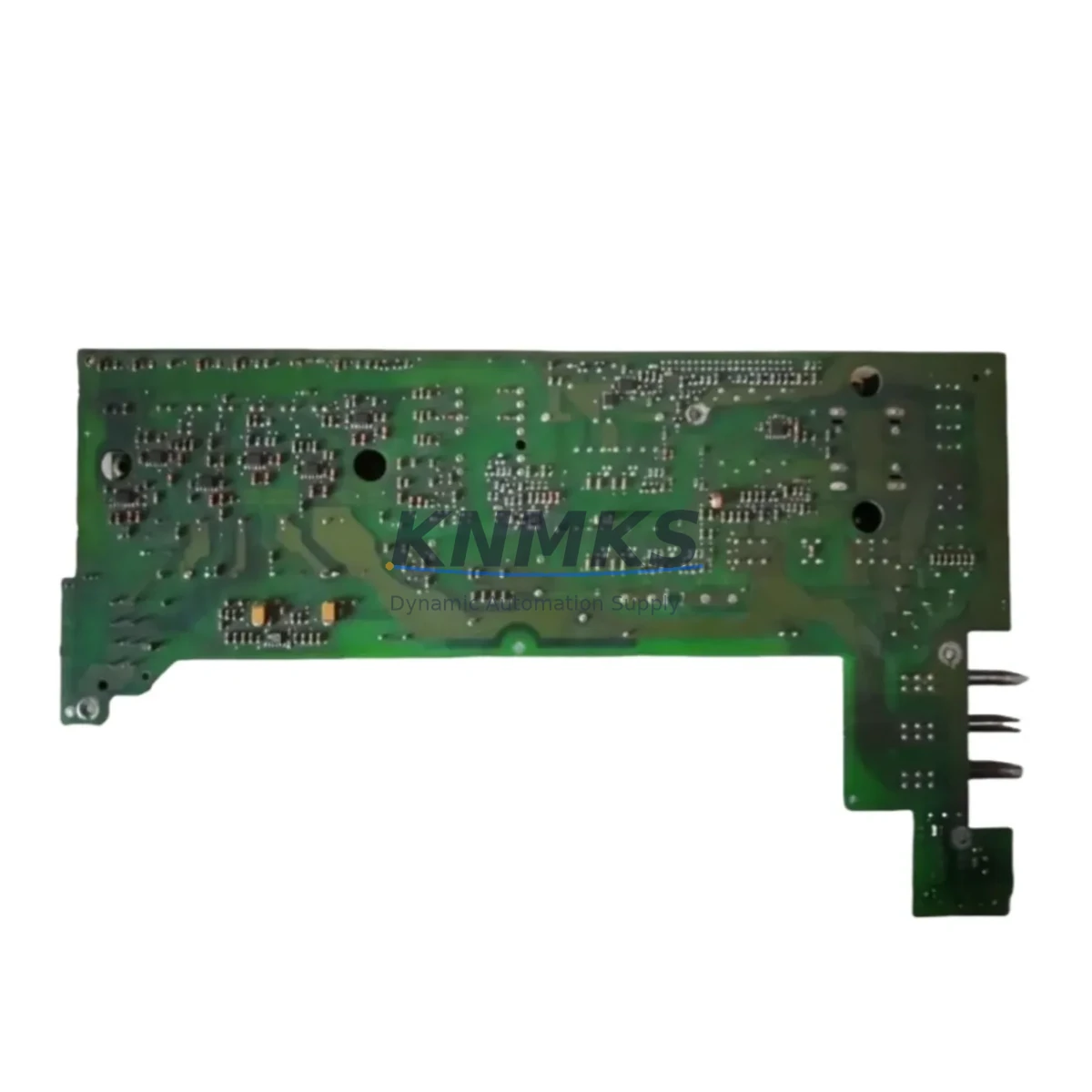
Overview
Siemens A5E00161213 Migration-Ready HMI Power Supply for Legacy Control Systems
The Siemens A5E00161213 is a migration-ready HMI power supply module engineered for direct replacement and retrofit integration within legacy SIMATIC TP and EP Panel PC installations. As Siemens progressively phases out older HMI hardware platforms, the A5E00161213 remains a critical spare component for automation engineers tasked with sustaining production continuity, extending panel service life, and managing controlled system upgrades without full platform replacement. This module is stocked, pre-tested, and shipped with a support terms confirmed by quotation to support both emergency breakdown recovery and planned retrofit projects.
Engineers working on legacy SIMATIC TP270, TP370, TP470, EP270, and EP370 Panel PC installations will recognize the A5E00161213 as the original-specification internal power supply responsible for converting incoming AC or DC supply voltage into the regulated DC rails required by the panel’s display backlight, touch controller, CPU board, and communication interfaces. When this module fails or degrades, the entire HMI panel becomes inoperative — making rapid, verified replacement essential to minimize unplanned downtime on the production floor.
Migration Compatibility Table
| Parameter | Details |
|---|---|
| Compatible Panels | SIMATIC TP270, TP370, TP470, EP270, EP370 Panel PC |
| Replacement SKU | A5E00161213 |
| Input Voltage | Per original panel specification (AC/DC, confirm from panel nameplate) |
| Output Rails | Regulated DC for display, CPU, touch, and comms subsystems |
| Mounting / Installation | Internal module; confirm panel variant and revision before ordering |
| Communication Compatibility | No direct comms role; restores full panel operation including MPI/PROFIBUS HMI links |
| Retrofit Recommendation | Direct drop-in replacement; no firmware change required for power supply swap |
| Commissioning Notes | Verify DC rail voltages post-installation before powering CPU and display |
| Support terms | support terms confirmed by quotation — covers manufacturing defects and functional failure |
| Stock Status | availability confirmed by RFQ — available for immediate dispatch |
Retrofit Planning for Existing Automation Systems
A successful HMI power supply retrofit on a legacy SIMATIC panel requires careful pre-planning across several interdependent system layers. Before removing the failed A5E00161213, engineers should document the existing wiring configuration at the panel’s terminal block, confirm the incoming supply voltage against the panel nameplate, and photograph the internal cable routing to ensure correct reassembly. In multi-panel control cabinet installations — particularly those running SIMATIC S7-300 or S7-400 PLCs with MPI or PROFIBUS DP communication links — the HMI panel’s communication interface card must remain undisturbed during the power supply swap to avoid losing the configured network node address.
For control cabinets where the SIMATIC TP or EP panel is integrated alongside a SIMATIC S7-300 CPU 315-2 DP or CPU 317-2 DP, the panel’s MPI address and baud rate settings stored in the WinCC flexible or ProTool project must be verified after power restoration. If the panel fails to re-establish communication with the PLC after the power supply replacement, engineers should check the MPI cable termination resistors and confirm that the PROFIBUS DP network segment is correctly terminated at both ends. In some installations, a CP 5611 or CP 5512 programming adapter may be required to re-download the HMI project if the panel’s internal flash memory was affected by the power supply failure.
Control cabinets undergoing broader modernization — for example, migrating from SIMATIC S7-300 to S7-1500 with TIA Portal — should treat the A5E00161213 replacement as a short-term stabilization measure while the full migration is planned. In parallel, engineers may need to address the SIMATIC ET 200S or ET 200M distributed I/O racks connected to the existing PROFIBUS DP network, as these will require reconfiguration or replacement when the PLC platform changes. Power supply capacity in the control cabinet should also be reviewed: if the existing SITOP PSU100S or SITOP modular 24 V DC supply is already operating near its rated output current, adding a replacement HMI panel with a restored power draw may require a supply capacity upgrade.
For installations where the HMI panel is mounted in a remote operator station rather than the main control cabinet, engineers should confirm that the 24 V DC supply cable run to the panel is within the voltage drop limits specified for the panel’s input voltage range. Long cable runs in older plant layouts are a common source of marginal supply voltage that can cause intermittent HMI resets even after a successful power supply module replacement.
Downtime Control During System Migration
Minimizing production downtime during an HMI power supply replacement requires a structured approach that protects the existing control program, preserves field device states, and maintains operator visibility throughout the intervention. Before beginning work, the engineering team should confirm that the SIMATIC S7 PLC controlling the process will continue to execute its OB1 cyclic program independently of the HMI panel — in most S7-300 and S7-400 installations, the PLC operates autonomously and the HMI panel failure does not interrupt the control logic. This means the process can often continue running in a reduced-visibility mode while the panel is being serviced, provided that field operators are briefed and manual override procedures are in place.
The original WinCC flexible or ProTool HMI project file should be backed up to a programming laptop before the panel is powered down. If the project file is not available, it can be uploaded from the panel’s internal memory using SIMATIC ProSave or the WinCC flexible transfer function — this step is critical before any internal hardware work begins. After installing the replacement A5E00161213 power supply, the panel should be powered up and the HMI project verified for correct display, alarm acknowledgment, and communication link status before the panel is returned to service.
For planned retrofit windows, scheduling the power supply replacement during a scheduled maintenance shutdown eliminates the risk of unplanned production interruption. Stocking the A5E00161213 as a critical spare — alongside other high-risk components such as the panel’s backlight inverter board and touch screen digitizer — is strongly recommended for any facility operating legacy SIMATIC TP or EP panels in continuous production environments. Our support terms confirmed by quotation and pre-shipment functional testing ensure that the replacement module is ready to install on arrival, reducing the risk of a second intervention due to a defective spare.
Retrofit Support FAQ
Q1: Is the A5E00161213 a direct drop-in replacement for my existing SIMATIC TP or EP panel power supply?
A: Yes. The A5E00161213 is the original Siemens part number for the internal power supply used in the SIMATIC TP270, TP370, TP470, EP270, and EP370 Panel PC series. It is a direct mechanical and electrical replacement. No firmware changes or software reconfiguration are required for the power supply swap itself. Always confirm your panel’s exact model and revision number before ordering to ensure compatibility.
Q2: How do I verify that the power supply is the cause of my panel failure before ordering?
A: Common symptoms of A5E00161213 failure include a completely dark panel with no backlight, a panel that powers on briefly then shuts down, or a panel that shows no response to touch input despite the PLC communication link remaining active. If the panel’s 24 V DC input supply voltage is confirmed correct at the panel terminal block and the panel still fails to start, the internal power supply module is the most likely cause. A qualified technician can also measure the DC output rails of the existing module with a multimeter to confirm failure.
Q3: What is included with the A5E00161213 and what is covered by the support terms confirmed by quotation?
A: Each A5E00161213 is supplied as a tested replacement module. The support terms confirmed by quotation cover manufacturing defects and functional failure under normal operating conditions. Pre-shipment functional testing is performed on every unit before dispatch. The support terms does not cover damage caused by incorrect installation, overvoltage events, or physical damage in transit. Contact admin@knmks.com for support requests or technical support.
Q4: Can you supply the A5E00161213 for urgent breakdown recovery, and what is the typical lead time?
A: Yes. The A5E00161213 is held availability confirmed by RFQ for immediate dispatch. For urgent breakdown requirements, contact our sales team at admin@knmks.com or +86 18359268345 to confirm current stock availability and arrange priority shipping. We support both single-unit emergency orders and bulk procurement for planned retrofit programs and spare parts inventory replenishment.
© 2026 KNMKS. All rights reserved.
Original Source: https://knmks.com
Contact: admin@knmks.com | +86 18359268345
Product Identification
- Brand / Ecosystem
-
Siemens
Siemens - Model / Series
- A5E00161213
- Product Family
- Power Supplies
- Availability Status
- Available on request after model and quantity confirmation
- Inquiry Type
- B2B RFQ, replacement inquiry and project spare-part request
- Pre-Quote Check
- Exact SKU, brand, series, quantity, nameplate photos and destination country are checked before quotation
System Path
Where this product fits in the KNMKS automation structure.
Specification & Inquiry Focus
- Power range
- DIN rail and switching power supplies
- Common needs
- Voltage, current and mounting style
- Project support
- Control cabinet and panel-builder inquiries
Buyer Confirmation
Information KNMKS checks before replying.
- Exact model
- A5E00161213
- Brand / ecosystem
- Siemens
- Product family
- Power Supplies
- Application note
- Replacement, maintenance, project build or spare-part list
- Useful photos
- Nameplate, installed unit, cabinet layout or connector side
- Delivery details
- Quantity, destination country and target schedule
Document Support
Files and notes can be confirmed during quotation.
- Product photos or nameplate confirmation when available
- Packing and delivery notes before quotation confirmation
- Support scope and delivery terms confirmed per inquiry
- Export document coordination for qualified B2B requests
Inquiry Support
- 24VDC and cabinet power selection support
- Stable power support for PLC and HMI systems
- Batch inquiry support for panel builders
What to Send Us
- Brand and exact model number: Siemens A5E00161213
- Quantity and required delivery time
- Application, replacement requirement or nameplate photo
- Destination country and shipping preference
RFQ Preparation
This is a product inquiry page built for RFQ communication.
Fast Model Check
Send this model to KNMKS for confirmation.
Include quantity, destination country and photos if this is a maintenance replacement. The inquiry will be saved with a reference number after submission.
Brand & Compatibility Note
KNMKS displays automation product information for well-known industrial brand ecosystems and compatible replacement references. Brand names are used for product identification and compatibility reference only; final availability and commercial terms are confirmed per quotation.
 Manufacturing
 Machine Tools
 Packaging
 Energy & Power
 PLCs & Controllers
 HMI & Displays
 Servo Systems
 Variable Frequency Drives