
Overview
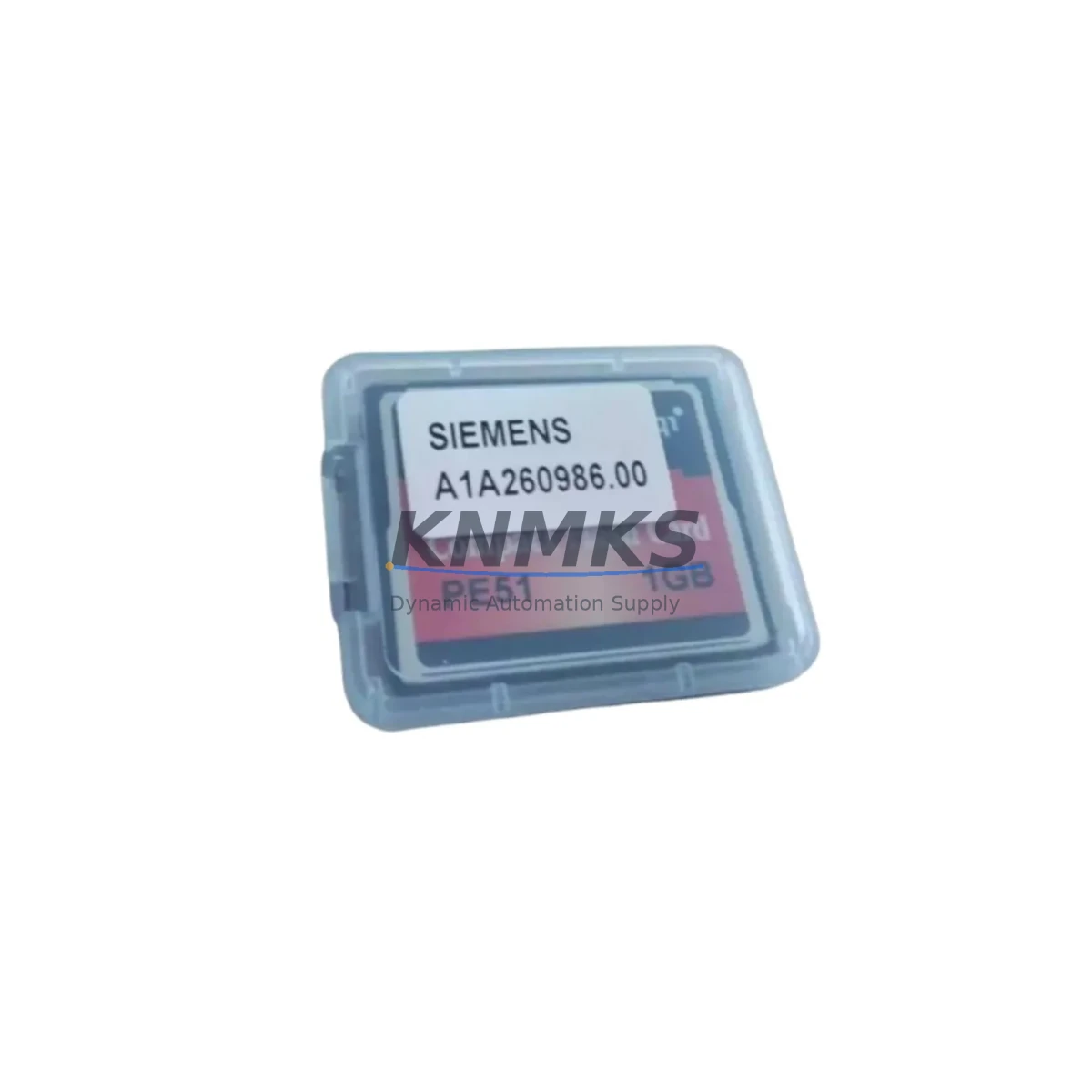
Siemens A1A260986.00 Maintenance-Proven Spare Part for Factory Uptime
The Siemens A1A260986.00 is an original CompactFlash memory module engineered for SIMATIC S7-300 and S7-400 programmable logic controllers. As a maintenance-proven spare part, it serves as the primary program and data storage medium for S7 CPUs, retaining user programs, data blocks, and system parameters across power cycles without battery dependency. For maintenance engineers managing aging automation infrastructure, having a verified A1A260986.00 availability confirmed by RFQ is a non-negotiable element of any serious spare parts strategy — a failed or corrupted memory card can halt an entire production line within minutes.
At KNMKS, every A1A260986.00 unit is sourced from authorized supply channels, individually inspected, and shipped with full traceability documentation. Our support terms confirmed by quotation cover functional integrity under normal industrial operating conditions, giving procurement engineers the confidence to plan long-term inventory without exposure to counterfeit or degraded components.
Spare Maintenance Table
| Parameter | Specification |
|---|---|
| Part Number / SKU | A1A260986.00 |
| Manufacturer | Siemens AG |
| Product Series | SIMATIC S7-300 / S7-400 |
| Product Type | CompactFlash Memory Module (PLC Program Storage) |
| Form Factor | CompactFlash Type I |
| Interface | CF / ATA interface, direct CPU slot insertion |
| Compatible CPUs | SIMATIC S7-300 series CPUs (e.g. CPU 314, CPU 315, CPU 317); S7-400 series CPUs with CF slot |
| Data Retention | Non-volatile; retains program and data without battery backup |
| Operating Temperature | 0 °C to +60 °C (storage: -20 °C to +70 °C) |
| Origin | Germany (DE) |
| Installation | Hot-swap capable with CPU powered down; slot insertion per S7 CPU manual |
| Maintenance Recommendation | Inspect every 12 months; replace immediately upon read/write error or CPU memory fault alarm |
| Support terms | 12 Months — functional integrity under standard industrial conditions |
| Pre-shipment Testing | Read/write verification, format check, compatibility test performed before dispatch |
Maintenance Planning for Continuous Operation
Replacing the A1A260986.00 in a live S7-300 or S7-400 control cabinet is rarely an isolated task. Experienced maintenance engineers know that a memory card fault often surfaces alongside — or is triggered by — degradation in adjacent components. Before returning the system to production, a structured inspection of the surrounding electrical environment is strongly recommended.
Begin with the CPU power supply module (such as the Siemens PS 307 series, e.g. 6ES7307-1EA01-0AA0). Voltage instability or ripple on the 24 VDC rail is a leading cause of CompactFlash write errors and premature card failure. Verify output voltage under load and check for capacitor aging signs. Next, inspect the backplane bus connector and rack assembly — a loose or oxidized bus connector between the CPU and adjacent I/O modules can introduce intermittent communication faults that mimic memory errors.
Review the digital input/output modules (e.g. SM 321 / SM 322 series) for channel faults or blown output drivers, particularly if the memory fault coincided with a process alarm. Check analog I/O modules (SM 331 / SM 332) for signal drift if the system controls precision process variables. If the S7 rack includes a CP 343-1 or CP 443-1 communications processor, verify Ethernet or PROFIBUS connectivity is stable — a network storm or repeated CP reset can force abnormal CPU memory access cycles that stress the CF card.
For systems using signal isolators or barriers between field instruments and S7 I/O, inspect isolation integrity and check for ground loop conditions that may introduce noise into the control cabinet. Examine terminal blocks and wiring harnesses for loose connections, especially on 24 VDC commons shared between the CPU power supply and field devices. Finally, if the cabinet includes a SIMATIC HMI panel (e.g. TP700 Comfort or KTP900 Basic) communicating via MPI or PROFIBUS DP, confirm the HMI project version matches the CPU program version stored on the replacement A1A260986.00 to prevent operator screen faults after restart.
Stocking the A1A260986.00 alongside these associated components — power supply modules, CP communication processors, and key I/O modules — as a coordinated spare parts kit significantly reduces mean time to repair (MTTR) and eliminates the risk of a secondary component failure extending an already costly unplanned outage.
Site Replacement Workflow
Step 1 — Pre-replacement backup: Using SIMATIC Manager or TIA Portal, perform an online upload of the current CPU program to a PC or engineering station. Confirm the backup file is complete and timestamped before proceeding. This step is critical if the existing A1A260986.00 is still partially readable.
Step 2 — CPU power-down and card extraction: Place the CPU in STOP mode via the mode selector switch. Power down the PS 307 supply module. Remove the existing CompactFlash card from the CPU’s CF slot using the ejector mechanism. Avoid touching the card contacts.
Step 3 — Replacement card insertion: Insert the new A1A260986.00 firmly into the CF slot until the ejector clicks. Confirm the card is fully seated. Power up the PS 307 supply and observe the CPU’s STOP/RUN/ERROR LEDs during boot.
Step 4 — Program download: With the CPU in STOP mode and the new blank card inserted, download the backed-up program from the engineering station using SIMATIC Manager or TIA Portal. Perform a full download (not delta) to ensure all blocks, data, and system data objects are written correctly to the new card.
Step 5 — Functional verification: Switch the CPU to RUN mode. Monitor the diagnostic buffer for any memory or hardware faults. Verify I/O status, HMI communication, and process variable readings match pre-fault baseline. Document the replacement in the maintenance log with the new card’s serial number and installation date.
This workflow is compatible with all S7-300 and S7-400 CPUs that accept the A1A260986.00 form factor, enabling direct replacement of older or discontinued Siemens memory card variants without hardware modification or firmware update in most standard configurations.
Spare Parts Support FAQ
Q1: Is the A1A260986.00 compatible with all SIMATIC S7-300 CPU models?
The A1A260986.00 is compatible with the majority of SIMATIC S7-300 CPUs that feature a CompactFlash slot, including the CPU 314, CPU 315-2 DP, CPU 317-2 DP, and CPU 319-3 PN/DP variants. Compatibility with specific S7-400 CPUs depends on the CPU’s CF slot specification. We recommend confirming the target CPU model against Siemens’ hardware compatibility documentation or contacting our technical team before ordering if you are unsure.
Q2: How does KNMKS verify the A1A260986.00 before shipment?
Every unit undergoes a pre-shipment test protocol that includes read/write cycle verification, format integrity check, and a compatibility test against S7 CPU interface parameters. Units that fail any test stage are quarantined and not dispatched. A test report summary is available upon request for quality-critical procurement processes.
Q3: What is the recommended inventory strategy for the A1A260986.00 in a multi-line facility?
For facilities operating three or more S7-300/S7-400 controlled lines, we recommend maintaining a minimum of two A1A260986.00 units in the on-site spare parts store, with a reorder trigger at one unit remaining. Given the non-volatile nature of CompactFlash storage, shelf life under proper storage conditions (dry, static-free, 15–25 °C) exceeds five years, making forward stocking a low-risk, high-value strategy for reducing unplanned downtime exposure.
Q4: Does the support terms confirmed by quotation cover field installation failures?
The support terms confirmed by quotation cover manufacturing defects and functional failures under normal industrial operating conditions as defined in the Siemens SIMATIC S7 hardware installation guidelines. Failures resulting from incorrect installation, overvoltage events, physical damage, or use outside the specified operating environment are assessed on a case-by-case basis. Our after-sales team at admin@knmks.com provides rapid support terms claim processing with a target response time of one business day.
© 2026 KNMKS. All rights reserved.
Original Source: https://knmks.com
Contact: admin@knmks.com | +86 18359268345
Product Identification
- Brand / Ecosystem
-
Siemens
Siemens - Model / Series
- A1A260986.00
- Product Family
- PLCs & Controllers
- Availability Status
- Available on request after model and quantity confirmation
- Inquiry Type
- B2B RFQ, replacement inquiry and project spare-part request
- Pre-Quote Check
- Exact SKU, brand, series, quantity, nameplate photos and destination country are checked before quotation
System Path
Where this product fits in the KNMKS automation structure.
Specification & Inquiry Focus
- Control platform
- PLC, PAC and modular controllers
- Common needs
- CPU, rack, power and I/O expansion
- Project support
- Replacement, cabinet build and maintenance
Buyer Confirmation
Information KNMKS checks before replying.
- Exact model
- A1A260986.00
- Brand / ecosystem
- Siemens
- Product family
- PLCs & Controllers
- Application note
- Replacement, maintenance, project build or spare-part list
- Useful photos
- Nameplate, installed unit, cabinet layout or connector side
- Delivery details
- Quantity, destination country and target schedule
Document Support
Files and notes can be confirmed during quotation.
- Product photos or nameplate confirmation when available
- Packing and delivery notes before quotation confirmation
- Support scope and delivery terms confirmed per inquiry
- Export document coordination for qualified B2B requests
Inquiry Support
- Model cross-checking before quotation
- CPU, power, rack and expansion module matching
- Support for replacement and project inquiry
What to Send Us
- Brand and exact model number: Siemens A1A260986.00
- Quantity and required delivery time
- Application, replacement requirement or nameplate photo
- Destination country and shipping preference
RFQ Preparation
This is a product inquiry page built for RFQ communication.
Fast Model Check
Send this model to KNMKS for confirmation.
Include quantity, destination country and photos if this is a maintenance replacement. The inquiry will be saved with a reference number after submission.
Brand & Compatibility Note
KNMKS displays automation product information for well-known industrial brand ecosystems and compatible replacement references. Brand names are used for product identification and compatibility reference only; final availability and commercial terms are confirmed per quotation.
 Manufacturing
 Machine Tools
 Packaging
 Energy & Power



 HMI & Displays
 Servo Systems
 Variable Frequency Drives
 Sensors