
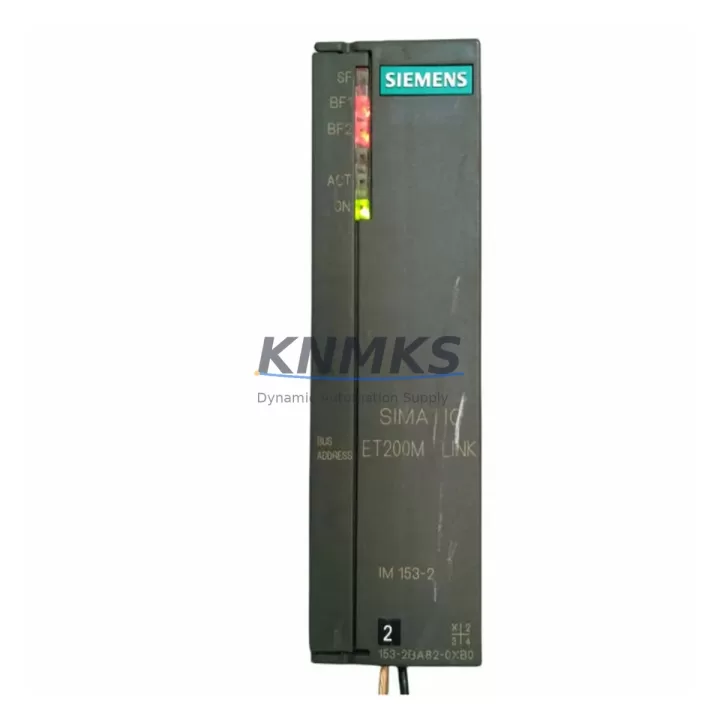
Overview
Siemens 7KG6000-8AE/CC Migration-Ready I/O for PAC3200: Legacy System Retrofit & Compatibility Upgrade
The Siemens 7KG6000-8AE/CC is a dedicated I/O expansion module for the SENTRON PAC3200 power monitoring device, engineered to extend measurement capability in legacy energy management and power distribution systems. As industrial facilities transition away from discontinued metering platforms and aging control cabinet infrastructure, the 7KG6000-8AE/CC provides a verified, drop-in compatible solution that preserves existing wiring topology, communication links, and measurement logic without requiring full panel redesign.
This module is widely deployed in retrofit projects where the original PAC3200 installation must be preserved or upgraded incrementally. Engineers replacing end-of-life metering hardware in MCC panels, switchgear rooms, and distribution boards rely on the 7KG6000-8AE/CC to maintain I/O continuity while upgrading adjacent components such as communication gateways, HMI displays, or energy management software. Its compact DIN-rail form factor and direct interface with the PAC3200 base unit eliminate the need for additional signal conditioning or terminal rewiring in most standard retrofit scenarios.
All units are sourced from verified supply channels, pre-shipment tested for functional integrity, and covered by a support terms confirmed by quotation. Global stock is maintained to support urgent spare parts procurement and planned maintenance shutdowns.
Migration Compatibility Table
| Parameter | 7KG6000-8AE/CC Specification | Retrofit / Migration Notes |
|---|---|---|
| Compatible Base Unit | SENTRON PAC3200 | Direct plug-in interface; no adapter required |
| Module Type | I/O Expansion (Digital/Analog) | Verify I/O address mapping against existing PAC3200 configuration |
| Installation Method | DIN Rail / Panel Mount | Confirm available rail space in existing control cabinet |
| Communication Interface | Via PAC3200 host (Modbus RTU / PROFIBUS) | Confirm protocol version and baud rate match with SCADA/HMI |
| Terminal Wiring | Screw-type terminals | Cross-reference original terminal diagram before rewiring |
| Power Supply | Supplied via PAC3200 backplane | Verify PAC3200 power budget supports additional I/O load |
| Firmware Compatibility | PAC3200 firmware V2.x and above | Update PAC3200 firmware if running legacy V1.x versions |
| Physical Dimensions | Compact module form factor | Measure cabinet depth and rail clearance before installation |
| Replacement Scope | Direct replacement for discontinued I/O expansion variants | Confirm SKU suffix (8AE vs. 8AB) matches original order |
| Support terms | 12 Months | Covers functional defects; excludes physical damage post-installation |
Retrofit Planning for Existing Automation Systems
Successful integration of the 7KG6000-8AE/CC into a legacy power monitoring system requires a structured pre-retrofit assessment. Before removing the existing module, engineers should document the current PAC3200 parameter set using the SENTRON powerconfig software tool, capturing all measurement point assignments, threshold values, and communication node addresses. This configuration backup is critical when the replacement module is installed, as I/O address offsets may shift depending on the firmware version active on the host unit.
In control cabinets where the PAC3200 is networked alongside a SIMATIC S7-300 or S7-400 PLC via PROFIBUS DP, the I/O expansion module’s data block mapping must be verified against the existing PLC program. Any changes to the PAC3200’s I/O configuration will propagate to the PLC’s DB structure, potentially triggering fault states if the program is not updated accordingly. For sites running STEP 7 or TIA Portal, a partial program download targeting only the affected function blocks is recommended to minimize disruption to other control loops.
Where the PAC3200 communicates via Modbus RTU to a building energy management system or a third-party SCADA platform, the register map for the I/O expansion points must be re-validated after module replacement. Modbus register addresses for digital inputs and relay outputs on the 7KG6000-8AE/CC should be confirmed against the PAC3200 Modbus register list (available in the device manual) before the SCADA polling configuration is updated.
In multi-device panel installations, the 7KG6000-8AE/CC is frequently deployed alongside the SENTRON PAC3200 UMD (universal measuring device) variant, the 7KG6000-8AA base unit, and SIMATIC ET 200SP distributed I/O modules for extended signal acquisition. Signal isolators such as the SITRANS I/P converter series are sometimes used in the same cabinet to condition 4–20 mA analog signals before they reach the PAC3200 I/O expansion inputs. Confirming signal levels and isolation requirements at each input terminal prevents measurement errors after commissioning.
For HMI integration, sites using SIMATIC HMI TP700 or TP900 panels connected to the PAC3200 via Ethernet or RS-485 should verify that the HMI screen objects referencing I/O expansion data points are updated to reflect any address changes introduced during the retrofit. A full HMI simulation run in WinCC flexible or TIA Portal WinCC prior to live commissioning is strongly recommended.
Cabinet space planning should account for the module’s DIN rail footprint and the routing of signal cables from field devices to the expansion module terminals. In compact MCC compartments, the use of a SIMATIC S7-1200 compact controller or a LOGO! 8 logic module in the same enclosure may constrain available rail length, requiring careful layout review before the retrofit begins.
Downtime Control During System Migration
Minimizing production downtime during a PAC3200 I/O expansion module replacement requires advance preparation and a clearly sequenced cutover plan. The recommended approach is to complete all configuration backups, spare parts staging, and wiring documentation reviews during a scheduled maintenance window, with the physical module swap and recommissioning performed as a single coordinated activity.
Prior to shutdown, the existing PAC3200 configuration should be exported and stored offline. All Modbus or PROFIBUS node addresses, I/O assignments, and alarm thresholds must be recorded. If the host PLC program references the PAC3200 I/O data, the relevant data blocks should be placed in a safe state before the module is removed to prevent spurious fault signals from propagating to the control system.
During the physical swap, terminal connections should be transferred one-by-one using the original wiring diagram as reference, with each connection verified against the terminal labeling on the 7KG6000-8AE/CC. After mechanical installation, the PAC3200 should be powered up without field signals connected first, allowing the module to initialize and be recognized by the host unit before live signals are applied.
Post-installation verification should include a functional check of each I/O point, confirmation of Modbus or PROFIBUS communication with the upstream system, and a review of the HMI display to confirm that all measurement values are updating correctly. Where the PAC3200 is integrated with a SIMATIC PCS 7 or WinCC SCADA system, a short parallel monitoring period—running both the old configuration data and the new live data simultaneously if possible—provides additional confidence before the legacy configuration is retired.
All units supplied are pre-shipment tested and include a support terms confirmed by quotation, reducing the risk of repeat downtime caused by early-life module failure. Replacement units are held availability confirmed by RFQ for rapid dispatch to support both planned maintenance and emergency breakdown scenarios.
Retrofit Support FAQ
Q1: Is the 7KG6000-8AE/CC a direct replacement for the 7KG6000-8AB/CC?
The 7KG6000-8AE and 7KG6000-8AB are distinct I/O expansion variants for the PAC3200 platform, differing in I/O configuration and terminal assignment. Before ordering, confirm the exact suffix of the original module from the nameplate or the original purchase documentation. Substituting an incorrect suffix variant may result in I/O mapping mismatches that require PAC3200 reconfiguration.
Q2: What commissioning steps are required after installing the 7KG6000-8AE/CC?
After physical installation, power up the PAC3200 and confirm that the expansion module is recognized in the device menu. Restore the previously backed-up parameter set using SENTRON powerconfig. Verify all I/O address assignments, test each digital input and relay output against the field wiring, and confirm Modbus or PROFIBUS communication with the upstream SCADA or PLC system before returning the system to service.
Q3: Can the 7KG6000-8AE/CC be used with PAC3200 units running older firmware versions?
The module is compatible with PAC3200 firmware V2.x and above. Units running legacy V1.x firmware may not fully support the expansion module’s feature set. A firmware update via the SENTRON powerconfig tool is recommended before installation if the host unit is running an older firmware version. Confirm the firmware version from the PAC3200 device information menu prior to ordering.
Q4: What support terms and stock availability does KNMKS provide for this module?
All 7KG6000-8AE/CC units supplied by KNMKS carry a support terms confirmed by quotation covering functional defects under normal operating conditions. Units are pre-shipment tested prior to dispatch. Global stock is maintained to support both planned procurement and urgent breakdown replacement. Contact the sales team for lead time confirmation and volume pricing for maintenance stock orders.
© 2026 KNMKS. All rights reserved.
Original Source: https://knmks.com
Contact: admin@knmks.com | +86 18359268345
Product Identification
- Brand / Ecosystem
-
Siemens
Siemens - Model / Series
- 7KG6000-8AE/CC
- Product Family
- PLCs & Controllers
- Availability Status
- Available on request after model and quantity confirmation
- Inquiry Type
- B2B RFQ, replacement inquiry and project spare-part request
- Pre-Quote Check
- Exact SKU, brand, series, quantity, nameplate photos and destination country are checked before quotation
System Path
Where this product fits in the KNMKS automation structure.
Specification & Inquiry Focus
- Control platform
- PLC, PAC and modular controllers
- Common needs
- CPU, rack, power and I/O expansion
- Project support
- Replacement, cabinet build and maintenance
Buyer Confirmation
Information KNMKS checks before replying.
- Exact model
- 7KG6000-8AE/CC
- Brand / ecosystem
- Siemens
- Product family
- PLCs & Controllers
- Application note
- Replacement, maintenance, project build or spare-part list
- Useful photos
- Nameplate, installed unit, cabinet layout or connector side
- Delivery details
- Quantity, destination country and target schedule
Document Support
Files and notes can be confirmed during quotation.
- Product photos or nameplate confirmation when available
- Packing and delivery notes before quotation confirmation
- Support scope and delivery terms confirmed per inquiry
- Export document coordination for qualified B2B requests
Inquiry Support
- Model cross-checking before quotation
- CPU, power, rack and expansion module matching
- Support for replacement and project inquiry
What to Send Us
- Brand and exact model number: Siemens 7KG6000-8AE/CC
- Quantity and required delivery time
- Application, replacement requirement or nameplate photo
- Destination country and shipping preference
RFQ Preparation
This is a product inquiry page built for RFQ communication.
Fast Model Check
Send this model to KNMKS for confirmation.
Include quantity, destination country and photos if this is a maintenance replacement. The inquiry will be saved with a reference number after submission.
Brand & Compatibility Note
KNMKS displays automation product information for well-known industrial brand ecosystems and compatible replacement references. Brand names are used for product identification and compatibility reference only; final availability and commercial terms are confirmed per quotation.
 Manufacturing
 Machine Tools
 Packaging
 Energy & Power



 HMI & Displays
 Servo Systems
 Variable Frequency Drives
 Sensors