
Overview
Siemens 6SL3430-6TE21-6AA1 Maintenance-Proven Spare Part for Factory Uptime
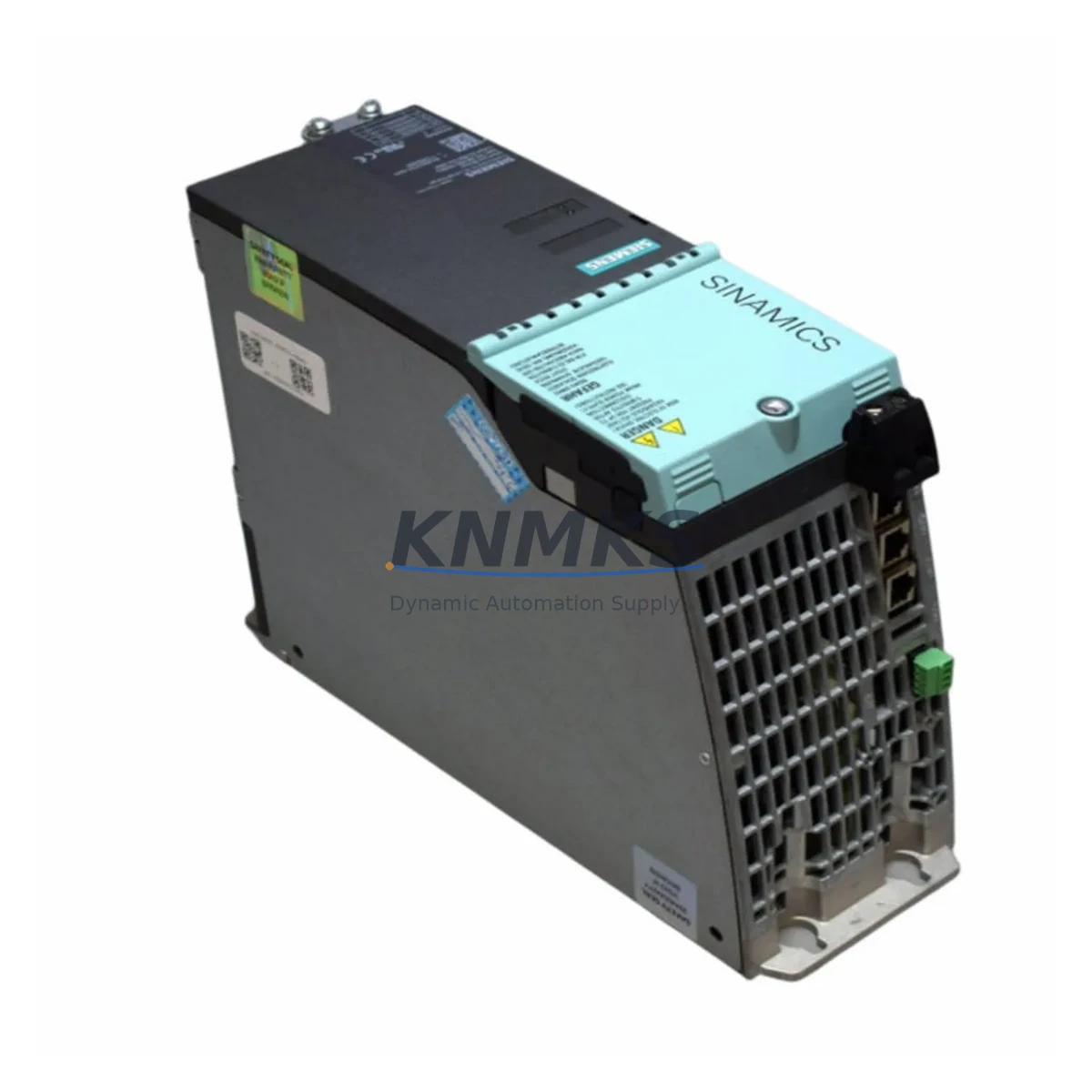
The Siemens 6SL3430-6TE21-6AA1 is a Smart Line Module within the SINAMICS S120 drive system, designed to provide regenerative line supply for multi-axis drive configurations in demanding industrial environments. As a critical power interface between the AC supply network and the DC link bus, this module plays a central role in maintaining continuous production across CNC machining centers, automated assembly lines, and high-cycle manufacturing cells. Sourced from verified supply channels, pre-shipment tested, and backed by a support terms confirmed by quotation, this spare part is engineered to support rapid replacement and minimize unplanned downtime.
Spare Maintenance Table
| SKU / Part Number | 6SL3430-6TE21-6AA1 |
| Brand | Siemens |
| Series | SINAMICS S120 |
| Product Type | Smart Line Module |
| Function | Regenerative line supply / DC link feed for multi-axis S120 drive systems |
| Input Voltage | 3-phase AC, 380–480 V (±10%) |
| Output Power | 16 kW (rated infeed/regeneration) |
| DC Link Voltage | Approx. 600 V DC (nominal) |
| Cooling Method | Internal air cooling (push-through variant) |
| Compatibility | SINAMICS S120 Booksize format; compatible with CU320-2 Control Units and S120 Motor Modules |
| Communication Interface | DRIVE-CLiQ (integrated) |
| Installation | DIN rail / panel mount; Booksize cabinet integration |
| Operating Temperature | 0 °C to +40 °C (derating above 40 °C) |
| Protection Class | IP20 |
| Origin | Germany |
| Weight | Approx. 700 g |
| Pre-Shipment Test | Function verified prior to dispatch |
| Support terms | 12 Months |
| Application | CNC drives, servo systems, automated production lines, multi-axis motion control |
Maintenance Planning for Continuous Operation
When replacing the 6SL3430-6TE21-6AA1 Smart Line Module in an S120 drive cabinet, a thorough inspection of the surrounding electrical environment is essential to prevent repeat failures and ensure a stable return to production. Maintenance engineers should begin by verifying the integrity of the DRIVE-CLiQ communication cables connecting the Smart Line Module to the CU320-2 Control Unit, as signal degradation or connector wear can cause fault codes that mimic module failure.
The line-side power wiring — including input contactors, line reactors, and EMC filters — should be inspected for thermal damage, loose terminals, or insulation breakdown before the replacement module is energized. Upstream fusing and circuit breakers protecting the infeed circuit must be rated correctly for the module’s input current; undersized protection devices are a common cause of premature module failure in high-cycle applications.
On the DC link side, inspect the busbar connections and DC link capacitors within the S120 cabinet. Capacitor aging in adjacent Motor Modules — such as the 6SL3120 series single-axis or double-axis Motor Modules — can cause voltage ripple that stresses the new Smart Line Module. If the cabinet has been in service for more than five years, a scheduled capacitor inspection across all connected Motor Modules is advisable.
The Voltage Sensing Module (VSM) associated with the Smart Line Module should also be checked for firmware compatibility and physical condition. An outdated VSM firmware version can prevent the Smart Line Module from completing its self-commissioning sequence after replacement. Similarly, the SINAMICS S120 Control Unit (CU320-2 DP or CU320-2 PN) should be confirmed to be running a firmware version compatible with the replacement module’s hardware revision.
For sites operating legacy S120 configurations with older Booksize Power Modules, it is worth reviewing whether the existing 24 V DC auxiliary power supply — typically a SITOP PSU100S or equivalent — is delivering stable voltage within tolerance. Auxiliary power instability is a frequently overlooked root cause of Smart Line Module faults during startup. Spare fuses for the 24 V supply circuit and the main infeed protection should be held in the local spare parts inventory alongside the Smart Line Module itself.
Finally, if the drive system interfaces with a SIMATIC S7 PLC via PROFIBUS or PROFINET, verify that the drive parameter dataset (DDS) and communication configuration remain intact after module replacement. A parameter backup taken from the CU320-2 before removal will significantly reduce recommissioning time and minimize the risk of production delays.
Site Replacement Workflow
Step 1 — Isolation and Safety: De-energize the drive cabinet following site LOTO procedures. Confirm DC link discharge (typically 5 minutes after power-off) using a calibrated voltmeter before touching any internal components.
Step 2 — Documentation: Photograph the existing wiring, DRIVE-CLiQ connections, and terminal assignments before removal. Record the firmware version from the CU320-2 display or STARTER/TIA Portal project.
Step 3 — Module Removal: Disconnect DRIVE-CLiQ cables, AC input terminals, and DC link busbars in sequence. Remove the module from the Booksize mounting rail carefully to avoid damage to adjacent modules.
Step 4 — Replacement Installation: Mount the 6SL3430-6TE21-6AA1 in the same slot position. Reconnect DC link busbars first, then AC input terminals, then DRIVE-CLiQ cables. Torque all terminals to specification.
Step 5 — Recommissioning: Power up the 24 V auxiliary supply first and confirm the module is recognized by the CU320-2 via DRIVE-CLiQ. Restore the parameter backup if required. Perform a controlled test run at reduced load before returning to full production.
Step 6 — Documentation Update: Record the replacement date, new module serial number, and any parameter changes in the site maintenance log. Update the spare parts inventory to trigger reorder of a replacement unit.
Spare Parts Support FAQ
Q: Is the 6SL3430-6TE21-6AA1 compatible with all S120 Booksize configurations?
A: This Smart Line Module is designed for the SINAMICS S120 Booksize format and is compatible with CU320-2 Control Units and S120 Booksize Motor Modules. Compatibility with specific hardware revisions and firmware versions should be confirmed against the site’s existing drive configuration before installation. We recommend providing your CU320-2 firmware version when placing an order so we can advise on any known compatibility considerations.
Q: What pre-shipment testing is performed on this spare part?
A: Each unit undergoes functional verification prior to dispatch, including power-on self-test and DRIVE-CLiQ interface check where applicable. Units are inspected for physical condition and packed to prevent transit damage. A test report is available on request.
Q: Can you support long-term or scheduled spare parts supply for this module?
A: Yes. We support blanket order arrangements and scheduled delivery programs for maintenance teams managing multi-site or multi-cabinet S120 installations. Long-term supply agreements help ensure availability of this module even as it approaches end-of-production status. Contact our sales team to discuss volume and scheduling requirements.
Q: What does the support terms confirmed by quotation cover?
A: The support terms confirmed by quotation cover manufacturing defects and functional failure under normal operating conditions from the date of shipment. It does not cover damage resulting from incorrect installation, overvoltage events, or operation outside the module’s rated parameters. Support requests are handled directly — contact us with the order reference and a description of the fault for rapid resolution.
© 2026 KNMKS. All rights reserved.
Original Source: https://knmks.com
Contact: admin@knmks.com | +86 18359268345
Product Identification
- Brand / Ecosystem
-
Siemens
Siemens - Model / Series
- 6SL3430-6TE21-6AA1
- Product Family
- PLCs & Controllers
- Availability Status
- Available on request after model and quantity confirmation
- Inquiry Type
- B2B RFQ, replacement inquiry and project spare-part request
- Pre-Quote Check
- Exact SKU, brand, series, quantity, nameplate photos and destination country are checked before quotation
System Path
Where this product fits in the KNMKS automation structure.
Specification & Inquiry Focus
- Control platform
- PLC, PAC and modular controllers
- Common needs
- CPU, rack, power and I/O expansion
- Project support
- Replacement, cabinet build and maintenance
Buyer Confirmation
Information KNMKS checks before replying.
- Exact model
- 6SL3430-6TE21-6AA1
- Brand / ecosystem
- Siemens
- Product family
- PLCs & Controllers
- Application note
- Replacement, maintenance, project build or spare-part list
- Useful photos
- Nameplate, installed unit, cabinet layout or connector side
- Delivery details
- Quantity, destination country and target schedule
Document Support
Files and notes can be confirmed during quotation.
- Product photos or nameplate confirmation when available
- Packing and delivery notes before quotation confirmation
- Support scope and delivery terms confirmed per inquiry
- Export document coordination for qualified B2B requests
Inquiry Support
- Model cross-checking before quotation
- CPU, power, rack and expansion module matching
- Support for replacement and project inquiry
What to Send Us
- Brand and exact model number: Siemens 6SL3430-6TE21-6AA1
- Quantity and required delivery time
- Application, replacement requirement or nameplate photo
- Destination country and shipping preference
RFQ Preparation
This is a product inquiry page built for RFQ communication.
Fast Model Check
Send this model to KNMKS for confirmation.
Include quantity, destination country and photos if this is a maintenance replacement. The inquiry will be saved with a reference number after submission.
Brand & Compatibility Note
KNMKS displays automation product information for well-known industrial brand ecosystems and compatible replacement references. Brand names are used for product identification and compatibility reference only; final availability and commercial terms are confirmed per quotation.
 Manufacturing
 Machine Tools
 Packaging
 Energy & Power



 HMI & Displays
 Servo Systems
 Variable Frequency Drives
 Sensors