
Overview
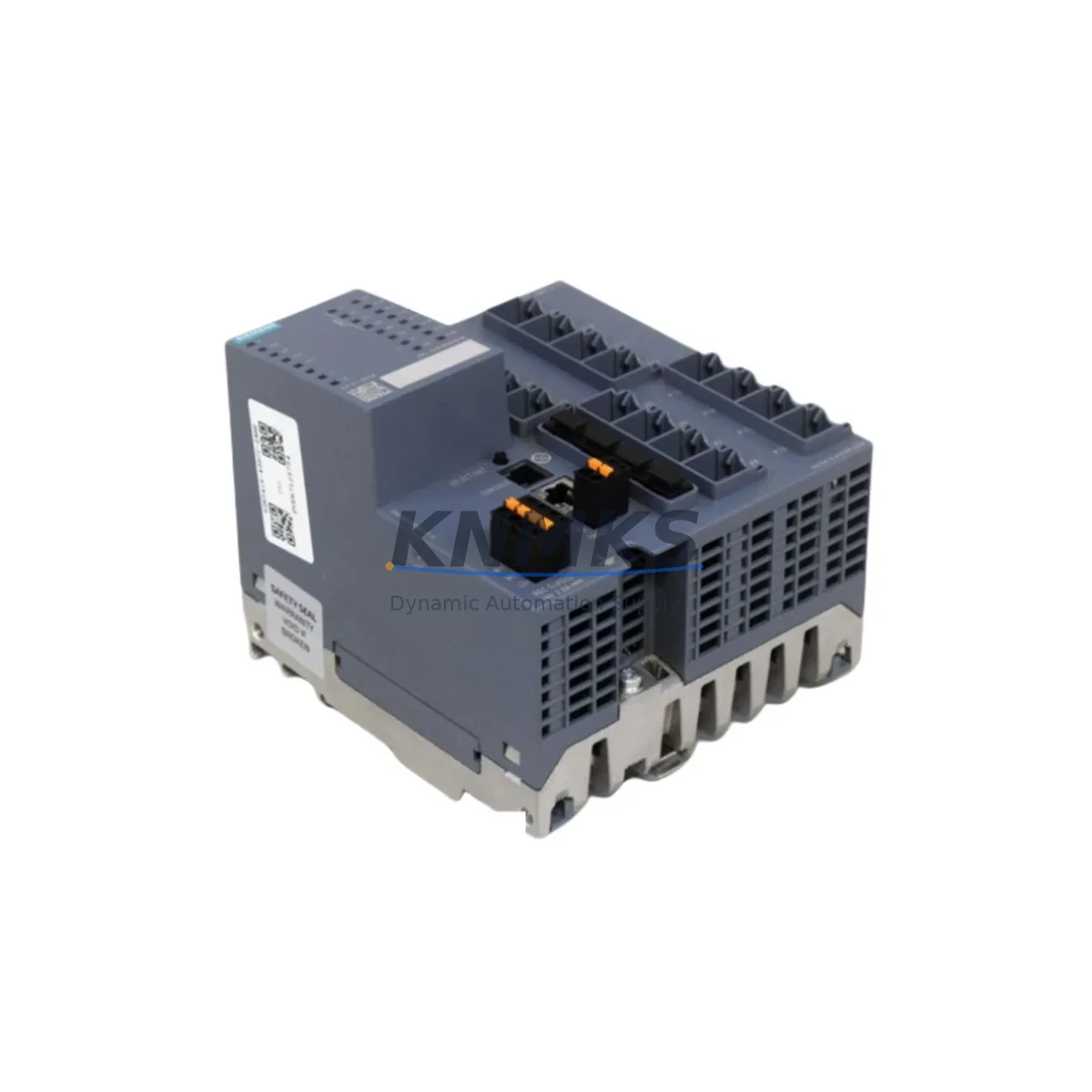
Siemens 6GK5416-4GS00-2AM2 SCALANCE XM416-4C Spare: Maintenance-Proven for Factory Uptime
The Siemens 6GK5416-4GS00-2AM2 is a managed Industrial Ethernet switch from the SCALANCE XM400 series, specifically the XM416-4C variant. Designed for demanding industrial environments, this switch supports PROFINET, PROFIBUS integration, and high-availability ring topologies including MRP (Media Redundancy Protocol). It is widely deployed in automotive assembly lines, process plants, power distribution substations, and large-scale discrete manufacturing facilities where network continuity is non-negotiable.
For maintenance engineers managing aging automation infrastructure, the 6GK5416-4GS00-2AM2 represents a critical node in the plant network. A failed or degraded switch at this tier can cascade into communication loss across entire PLC clusters, HMI blackouts, and unplanned production stoppages. Stocking a verified replacement unit — pre-tested and ready for immediate deployment — is the most effective strategy to contain mean time to repair (MTTR) and protect production KPIs.
Each unit supplied by KNMKS undergoes pre-shipment functional verification covering port link negotiation, VLAN configuration retention, ring redundancy failover timing, and firmware version confirmation. Units are shipped with original packaging where available, and all carry a support terms confirmed by quotation from the date of delivery.
Spare Maintenance Table
| Parameter | Specification / Recommendation |
|---|---|
| SKU / Part Number | 6GK5416-4GS00-2AM2 |
| Product Series | SCALANCE XM400 (XM416-4C) |
| Port Configuration | 16 × RJ45 (10/100/1000 Mbps) + 4 × SFP combo ports |
| Supported Protocols | PROFINET IO, SNMP v1/v2c/v3, RSTP, MRP, IGMP Snooping |
| Power Supply Input | 24 V DC (18–32 V DC operating range) |
| Redundant Power Input | Yes — dual 24 V DC terminals (P1 / P2) |
| Operating Temperature | -40 °C to +70 °C |
| Protection Rating | IP30 (DIN rail mount) |
| Installation | DIN rail (35 mm), control cabinet or field enclosure |
| Compatibility | SCALANCE XM400 series; SIMATIC S7-300/400/1500 networks; TIA Portal managed |
| Firmware Management | Via SINEMA Remote Connect or STEP 7 / TIA Portal |
| Country of Origin | Germany |
| Support terms | 12 months from delivery date (KNMKS) |
| Pre-Shipment Test | Port link, VLAN, MRP failover, firmware version verified |
| Maintenance Interval | Inspect annually; replace on port degradation or ring fault alerts |
Maintenance Planning for Continuous Operation
When scheduling a replacement of the 6GK5416-4GS00-2AM2, maintenance engineers should treat the switch as part of a broader network and power ecosystem. A structured inspection of surrounding components before and after swap-out significantly reduces the risk of secondary faults and repeat downtime.
Power supply integrity is the first checkpoint. The XM416-4C requires a stable 24 V DC supply within the 18–32 V DC tolerance band. Verify the upstream SITOP PSU8600 or equivalent 24 V DC power supply module for output ripple, load capacity, and terminal condition before connecting the replacement switch. A marginal power supply that was masking its degradation behind the old switch’s lower draw may immediately stress the new unit.
SFP transceiver modules installed in the four combo ports should be inspected and logged. If the plant uses single-mode fiber uplinks via SCALANCE SFP transceivers (e.g., 6GK5991-2AA00-8AA0 or similar), confirm that the transceivers are seated correctly and that fiber connectors are clean. Dirty or cracked fiber ends are a common source of intermittent link faults that are incorrectly attributed to the switch itself.
The PROFINET IO device table configured in TIA Portal should be exported and archived before the swap. When the replacement unit is installed, the IO controller — typically a SIMATIC S7-1500 or S7-400 CPU — will attempt to re-establish PROFINET communication with all downstream devices. If the switch’s device name or IP address is not correctly restored, the controller will enter a fault state and halt the associated program cycle.
For plants using MRP ring topology, confirm the ring manager role assignment. The XM416-4C can act as MRP manager or client. If the failed unit was the ring manager, the replacement must be configured identically — including ring port designation and MRP domain ID — before the ring is closed. Failure to do so will result in a broadcast storm or ring open alarm on the SINEMA Server or network management station.
Terminal blocks and cable management within the control cabinet should also be inspected during the replacement window. Check the 24 V DC terminal strips (e.g., Phoenix Contact or Weidmüller terminal blocks) feeding the switch for loose connections, corrosion, or overheating marks. Inspect the RJ45 patch cables for bent pins or damaged boots — industrial-grade Cat6 cables with locking connectors are recommended for vibration-prone environments.
Finally, if the plant uses a SCALANCE S615 or similar security appliance upstream of the XM416-4C for firewall and VPN segmentation, verify that the security policy and NAT rules are intact after the switch replacement. Network topology changes — even a MAC address change from a new switch unit — can trigger security policy violations in some configurations.
Site Replacement Workflow
Step 1 — Pre-replacement documentation: Export the switch configuration using STEP 7, TIA Portal, or the web interface. Save the configuration file (XML or proprietary format) to a secure location. Record all port assignments, VLAN IDs, MRP role, IP address, subnet mask, and device name. Photograph the physical wiring layout if cable labeling is incomplete.
Step 2 — Controlled shutdown: Coordinate with the production supervisor to schedule a maintenance window. Where MRP ring redundancy is active, the ring will tolerate a single break — but inform all stakeholders that network redundancy is temporarily reduced during the swap. Disable the switch gracefully if possible via the management interface before powering down.
Step 3 — Physical replacement: Power down the 24 V DC supply to the switch. Disconnect all RJ45 and SFP cables, labeling each port if not already labeled. Remove the unit from the DIN rail. Mount the replacement 6GK5416-4GS00-2AM2 on the DIN rail, reconnect power terminals (P1/P2), and reconnect all data cables in the documented order.
Step 4 — Configuration restore: Apply the saved configuration via TIA Portal or the switch web interface. Confirm the device name and IP address match the original. Re-enable MRP ring and verify ring status (closed / no fault). Check that all PROFINET IO devices are reachable from the S7 controller and that no alarm is active in the diagnostic buffer.
Step 5 — Functional verification: Run a short production cycle or simulate I/O activity to confirm all downstream devices — drives, remote I/O stations, HMI panels — are communicating normally. Log the replacement in the plant maintenance record with the new unit’s serial number and firmware version.
Spare Parts Support FAQ
Q1: Is the 6GK5416-4GS00-2AM2 a direct drop-in replacement for an existing XM416-4C unit?
Yes. The 6GK5416-4GS00-2AM2 is the standard order number for the SCALANCE XM416-4C. As long as the firmware version is compatible with your TIA Portal project version, the unit is a direct physical and functional replacement. KNMKS confirms firmware version prior to shipment and can supply units with specific firmware on request.
Q2: Can KNMKS supply this unit long-term for multi-site maintenance contracts?
Yes. KNMKS maintains stock of SCALANCE XM400 series switches and can support blanket purchase orders and scheduled delivery programs for multi-site or multi-year maintenance contracts. Contact admin@knmks.com to discuss volume pricing and lead time commitments.
Q3: What pre-shipment testing is performed on each unit?
Each 6GK5416-4GS00-2AM2 supplied by KNMKS is tested for: all port link negotiation (10/100/1000 Mbps auto-negotiation), SFP slot recognition, VLAN configuration write/read, MRP ring failover response time, and firmware version verification. A test report is available on request.
Q4: What does the support terms confirmed by quotation cover?
The support terms confirmed by quotation cover hardware defects and functional failures under normal operating conditions (within specified voltage, temperature, and humidity ranges). It does not cover physical damage caused by incorrect installation, overvoltage, or environmental contamination beyond IP30 rating. Support requests are processed via admin@knmks.com with a fault description and return authorization.
© 2026 KNMKS. All rights reserved.
Original Source: https://knmks.com
Contact: admin@knmks.com | +86 18359268345
Product Identification
- Brand / Ecosystem
-
Siemens
Siemens - Model / Series
-
6GK5416-4GS00-2AM2
SIMATIC Series - Product Family
- Sensors
- Availability Status
- Available on request after model and quantity confirmation
- Inquiry Type
- B2B RFQ, replacement inquiry and project spare-part request
- Pre-Quote Check
- Exact SKU, brand, series, quantity, nameplate photos and destination country are checked before quotation
System Path
Where this product fits in the KNMKS automation structure.
Specification & Inquiry Focus
- Sensor range
- Photoelectric, proximity and process sensors
- Common needs
- Output type, distance and connector
- Project support
- Machine detection and replacement inquiry
Buyer Confirmation
Information KNMKS checks before replying.
- Exact model
- 6GK5416-4GS00-2AM2
- Brand / ecosystem
- Siemens
- Product family
- Sensors
- Application note
- Replacement, maintenance, project build or spare-part list
- Useful photos
- Nameplate, installed unit, cabinet layout or connector side
- Delivery details
- Quantity, destination country and target schedule
Document Support
Files and notes can be confirmed during quotation.
- Product photos or nameplate confirmation when available
- Packing and delivery notes before quotation confirmation
- Support scope and delivery terms confirmed per inquiry
- Export document coordination for qualified B2B requests
Inquiry Support
- NPN/PNP, analog and digital output checking
- Connector and cable compatibility review
- Fast inquiry support for maintenance teams
What to Send Us
- Brand and exact model number: Siemens 6GK5416-4GS00-2AM2
- Quantity and required delivery time
- Application, replacement requirement or nameplate photo
- Destination country and shipping preference
RFQ Preparation
This is a product inquiry page built for RFQ communication.
Fast Model Check
Send this model to KNMKS for confirmation.
Include quantity, destination country and photos if this is a maintenance replacement. The inquiry will be saved with a reference number after submission.
Brand & Compatibility Note
KNMKS displays automation product information for well-known industrial brand ecosystems and compatible replacement references. Brand names are used for product identification and compatibility reference only; final availability and commercial terms are confirmed per quotation.
 Manufacturing
 Machine Tools
 Packaging
 Energy & Power
 PLCs & Controllers
 HMI & Displays
 Servo Systems
 Variable Frequency Drives