
Overview
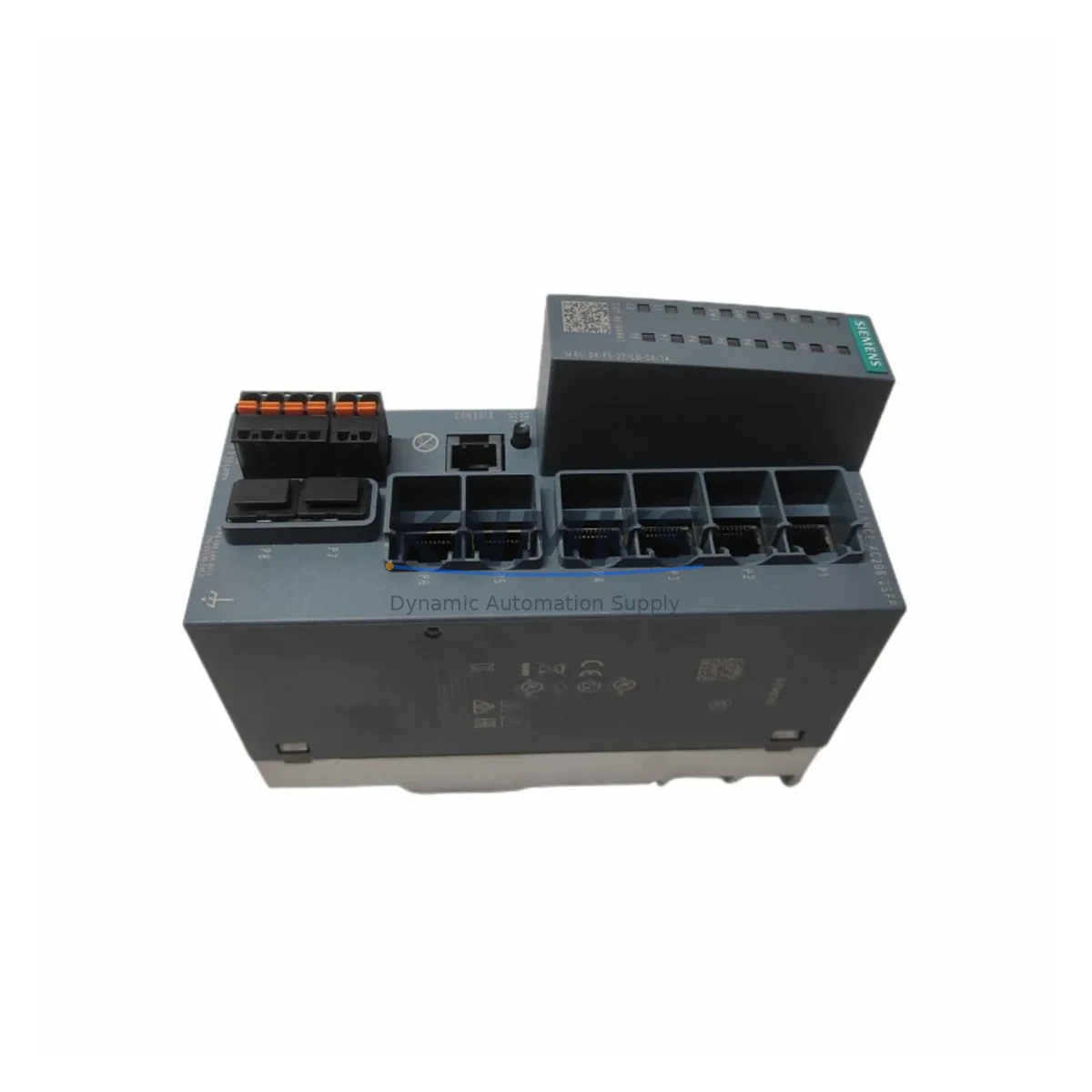
Siemens 6GK5206-2BS00-2AC2 Migration-Ready Managed Switch for Legacy Control Systems
The Siemens 6GK5206-2BS00-2AC2 is a managed industrial Ethernet switch from the SCALANCE X-200 series, designed for reliable integration into existing automation environments. As legacy Siemens networking infrastructure reaches end-of-life, this unit serves as a direct migration-ready replacement for aging unmanaged or first-generation managed switches deployed in PROFINET, Industrial Ethernet, and S7-based control architectures. Whether you are upgrading a SIMATIC S7-300 or S7-400 control cabinet, extending an existing PROFIBUS-to-Ethernet migration path, or restoring network continuity after a switch failure, the 6GK5206-2BS00-2AC2 provides a verified drop-in solution with minimal reconfiguration overhead.
This unit supports 6 × 10/100 Mbit/s RJ45 ports and 2 × 100 Mbit/s SFP slots, enabling flexible fiber or copper uplink configurations. The managed feature set includes VLAN segmentation, RSTP/STP ring redundancy, SNMP monitoring, and port mirroring — all critical capabilities when integrating into existing STEP 7 or TIA Portal network topologies. The 24 VDC power input is compatible with standard control cabinet PSUs such as the SITOP PSU100S or SITOP PSU200M series, eliminating the need for additional power conversion hardware during retrofit.
Before installation, engineers should verify terminal wiring compatibility against the existing switch’s port assignments, confirm that the DIN rail mounting depth fits within the available control cabinet space, and review the firmware version supported by the current STEP 7 or TIA Portal project. If the legacy switch was configured with static IP assignments or PROFINET device names, these parameters must be re-applied using PRONETA or the TIA Portal device configuration tool prior to commissioning. Backup of the original network topology via SINEMA Remote Connect or a local topology export is strongly recommended before any physical swap.
Migration Compatibility Table
| Parameter | 6GK5206-2BS00-2AC2 (This Unit) | Typical Legacy Replacement Target |
|---|---|---|
| Series | SCALANCE X-200 | SCALANCE X-200 / X-100 (unmanaged) |
| RJ45 Ports | 6 × 10/100 Mbit/s | 4–8 × 10/100 Mbit/s |
| Uplink Slots | 2 × SFP (100 Mbit/s) | None or 1 × SFP |
| Power Supply | 24 VDC (18–32 V) | 24 VDC |
| Mounting | DIN Rail (35 mm) | DIN Rail (35 mm) |
| Communication Protocol | PROFINET, Industrial Ethernet, SNMP | Industrial Ethernet / PROFINET |
| Redundancy | RSTP / STP ring | None or basic STP |
| Configuration Tool | TIA Portal / STEP 7 / Web UI | STEP 7 / Web UI |
| Commissioning Note | Re-assign PROFINET device name and IP via PRONETA | — |
| Support terms | support terms confirmed by quotation — Pre-shipment tested | |
Retrofit Planning for Existing Automation Systems
Successful integration of the 6GK5206-2BS00-2AC2 into a running production environment requires a structured retrofit plan that accounts for the full scope of the network and control architecture. In a typical S7-300 or S7-400 cabinet, the switch occupies a shared DIN rail alongside components such as the SITOP PSU100S 24 VDC power supply, CP 343-1 or CP 443-1 Ethernet communication processors, and IM 153-2 distributed I/O interface modules connected via PROFIBUS DP. Each of these components has defined network addressing and device naming conventions that must remain consistent across the switch replacement.
When the existing network includes fiber uplinks — for example, connecting a remote ET 200S or ET 200M distributed I/O station — the SFP slots on the 6GK5206-2BS00-2AC2 allow direct reuse of existing fiber cabling without additional media converters. This is particularly relevant in large-footprint plants where copper runs exceed 100 m or where electrical isolation between cabinet segments is required.
For systems running SIMATIC WinCC or WinCC flexible HMI panels, the switch replacement must not disrupt the PROFINET communication link between the HMI station and the S7 CPU. It is advisable to pre-configure the replacement switch offline — assigning the correct PROFINET device name and IP address — before the physical swap, so that the HMI reconnects automatically upon power-up without requiring a manual network scan. In environments where a SCALANCE S602 or S612 security module is deployed upstream, firewall rules referencing the legacy switch’s MAC address may need to be updated post-installation.
Where the retrofit involves migrating from an older SCALANCE X-100 unmanaged switch, the addition of managed features such as VLAN and port mirroring opens new options for network segmentation and remote diagnostics — capabilities that support long-term maintainability and reduce the risk of unplanned downtime caused by broadcast storms or undetected link faults.
Downtime Control During System Migration
Minimizing production downtime during a switch replacement requires preparation that begins well before the maintenance window. The following approach is recommended for sites where continuous process control is critical:
Pre-maintenance preparation: Export the current network topology from TIA Portal or SINEMA. Document all PROFINET device names, IP addresses, and port-to-device mappings. Pre-configure the 6GK5206-2BS00-2AC2 offline with identical addressing. Verify that the replacement unit’s firmware is compatible with the TIA Portal project version in use.
During the maintenance window: Power down only the affected network segment. Swap the switch on the DIN rail, reconnect all terminal wiring in sequence using the documented port map, and restore 24 VDC power. Use PRONETA to confirm that all PROFINET devices are detected and correctly named before releasing the segment back to the PLC. If the S7 CPU is in STOP mode, verify that the program logic and I/O configuration are intact before issuing a RUN command.
Post-commissioning verification: Confirm HMI communication, check all I/O status in the diagnostic buffer, and monitor the network for 10–15 minutes under normal load before closing the maintenance record. The 6GK5206-2BS00-2AC2 is pre-shipment tested prior to dispatch, which eliminates the risk of DOA hardware and reduces the time required for on-site fault isolation.
For sites with no scheduled downtime window, a parallel installation approach — where the replacement switch is pre-wired on a temporary DIN rail and validated before the final cutover — can reduce the physical swap to under 5 minutes.
Retrofit Support FAQ
Q1: Is the 6GK5206-2BS00-2AC2 a direct replacement for the 6GK5206-2BB00-2AC2?
The 6GK5206-2BS00-2AC2 and 6GK5206-2BB00-2AC2 are both SCALANCE X-200 series managed switches with the same port count and DIN rail form factor. The primary difference is the SFP uplink interface type. Verify your existing fiber or copper uplink cabling before substituting one for the other. In most S7-based Ethernet topologies, the replacement is functionally compatible with no PLC program changes required.
Q2: What commissioning steps are required after installation?
After physical installation, use Siemens PRONETA or TIA Portal to assign the correct PROFINET device name and IP address to the new switch. If the legacy switch was configured via the web UI, re-apply VLAN, RSTP, and port settings manually. Confirm all downstream PROFINET devices are visible in the network scan before returning the system to automatic operation.
Q3: Is pre-shipment testing included?
Yes. All units are powered on and functionally tested prior to dispatch. Basic port connectivity, power input range, and indicator LED behavior are verified. A support terms confirmed by quotation is provided from the date of shipment, covering manufacturing defects and functional failures under normal operating conditions.
Q4: What is the typical lead time and stock availability?
Stock availability is confirmed at the time of order. For in-stock units, dispatch is typically within 1–3 business days. For inquiries on volume orders or long-term supply agreements for maintenance spare parts programs, contact the sales team directly.
© 2026 KNMKS. All rights reserved.
Original Source: https://knmks.com
Contact: admin@knmks.com | +86 18359268345
Product Identification
- Brand / Ecosystem
-
Siemens
Siemens - Model / Series
-
6GK5206-2BS00-2AC2
SIMATIC Series - Product Family
- Sensors
- Availability Status
- Available on request after model and quantity confirmation
- Inquiry Type
- B2B RFQ, replacement inquiry and project spare-part request
- Pre-Quote Check
- Exact SKU, brand, series, quantity, nameplate photos and destination country are checked before quotation
System Path
Where this product fits in the KNMKS automation structure.
Specification & Inquiry Focus
- Sensor range
- Photoelectric, proximity and process sensors
- Common needs
- Output type, distance and connector
- Project support
- Machine detection and replacement inquiry
Buyer Confirmation
Information KNMKS checks before replying.
- Exact model
- 6GK5206-2BS00-2AC2
- Brand / ecosystem
- Siemens
- Product family
- Sensors
- Application note
- Replacement, maintenance, project build or spare-part list
- Useful photos
- Nameplate, installed unit, cabinet layout or connector side
- Delivery details
- Quantity, destination country and target schedule
Document Support
Files and notes can be confirmed during quotation.
- Product photos or nameplate confirmation when available
- Packing and delivery notes before quotation confirmation
- Support scope and delivery terms confirmed per inquiry
- Export document coordination for qualified B2B requests
Inquiry Support
- NPN/PNP, analog and digital output checking
- Connector and cable compatibility review
- Fast inquiry support for maintenance teams
What to Send Us
- Brand and exact model number: Siemens 6GK5206-2BS00-2AC2
- Quantity and required delivery time
- Application, replacement requirement or nameplate photo
- Destination country and shipping preference
RFQ Preparation
This is a product inquiry page built for RFQ communication.
Fast Model Check
Send this model to KNMKS for confirmation.
Include quantity, destination country and photos if this is a maintenance replacement. The inquiry will be saved with a reference number after submission.
Brand & Compatibility Note
KNMKS displays automation product information for well-known industrial brand ecosystems and compatible replacement references. Brand names are used for product identification and compatibility reference only; final availability and commercial terms are confirmed per quotation.
 Manufacturing
 Machine Tools
 Packaging
 Energy & Power
 PLCs & Controllers
 HMI & Displays
 Servo Systems
 Variable Frequency Drives