
Overview
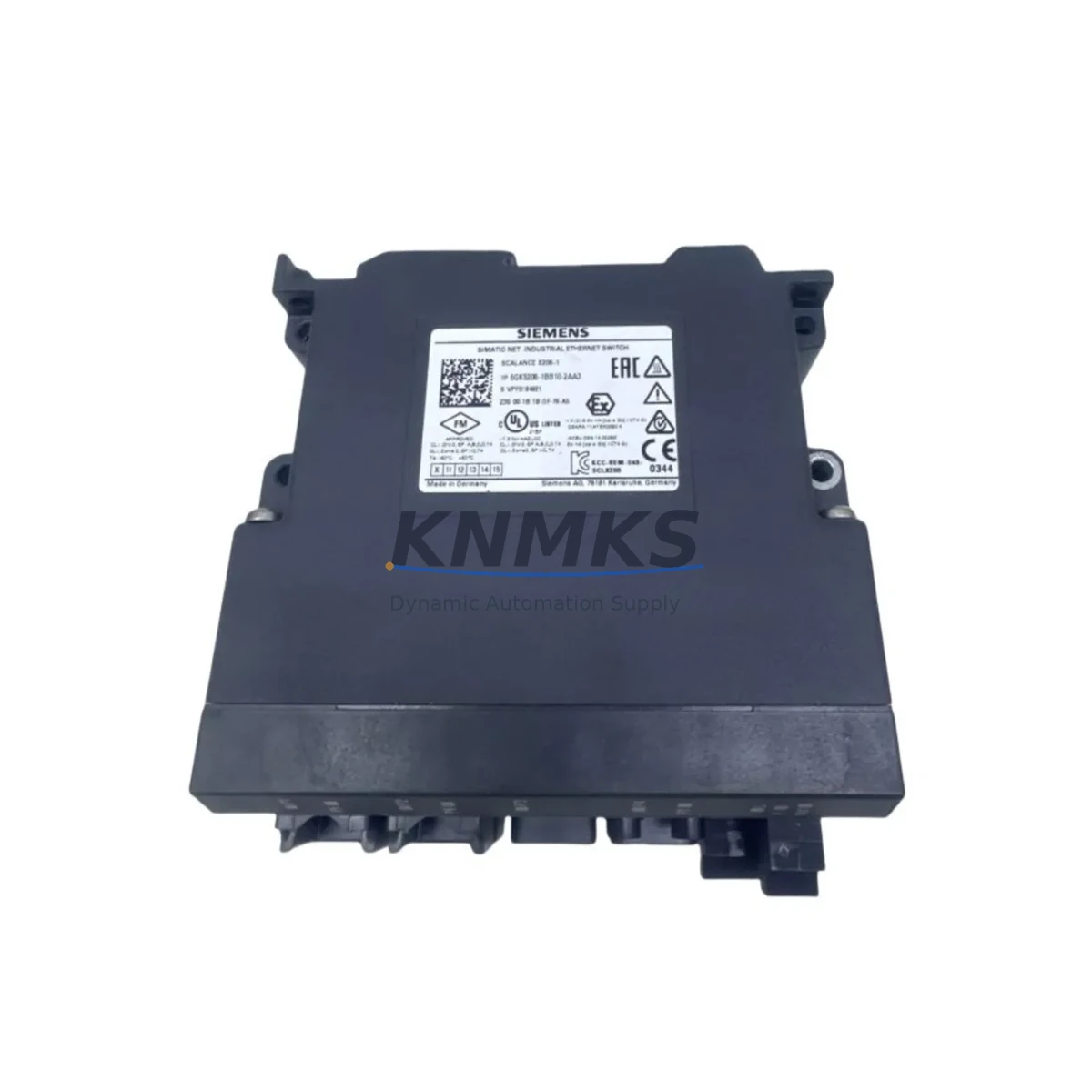
Siemens 6GK5206-1BB10-2AA3 Migration-Ready Ethernet Switch for Legacy Control Systems
The Siemens 6GK5206-1BB10-2AA3 is a SCALANCE X200 series managed industrial Ethernet switch engineered for seamless integration into existing PROFINET and Industrial Ethernet architectures. As legacy control networks built around older SCALANCE X100 or unmanaged third-party switches approach end-of-life, the 6GK5206-1BB10-2AA3 provides a validated, drop-in migration path that preserves existing wiring infrastructure, DIN rail mounting positions, and PROFINET device addressing — minimizing retrofit risk and planned downtime windows.
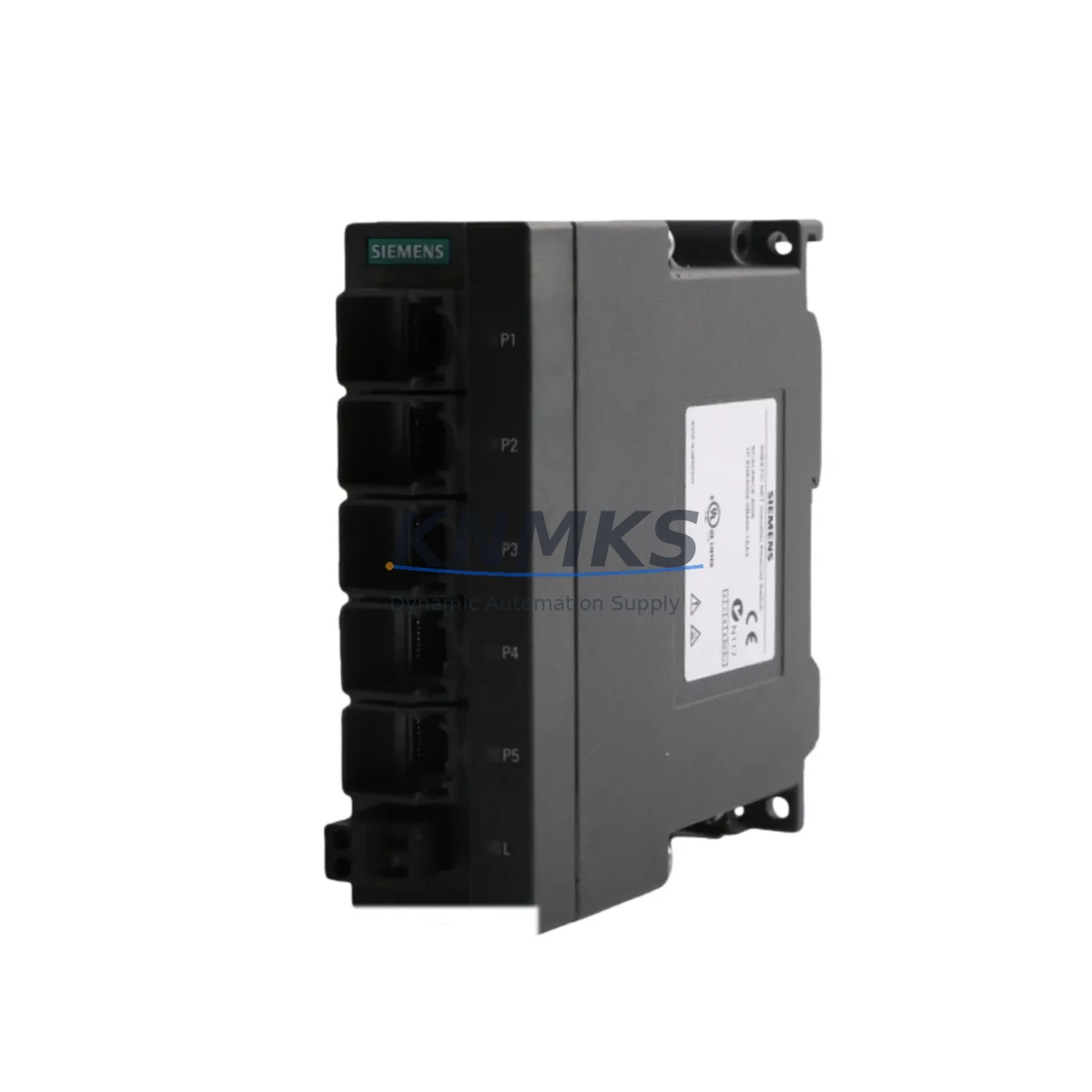
With six 10/100 Mbps RJ45 ports and one SFP slot for fiber uplink, this switch supports ring redundancy via PROFINET MRP (Media Redundancy Protocol), making it a preferred replacement in control cabinet upgrades where network resilience is a hard requirement. Engineers migrating from older unmanaged switches or legacy SCALANCE X005 / X008 units will find the 6GK5206-1BB10-2AA3 fully backward-compatible at the physical and protocol layer, requiring no changes to existing STEP 7 or TIA Portal network configurations beyond device substitution and IP address reassignment.
In DCS and SCADA retrofit projects — particularly those involving Siemens S7-300 or S7-400 controllers communicating over PROFINET IO — the 6GK5206-1BB10-2AA3 integrates directly into the existing backplane communication topology. When paired with a CP 343-1 or CP 443-1 communications processor, the switch maintains deterministic cycle times critical for process control continuity. For sites running SIMATIC WinCC or WinCC OA as the SCADA/HMI layer, the switch’s SNMP v1/v2c and web-based management interface allows network diagnostics without interrupting live HMI screen updates or historian data collection.
Retrofit planners should verify the following before installation: available 24 VDC supply capacity on the control cabinet power rail (the 6GK5206-1BB10-2AA3 draws approximately 3.5 W), DIN rail clearance of at least 45 mm width, and existing cable lengths to confirm RJ45 patch runs remain within 100 m Cat5e/Cat6 limits. Where fiber uplink is required to span longer distances between control rooms and field junction boxes, the SFP slot accepts standard 100BASE-FX modules, enabling integration with existing fiber infrastructure without additional media converters.
For sites where the SCALANCE X206-1 is being introduced alongside a broader S7-1500 migration — replacing legacy S7-300 racks and ET 200M distributed I/O — the switch’s PROFINET conformance class B certification ensures compatibility with the new controller’s IO device scan cycle. Technicians should update the GSDML device description file in TIA Portal to reflect the 6GK5206-1BB10-2AA3 hardware revision before going live, and confirm that any existing PROFINET IO controller address tables are updated to match the new switch’s MAC address and device name assignment.
Firmware compatibility is a key checkpoint: the 6GK5206-1BB10-2AA3 ships with current factory firmware and is compatible with SINEMA Network Manager for centralized network monitoring. Sites running older SINEMA versions should verify the minimum supported firmware version prior to integration. A pre-shipment functional test covering port link status, VLAN configuration, and MRP ring closure is performed on every unit before dispatch.
Migration Compatibility Table
| Parameter | 6GK5206-1BB10-2AA3 (Replacement) | Legacy / Predecessor Units |
|---|---|---|
| Series | SCALANCE X200 | SCALANCE X100 / X005 / X008 / Unmanaged |
| Port Configuration | 6× RJ45 10/100 Mbps + 1× SFP | Typically 5–8× RJ45, no SFP |
| Mounting | DIN Rail (35 mm) | DIN Rail (35 mm) — direct fit |
| Power Supply | 24 VDC (18–32 VDC), ~3.5 W | 24 VDC — verify rail capacity |
| PROFINET Compatibility | PROFINET IO, MRP, Conformance Class B | Limited or none (unmanaged units) |
| Communication Protocol | PROFINET, SNMP v1/v2c, HTTP/HTTPS | Ethernet only (unmanaged) |
| Ring Redundancy | MRP supported | Not supported on legacy unmanaged |
| Management Interface | Web UI, SNMP, SINEMA NM | None (unmanaged) |
| Commissioning Tool | TIA Portal / STEP 7 / SINEMA | Manual IP assignment only |
| Installation Space | ~45 mm DIN width | Verify cabinet clearance before swap |
| Firmware Update | Required — verify GSDML revision in TIA Portal | N/A |
| Support terms | support terms confirmed by quotation — covers hardware defects, DOA replacement, and pre-shipment functional test | |
Retrofit Planning for Existing Automation Systems
A successful retrofit using the 6GK5206-1BB10-2AA3 typically begins with a network topology audit of the existing control cabinet. Engineers should document all connected PROFINET IO devices — including ET 200SP or ET 200M distributed I/O stations, SIMATIC HMI panels such as the TP700 Comfort or KTP900 Basic, and any CP 343-1 Advanced communications processors still active in legacy S7-300 racks. Each of these devices will need to be re-scanned by TIA Portal after the switch replacement to confirm PROFINET device name and IP address assignments are intact.
Where the existing cabinet includes a SITOP PSU300S or similar 24 VDC power supply module, verify that the available current budget accommodates the additional ~150 mA draw of the 6GK5206-1BB10-2AA3 without triggering overload protection on shared rails. In cabinets where multiple SCALANCE switches are being replaced simultaneously — for example, during a full S7-300 to S7-1500 migration — it is advisable to stage the switch replacements one segment at a time to maintain partial network availability during the cutover window.
For sites using PROFIBUS DP alongside PROFINET — a common scenario in hybrid DCS environments — the 6GK5206-1BB10-2AA3 operates exclusively on the Ethernet/PROFINET layer and does not interfere with existing PROFIBUS segments. However, if the retrofit plan includes replacing DP/PA field devices with PROFINET-native equivalents, the switch’s MRP ring capability becomes critical for maintaining redundant communication paths to field junction boxes. Signal isolators and marshalling panels connected via terminal blocks should be verified for correct grounding and shielding continuity after the switch swap, as ground loops introduced during cabinet rework are a common source of intermittent communication faults post-commissioning.
Programming cable access during commissioning — typically via a SIMATIC NET PC Card or USB/RJ45 programming adapter — should be planned before the maintenance window begins. Having a pre-configured replacement unit with the correct device name and IP address loaded via TIA Portal’s “Download to Device” function before the physical swap significantly reduces live commissioning time on the plant floor.
Downtime Control During System Migration
Minimizing unplanned downtime during a switch migration requires a structured pre-cutover checklist. Before removing the legacy switch, export the current PROFINET network configuration from TIA Portal or STEP 7 and save a backup of all controller program blocks, including OB1, OB35, and any communication FBs that reference the network topology. This ensures that if the new switch requires a device name reassignment, the controller program logic does not need to be modified — only the hardware configuration layer is updated.
During the physical swap, label all RJ45 patch cables with port numbers before disconnection. The 6GK5206-1BB10-2AA3’s port layout may differ from the legacy unit, and reconnecting cables to incorrect ports is the most common cause of extended commissioning time. After reconnection, use the switch’s web interface or SINEMA Network Manager to verify that all expected PROFINET IO devices appear online before releasing the controller from STOP mode.
For processes where even a brief interruption is unacceptable — such as continuous chemical dosing, conveyor synchronization, or temperature-controlled curing ovens — consider implementing a parallel network segment using the SFP fiber uplink port to maintain a secondary communication path to critical IO stations during the cutover. Once the new switch is confirmed stable, the parallel path can be decommissioned without a second process stop.
Post-commissioning, run a 24-hour network diagnostic cycle using SINEMA Network Manager to capture any intermittent MRP ring faults, port flapping events, or PROFINET IO alarm storms that may indicate wiring issues introduced during the retrofit. Document the final network state — including MAC address table, VLAN assignments, and MRP role configuration — as the new baseline for future maintenance records.
Retrofit Support FAQ
Q1: Is the 6GK5206-1BB10-2AA3 a direct replacement for the SCALANCE X005 or X008?
Yes. The 6GK5206-1BB10-2AA3 uses the same 35 mm DIN rail mounting, 24 VDC power input, and RJ45 port format as the SCALANCE X005 and X008. The primary difference is the addition of managed PROFINET functionality and an SFP uplink port. No mechanical modifications to the control cabinet are required for a direct swap, though the GSDML device description file must be updated in TIA Portal to reflect the new hardware.
Q2: What commissioning steps are required after installation?
After physical installation, assign the device name and IP address using TIA Portal’s “Accessible Devices” scan or the switch’s web interface. Verify MRP ring configuration if ring redundancy is in use. Confirm all PROFINET IO devices connected downstream are visible in the controller’s IO device list before switching the CPU from STOP to RUN. A full I/O force test on critical signals is recommended before returning the process to automatic mode.
Q3: Are pre-shipment tests performed on each unit?
Yes. Every 6GK5206-1BB10-2AA3 unit undergoes a pre-shipment functional test covering port link negotiation, VLAN configuration integrity, MRP ring closure, and power-on self-test results. Test records are available upon request. All units are covered by a support terms confirmed by quotation against hardware defects, with DOA (Dead on Arrival) replacement processed within 3 business days of confirmed fault report.
Q4: What is the typical lead time and stock availability?
Stock is maintained across regional warehouses to support urgent MRO and breakdown replacement requirements. Standard lead time for in-stock units is 3–7 business days for international shipments. For projects requiring multiple units or blanket stock agreements to cover planned maintenance windows, contact the sales team to discuss allocation and forward stocking arrangements.
© 2026 KNMKS. All rights reserved.
Original Source: https://knmks.com
Contact: admin@knmks.com | +86 18359268345
Product Identification
- Brand / Ecosystem
-
Siemens
Siemens - Model / Series
-
6GK5206-1BB10-2AA3
SIMATIC Series - Product Family
- Sensors
- Availability Status
- Available on request after model and quantity confirmation
- Inquiry Type
- B2B RFQ, replacement inquiry and project spare-part request
- Pre-Quote Check
- Exact SKU, brand, series, quantity, nameplate photos and destination country are checked before quotation
System Path
Where this product fits in the KNMKS automation structure.
Specification & Inquiry Focus
- Sensor range
- Photoelectric, proximity and process sensors
- Common needs
- Output type, distance and connector
- Project support
- Machine detection and replacement inquiry
Buyer Confirmation
Information KNMKS checks before replying.
- Exact model
- 6GK5206-1BB10-2AA3
- Brand / ecosystem
- Siemens
- Product family
- Sensors
- Application note
- Replacement, maintenance, project build or spare-part list
- Useful photos
- Nameplate, installed unit, cabinet layout or connector side
- Delivery details
- Quantity, destination country and target schedule
Document Support
Files and notes can be confirmed during quotation.
- Product photos or nameplate confirmation when available
- Packing and delivery notes before quotation confirmation
- Support scope and delivery terms confirmed per inquiry
- Export document coordination for qualified B2B requests
Inquiry Support
- NPN/PNP, analog and digital output checking
- Connector and cable compatibility review
- Fast inquiry support for maintenance teams
What to Send Us
- Brand and exact model number: Siemens 6GK5206-1BB10-2AA3
- Quantity and required delivery time
- Application, replacement requirement or nameplate photo
- Destination country and shipping preference
RFQ Preparation
This is a product inquiry page built for RFQ communication.
Fast Model Check
Send this model to KNMKS for confirmation.
Include quantity, destination country and photos if this is a maintenance replacement. The inquiry will be saved with a reference number after submission.
Brand & Compatibility Note
KNMKS displays automation product information for well-known industrial brand ecosystems and compatible replacement references. Brand names are used for product identification and compatibility reference only; final availability and commercial terms are confirmed per quotation.
 Manufacturing
 Machine Tools
 Packaging
 Energy & Power
 PLCs & Controllers
 HMI & Displays
 Servo Systems
 Variable Frequency Drives