
Overview
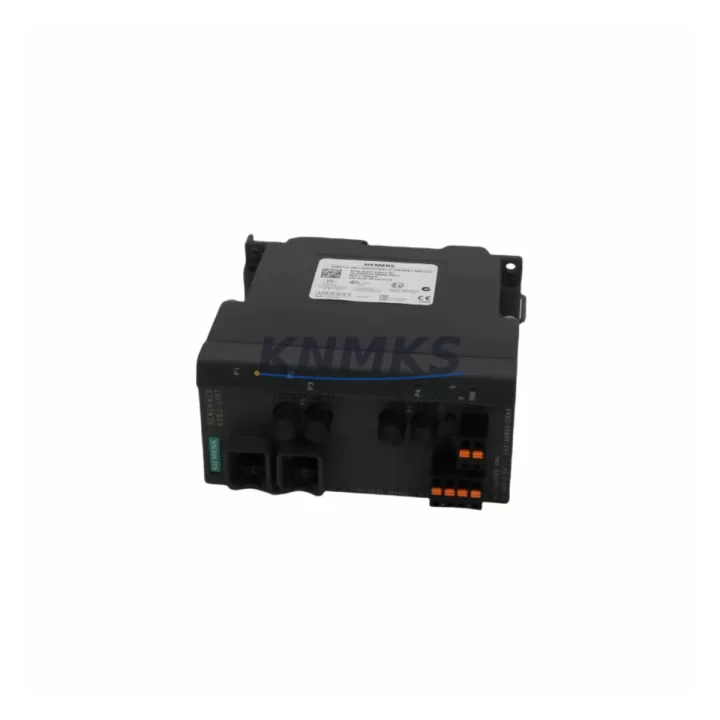
Siemens 6GK5108-2BB00-2AB2 Maintenance-Proven Spare Part for Factory Uptime
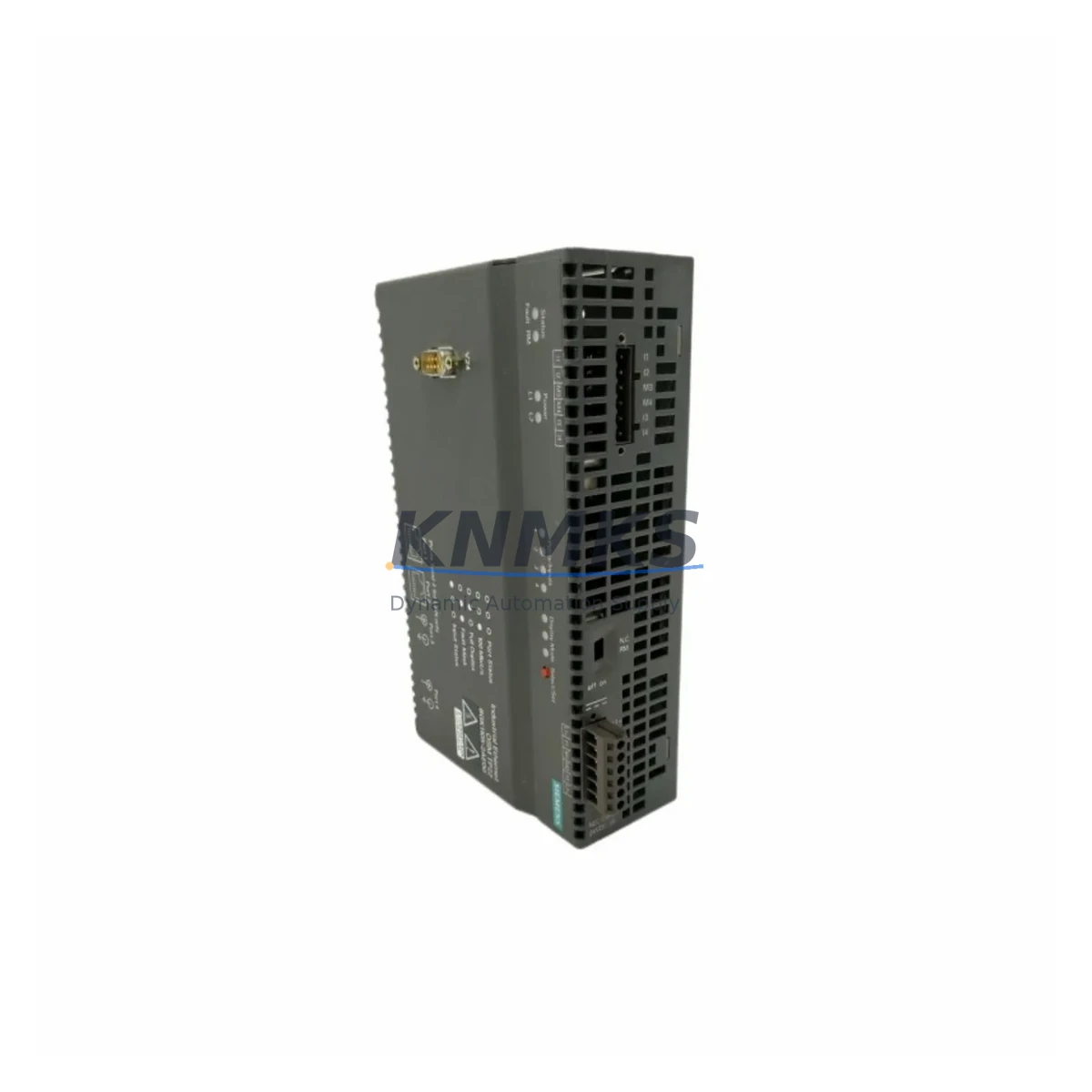
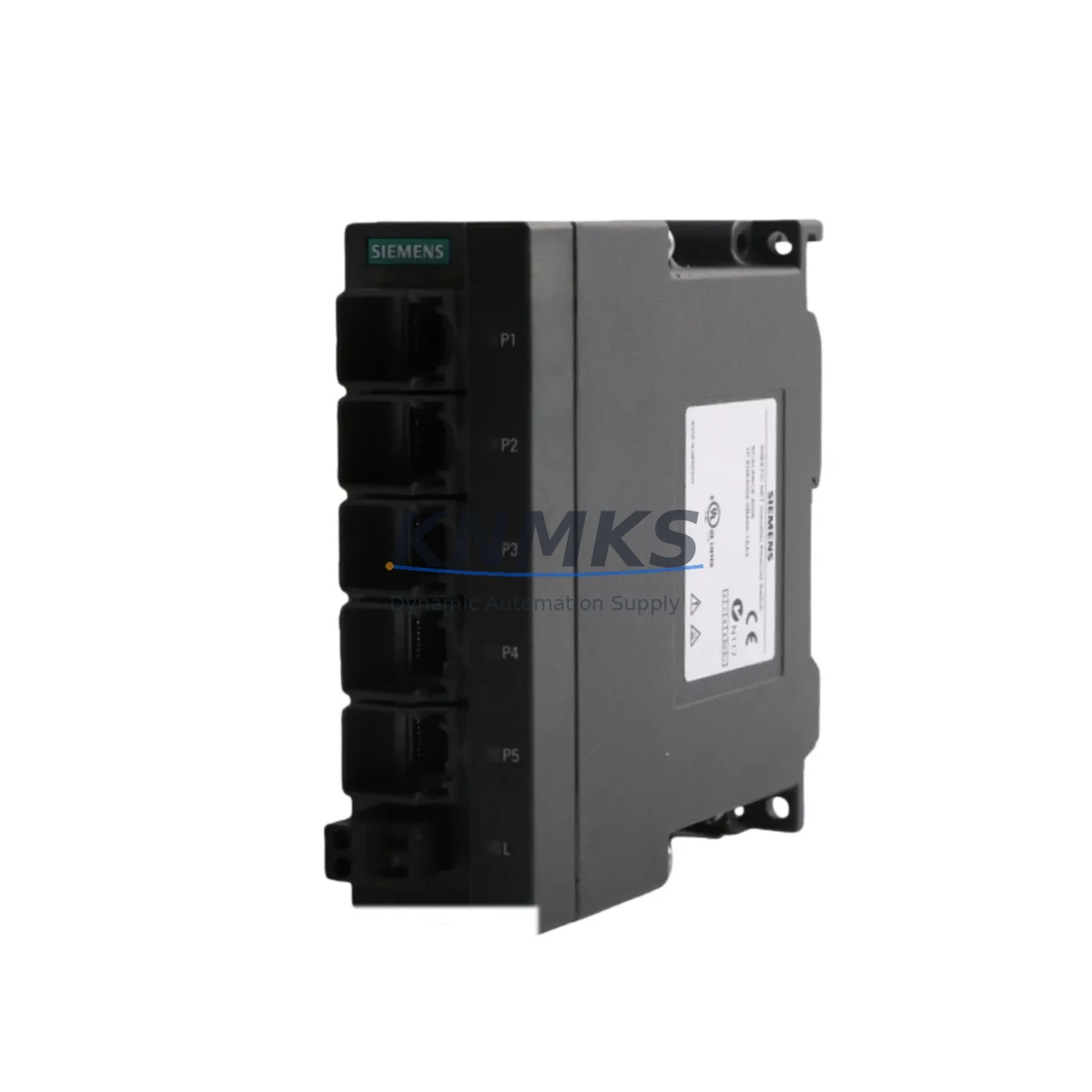
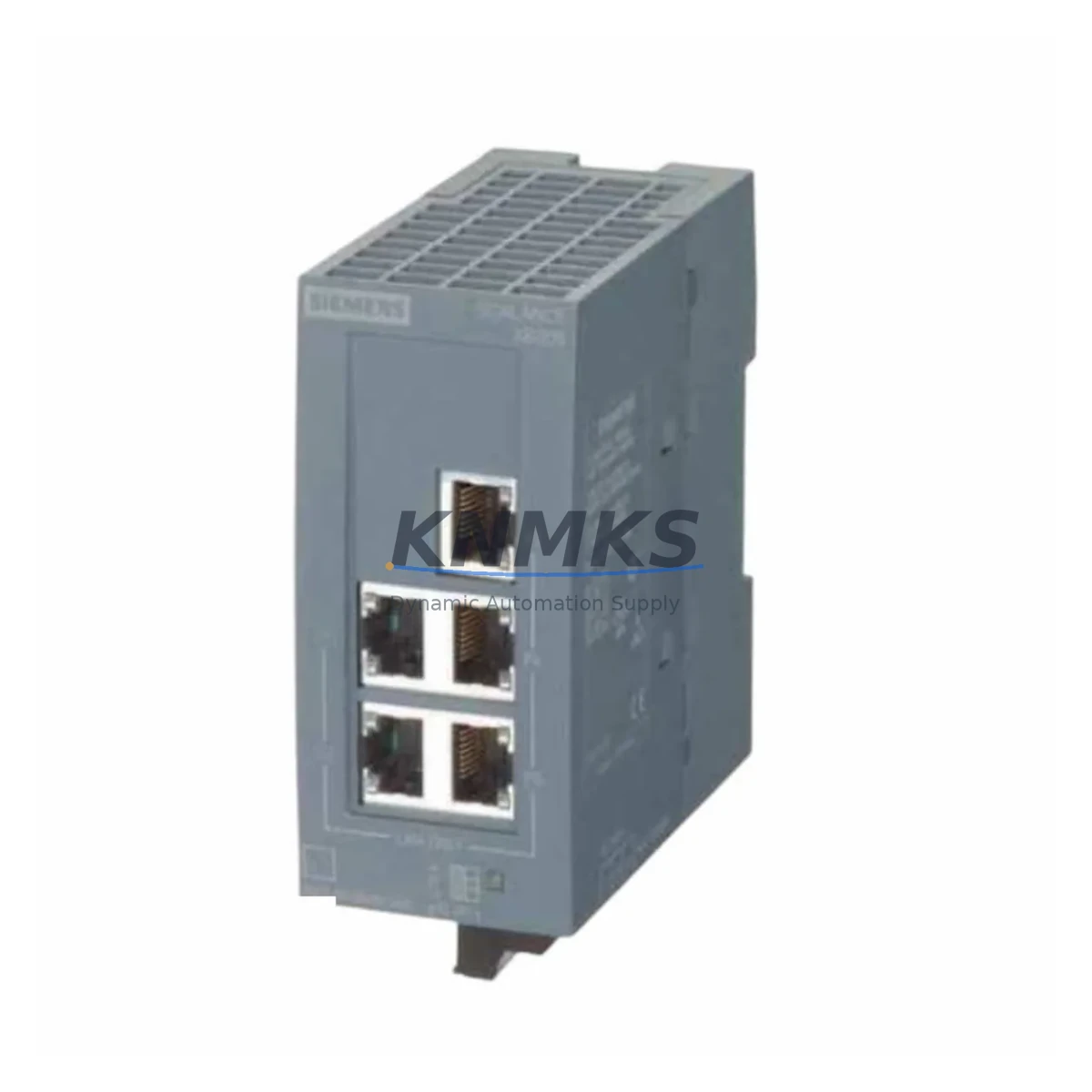
The Siemens 6GK5108-2BB00-2AB2 is an original SCALANCE X108 series 8-port unmanaged Industrial Ethernet switch designed for demanding factory automation environments. As a maintenance-proven spare part, it plays a critical role in sustaining continuous network communication across PROFINET-based control architectures, distributed I/O systems, and PLC-driven production lines. Whether you are managing a scheduled annual overhaul, responding to an unplanned network fault, or building a strategic spare parts inventory, the 6GK5108-2BB00-2AB2 is a reliable, drop-in replacement that minimizes downtime and preserves system compatibility.
For maintenance engineers and procurement engineers alike, sourcing an original Siemens SCALANCE X108 spare ensures that your factory network infrastructure remains stable, certified, and fully supported. This unit ships fully tested, with a support terms confirmed by quotation, and is available for long-term supply agreements to support ongoing maintenance contracts and multi-site operations.
Spare Maintenance Table
| SKU / Part Number | 6GK5108-2BB00-2AB2 |
| Brand | Siemens |
| Series | SCALANCE X108 |
| Product Type | Industrial Ethernet Switch (Unmanaged) |
| Number of Ports | 8 × RJ45 (10/100 Mbps) |
| Network Protocol | PROFINET, Industrial Ethernet (IEEE 802.3) |
| Supply Voltage | 24 V DC (SELV/PELV) |
| Power Consumption | Approx. 3.5 W (typical) |
| Operating Temperature | -10 °C to +60 °C |
| Protection Class | IP30 |
| Mounting | DIN Rail (35 mm) |
| Dimensions (W×H×D) | Approx. 60 × 125 × 124 mm |
| Weight | 720 g |
| Origin | Germany |
| Compatibility | SIMATIC S7-300, S7-400, S7-1200, S7-1500, ET 200 distributed I/O, PROFINET networks |
| Certifications | CE, UL, cUL, ATEX (Zone 2), IECEx |
| Maintenance Recommendation | Inspect annually; replace if port LEDs indicate persistent link faults or if switch temperature exceeds rated range |
| Support terms | 12 Months |
| Condition | Original, New / Tested Surplus |
Maintenance Planning for Continuous Operation
When replacing the 6GK5108-2BB00-2AB2 in a live control cabinet or during a planned shutdown, a thorough inspection of the surrounding electrical environment is essential to prevent repeat failures and ensure long-term network stability. Maintenance engineers should begin by verifying the 24 V DC power supply feeding the switch — a Siemens SITOP PSU100S or equivalent regulated DIN rail power supply should be checked for output voltage stability and ripple, as undervoltage or transient spikes are a common root cause of switch failure in industrial settings.
Next, inspect the terminal blocks and cable connections at each RJ45 port. Industrial Ethernet patch cables and pre-assembled M12 connectors used in PROFINET segments should be tested for continuity and shielding integrity. Damaged or improperly shielded cables can introduce EMI that degrades network performance even after the switch is replaced. If the control cabinet houses a SIMATIC ET 200SP or ET 200M distributed I/O station, verify that all I/O modules are communicating correctly after the switch swap, as a brief network interruption during replacement may trigger fault states in connected I/O racks.
For cabinets integrating a SIMATIC S7-1500 or S7-300 PLC, confirm that the CPU’s PROFINET interface re-establishes all device connections within the expected timeout window. If the system uses a CP 343-1 or CP 443-1 communications processor for Ethernet connectivity, check its diagnostic buffer for any logged communication errors that may have accumulated prior to the switch failure. In multi-ring or redundant network topologies using SCALANCE X200 or X300 series managed switches upstream, verify that the ring redundancy protocol (MRP) has re-converged correctly after the unmanaged X108 replacement.
Signal isolators and relay output modules connected to the same network segment should also be inspected — particularly if the switch failure caused a momentary loss of cyclic PROFINET communication. Fuse protection for the 24 V DC bus feeding the switch and adjacent devices should be checked and replaced if any signs of thermal stress are present. Finally, if the cabinet includes an HMI panel such as a Siemens SIMATIC HMI KTP700 or TP1200, confirm that the operator panel has re-established its connection to the PLC and that all process visualizations are displaying correctly before returning the line to production.
Site Replacement Workflow
The 6GK5108-2BB00-2AB2 is a direct plug-and-play replacement for any existing SCALANCE X108 unit installed in a PROFINET network segment. No configuration software is required for this unmanaged switch, which significantly reduces replacement time on the factory floor. The following workflow is recommended for site engineers performing an emergency or scheduled replacement:
Step 1 — Isolation: Notify the control room and place the affected PLC or DCS segment into a safe hold state. Document all active network connections on the existing switch before disconnecting cables.
Step 2 — Power Down: Disconnect the 24 V DC supply to the switch. Do not hot-swap unless your system architecture explicitly supports it. Verify with a multimeter that the supply terminals are de-energized.
Step 3 — Cable Transfer: Label and transfer all Ethernet cables from the old switch to the new 6GK5108-2BB00-2AB2 in the same port sequence. Inspect each cable end for damage before reconnecting.
Step 4 — Power On and Verification: Restore 24 V DC power. Observe the port LEDs — all active ports should show a solid green link indicator within 30 seconds. Check the PLC diagnostic buffer and HMI for any residual communication alarms.
Step 5 — Return to Production: Once all PROFINET devices have re-established cyclic communication and no faults are present in the CPU or I/O diagnostics, release the line back to normal operation. Log the replacement in your maintenance management system (CMMS) with the date, technician name, and new unit serial number.
This workflow is compatible with both emergency breakdown scenarios and planned preventive maintenance shutdowns, and typically allows line recovery within 15–30 minutes when a pre-stocked spare is available on site.
Spare Parts Support FAQ
Q1: Is the 6GK5108-2BB00-2AB2 compatible with my existing SCALANCE X108 installation?
Yes. The 6GK5108-2BB00-2AB2 is a direct replacement for any SCALANCE X108 series switch. It is fully compatible with PROFINET networks, SIMATIC S7 PLCs, and ET 200 distributed I/O systems. No reconfiguration is required — simply transfer your Ethernet cables and restore power.
Q2: What testing is performed before shipment?
Every unit undergoes power-on functional testing, port link verification, and visual inspection before dispatch. Units sourced as tested surplus are additionally checked for firmware integrity and physical connector condition. A test report is available upon request for quality-critical procurement.
Q3: Can I establish a long-term supply agreement for ongoing maintenance contracts?
Yes. KNMKS supports long-term supply agreements for maintenance contractors, OEMs, and plant operators managing multi-site or multi-year maintenance programs. Contact our sales team to discuss volume pricing, reserved stock arrangements, and scheduled delivery programs tailored to your annual maintenance calendar.
Q4: What does the support terms confirmed by quotation cover?
The support terms confirmed by quotation cover manufacturing defects and functional failures under normal operating conditions as specified in the Siemens SCALANCE X108 datasheet. Support requests are supported by our technical team, with replacement or refund options available. The confirmed support period begins from the date of shipment and applies to all units sold through KNMKS.
© 2026 KNMKS. All rights reserved.
Original Source: https://knmks.com
Contact: admin@knmks.com | +86 18359268345
Product Identification
- Brand / Ecosystem
-
Siemens
Siemens - Model / Series
-
6GK5108-2BB00-2AB2
SIMATIC Series - Product Family
- Sensors
- Availability Status
- Available on request after model and quantity confirmation
- Inquiry Type
- B2B RFQ, replacement inquiry and project spare-part request
- Pre-Quote Check
- Exact SKU, brand, series, quantity, nameplate photos and destination country are checked before quotation
System Path
Where this product fits in the KNMKS automation structure.
Specification & Inquiry Focus
- Sensor range
- Photoelectric, proximity and process sensors
- Common needs
- Output type, distance and connector
- Project support
- Machine detection and replacement inquiry
Buyer Confirmation
Information KNMKS checks before replying.
- Exact model
- 6GK5108-2BB00-2AB2
- Brand / ecosystem
- Siemens
- Product family
- Sensors
- Application note
- Replacement, maintenance, project build or spare-part list
- Useful photos
- Nameplate, installed unit, cabinet layout or connector side
- Delivery details
- Quantity, destination country and target schedule
Document Support
Files and notes can be confirmed during quotation.
- Product photos or nameplate confirmation when available
- Packing and delivery notes before quotation confirmation
- Support scope and delivery terms confirmed per inquiry
- Export document coordination for qualified B2B requests
Inquiry Support
- NPN/PNP, analog and digital output checking
- Connector and cable compatibility review
- Fast inquiry support for maintenance teams
What to Send Us
- Brand and exact model number: Siemens 6GK5108-2BB00-2AB2
- Quantity and required delivery time
- Application, replacement requirement or nameplate photo
- Destination country and shipping preference
RFQ Preparation
This is a product inquiry page built for RFQ communication.
Fast Model Check
Send this model to KNMKS for confirmation.
Include quantity, destination country and photos if this is a maintenance replacement. The inquiry will be saved with a reference number after submission.
Brand & Compatibility Note
KNMKS displays automation product information for well-known industrial brand ecosystems and compatible replacement references. Brand names are used for product identification and compatibility reference only; final availability and commercial terms are confirmed per quotation.
 Manufacturing
 Machine Tools
 Packaging
 Energy & Power
 PLCs & Controllers
 HMI & Displays
 Servo Systems
 Variable Frequency Drives