
Overview
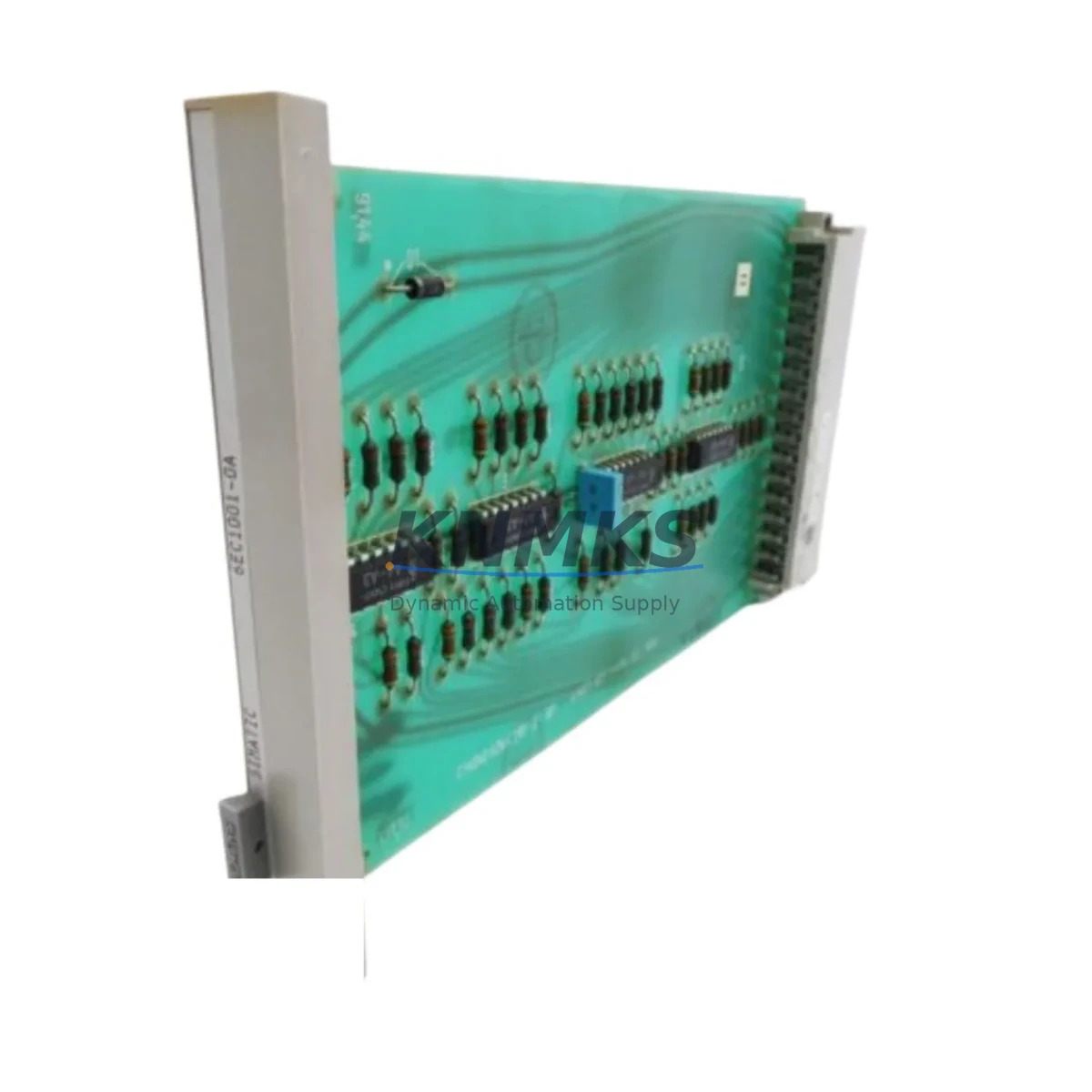
Siemens 6EC1001-0A Maintenance-Proven Spare Part for Factory Uptime
The Siemens 6EC1001-0A is a CPU module from the SIMATIC C1 series, designed for industrial automation environments where continuous operation and rapid fault recovery are critical. As a maintenance-proven spare part, the 6EC1001-0A supports maintenance engineers and procurement teams in keeping legacy SIMATIC C1 control systems operational without costly platform migrations. Whether you are managing a scheduled annual overhaul, responding to an unplanned line stoppage, or building a strategic spare parts inventory, the 6EC1001-0A delivers the original Siemens quality and compatibility your system demands.
Sourced directly from verified supply channels, each unit undergoes functional inspection and testing prior to shipment. All units are covered by a support terms confirmed by quotation, giving procurement engineers confidence in long-term supply continuity and reduced total cost of ownership.
Spare Maintenance Table
| Parameter | Specification |
|---|---|
| Part Number / SKU | 6EC1001-0A |
| Brand | Siemens |
| Series | SIMATIC C1 |
| Product Type | PLC CPU Module |
| Country of Origin | Germany (DE) |
| Compatibility | SIMATIC C1 control system rack; compatible with legacy C1 I/O modules and backplane bus |
| Installation | DIN rail / rack-mount per SIMATIC C1 mechanical specification |
| Operating Environment | Industrial control cabinet; 0–55 °C operating range (per SIMATIC C1 series standard) |
| Maintenance Recommendation | Inspect battery backup, bus connectors, and I/O wiring on each replacement cycle |
| Support terms | 12 Months — tested before shipment |
Maintenance Planning for Continuous Operation
When replacing the 6EC1001-0A CPU module in a SIMATIC C1 system, a thorough site inspection of the surrounding components is essential to prevent repeat failures and ensure a clean restart. Maintenance engineers should begin by verifying the 24 VDC power supply module feeding the CPU rack — voltage sag or ripple is a common root cause of CPU faults in aging control cabinets. The backplane bus connector and rack should be inspected for oxidation or mechanical damage before seating the replacement module.
I/O modules connected to the SIMATIC C1 backplane — including digital input, digital output, and analog signal modules — should be checked for blown fuses, loose terminal blocks, and correct wiring continuity. Signal isolators on analog loops are frequently overlooked during emergency replacements and can introduce ground loops that stress the new CPU. Relay output modules in the same cabinet should be tested for contact wear, particularly on high-cycle outputs controlling motors or solenoids.
Communication interfaces, if present — such as SINEC L1 or point-to-point serial adapters used in older SIMATIC C1 installations — should be re-initialized after CPU replacement to confirm correct node addressing. HMI panels connected via serial or MPI links should be power-cycled and their communication parameters verified against the restored CPU configuration. Where a battery-backed memory module or EEPROM cartridge is used to retain the user program, confirm the backup is current before removing the faulty CPU.
For procurement engineers building a strategic spare parts inventory around the SIMATIC C1 platform, it is advisable to stock companion items alongside the 6EC1001-0A: a spare 24 VDC rack power supply, at least one digital I/O module of each type in use, a set of terminal block connectors, and a replacement battery for CPU memory retention. This approach minimizes mean time to repair (MTTR) and reduces the risk of extended downtime caused by secondary component failures discovered only after the CPU has been replaced.
Site Replacement Workflow
Step 1 — Isolate and document: De-energize the control cabinet following site LOTO procedures. Photograph the existing wiring, module positions, and any DIP switch or jumper settings on the 6EC1001-0A before removal.
Step 2 — Back up the user program: If the SIMATIC C1 system uses a removable memory module or EEPROM cartridge, remove and retain it. If the program resides in battery-backed RAM, confirm the backup copy is available on the programming device before proceeding.
Step 3 — Remove the faulty module: Disconnect all I/O and communication connectors. Release the module from the rack using the standard SIMATIC C1 extraction mechanism. Inspect the backplane connector pins for damage.
Step 4 — Install the 6EC1001-0A replacement: Seat the new module firmly into the rack. Reconnect all connectors in the documented order. Restore any DIP switch or jumper settings to match the original configuration.
Step 5 — Restore and verify: Re-energize the cabinet. Load the user program from the memory module or programming device. Confirm all I/O points are responding correctly via the HMI or programming software before returning the line to production.
This structured workflow reduces unplanned downtime, prevents configuration errors, and ensures the replacement 6EC1001-0A is fully validated before the production line resumes operation.
Spare Parts Support FAQ
Q1: Is the 6EC1001-0A a new original part or a refurbished unit?
All units supplied are sourced from verified industrial supply channels. Each unit is functionally tested before shipment. Condition (new original or tested surplus) is confirmed at the time of order. A support terms confirmed by quotation applies to all units regardless of condition grade.
Q2: How do I confirm compatibility with my existing SIMATIC C1 rack?
The 6EC1001-0A is designed for the SIMATIC C1 series backplane. Confirm your rack model and existing module configuration before ordering. Our technical team can assist with compatibility verification if you provide your rack part number and current module list.
Q3: What is the typical lead time and how is the unit tested before shipment?
Standard orders ship within 3–7 business days. Each unit undergoes a pre-shipment functional check covering power-on self-test, bus communication, and I/O interface integrity. A test report is available on request.
Q4: Can you support long-term supply for ongoing maintenance contracts?
Yes. KNMKS maintains ongoing sourcing relationships for legacy Siemens SIMATIC components. Blanket orders and scheduled delivery arrangements are available for maintenance contractors and OEMs requiring consistent supply of the 6EC1001-0A over multi-year maintenance programs.
© 2026 KNMKS. All rights reserved.
Original Source: https://knmks.com
Contact: admin@knmks.com | +86 18359268345
Product Identification
- Brand / Ecosystem
-
SIEMENS
Siemens - Model / Series
- 6EC1001-0A
- Product Family
- PLCs & Controllers
- Availability Status
- Available on request after model and quantity confirmation
- Inquiry Type
- B2B RFQ, replacement inquiry and project spare-part request
- Pre-Quote Check
- Exact SKU, brand, series, quantity, nameplate photos and destination country are checked before quotation
System Path
Where this product fits in the KNMKS automation structure.
Specification & Inquiry Focus
- Control platform
- PLC, PAC and modular controllers
- Common needs
- CPU, rack, power and I/O expansion
- Project support
- Replacement, cabinet build and maintenance
Buyer Confirmation
Information KNMKS checks before replying.
- Exact model
- 6EC1001-0A
- Brand / ecosystem
- SIEMENS
- Product family
- PLCs & Controllers
- Application note
- Replacement, maintenance, project build or spare-part list
- Useful photos
- Nameplate, installed unit, cabinet layout or connector side
- Delivery details
- Quantity, destination country and target schedule
Document Support
Files and notes can be confirmed during quotation.
- Product photos or nameplate confirmation when available
- Packing and delivery notes before quotation confirmation
- Support scope and delivery terms confirmed per inquiry
- Export document coordination for qualified B2B requests
Inquiry Support
- Model cross-checking before quotation
- CPU, power, rack and expansion module matching
- Support for replacement and project inquiry
What to Send Us
- Brand and exact model number: SIEMENS 6EC1001-0A
- Quantity and required delivery time
- Application, replacement requirement or nameplate photo
- Destination country and shipping preference
RFQ Preparation
This is a product inquiry page built for RFQ communication.
Fast Model Check
Send this model to KNMKS for confirmation.
Include quantity, destination country and photos if this is a maintenance replacement. The inquiry will be saved with a reference number after submission.
Brand & Compatibility Note
KNMKS displays automation product information for well-known industrial brand ecosystems and compatible replacement references. Brand names are used for product identification and compatibility reference only; final availability and commercial terms are confirmed per quotation.
 Manufacturing
 Machine Tools
 Packaging
 Energy & Power



 HMI & Displays
 Servo Systems
 Variable Frequency Drives
 Sensors