
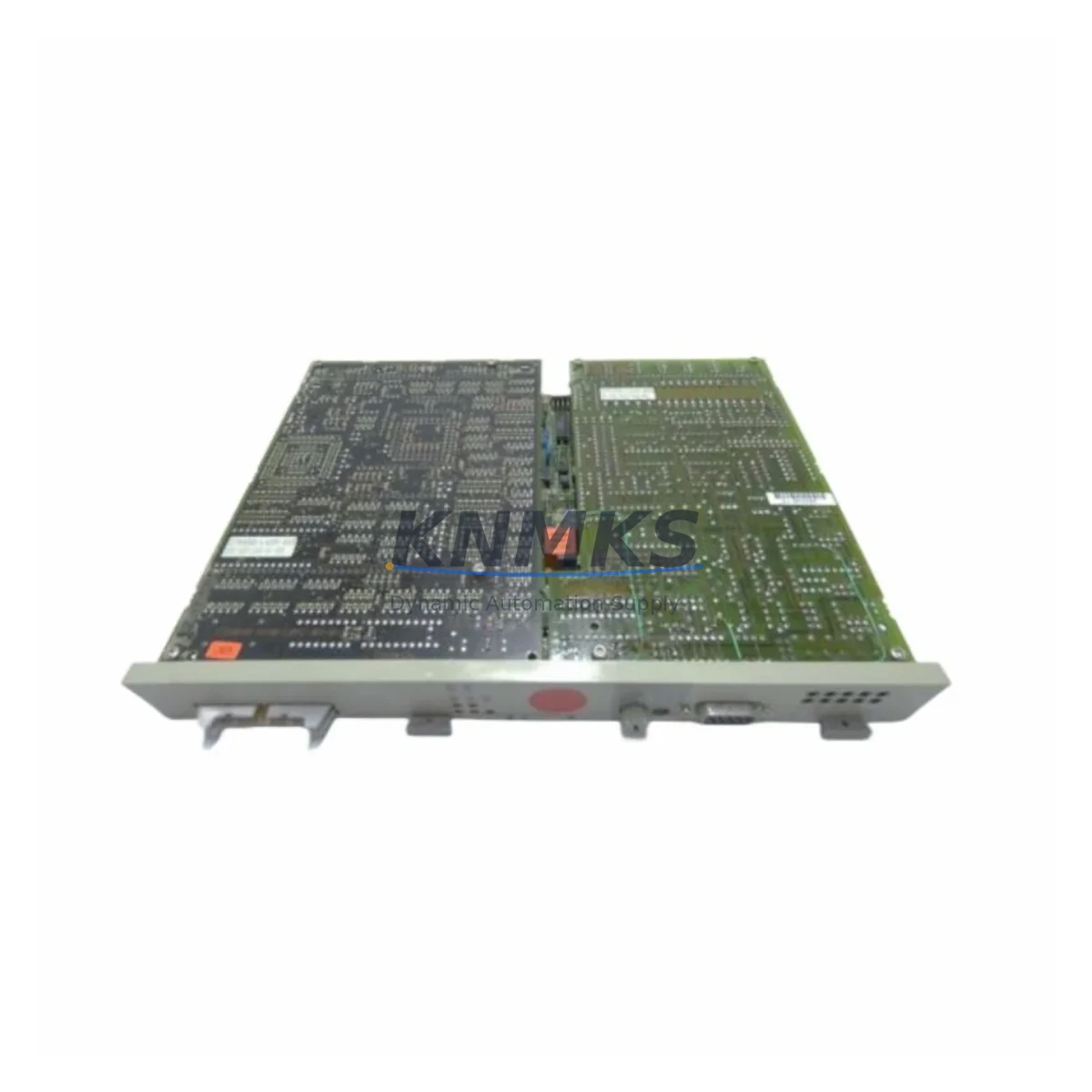
Overview
Siemens 6DS1731-8DD Maintenance-Proven Spare Part for Factory Uptime
The Siemens 6DS1731-8DD is an original analog input module designed for the TELEPERM M distributed control system (DCS) — one of Siemens’ most enduring process automation platforms deployed across petrochemical, power generation, and heavy manufacturing facilities worldwide. For maintenance engineers managing aging TELEPERM M installations, sourcing a verified, test-confirmed 6DS1731-8DD spare is critical to minimizing unplanned downtime and sustaining continuous production.
This module handles analog signal acquisition within the TELEPERM M rack architecture, converting field-level process signals — typically 4–20 mA current loops or voltage inputs — into digital values processed by the central controller. A failure or degraded performance in this module directly impacts process visibility, loop control accuracy, and alarm response. Keeping a qualified spare on the shelf is a fundamental element of any responsible maintenance strategy for TELEPERM M-based control systems.
Each unit supplied by KNMKS is sourced from verified industrial channels, functionally tested prior to dispatch, and backed by a support terms confirmed by quotation. We support long-term procurement planning for facilities that need reliable access to discontinued or hard-to-source Siemens DCS components.
Spare Maintenance Table
| Parameter | Specification |
|---|---|
| Part Number / SKU | 6DS1731-8DD |
| Brand | Siemens |
| Series / Platform | TELEPERM M DCS |
| Module Type | Analog Input Module |
| Signal Type | 4–20 mA / Voltage Analog Input |
| Installation | TELEPERM M Rack / Backplane |
| Origin | Germany (DE) |
| Application Environment | Process Industry DCS — Petrochemical, Power, Heavy Manufacturing |
| Compatibility | TELEPERM M Control System Rack Architecture |
| Maintenance Role | Signal Acquisition, Loop Control, Process Monitoring |
| Pre-Shipment Testing | Functional test performed before dispatch |
| Support terms | 12 Months |
| Supply Availability | Long-term spare parts support available |
Maintenance Planning for Continuous Operation
When a 6DS1731-8DD analog input module is flagged during routine inspection or fails during operation, experienced maintenance engineers know that the fault rarely exists in isolation. A thorough site assessment should accompany any module replacement to prevent repeat failures and ensure full system restoration.
Begin by inspecting the TELEPERM M backplane and rack assembly for signs of corrosion, loose card guides, or damaged bus connectors — a degraded backplane can cause intermittent signal errors that mimic module failure. Verify that the 24 VDC rack power supply (such as the Siemens 6DS1703 series) is delivering stable voltage within tolerance; power fluctuations are a leading cause of analog input module degradation in long-running DCS installations.
Check all field wiring terminals and marshalling cabinets connected to the analog input channels. Corroded terminals, loose ferrules, or incorrect shielding on signal cables can introduce noise that corrupts 4–20 mA readings and accelerates module wear. If the facility uses signal isolators or barriers (such as Siemens SITRANS or equivalent Zener barriers) between field instruments and the DCS input cards, verify their calibration and isolation integrity as part of the same maintenance window.
For TELEPERM M systems with mixed I/O configurations, also inspect adjacent digital input/output modules (e.g., 6DS1711 or 6DS1721 series) sharing the same rack segment. A fault in one module can occasionally affect bus communication across neighboring slots. Review the TELEPERM M communication interface modules and ensure firmware compatibility is maintained if any rack components have been recently replaced.
Annual maintenance schedules should also include inspection of fuse holders and protection circuits on the analog input channels, as well as a review of the HMI or operator station (such as the Siemens SIMATIC WinCC or legacy TELEPERM M OS) to confirm that signal tags, alarm limits, and engineering units are correctly mapped to the replacement module’s channel configuration. Proper tag reassignment after module swap is a frequently overlooked step that can cause process alarms or incorrect readings post-maintenance.
Procurement engineers should consider maintaining a minimum stock of two 6DS1731-8DD units per TELEPERM M installation, particularly for facilities operating in remote locations or with extended lead times for international sourcing. Pairing this spare with a documented spare parts register that includes rack slot mapping, channel assignments, and last-tested dates significantly reduces mean time to repair (MTTR) during emergency callouts.
Site Replacement Workflow
Step 1 — Preparation: Obtain the replacement 6DS1731-8DD unit and confirm the part number matches the installed module exactly. Review the TELEPERM M rack layout drawing to identify the target slot. Notify the control room operator and place the affected control loop in manual mode before proceeding.
Step 2 — Safe Removal: De-energize the rack segment if required by site safety procedures. Disconnect field wiring from the module’s terminal block, labeling each wire to its channel number. Carefully extract the module from the rack using the card ejector levers to avoid backplane connector damage.
Step 3 — Installation: Insert the replacement 6DS1731-8DD into the correct rack slot, ensuring full engagement with the backplane connector. Reconnect field wiring per the original labeling. Restore rack power and verify the module’s status LED indicates normal operation.
Step 4 — Verification: From the TELEPERM M operator station or engineering workstation, confirm that all analog input channels on the replacement module are reading correctly. Compare live process values against field instrument readings to validate signal accuracy. Return affected control loops to automatic mode only after verification is complete.
Step 5 — Documentation: Record the replacement in the site maintenance log, including the date, technician name, old module serial number, new module serial number, and post-replacement test results. Update the spare parts register to reflect current stock levels.
This structured workflow minimizes system downtime, reduces the risk of wiring errors, and ensures full traceability for compliance and audit purposes — critical requirements in regulated process industries.
Spare Parts Support FAQ
Q1: Is the 6DS1731-8DD still available as a new or refurbished spare?
The Siemens 6DS1731-8DD is a legacy TELEPERM M component that has been discontinued from standard Siemens production channels. KNMKS sources verified original units through industrial surplus and authorized secondary channels. Each unit undergoes functional testing before dispatch. We recommend contacting us to confirm current stock availability and lead times for your procurement schedule.
Q2: How do I verify compatibility before installation?
Confirm the rack slot designation, backplane bus version, and channel configuration in your TELEPERM M system documentation. The 6DS1731-8DD is designed for specific TELEPERM M rack generations — cross-reference the module’s hardware revision with your system’s engineering drawings. If you are unsure, our technical team can assist with compatibility verification based on your system’s rack layout and existing module list.
Q3: What testing is performed before shipment?
Every 6DS1731-8DD unit supplied by KNMKS is functionally tested prior to dispatch to verify analog input channel operation, backplane interface integrity, and status indicator function. A test report is available upon request. All units are shipped with protective packaging to prevent ESD damage and physical shock during transit.
Q4: What does the support terms confirmed by quotation cover?
The support terms confirmed by quotation cover functional defects identified under normal operating conditions consistent with the module’s original design specifications. It does not cover damage resulting from incorrect installation, overvoltage events, or physical mishandling. In the event of a support terms claim, KNMKS will arrange for unit inspection and replacement or repair at no additional cost. Long-term supply agreements are available for facilities requiring ongoing access to TELEPERM M spare parts.
© 2026 KNMKS. All rights reserved.
Original Source: https://knmks.com
Contact: admin@knmks.com | +86 18359268345
Product Identification
- Brand / Ecosystem
-
SIEMENS
Siemens - Model / Series
- 6DS1731-8DD
- Product Family
- PLCs & Controllers
- Availability Status
- Available on request after model and quantity confirmation
- Inquiry Type
- B2B RFQ, replacement inquiry and project spare-part request
- Pre-Quote Check
- Exact SKU, brand, series, quantity, nameplate photos and destination country are checked before quotation
System Path
Where this product fits in the KNMKS automation structure.
Specification & Inquiry Focus
- Control platform
- PLC, PAC and modular controllers
- Common needs
- CPU, rack, power and I/O expansion
- Project support
- Replacement, cabinet build and maintenance
Buyer Confirmation
Information KNMKS checks before replying.
- Exact model
- 6DS1731-8DD
- Brand / ecosystem
- SIEMENS
- Product family
- PLCs & Controllers
- Application note
- Replacement, maintenance, project build or spare-part list
- Useful photos
- Nameplate, installed unit, cabinet layout or connector side
- Delivery details
- Quantity, destination country and target schedule
Document Support
Files and notes can be confirmed during quotation.
- Product photos or nameplate confirmation when available
- Packing and delivery notes before quotation confirmation
- Support scope and delivery terms confirmed per inquiry
- Export document coordination for qualified B2B requests
Inquiry Support
- Model cross-checking before quotation
- CPU, power, rack and expansion module matching
- Support for replacement and project inquiry
What to Send Us
- Brand and exact model number: SIEMENS 6DS1731-8DD
- Quantity and required delivery time
- Application, replacement requirement or nameplate photo
- Destination country and shipping preference
RFQ Preparation
This is a product inquiry page built for RFQ communication.
Fast Model Check
Send this model to KNMKS for confirmation.
Include quantity, destination country and photos if this is a maintenance replacement. The inquiry will be saved with a reference number after submission.
Brand & Compatibility Note
KNMKS displays automation product information for well-known industrial brand ecosystems and compatible replacement references. Brand names are used for product identification and compatibility reference only; final availability and commercial terms are confirmed per quotation.
 Manufacturing
 Machine Tools
 Packaging
 Energy & Power



 HMI & Displays
 Servo Systems
 Variable Frequency Drives
 Sensors