
Overview
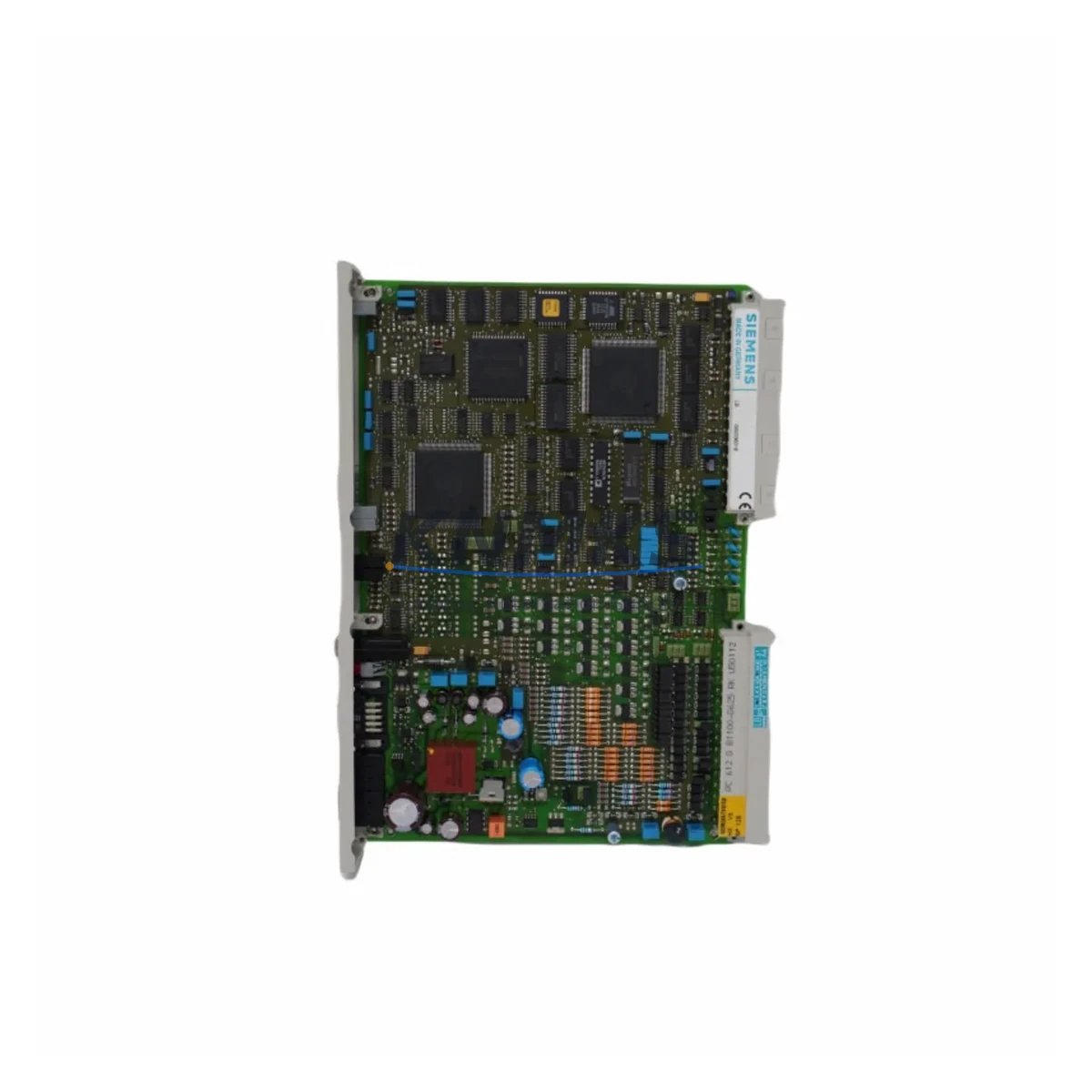
Siemens 6DS1411-8DE Migration-Ready Closed-Loop Control Module: Legacy System Migration & Compatible Upgrade
The Siemens 6DS1411-8DE is a closed-loop control module originally designed for the TELEPERM S distributed control system (DCS) platform. As TELEPERM S has reached end-of-life and spare parts availability continues to decline, the 6DS1411-8DE has become one of the most sought-after retrofit and replacement components for engineers managing aging process control infrastructure across chemical, petrochemical, power generation, and heavy manufacturing facilities. Whether you are executing a phased migration to a modern DCS platform or extending the operational life of an existing TELEPERM S installation, the 6DS1411-8DE provides a verified, drop-in compatible solution that minimizes engineering risk and reduces unplanned downtime.
Each unit supplied by KNMKS is sourced from controlled inventory channels, subjected to pre-shipment functional testing, and backed by a support terms confirmed by quotation. Our stock is maintained to support urgent breakdown replacements as well as planned retrofit projects, with same-day dispatch available for in-stock items.
Migration Compatibility Table
| Parameter | Details |
|---|---|
| SKU / Part Number | 6DS1411-8DE |
| Series / Platform | TELEPERM S (TS) |
| Module Function | Closed-Loop Control (PID / Continuous Control) |
| Backplane Interface | TELEPERM S standard subrack bus connector |
| Installation Format | Plug-in module for TELEPERM S subrack (standard 19″ rack) |
| Power Supply Compatibility | 24 V DC via subrack backplane; verify PS module capacity before insertion |
| Communication Protocol | TELEPERM S internal bus; compatible with CS 275 / SINEC H1 network segments |
| Terminal / Wiring | Front connector with screw terminals; verify existing field wiring assignments |
| Replacement Recommendation | Direct replacement for failed or end-of-life 6DS1411-8DE units; verify firmware revision compatibility |
| Commissioning Notes | Module address must be set via DIP switch before installation; confirm address map in existing project documentation |
| HMI Compatibility | Compatible with existing TELEPERM S operator station screens; no HMI screen rebuild required for like-for-like replacement |
| Firmware Version | Confirm firmware revision with existing installed base; contact KNMKS for revision-matched units if required |
| Support terms | 12 Months — covers functional defects under normal operating conditions |
Retrofit Planning for Existing Automation Systems
Successful replacement of the 6DS1411-8DE within a live TELEPERM S installation requires careful pre-engineering to avoid configuration errors and extended downtime. Before removing the failed module, engineers should document the existing DIP switch address settings, front connector terminal assignments, and the control loop parameters stored in the project database. The subrack’s power supply module — typically a 6DS1703 or equivalent TELEPERM S PS unit — should be checked to confirm that available current capacity is sufficient to support the replacement module without triggering an overload condition on the backplane bus.
In installations where the 6DS1411-8DE interfaces with analog input modules such as the 6DS1310 series for process variable acquisition, or with analog output modules in the 6DS1320 range for final control element signals, the field wiring on the front connector must be verified against the original loop diagram before the replacement module is inserted. Incorrect terminal mapping is one of the most common causes of commissioning delays during like-for-like module replacement.
For sites that have already partially migrated to a SIMATIC PCS 7 or SIMATIC S7-400 platform, the 6DS1411-8DE may be operating in a hybrid control architecture where legacy TELEPERM S loops run in parallel with newer S7-based control strategies. In these environments, the CS 275 communication link between the TELEPERM S AS 230 automation station and the operator system must remain intact during the replacement procedure. Any interruption to the CS 275 bus segment can cause loss of visibility across multiple control loops simultaneously, so isolation and bypass procedures should be prepared in advance.
Where the retrofit scope extends beyond a single module replacement to a full subrack or cabinet upgrade, engineers should also account for the TELEPERM S subrack itself, the backplane bus termination resistors, and the front connector coding keys that prevent incorrect module insertion. If the project involves migrating control logic to a modern platform, programming cables and configuration tools compatible with the target controller will be required as part of the commissioning kit.
Downtime Control During System Migration
Minimizing production interruption during a 6DS1411-8DE replacement is achievable with structured preparation. The most effective approach is to perform all pre-commissioning steps — address verification, terminal mapping, loop parameter documentation, and spare module pre-testing — during a scheduled maintenance window or during a period of reduced process load, so that the physical swap can be completed within a single shift.
Where the process cannot be taken offline, a cold-standby strategy using a pre-configured spare 6DS1411-8DE with the correct DIP switch address settings allows the physical replacement to be completed in minutes. The replacement module should be bench-tested against a known-good TELEPERM S subrack before being brought to site, confirming that the module initializes correctly, communicates on the internal bus, and responds to control commands from the automation station.
Original control program logic stored in the TELEPERM S project database is not affected by a like-for-like module replacement, provided the module address and hardware revision are consistent with the original configuration. This means that PID tuning parameters, setpoint limits, alarm thresholds, and interlock logic remain intact without requiring re-engineering. HMI operator screens on the TELEPERM S operator station will continue to display correctly after the replacement module comes online, as the process object addressing is resolved through the module address rather than a physical slot identifier.
For migrations that involve transitioning the closed-loop control function from the 6DS1411-8DE to a modern controller, a parallel run strategy — where both the legacy module and the new controller execute the same control algorithm simultaneously with the new controller in tracking mode — is recommended to validate control performance before the final cutover. This approach protects process continuity and allows the commissioning team to identify any discrepancies in scaling, signal conditioning, or timing before the legacy module is decommissioned.
Retrofit Support FAQ
Q1: Is the 6DS1411-8DE a direct drop-in replacement for a failed unit in my TELEPERM S subrack?
A: Yes, provided the replacement unit carries the same hardware revision and the DIP switch address is set to match the original module’s address assignment. KNMKS can supply revision-matched units on request. Each unit is functionally tested prior to dispatch.
Q2: What wiring checks are required before installing the replacement module?
A: Verify the front connector terminal assignments against the original loop diagram before insertion. Confirm that the field signal types (mA, voltage, or resistance) connected to each terminal match the module’s input/output specification. Check that the front connector coding key is correctly positioned to prevent mis-insertion.
Q3: How do I confirm compatibility with my existing TELEPERM S firmware and software version?
A: Locate the firmware revision label on the existing installed module before removal. Provide this revision information to KNMKS when placing your order so that a compatible unit can be selected from stock. For sites running CS 275 network configurations, also confirm the network node address assignment to avoid bus conflicts after the replacement module comes online.
Q4: What does the support terms confirmed by quotation cover, and what is the typical lead time for in-stock units?
A: The support terms confirmed by quotation cover functional defects arising under normal operating conditions from the date of dispatch. In-stock units are typically dispatched within 1–2 business days. Pre-shipment functional testing is performed on all units. For urgent breakdown requirements, contact KNMKS directly to confirm same-day dispatch availability.
© 2026 KNMKS. All rights reserved.
Original Source: https://knmks.com
Contact: admin@knmks.com | +86 18359268345
Product Identification
- Brand / Ecosystem
-
Siemens
Siemens - Model / Series
- 6DS1411-8DE
- Product Family
- PLCs & Controllers
- Availability Status
- Available on request after model and quantity confirmation
- Inquiry Type
- B2B RFQ, replacement inquiry and project spare-part request
- Pre-Quote Check
- Exact SKU, brand, series, quantity, nameplate photos and destination country are checked before quotation
System Path
Where this product fits in the KNMKS automation structure.
Specification & Inquiry Focus
- Control platform
- PLC, PAC and modular controllers
- Common needs
- CPU, rack, power and I/O expansion
- Project support
- Replacement, cabinet build and maintenance
Buyer Confirmation
Information KNMKS checks before replying.
- Exact model
- 6DS1411-8DE
- Brand / ecosystem
- Siemens
- Product family
- PLCs & Controllers
- Application note
- Replacement, maintenance, project build or spare-part list
- Useful photos
- Nameplate, installed unit, cabinet layout or connector side
- Delivery details
- Quantity, destination country and target schedule
Document Support
Files and notes can be confirmed during quotation.
- Product photos or nameplate confirmation when available
- Packing and delivery notes before quotation confirmation
- Support scope and delivery terms confirmed per inquiry
- Export document coordination for qualified B2B requests
Inquiry Support
- Model cross-checking before quotation
- CPU, power, rack and expansion module matching
- Support for replacement and project inquiry
What to Send Us
- Brand and exact model number: Siemens 6DS1411-8DE
- Quantity and required delivery time
- Application, replacement requirement or nameplate photo
- Destination country and shipping preference
RFQ Preparation
This is a product inquiry page built for RFQ communication.
Fast Model Check
Send this model to KNMKS for confirmation.
Include quantity, destination country and photos if this is a maintenance replacement. The inquiry will be saved with a reference number after submission.
Brand & Compatibility Note
KNMKS displays automation product information for well-known industrial brand ecosystems and compatible replacement references. Brand names are used for product identification and compatibility reference only; final availability and commercial terms are confirmed per quotation.
 Manufacturing
 Machine Tools
 Packaging
 Energy & Power



 HMI & Displays
 Servo Systems
 Variable Frequency Drives
 Sensors