
Overview
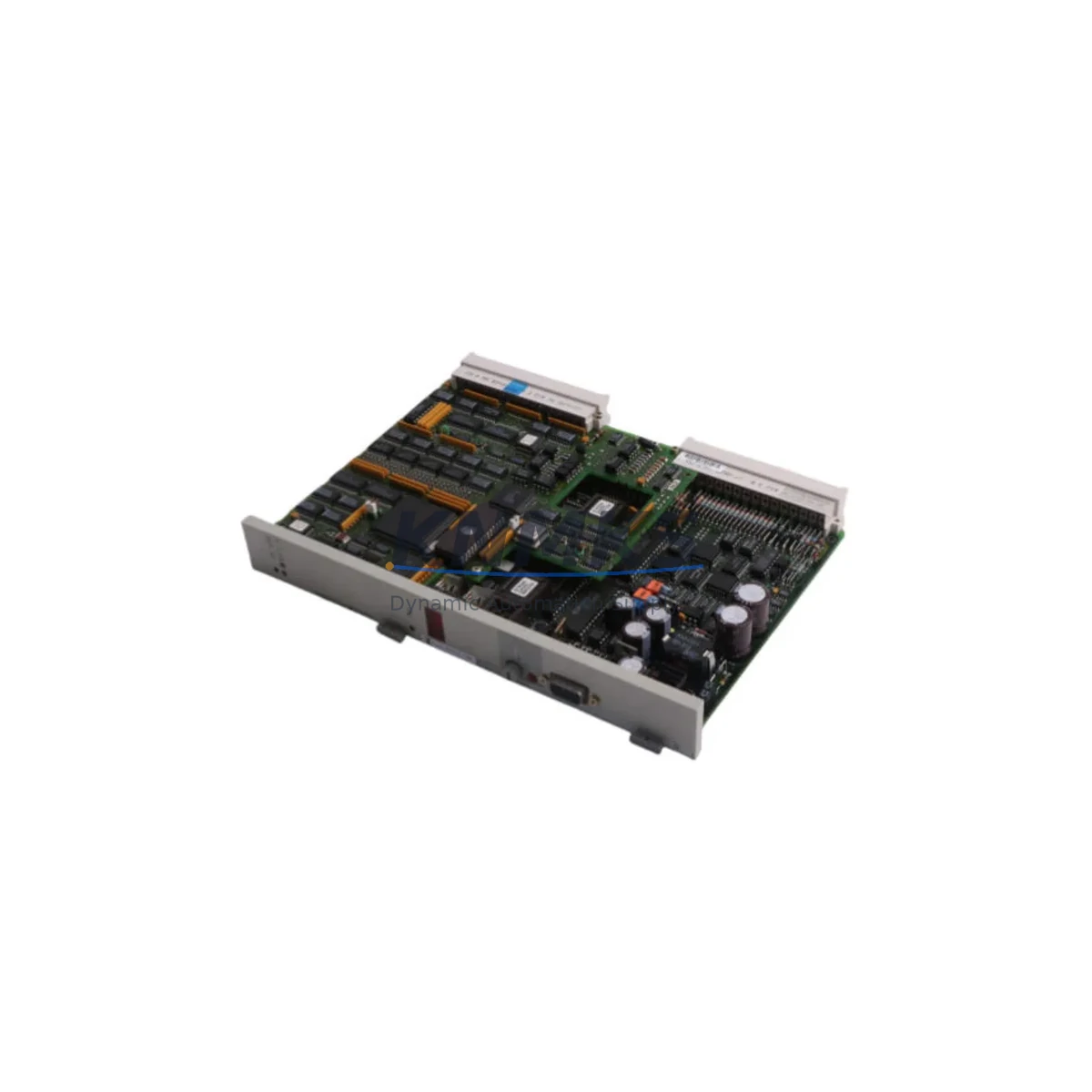
Siemens 6DS1332-8BB Spare Part for Teleperm M Uptime
The Siemens 6DS1332-8BB is an analog output module engineered for the Teleperm M distributed control system (DCS) — one of Siemens’ most enduring process automation platforms deployed across petrochemical, power generation, and heavy manufacturing facilities worldwide. As a maintenance-proven spare part, the 6DS1332-8BB plays a critical role in sustaining continuous analog signal output to field actuators, control valves, and positioners. When this module degrades or fails, the consequences extend beyond a single loop: entire process segments can lose setpoint control, triggering unplanned shutdowns and costly production losses.
Sourced as an original Siemens component, this spare is pre-shipment tested, SKU-verified, and backed by a support terms confirmed by quotation. It is held in multi-region stock to support emergency replacement, scheduled annual overhauls, and long-term spare parts inventory programs. Whether you are a maintenance engineer responding to a fault alarm or a procurement engineer building a resilience stock list, the 6DS1332-8BB is a high-priority line item for any facility running Teleperm M infrastructure.
Spare Maintenance Table
| SKU / Part Number | 6DS1332-8BB |
| Brand | Siemens |
| Series / Platform | Teleperm M DCS |
| Module Type | Analog Output Module |
| Output Signal | 4–20 mA (standard industrial analog loop) |
| Output Channels | Multi-channel analog output (per Teleperm M rack architecture) |
| Backplane Compatibility | Teleperm M subrack / backplane bus |
| Operating Voltage | 24 V DC (supplied via backplane) |
| Operating Temperature | 0 °C to +60 °C (standard industrial cabinet environment) |
| Country of Origin | Germany |
| Weight | 620 g |
| Application Environment | Process automation, DCS control cabinets, petrochemical, power, utilities |
| Maintenance Recommendation | Inspect annually; replace on first sign of output drift or channel fault |
| Pre-Shipment Testing | Yes — functional output verification before dispatch |
| Support terms | 12 Months |
Maintenance Planning for Continuous Operation
Replacing the 6DS1332-8BB in a live Teleperm M cabinet is rarely an isolated task. Maintenance engineers familiar with this platform know that analog output faults often originate upstream or propagate downstream — making a structured inspection of the surrounding electrical circuit essential before and after module swap.
Begin by verifying the 24 V DC backplane power supply feeding the subrack. A degraded or undersized power module — such as the Siemens 6DS1300-8AA or equivalent Teleperm M power supply unit — can cause intermittent output errors that mimic module failure. Confirm supply voltage is within tolerance at the backplane connector before condemning the output module itself.
Next, inspect the signal wiring and terminal blocks connected to the 6DS1332-8BB output channels. Corroded terminals, loose ferrules, or damaged cable shields on the 4–20 mA loop wiring are a common source of output instability in aging DCS cabinets. If the facility uses Siemens SIMATIC S5 or hybrid I/O expansion racks alongside the Teleperm M system, verify that the analog signal ground references are consistent across both platforms to avoid ground loop interference.
For facilities that have integrated signal isolators or loop-powered barriers between the 6DS1332-8BB outputs and field devices, inspect these components during the same maintenance window. A failing isolator can mask a healthy module or damage a newly installed spare. Similarly, check the fuse holders and protection fuses on the output circuit — blown or weakened fuses are frequently overlooked during fault isolation and can cause a replacement module to appear faulty on first power-up.
If the Teleperm M system communicates with an operator station or HMI via the TELEPERM M bus or a serial communication interface, verify that the communication module — such as the 6DS1700 series interface card — is functioning correctly after the output module replacement. A communication fault can prevent the new module from receiving setpoint commands even when the hardware is fully operational.
Finally, for sites undergoing a phased migration from Teleperm M to a modern Siemens SIMATIC PCS 7 or SIMATIC S7-400H platform, the 6DS1332-8BB serves as a bridge component during the transition period. Maintaining a minimum of two units in local spare stock — alongside compatible Teleperm M subrack backplanes and analog input modules from the 6DS1330 series — ensures that the legacy system remains operational until full cutover is complete.
Site Replacement Workflow
Step 1 — Fault Confirmation: Identify the faulted output channel via the Teleperm M operator station or local fault indicator. Log the channel address and current output value before initiating any physical intervention.
Step 2 — Safe Isolation: Place the affected control loop in manual mode at the DCS operator station. Confirm with the field operator that the downstream actuator or control valve is in a safe hold position before de-energizing the subrack slot.
Step 3 — Module Extraction: With the subrack slot isolated, carefully extract the 6DS1332-8BB using the module ejector levers. Avoid touching the backplane connector pins. Label the removed module with the fault date and channel details for traceability.
Step 4 — Spare Installation: Insert the replacement 6DS1332-8BB into the same subrack slot. Confirm the module is fully seated and the front panel locking mechanism is engaged. Re-energize the slot and observe the module status indicator for normal operation.
Step 5 — Loop Verification: From the operator station, command a known output value (e.g., 50% = 12 mA) and verify the field device responds correctly. Check all active channels on the replacement module before returning the loop to automatic control.
Step 6 — Documentation: Record the replacement in the site maintenance log, including the old module serial number, replacement date, technician name, and post-replacement loop test results. Update the spare parts inventory to trigger a replenishment order for the consumed unit.
Spare Parts Support FAQ
Q1: Is the 6DS1332-8BB still available as a new original spare, or only as refurbished stock?
We supply the 6DS1332-8BB as an original Siemens spare part. Each unit undergoes pre-shipment functional testing and is backed by a support terms confirmed by quotation. Availability is maintained across multiple stock locations to support both emergency and planned procurement cycles.
Q2: How do I confirm compatibility with my specific Teleperm M subrack configuration?
The 6DS1332-8BB is designed for the standard Teleperm M subrack backplane. Compatibility is confirmed by matching the subrack model number and slot addressing scheme documented in your Teleperm M system configuration records. If you require compatibility verification support, contact our technical team with your subrack model and system revision details.
Q3: What is the recommended spare holding quantity for a facility with multiple Teleperm M cabinets?
Industry best practice for legacy DCS platforms recommends holding a minimum of one spare per cabinet, with a facility-wide minimum of two units for critical process areas. For sites with more than five Teleperm M cabinets or where the system supports safety-critical loops, a holding of three to five units is advisable to cover simultaneous failures during peak production periods.
Q4: Can this module be used during a phased migration to a modern Siemens platform?
Yes. The 6DS1332-8BB is fully compatible with the existing Teleperm M architecture and can continue to serve as the analog output interface during a phased migration to SIMATIC PCS 7 or S7-400H. It is a cost-effective way to maintain system stability and avoid forced cutover timelines driven by spare parts shortages.
© 2026 KNMKS. All rights reserved.
Original Source: https://knmks.com
Contact: admin@knmks.com | +86 18359268345
Product Identification
- Brand / Ecosystem
-
SIEMENS
Siemens - Model / Series
- 6DS1332-8BB
- Product Family
- PLCs & Controllers
- Availability Status
- Available on request after model and quantity confirmation
- Inquiry Type
- B2B RFQ, replacement inquiry and project spare-part request
- Pre-Quote Check
- Exact SKU, brand, series, quantity, nameplate photos and destination country are checked before quotation
System Path
Where this product fits in the KNMKS automation structure.
Specification & Inquiry Focus
- Control platform
- PLC, PAC and modular controllers
- Common needs
- CPU, rack, power and I/O expansion
- Project support
- Replacement, cabinet build and maintenance
Buyer Confirmation
Information KNMKS checks before replying.
- Exact model
- 6DS1332-8BB
- Brand / ecosystem
- SIEMENS
- Product family
- PLCs & Controllers
- Application note
- Replacement, maintenance, project build or spare-part list
- Useful photos
- Nameplate, installed unit, cabinet layout or connector side
- Delivery details
- Quantity, destination country and target schedule
Document Support
Files and notes can be confirmed during quotation.
- Product photos or nameplate confirmation when available
- Packing and delivery notes before quotation confirmation
- Support scope and delivery terms confirmed per inquiry
- Export document coordination for qualified B2B requests
Inquiry Support
- Model cross-checking before quotation
- CPU, power, rack and expansion module matching
- Support for replacement and project inquiry
What to Send Us
- Brand and exact model number: SIEMENS 6DS1332-8BB
- Quantity and required delivery time
- Application, replacement requirement or nameplate photo
- Destination country and shipping preference
RFQ Preparation
This is a product inquiry page built for RFQ communication.
Fast Model Check
Send this model to KNMKS for confirmation.
Include quantity, destination country and photos if this is a maintenance replacement. The inquiry will be saved with a reference number after submission.
Brand & Compatibility Note
KNMKS displays automation product information for well-known industrial brand ecosystems and compatible replacement references. Brand names are used for product identification and compatibility reference only; final availability and commercial terms are confirmed per quotation.
 Manufacturing
 Machine Tools
 Packaging
 Energy & Power



 HMI & Displays
 Servo Systems
 Variable Frequency Drives
 Sensors