
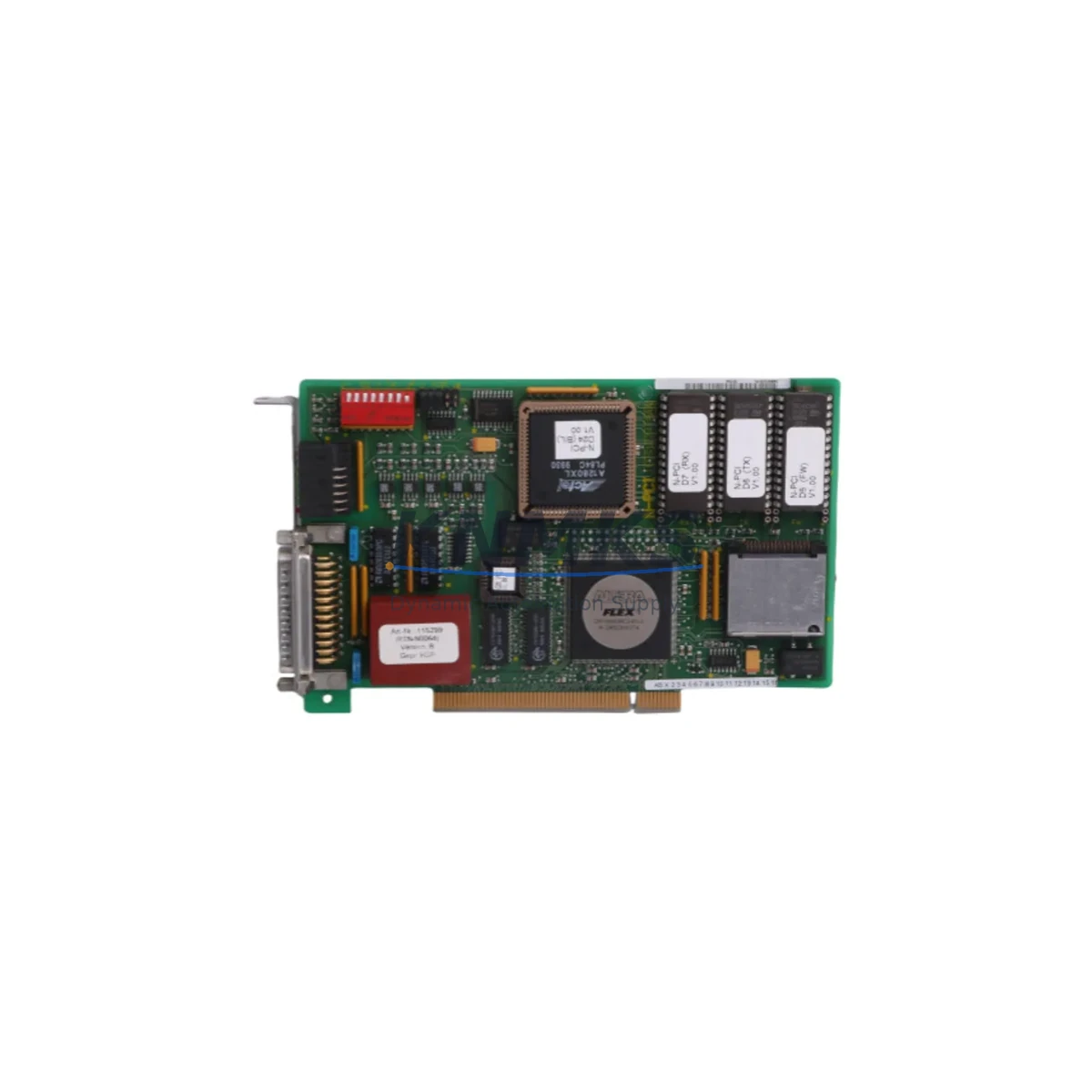
Overview
Siemens 6DS1224-8AA Maintenance-Proven Spare for Factory Uptime
The Siemens 6DS1224-8AA is a digital I/O module designed for the Teleperm M distributed control system (DCS) — one of Siemens’ most enduring process automation platforms deployed across petrochemical, power generation, water treatment, and heavy manufacturing facilities worldwide. As legacy Teleperm M installations continue to operate well beyond their original design life, maintaining a reliable inventory of original spare parts such as the 6DS1224-8AA is a critical pillar of any plant’s maintenance strategy.
For maintenance engineers managing aging DCS infrastructure, the 6DS1224-8AA represents a direct-fit, OEM-grade replacement that eliminates the compatibility risks associated with third-party alternatives. Each unit supplied by KNMKS undergoes pre-shipment functional testing and is backed by a support terms confirmed by quotation, giving procurement teams the confidence to stock spares for planned shutdowns, emergency replacements, and long-term supply agreements.
Spare Maintenance Table
| Parameter | Specification |
|---|---|
| Part Number / SKU | 6DS1224-8AA |
| Brand | Siemens |
| Series | Teleperm M DCS |
| Module Type | Digital I/O Module |
| Application | Process Automation, DCS Field I/O |
| Compatibility | Siemens Teleperm M DCS Subrack / Backplane |
| Signal Type | Digital Input / Digital Output |
| Installation | DIN-rail / Subrack card slot insertion |
| Operating Environment | Industrial control cabinet, 0–55°C ambient |
| Origin | Germany (OEM) |
| Condition | Original / Refurbished-to-OEM-spec |
| Pre-Shipment Testing | Yes — functional verification before dispatch |
| Support terms | 12 Months |
| Lead Time | In-stock: ships within 3–5 business days |
| Long-Term Supply | Available — 12–36 month supply agreements supported |
Maintenance Planning for Continuous Operation
When replacing the 6DS1224-8AA in a Teleperm M DCS cabinet, a thorough site inspection of the surrounding electrical environment is essential to prevent repeat failures and ensure stable operation after reinstatement. Maintenance engineers should treat the module swap as an opportunity to audit the entire I/O loop and power distribution chain.
Begin by verifying the 24 VDC backplane power supply feeding the Teleperm M subrack — a degraded or out-of-tolerance supply rail is a common root cause of digital I/O module failures. Inspect the 6DS1100-series power supply modules for output ripple and voltage stability before inserting the replacement 6DS1224-8AA. Simultaneously, check the subrack backplane connectors for oxidation, bent pins, or contamination that could cause intermittent signal faults after the new module is seated.
Field wiring connected to the I/O terminals should be inspected for insulation degradation, loose terminations, and correct labeling. The terminal blocks and marshalling panels associated with the affected I/O channels are frequent sources of signal loss in aging installations. If the plant uses signal isolators or galvanic separators between field instruments and the DCS I/O card, verify that these components are within calibration and have not drifted — a faulty isolator can mask the true source of a digital signal fault and lead to misdiagnosis.
For plants that have integrated Siemens SIMATIC S5 or S7 PLCs alongside the Teleperm M DCS in a hybrid control architecture, confirm that any hardwired interlocks or cross-system digital signals routed through the 6DS1224-8AA are correctly re-established after the module replacement. Communication integrity between the DCS and any PROFIBUS DP or MPI network segments should be verified using diagnostic tools before returning the loop to automatic control.
Finally, inspect the fuse protection on the I/O field circuits. Blown or weakened fuses on digital output channels are often overlooked during emergency replacements and can result in field device non-response even after a successful module swap. Replacing the 6DS1224-8AA alongside a scheduled inspection of associated relay output modules and interposing relays in the same cabinet significantly reduces the risk of unplanned downtime within the next maintenance cycle.
Site Replacement Workflow
Replacing the Siemens 6DS1224-8AA in an active Teleperm M DCS installation requires a structured approach to minimize process disruption and ensure a clean handover back to automatic control. The following workflow is recommended for maintenance and commissioning engineers:
1. Pre-Replacement Preparation: Obtain the current I/O channel assignment list and confirm which field devices are connected to the affected module. Notify the control room operator and place the relevant control loops in manual mode. Document the current LED status indicators on the 6DS1224-8AA before removal — this provides a baseline for post-replacement verification.
2. Safe Isolation: De-energize the field circuits connected to the module using the appropriate isolation procedures. Do not rely solely on software inhibit — physically isolate field power at the marshalling panel or terminal block level. Confirm isolation with a calibrated test instrument before proceeding.
3. Module Extraction and Inspection: Carefully extract the 6DS1224-8AA from the subrack card slot. Inspect the card-edge connector and backplane socket for damage. Clean the slot with dry compressed air if contamination is present. Compare the replacement module’s hardware revision with the extracted unit to confirm compatibility.
4. Insertion and Power-Up: Insert the replacement 6DS1224-8AA firmly into the subrack slot until the front panel latch engages. Re-energize the backplane supply and observe the module’s status LEDs. A healthy module should indicate normal operation within 30 seconds of power application.
5. Functional Verification: From the DCS engineering station, perform a channel-by-channel I/O check against the field device list. Confirm that all digital inputs are reading correctly and that digital outputs are driving field devices as expected. Return control loops to automatic mode only after all channels have been verified.
6. Documentation Update: Record the replacement in the plant maintenance management system (CMMS), including the module serial number, replacement date, and post-replacement test results. Update the spare parts inventory to trigger reorder of a replacement 6DS1224-8AA to maintain minimum stock levels.
Spare Parts Support FAQ
Q1: Is the 6DS1224-8AA still available as a new OEM part, or is it only available as refurbished stock?
The Siemens Teleperm M series has been discontinued from active production, meaning new factory-sealed units are increasingly scarce. KNMKS supplies both original surplus stock and professionally refurbished units restored to OEM functional specification. All units — regardless of condition grade — undergo pre-shipment functional testing and are covered by a support terms confirmed by quotation. Condition and availability are confirmed at the time of inquiry.
Q2: How do I verify compatibility between the 6DS1224-8AA and my existing Teleperm M subrack configuration?
Compatibility is determined by the subrack type, backplane revision, and the firmware version of the central processing unit (CPU) module in your Teleperm M system. Provide your subrack model number and CPU module part number when placing your inquiry, and our technical team will confirm direct compatibility before shipment. We recommend retaining the hardware revision label from the extracted module for cross-reference.
Q3: Can KNMKS support long-term supply agreements for the 6DS1224-8AA to cover multi-year maintenance contracts?
Yes. KNMKS offers structured long-term supply agreements for legacy DCS spare parts, including the 6DS1224-8AA, with contract terms of 12 to 36 months. These agreements provide price stability, guaranteed stock reservation, and priority dispatch for emergency orders. Long-term supply contracts are particularly suited to EPC contractors, plant operators managing multiple sites, and OEM service providers maintaining Teleperm M installations across their customer base.
Q4: What does the support terms confirmed by quotation cover, and what is the process for a support terms claim?
The support terms confirmed by quotation cover functional failure of the 6DS1224-8AA under normal operating conditions, as verified by our pre-shipment test report. It does not cover damage resulting from incorrect installation, overvoltage events, or physical mishandling on site. To initiate a support terms claim, contact KNMKS with the original order reference, a description of the failure mode, and the site test results. Our team will arrange a replacement dispatch or technical review within 5 business days of claim receipt.
© 2026 KNMKS. All rights reserved.
Original Source: https://knmks.com
Contact: admin@knmks.com | +86 18359268345
Product Identification
- Brand / Ecosystem
-
Siemens
Siemens - Model / Series
- 6DS1224-8AA
- Product Family
- PLCs & Controllers
- Availability Status
- Available on request after model and quantity confirmation
- Inquiry Type
- B2B RFQ, replacement inquiry and project spare-part request
- Pre-Quote Check
- Exact SKU, brand, series, quantity, nameplate photos and destination country are checked before quotation
System Path
Where this product fits in the KNMKS automation structure.
Specification & Inquiry Focus
- Control platform
- PLC, PAC and modular controllers
- Common needs
- CPU, rack, power and I/O expansion
- Project support
- Replacement, cabinet build and maintenance
Buyer Confirmation
Information KNMKS checks before replying.
- Exact model
- 6DS1224-8AA
- Brand / ecosystem
- Siemens
- Product family
- PLCs & Controllers
- Application note
- Replacement, maintenance, project build or spare-part list
- Useful photos
- Nameplate, installed unit, cabinet layout or connector side
- Delivery details
- Quantity, destination country and target schedule
Document Support
Files and notes can be confirmed during quotation.
- Product photos or nameplate confirmation when available
- Packing and delivery notes before quotation confirmation
- Support scope and delivery terms confirmed per inquiry
- Export document coordination for qualified B2B requests
Inquiry Support
- Model cross-checking before quotation
- CPU, power, rack and expansion module matching
- Support for replacement and project inquiry
What to Send Us
- Brand and exact model number: Siemens 6DS1224-8AA
- Quantity and required delivery time
- Application, replacement requirement or nameplate photo
- Destination country and shipping preference
RFQ Preparation
This is a product inquiry page built for RFQ communication.
Fast Model Check
Send this model to KNMKS for confirmation.
Include quantity, destination country and photos if this is a maintenance replacement. The inquiry will be saved with a reference number after submission.
Brand & Compatibility Note
KNMKS displays automation product information for well-known industrial brand ecosystems and compatible replacement references. Brand names are used for product identification and compatibility reference only; final availability and commercial terms are confirmed per quotation.
 Manufacturing
 Machine Tools
 Packaging
 Energy & Power



 HMI & Displays
 Servo Systems
 Variable Frequency Drives
 Sensors