
Overview
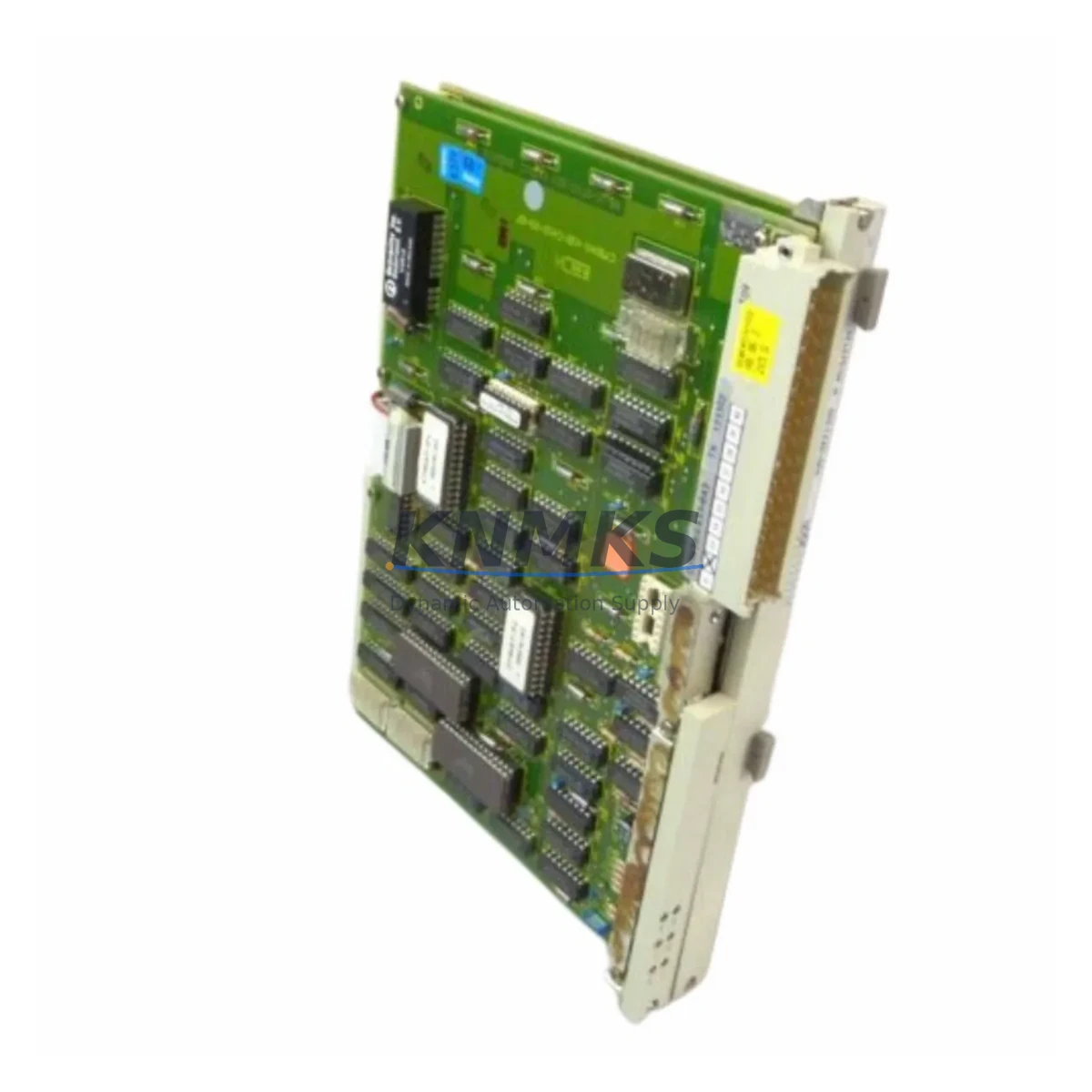
Siemens 6DS1220-8AA Maintenance-Proven Spare Part for Factory Uptime
The Siemens 6DS1220-8AA is an original local bus interface module designed for the TELEPERM M distributed control system (DCS). As a critical communication bridge between the central processing unit and field I/O subsystems, this module plays an essential role in maintaining uninterrupted process control across chemical, petrochemical, power generation, and heavy industrial facilities. For maintenance engineers managing aging TELEPERM M installations, securing a verified 6DS1220-8AA spare is one of the most effective strategies to prevent unplanned downtime and extend the operational life of legacy control infrastructure.
At KNMKS, every 6DS1220-8AA unit is sourced from authorized supply chains, individually inspected, and function-tested prior to dispatch. Each module ships with a support terms confirmed by quotation, full traceability documentation, and is packaged to meet industrial transit standards. Whether you are building a preventive maintenance stock, responding to an emergency bus fault, or executing a scheduled annual overhaul, the 6DS1220-8AA is available for immediate quotation and fast international delivery.
Spare Maintenance Table
| Parameter | Specification |
|---|---|
| Part Number | 6DS1220-8AA |
| Manufacturer | Siemens AG |
| Series / Platform | TELEPERM M DCS |
| Module Type | Local Bus Interface Module |
| Country of Origin | Germany |
| Bus Protocol | TELEPERM M Local Bus (proprietary) |
| Backplane Compatibility | TELEPERM M subrack / rack system |
| Operating Voltage | 24 V DC (rack-supplied) |
| Operating Temperature | 0 °C to +60 °C |
| Storage Temperature | -25 °C to +70 °C |
| Humidity | 5% to 95% RH, non-condensing |
| Installation | DIN rail / subrack slot mounting |
| Weight (approx.) | 800 g |
| Condition | Original, tested before shipment |
| Support terms | 12 months from date of delivery |
| Typical Application | Process control, DCS bus communication, I/O coordination |
Maintenance Planning for Continuous Operation
When a 6DS1220-8AA local bus interface module fails or is flagged during a routine control cabinet inspection, the fault rarely exists in isolation. Experienced maintenance engineers know that bus communication degradation in a TELEPERM M system is often accompanied by related issues in adjacent modules and interconnecting components. A thorough replacement procedure should include inspection of the following:
Power Supply Modules (e.g., Siemens 6DS1200-series PSU): Verify that the rack power supply is delivering stable 24 V DC within tolerance. Voltage ripple or transient spikes are a common root cause of bus interface module failure and must be ruled out before installing a replacement 6DS1220-8AA.
Backplane and Subrack Connectors: Inspect the TELEPERM M subrack backplane for oxidized or damaged edge connectors. A corroded backplane slot can cause intermittent bus errors that mimic module failure. Clean or replace the subrack if connector integrity is in doubt.
I/O Modules (e.g., Siemens 6DS1300-series analog and digital I/O): After restoring bus communication via the replacement 6DS1220-8AA, perform a full I/O scan to confirm that all field signals are correctly mapped. Faulty I/O modules may have contributed to the original bus overload condition.
Communication and Coordination Modules: In multi-drop TELEPERM M architectures, check neighboring bus interface modules and coordination processors for firmware consistency and address conflicts. A single misconfigured node can destabilize the entire local bus segment.
Signal Isolation and Terminal Blocks: Inspect field wiring terminal blocks and signal isolators connected to the I/O subsystem. Ground loops or insulation breakdown in field cables can inject noise into the bus, accelerating module wear.
Fuses and Protective Devices: Replace any blown or degraded fuses in the control cabinet power distribution circuit. Document fuse ratings and verify that protective coordination matches the current draw profile of the restored module set.
Maintaining a minimum stock of one 6DS1220-8AA per TELEPERM M installation, alongside critical I/O and power modules, is a widely adopted strategy in facilities where process continuity is non-negotiable. Annual cabinet inspections should include thermal imaging of the subrack, torque verification of terminal connections, and a bus diagnostic cycle using the TELEPERM M engineering station.
Site Replacement Workflow
Step 1 — Fault Isolation: Use the TELEPERM M diagnostic interface or engineering workstation to identify the faulted bus segment and confirm the 6DS1220-8AA as the failed node. Record the module slot address and current configuration parameters before removal.
Step 2 — Safe Isolation: Follow site lockout/tagout (LOTO) procedures. De-energize the affected subrack slot. Do not remove the module under live bus conditions unless the system architecture explicitly supports hot-swap for this module generation.
Step 3 — Module Removal and Inspection: Extract the 6DS1220-8AA from the subrack slot. Inspect the backplane connector, adjacent modules, and the slot for physical damage, burn marks, or contamination. Photograph the installation state for maintenance records.
Step 4 — Replacement Installation: Insert the new 6DS1220-8AA into the correct slot. Verify that the module address switches or configuration links match the original settings. Secure the module retention mechanism.
Step 5 — Power-Up and Bus Verification: Re-energize the subrack and monitor the bus status LEDs on the 6DS1220-8AA. Use the TELEPERM M engineering station to confirm that the module has joined the bus, all I/O nodes are responding, and no diagnostic alarms are active.
Step 6 — Functional Test and Documentation: Execute a full I/O functional test across the restored bus segment. Update the maintenance log with the replacement date, new module serial number, and post-replacement test results. Retain the failed module for failure analysis if required by site quality procedures.
This workflow is applicable whether the 6DS1220-8AA is replacing a failed unit in an emergency shutdown scenario or being installed as part of a planned annual overhaul. The structured approach minimizes re-work risk and ensures system compatibility is maintained throughout the replacement cycle.
Spare Parts Support FAQ
Q1: Is the 6DS1220-8AA still available as a new original spare, and what is the lead time?
KNMKS maintains stock of original Siemens 6DS1220-8AA modules sourced from verified industrial supply channels. Standard lead time for in-stock units is 3–7 business days for international shipment. For urgent requirements, expedited dispatch options are available. Contact admin@knmks.com with your delivery location and quantity for a confirmed availability and lead time quote.
Q2: How do I verify compatibility between the 6DS1220-8AA and my existing TELEPERM M system version?
Compatibility is determined by the TELEPERM M hardware generation and subrack type installed at your site. Provide your existing module part numbers, subrack model, and engineering station software version when requesting a quote. KNMKS technical support can cross-reference this information against known compatibility matrices to confirm fit before shipment.
Q3: What testing is performed on each 6DS1220-8AA before shipment?
Every unit undergoes visual inspection, connector integrity check, and functional power-on testing prior to dispatch. Modules that do not pass all test criteria are quarantined and not offered for sale. A test report summary is available upon request for quality-critical procurement processes.
Q4: What does the support terms confirmed by quotation cover, and how is a support terms claim processed?
The support terms confirmed by quotation cover manufacturing defects and functional failure under normal operating conditions. It does not cover damage resulting from incorrect installation, overvoltage events, or physical mishandling. To initiate a support terms claim, contact admin@knmks.com with the order reference, module serial number, and a description of the fault. KNMKS will arrange return logistics and provide a replacement or repair within the agreed service timeline.
© 2026 KNMKS. All rights reserved.
Original Source: https://knmks.com
Contact: admin@knmks.com | +86 18359268345
Product Identification
- Brand / Ecosystem
-
Siemens
Siemens - Model / Series
- 6DS1220-8AA
- Product Family
- PLCs & Controllers
- Availability Status
- Available on request after model and quantity confirmation
- Inquiry Type
- B2B RFQ, replacement inquiry and project spare-part request
- Pre-Quote Check
- Exact SKU, brand, series, quantity, nameplate photos and destination country are checked before quotation
System Path
Where this product fits in the KNMKS automation structure.
Specification & Inquiry Focus
- Control platform
- PLC, PAC and modular controllers
- Common needs
- CPU, rack, power and I/O expansion
- Project support
- Replacement, cabinet build and maintenance
Buyer Confirmation
Information KNMKS checks before replying.
- Exact model
- 6DS1220-8AA
- Brand / ecosystem
- Siemens
- Product family
- PLCs & Controllers
- Application note
- Replacement, maintenance, project build or spare-part list
- Useful photos
- Nameplate, installed unit, cabinet layout or connector side
- Delivery details
- Quantity, destination country and target schedule
Document Support
Files and notes can be confirmed during quotation.
- Product photos or nameplate confirmation when available
- Packing and delivery notes before quotation confirmation
- Support scope and delivery terms confirmed per inquiry
- Export document coordination for qualified B2B requests
Inquiry Support
- Model cross-checking before quotation
- CPU, power, rack and expansion module matching
- Support for replacement and project inquiry
What to Send Us
- Brand and exact model number: Siemens 6DS1220-8AA
- Quantity and required delivery time
- Application, replacement requirement or nameplate photo
- Destination country and shipping preference
RFQ Preparation
This is a product inquiry page built for RFQ communication.
Fast Model Check
Send this model to KNMKS for confirmation.
Include quantity, destination country and photos if this is a maintenance replacement. The inquiry will be saved with a reference number after submission.
Brand & Compatibility Note
KNMKS displays automation product information for well-known industrial brand ecosystems and compatible replacement references. Brand names are used for product identification and compatibility reference only; final availability and commercial terms are confirmed per quotation.
 Manufacturing
 Machine Tools
 Packaging
 Energy & Power



 HMI & Displays
 Servo Systems
 Variable Frequency Drives
 Sensors