
Overview
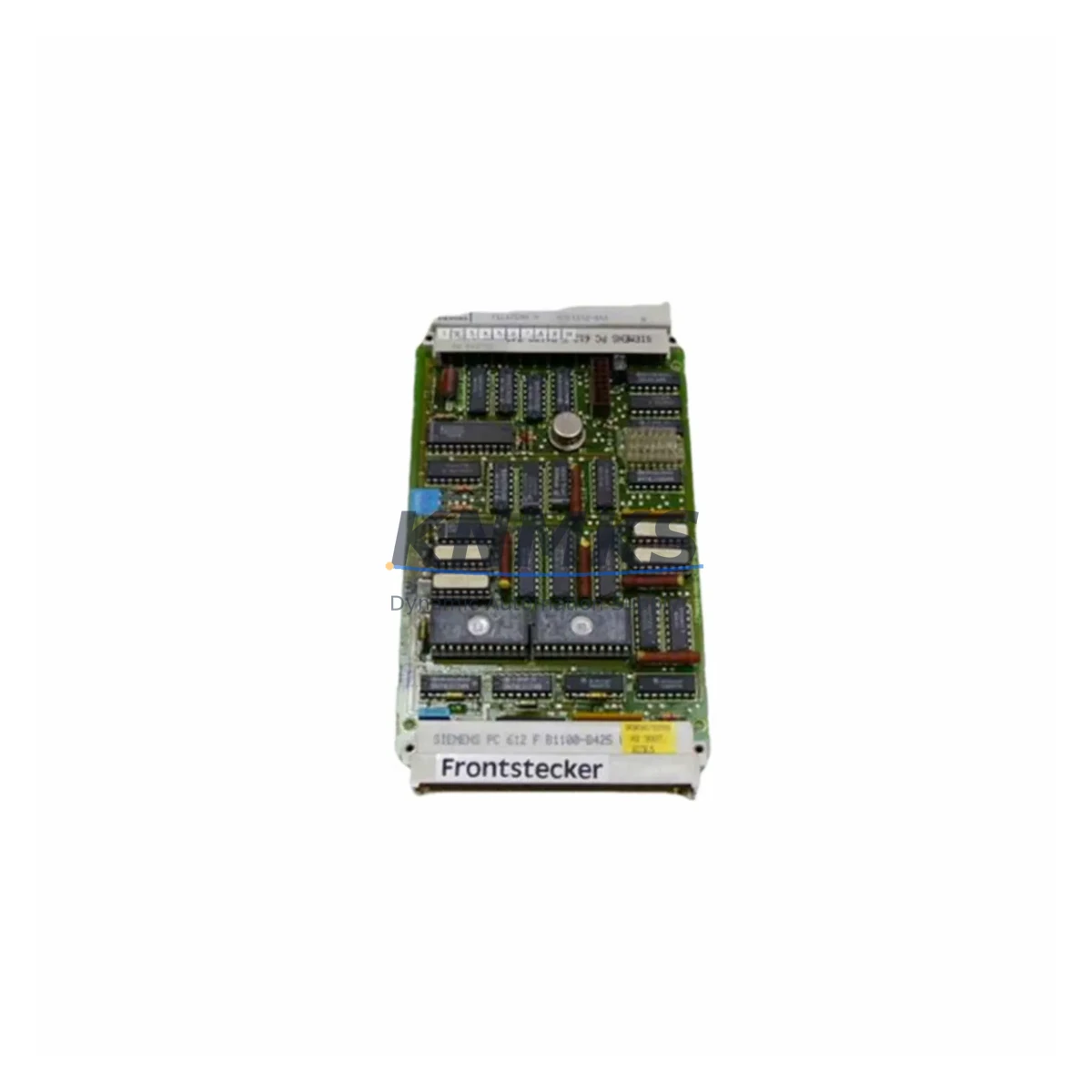
Siemens 6DS1212-8AB Maintenance-Proven Spare Part for Factory Uptime
The Siemens 6DS1212-8AB is a DCS bus interface module designed for the TELEPERM M automation platform — one of Siemens’ most widely deployed process control architectures in chemical, petrochemical, power generation, and heavy manufacturing facilities. As legacy TELEPERM M systems continue to operate well beyond their original design life, maintaining a verified stock of the 6DS1212-8AB is a critical element of any plant’s spare parts strategy. This module serves as the communication backbone between field I/O subsystems and the central process controller, making its availability essential for uninterrupted production continuity.
Each 6DS1212-8AB unit supplied by KNMKS is sourced as an original Siemens component, subjected to pre-shipment functional testing, and dispatched with a support terms confirmed by quotation. Our multi-region inventory ensures rapid response for both emergency replacements and scheduled outage restocking, supporting maintenance teams across Asia, Europe, the Middle East, and the Americas.
Spare Maintenance Table
| Parameter | Specification |
|---|---|
| Part Number / SKU | 6DS1212-8AB |
| Brand | Siemens |
| Series / Platform | TELEPERM M DCS |
| Module Type | DCS Bus Interface Module |
| Country of Origin | Germany (DE) |
| Bus Protocol Compatibility | TELEPERM M internal bus (SINEC H1 / proprietary DCS backplane) |
| Mounting | DIN rail / TELEPERM M rack-mount chassis |
| Operating Temperature | 0°C to +60°C (typical industrial DCS environment) |
| Power Supply Requirement | 24 VDC via backplane (rack-supplied) |
| Application Environment | Process control, chemical plant, power station, refinery, heavy industry |
| Maintenance Recommendation | Inspect bus connectors and backplane contacts during annual shutdown; replace if communication errors or CRC faults are logged |
| Pre-Shipment Testing | Yes — functional verification before dispatch |
| Support terms | 12 Months |
| Delivery | Global dispatch; multi-region stock available |
Maintenance Planning for Continuous Operation
In a TELEPERM M control cabinet, the 6DS1212-8AB does not operate in isolation. Maintenance engineers performing a bus interface module replacement should treat the intervention as an opportunity for a broader cabinet health check. The 24 VDC rack power supply — typically a Siemens 6DS1700 series or equivalent redundant PSU — should be load-tested and its output voltage verified before the new module is seated. A degraded power rail is a common root cause of repeated bus interface failures and is frequently overlooked during reactive maintenance.
The backplane connector and rack chassis should be inspected for oxidation, bent pins, or contamination. In humid or chemically aggressive environments, connector corrosion can cause intermittent communication faults that mimic module failure. Cleaning with isopropyl alcohol and verifying contact integrity before reinsertion is standard practice. If the rack chassis itself shows signs of thermal stress or mechanical deformation, a Siemens TELEPERM M rack assembly (6DS1100 series) should be added to the replacement checklist.
Signal integrity on the I/O side should also be confirmed. Analog input modules such as the Siemens 6DS1310 series and digital output modules in the 6DS1400 series share the same backplane bus. If the 6DS1212-8AB failure was preceded by erratic I/O readings or spurious output activations, those adjacent modules should be inspected and their terminal blocks re-torqued. Loose field wiring at the terminal strip is a frequent contributor to bus communication instability.
For plants running TELEPERM M alongside a SIMATIC S5 or early S7 gateway, the communication interface card connecting the two systems — often a CP 5431 or equivalent — should be checked for firmware compatibility and connector seating. A bus interface module replacement is also an appropriate time to verify that any signal isolators or galvanic separators in the 4–20 mA loops are functioning within specification, as ground loops introduced through field instrumentation can stress bus communication hardware over time.
Fuse holders and miniature circuit breakers protecting the 24 VDC distribution within the cabinet should be tested for continuity and correct rating. Undersized or aged fuses are a latent risk that can cause nuisance trips during the post-replacement commissioning phase. Stocking a set of replacement fuses alongside the 6DS1212-8AB is a low-cost insurance measure that experienced maintenance planners routinely include in their annual outage kits.
Site Replacement Workflow
Step 1 — Pre-Replacement Preparation: Download the current TELEPERM M configuration backup from the engineering workstation before any hardware intervention. Confirm the 6DS1212-8AB slot address and bus node assignment in the system documentation. Notify the control room of the planned intervention window.
Step 2 — Safe Isolation: Place the affected controller segment in manual or safe state per plant SOP. De-energize the rack section following LOTO procedures. Do not remove the module under live bus conditions unless the system design explicitly supports hot-swap for this slot.
Step 3 — Module Extraction and Inspection: Remove the faulty 6DS1212-8AB and inspect the backplane connector for damage. Photograph the slot and connector condition for maintenance records. Check the module’s diagnostic LEDs and fault log before disposal to confirm the failure mode.
Step 4 — New Module Installation: Insert the replacement 6DS1212-8AB, ensuring full backplane engagement. Verify the bus address DIP switch or jumper settings match the original configuration. Re-energize the rack and observe the module’s status LEDs during boot.
Step 5 — Commissioning and Verification: Restore the controller segment to automatic mode. Verify all I/O points on the affected bus segment are communicating correctly. Run a 30-minute observation period before returning the loop to full production. Document the replacement in the plant maintenance management system (CMMS).
Step 6 — Spare Stock Replenishment: Immediately initiate a purchase order for a replacement 6DS1212-8AB to restore your on-hand spare buffer. For critical TELEPERM M installations, a minimum of two units on-site is recommended to cover back-to-back failures during extended outage cycles.
Spare Parts Support FAQ
Q1: Is the 6DS1212-8AB still available as a new original Siemens component, or is it only available as refurbished stock?
The 6DS1212-8AB is a legacy TELEPERM M component that has reached end-of-production with Siemens. KNMKS supplies verified original units sourced from authorized industrial channels and managed inventory. Each unit undergoes pre-shipment functional testing. We do not supply unchecked or cosmetically refurbished modules — all units are tested to confirm operational status before dispatch.
Q2: How do I confirm compatibility between the 6DS1212-8AB and my existing TELEPERM M rack configuration?
Compatibility is determined by the rack chassis generation, bus protocol version, and slot assignment defined in your TELEPERM M engineering documentation. Provide your rack type, existing module list, and system software version to our technical team at admin@knmks.com and we will confirm fit before shipment. We recommend cross-referencing the Siemens TELEPERM M hardware manual for your specific installation generation.
Q3: What does the support terms confirmed by quotation cover, and what is the process for a support terms claim?
The support terms confirmed by quotation cover functional failure under normal operating conditions — correct voltage, temperature within specification, and proper installation. It does not cover damage from incorrect installation, overvoltage events, or physical mishandling. To initiate a support terms claim, contact admin@knmks.com with your order reference, a description of the failure, and diagnostic evidence (fault logs, LED status). We will arrange return logistics and replacement dispatch.
Q4: Can KNMKS support long-term supply agreements for 6DS1212-8AB and other TELEPERM M spare parts?
Yes. For plants with ongoing TELEPERM M maintenance programs, KNMKS offers long-term supply agreements that include reserved inventory allocation, priority dispatch, and annual pricing reviews. This is particularly valuable for facilities managing multi-year migration timelines where TELEPERM M hardware must remain operational until the new DCS platform is fully commissioned. Contact our team to discuss a tailored supply agreement.
© 2026 KNMKS. All rights reserved.
Original Source: https://knmks.com
Contact: admin@knmks.com | +86 18359268345
Product Identification
- Brand / Ecosystem
-
Siemens
Siemens - Model / Series
- 6DS1212-8AB
- Product Family
- PLCs & Controllers
- Availability Status
- Available on request after model and quantity confirmation
- Inquiry Type
- B2B RFQ, replacement inquiry and project spare-part request
- Pre-Quote Check
- Exact SKU, brand, series, quantity, nameplate photos and destination country are checked before quotation
System Path
Where this product fits in the KNMKS automation structure.
Specification & Inquiry Focus
- Control platform
- PLC, PAC and modular controllers
- Common needs
- CPU, rack, power and I/O expansion
- Project support
- Replacement, cabinet build and maintenance
Buyer Confirmation
Information KNMKS checks before replying.
- Exact model
- 6DS1212-8AB
- Brand / ecosystem
- Siemens
- Product family
- PLCs & Controllers
- Application note
- Replacement, maintenance, project build or spare-part list
- Useful photos
- Nameplate, installed unit, cabinet layout or connector side
- Delivery details
- Quantity, destination country and target schedule
Document Support
Files and notes can be confirmed during quotation.
- Product photos or nameplate confirmation when available
- Packing and delivery notes before quotation confirmation
- Support scope and delivery terms confirmed per inquiry
- Export document coordination for qualified B2B requests
Inquiry Support
- Model cross-checking before quotation
- CPU, power, rack and expansion module matching
- Support for replacement and project inquiry
What to Send Us
- Brand and exact model number: Siemens 6DS1212-8AB
- Quantity and required delivery time
- Application, replacement requirement or nameplate photo
- Destination country and shipping preference
RFQ Preparation
This is a product inquiry page built for RFQ communication.
Fast Model Check
Send this model to KNMKS for confirmation.
Include quantity, destination country and photos if this is a maintenance replacement. The inquiry will be saved with a reference number after submission.
Brand & Compatibility Note
KNMKS displays automation product information for well-known industrial brand ecosystems and compatible replacement references. Brand names are used for product identification and compatibility reference only; final availability and commercial terms are confirmed per quotation.
 Manufacturing
 Machine Tools
 Packaging
 Energy & Power



 HMI & Displays
 Servo Systems
 Variable Frequency Drives
 Sensors