
Overview
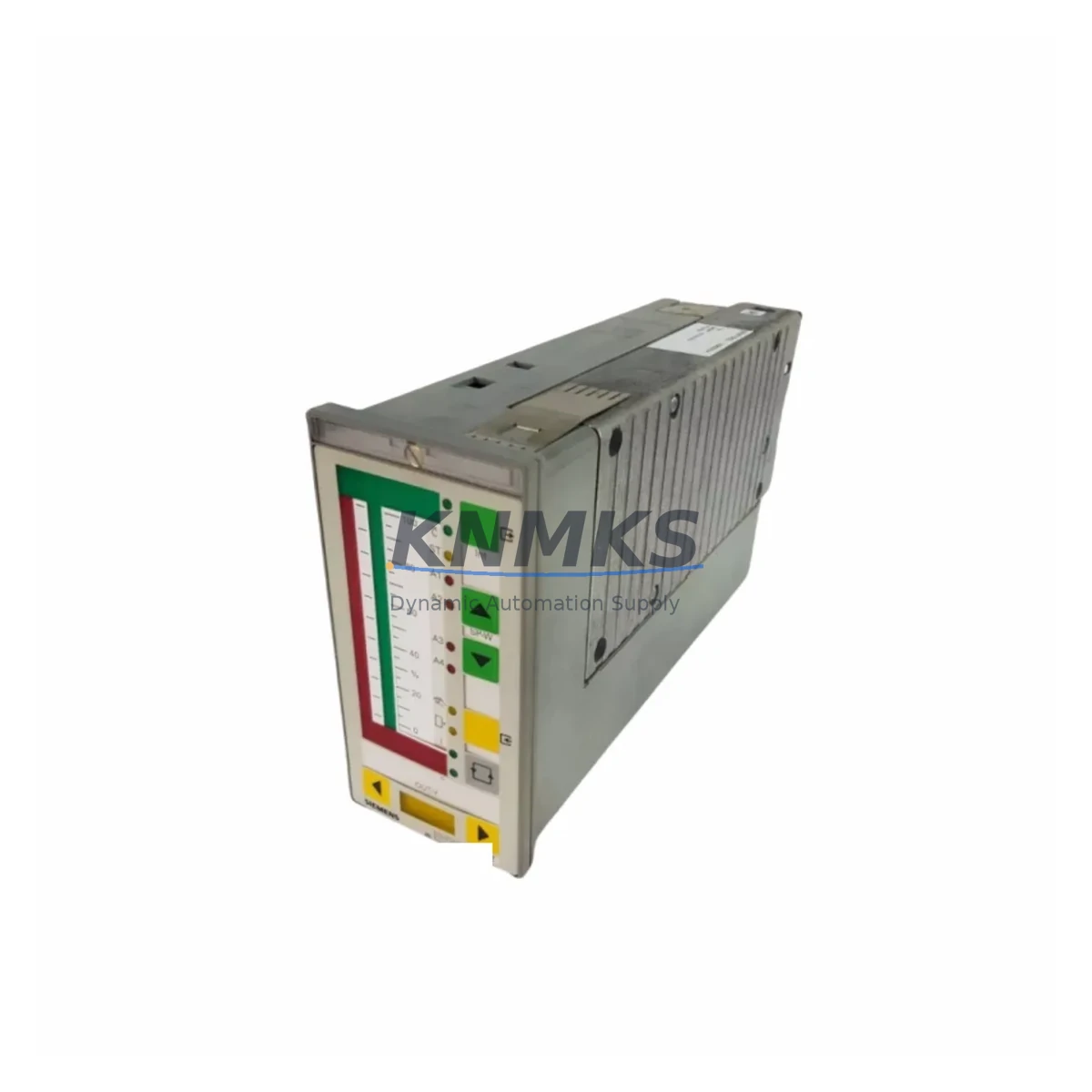
Siemens 6DR2210-4 Migration-Ready DCS Module for Legacy Control Systems
The Siemens 6DR2210-4 is a process control module originally designed for the TELEPERM M distributed control system — one of Siemens’ most widely deployed DCS platforms across petrochemical, power generation, and heavy process industries. As TELEPERM M reaches end-of-life and spare part availability tightens, the 6DR2210-4 has become a critical component in both emergency replacement scenarios and structured system migration projects. Whether your facility is maintaining an aging TELEPERM M installation or planning a phased migration to a modern control platform, sourcing a verified, pre-tested 6DR2210-4 is often the first and most time-sensitive step.
This module handles core controller functions within the TELEPERM M rack architecture, interfacing directly with the backplane bus and communicating with I/O modules, operator stations, and engineering workstations through the system’s native communication protocol. When a 6DR2210-4 fails in service, the impact is immediate: process loops go offline, alarms may be suppressed, and manual intervention becomes necessary. Having a pre-tested replacement module on hand — or sourcing one with guaranteed lead time — is essential for facilities that cannot tolerate extended unplanned downtime.
Beyond direct replacement, the 6DR2210-4 is frequently referenced in migration planning documents when engineering teams are evaluating a transition from TELEPERM M to platforms such as Siemens SIMATIC PCS 7 or third-party DCS alternatives. Understanding the module’s I/O capacity, terminal wiring layout, rack slot addressing, and firmware revision is a prerequisite for any accurate migration scope assessment. Facilities that skip this verification step often encounter wiring incompatibilities, address conflicts, or HMI screen mapping errors during commissioning — all of which extend downtime and increase project cost.
Migration Compatibility Table
| Parameter | Details |
|---|---|
| SKU / Part Number | 6DR2210-4 |
| Brand | Siemens |
| Series | TELEPERM M |
| Module Function | DCS Controller / Process Control Module |
| Backplane Interface | TELEPERM M rack bus (proprietary backplane) |
| Communication Protocol | TELEPERM M native bus; compatible with CS275 / SINEC H1 infrastructure |
| Installation Requirement | Standard TELEPERM M rack slot; verify slot addressing before insertion |
| Power Supply Compatibility | Confirm rack PSU capacity before replacement; check 24 VDC rail loading |
| Terminal Wiring | Verify field terminal assignments against original loop drawings before swap |
| Firmware Compatibility | Match firmware revision to existing system configuration; consult engineering records |
| HMI / Operator Station | Verify TELEPERM M OS screen assignments post-replacement; re-map if required |
| Replacement Path | Direct drop-in for same-slot 6DR2210-4; migration to SIMATIC PCS 7 requires I/O remapping |
| Commissioning Note | Perform loop checks and alarm verification after module swap before returning to auto |
| Pre-Shipment Testing | Yes — functional test performed before dispatch |
| Support terms | 12 Months |
| Origin | Germany |
| Global Shipping | Available — multi-region stock |
Retrofit Planning for Existing Automation Systems
A successful 6DR2210-4 replacement begins well before the module arrives on site. Engineering teams should pull the original rack layout drawing to confirm the target slot number and verify that no address conflicts exist with adjacent modules. In TELEPERM M installations, the rack slot address directly influences how the controller module is recognized by the system bus — inserting a replacement into the wrong slot, or into a rack with a conflicting address configuration, will prevent the system from initializing correctly.
Power supply capacity is a frequently overlooked factor. The TELEPERM M power supply modules — such as the 6DR2200-series PSUs — must be verified to have sufficient headroom to support the replacement 6DR2210-4 alongside all other rack-mounted modules. If the existing PSU is already operating near its rated output, adding or replacing a controller module without a load audit can result in intermittent faults or premature PSU failure.
Terminal wiring compatibility must be confirmed against the original loop drawings. The 6DR2210-4 connects to field instruments through the rack’s I/O terminal interface, and any deviation from the original wiring assignment — even a single transposed pair — can cause incorrect process readings or control output errors. This is especially critical in facilities where the original as-built documentation has not been updated to reflect field modifications made over the system’s operational life.
For facilities planning a broader migration, the 6DR2210-4 replacement is often the starting point for a phased upgrade. In Phase 1, the failed or aging controller module is replaced with a verified 6DR2210-4 to restore system stability. In Phase 2, engineering teams evaluate the migration path to a modern platform — which may involve replacing TELEPERM M I/O modules such as the 6DR2400-series analog input cards, introducing SIMATIC ET 200 remote I/O stations, or deploying a SIMATIC S7-400 or PCS 7 controller as the new process control backbone. Communication infrastructure — including CS275 bus couplers and SINEC H1 network components — must also be assessed as part of the migration scope.
HMI and operator station compatibility is another key planning element. TELEPERM M operator stations running legacy OS software will require screen re-mapping or full replacement if the migration moves to a SIMATIC PCS 7 or WinCC-based operator environment. Identifying which process graphics, alarm lists, and trend displays are critical to operations — and ensuring these are accurately reproduced in the new environment — is essential for maintaining operator confidence during and after the transition.
Downtime Control During System Migration
Minimizing downtime during a 6DR2210-4 replacement or broader TELEPERM M migration requires a structured approach to pre-work, execution, and verification. The most effective strategy is to complete all preparatory steps — rack layout verification, PSU load audit, terminal wiring review, firmware version confirmation, and spare module pre-testing — before the maintenance window begins. This reduces the in-window activity to the physical swap, system initialization, and loop verification, which can typically be completed within a planned shutdown period.
Protecting the original program logic is a non-negotiable requirement. Before any hardware change, the existing controller configuration should be backed up using the TELEPERM M engineering tools. If the original engineering workstation is no longer operational, recovering the configuration from a backup or reconstructing it from as-built documentation becomes a critical pre-migration task. Attempting a module swap without a verified configuration backup introduces significant risk of permanent program loss.
For facilities that cannot tolerate a full process shutdown, a parallel commissioning approach may be feasible — where the replacement module is configured and verified offline before being brought into service. This approach requires careful coordination with operations to manage the switchover, but it can reduce the live outage window to minutes rather than hours. Field commissioning should always include a full loop check, alarm function test, and control output verification before the system is returned to automatic control.
Retrofit Support FAQ
Q: Is the 6DR2210-4 a direct drop-in replacement for a failed unit in an existing TELEPERM M rack?
A: Yes, provided the replacement module matches the original firmware revision and the rack slot address is correctly configured. Verify the slot number and address settings against the original rack layout drawing before insertion. A loop check and alarm verification should be completed before returning the system to automatic control.
Q: What pre-shipment testing is performed on the 6DR2210-4?
A: Each unit undergoes functional testing before dispatch to verify basic operational integrity. Units are supplied with a support terms confirmed by quotation covering manufacturing defects and functional failures under normal operating conditions.
Q: How do I confirm wiring compatibility before installing the replacement module?
A: Pull the original loop drawings and terminal assignment sheets for the rack position. Compare the field wiring against the 6DR2210-4 terminal layout. If the as-built documentation has not been maintained, a field survey of the existing wiring should be completed before the replacement module is installed.
Q: What is the typical lead time and stock availability for the 6DR2210-4?
A: Stock is maintained across multiple regions to support emergency replacement requirements. Contact our sales team for current availability and lead time confirmation. For critical applications, we recommend confirming stock and initiating the order before the scheduled maintenance window.
© 2026 KNMKS. All rights reserved.
Original Source: https://knmks.com
Contact: admin@knmks.com | +86 18359268345
Product Identification
- Brand / Ecosystem
-
Siemens
Siemens - Model / Series
- 6DR2210-4
- Product Family
- PLCs & Controllers
- Availability Status
- Available on request after model and quantity confirmation
- Inquiry Type
- B2B RFQ, replacement inquiry and project spare-part request
- Pre-Quote Check
- Exact SKU, brand, series, quantity, nameplate photos and destination country are checked before quotation
System Path
Where this product fits in the KNMKS automation structure.
Specification & Inquiry Focus
- Control platform
- PLC, PAC and modular controllers
- Common needs
- CPU, rack, power and I/O expansion
- Project support
- Replacement, cabinet build and maintenance
Buyer Confirmation
Information KNMKS checks before replying.
- Exact model
- 6DR2210-4
- Brand / ecosystem
- Siemens
- Product family
- PLCs & Controllers
- Application note
- Replacement, maintenance, project build or spare-part list
- Useful photos
- Nameplate, installed unit, cabinet layout or connector side
- Delivery details
- Quantity, destination country and target schedule
Document Support
Files and notes can be confirmed during quotation.
- Product photos or nameplate confirmation when available
- Packing and delivery notes before quotation confirmation
- Support scope and delivery terms confirmed per inquiry
- Export document coordination for qualified B2B requests
Inquiry Support
- Model cross-checking before quotation
- CPU, power, rack and expansion module matching
- Support for replacement and project inquiry
What to Send Us
- Brand and exact model number: Siemens 6DR2210-4
- Quantity and required delivery time
- Application, replacement requirement or nameplate photo
- Destination country and shipping preference
RFQ Preparation
This is a product inquiry page built for RFQ communication.
Fast Model Check
Send this model to KNMKS for confirmation.
Include quantity, destination country and photos if this is a maintenance replacement. The inquiry will be saved with a reference number after submission.
Brand & Compatibility Note
KNMKS displays automation product information for well-known industrial brand ecosystems and compatible replacement references. Brand names are used for product identification and compatibility reference only; final availability and commercial terms are confirmed per quotation.
 Manufacturing
 Machine Tools
 Packaging
 Energy & Power



 HMI & Displays
 Servo Systems
 Variable Frequency Drives
 Sensors