
Overview
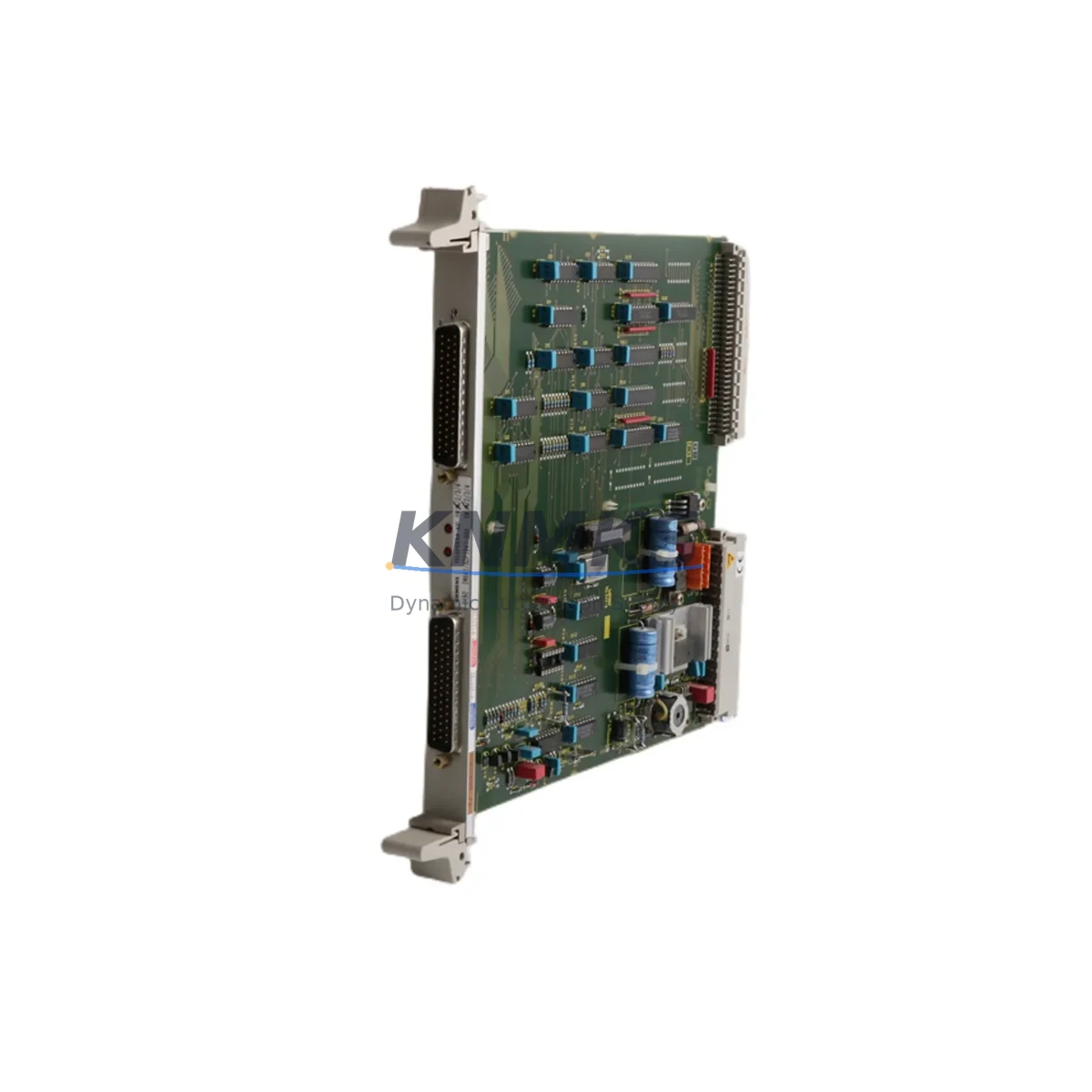
SIEMENS 6DP1641-8AA Maintenance-Proven Spare Part for Factory Uptime
The SIEMENS 6DP1641-8AA is an original IM614 Interface Module designed for SIMATIC S5 and TELEPERM M distributed control systems. As a critical communication bridge between the central controller and field I/O racks, this module plays a decisive role in maintaining uninterrupted production across process industries, power generation, chemical plants, and heavy manufacturing environments. Sourced directly from verified industrial channels, every unit offered by KNMKS undergoes incoming inspection, functional verification, and pre-shipment testing before dispatch — ensuring that your maintenance team receives a part that is ready to install, not just ready to ship.
For maintenance engineers managing aging SIMATIC S5 or TELEPERM M installations, the 6DP1641-8AA represents one of the highest-priority spare parts to hold availability confirmed by RFQ. Its failure results in immediate loss of communication between the CPU rack and remote I/O stations, causing unplanned downtime that can cascade across entire production lines. Holding at least one verified spare on the shelf is the single most effective insurance policy against this failure mode.
Spare Maintenance Table
| Parameter | Specification |
|---|---|
| Part Number / SKU | 6DP1641-8AA |
| Module Type | IM614 Interface Module |
| Compatible System | SIMATIC S5, TELEPERM M DCS |
| Communication Protocol | SINEC H1, PROFIBUS |
| Series | SIMATIC S5 / IM600 Series |
| Manufacturer | SIEMENS AG |
| Country of Origin | Germany |
| Supply Voltage | 24 V DC (rack-supplied) |
| Installation | DIN rail / backplane slot mount |
| Operating Temperature | 0 °C to +60 °C |
| Weight | Approx. 420 g |
| Condition | Original, tested, inspected |
| Support terms | 12 Months |
| Compatibility Verification | Pre-shipment functional test included |
| Typical Application | Process control, DCS rack communication, remote I/O interfacing |
| Maintenance Recommendation | Inspect connector pins and backplane contacts every 12 months; replace if corrosion or intermittent faults detected |
Maintenance Planning for Continuous Operation
When a 6DP1641-8AA interface module is flagged during routine inspection or fails in service, experienced maintenance engineers know that the fault rarely exists in isolation. The IM614 sits at the heart of the rack communication architecture, and its replacement should always be accompanied by a systematic check of the surrounding electrical environment.
Begin with the 24 V DC rack power supply — typically a PS951 or equivalent SIMATIC S5 power supply module. Voltage ripple or transient spikes are a leading cause of premature interface module failure, and a degraded power supply will damage a replacement module just as quickly as the original. Verify output voltage under load and inspect the power supply’s capacitors for signs of aging.
Next, inspect the backplane bus connector and the module’s edge connector pins. Oxidation on the gold-plated contacts of the IM614 slot is a common finding in humid or coastal industrial environments. Clean contacts with approved contact spray and verify seating torque on all rack screws before inserting the replacement module.
The SINEC H1 coaxial cable termination and BNC connectors at both ends of the network segment should be checked for impedance continuity. A mismatched or damaged terminator resistor (typically 75 Ω for SINEC H1) will cause communication errors that mimic a failed interface module, leading to unnecessary part replacement. Similarly, if the installation uses PROFIBUS DP connectors (9-pin Sub-D), inspect the cable shield grounding and connector body for mechanical damage.
For systems that include CP1430 or CP143 communication processors in the same rack, verify that their firmware and configuration files are backed up before any rack intervention. A rack power cycle during module replacement can occasionally trigger a configuration loss on these processors, extending the recovery window unnecessarily.
If the control cabinet also houses ET200 remote I/O stations connected via PROFIBUS, confirm that each station’s address switch settings are documented before the maintenance window. Address conflicts introduced during a rushed replacement are a common source of post-maintenance faults that are difficult to diagnose under production pressure.
Finally, review the fuse and circuit protection for the 24 V DC bus feeding the rack. A blown fuse or a tripped miniature circuit breaker upstream of the rack is sometimes the root cause of an apparent module failure. Replacing the 6DP1641-8AA without restoring proper upstream protection will result in repeat failure within hours of restart.
Site Replacement Workflow
Replacing the SIEMENS 6DP1641-8AA on a live system requires a structured approach to minimize downtime and avoid configuration errors. The following workflow reflects best practices for SIMATIC S5 and TELEPERM M environments:
Step 1 — Pre-Replacement Documentation: Export or photograph the current rack configuration, including module slot assignments, DIP switch settings on the IM614, and any jumper configurations. Record the SINEC H1 or PROFIBUS network address assigned to this interface module. Confirm that a backup of the CPU program and I/O configuration exists and is current.
Step 2 — Safe Isolation: Follow your site’s lockout/tagout (LOTO) procedure for the affected rack. For hot-standby systems, initiate a controlled switchover to the redundant controller before de-energizing the rack. Do not assume the system is safe based on HMI status alone — verify at the terminal strip.
Step 3 — Module Extraction and Inspection: Remove the failed 6DP1641-8AA and inspect the backplane slot for bent pins, debris, or burn marks. A damaged backplane slot must be repaired before inserting the replacement — forcing a module into a damaged slot will destroy the new part immediately.
Step 4 — Replacement Module Preparation: Set the DIP switches and jumpers on the new 6DP1641-8AA to match the documented configuration of the removed module. Verify that the network address and communication parameters are identical. Do not rely on memory — use the documented settings.
Step 5 — Insertion and Power-Up: Insert the replacement module firmly into the backplane slot and secure the front panel screw. Re-energize the rack and observe the module’s status LEDs. A steady green RUN LED and absence of fault LEDs on the CPU module indicate successful communication restoration.
Step 6 — System Verification: Confirm that all remote I/O stations are communicating correctly via the SINEC H1 or PROFIBUS network. Check the CPU’s diagnostic buffer for any residual fault entries. Perform a functional test of the process outputs controlled by the affected I/O stations before returning the system to automatic operation.
This structured approach consistently reduces mean time to repair (MTTR) for IM614 replacements to under 90 minutes, even in complex multi-rack installations.
Spare Parts Support FAQ
Q1: Is the 6DP1641-8AA still available as a new original part, or is it an end-of-life component?
The SIEMENS 6DP1641-8AA has been discontinued from standard production, but original surplus stock continues to be available through specialist industrial spare parts suppliers. KNMKS maintains verified inventory of this module and can confirm availability and lead time upon inquiry. All units are original SIEMENS manufacture — no third-party reproductions or rebranded substitutes are supplied.
Q2: What pre-shipment testing is performed on each 6DP1641-8AA before dispatch?
Each unit undergoes visual inspection for physical damage, connector pin integrity check, and functional power-up verification. Units that show any sign of prior repair, component replacement, or abnormal wear are quarantined and not offered for sale. A test report summary is available upon request for critical procurement requirements.
Q3: Can the 6DP1641-8AA be used as a direct replacement for earlier IM614 variants in the same rack?
Compatibility depends on the specific rack type and firmware revision of the CPU module. In most SIMATIC S5-115U, S5-135U, and S5-155U installations, the 6DP1641-8AA is a direct slot-compatible replacement for earlier IM614 variants. However, DIP switch settings may differ between variants — always verify the configuration documentation before installation. KNMKS technical support can assist with compatibility verification for your specific system configuration.
Q4: What is the support terms coverage and what does it include?
All 6DP1641-8AA units supplied by KNMKS carry a support terms confirmed by quotation from the date of shipment. The support terms covers manufacturing defects and functional failure under normal operating conditions. It does not cover damage resulting from incorrect installation, overvoltage events, or physical mishandling. In the event of a support terms claim, KNMKS will arrange replacement shipment or documented resolution support upon return and inspection of the defective unit. Long-term supply agreements with reserved stock allocation are available for customers with ongoing maintenance requirements.
© 2026 KNMKS. All rights reserved.
Original Source: https://knmks.com
Contact: admin@knmks.com | +86 18359268345
Product Identification
- Brand / Ecosystem
-
SIEMENS
Siemens - Model / Series
- 6DP1641-8AA
- Product Family
- PLCs & Controllers
- Availability Status
- Available on request after model and quantity confirmation
- Inquiry Type
- B2B RFQ, replacement inquiry and project spare-part request
- Pre-Quote Check
- Exact SKU, brand, series, quantity, nameplate photos and destination country are checked before quotation
System Path
Where this product fits in the KNMKS automation structure.
Specification & Inquiry Focus
- Control platform
- PLC, PAC and modular controllers
- Common needs
- CPU, rack, power and I/O expansion
- Project support
- Replacement, cabinet build and maintenance
Buyer Confirmation
Information KNMKS checks before replying.
- Exact model
- 6DP1641-8AA
- Brand / ecosystem
- SIEMENS
- Product family
- PLCs & Controllers
- Application note
- Replacement, maintenance, project build or spare-part list
- Useful photos
- Nameplate, installed unit, cabinet layout or connector side
- Delivery details
- Quantity, destination country and target schedule
Document Support
Files and notes can be confirmed during quotation.
- Product photos or nameplate confirmation when available
- Packing and delivery notes before quotation confirmation
- Support scope and delivery terms confirmed per inquiry
- Export document coordination for qualified B2B requests
Inquiry Support
- Model cross-checking before quotation
- CPU, power, rack and expansion module matching
- Support for replacement and project inquiry
What to Send Us
- Brand and exact model number: SIEMENS 6DP1641-8AA
- Quantity and required delivery time
- Application, replacement requirement or nameplate photo
- Destination country and shipping preference
RFQ Preparation
This is a product inquiry page built for RFQ communication.
Fast Model Check
Send this model to KNMKS for confirmation.
Include quantity, destination country and photos if this is a maintenance replacement. The inquiry will be saved with a reference number after submission.
Brand & Compatibility Note
KNMKS displays automation product information for well-known industrial brand ecosystems and compatible replacement references. Brand names are used for product identification and compatibility reference only; final availability and commercial terms are confirmed per quotation.
 Manufacturing
 Machine Tools
 Packaging
 Energy & Power



 HMI & Displays
 Servo Systems
 Variable Frequency Drives
 Sensors